AI File Cabinet for Churches. Document management for churches, found at the page
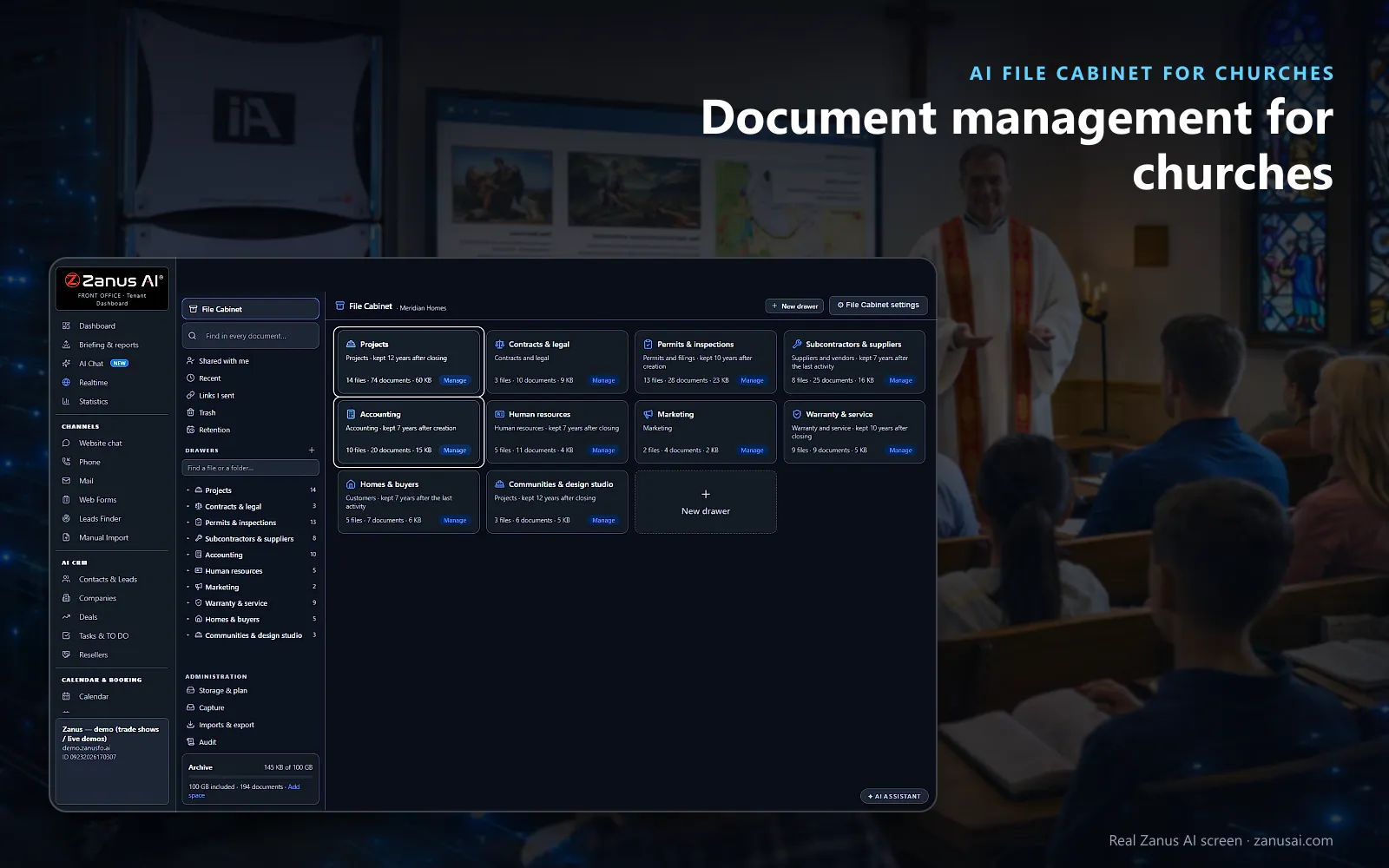
AI File Cabinet is document management for churches, kept the way a parish secretary keeps a metal cabinet: a drawer per subject, a file per building, ministry or event, folders inside. Each document is read page by page as it arrives, so council minutes, hall contracts and insurance papers are found again by what they say.
TRY AI FILE CABINET FREENo credit card · Ready in 2 minutesReady to buy? See plans & pricing ›
7 days free · per company, never per seat · nothing to install
Drawers
Contracts, accounting, human resources and company documents: each drawer decides who may open it and how long its files are kept.
 Easy setupSet up everything just by talking to Lisa AISee how ›
You“Give the Accounting drawer to the treasurer and the parish administrator only.”
Lisa“The Accounting drawer now opens for the treasurer and the parish administrator, with Manage; everyone else has No access. Apply?”
You talk. Lisa sets it up. Applied only on your yes.
How Churches use it
The parish secretary scans last year's council minutes with her phone; they are filed as one PDF and found later by a phrase.
The insurance renewal for the church hall is mailed to its file's own address and lands in the right drawer.
Finance records sit in the Accounting drawer, kept ten years after closing, and staff without rights to that drawer never open them.
REAL AI - the whole Front Office is AI, not old software with an AI button.
What’s included
- Drawers per department with one right per person: read, add, edit, manage
- Files per project, customer or matter; documents of any kind with versions
- Every page read, every recording transcribed; ask in plain words and open the proof at its page or second
- 100 GB of archive included, more space when you need it
- Phone scan, e-mail-in, filing from Mail and Phone; imports from Drive, Microsoft, Dropbox, Box and ZIP
Available on its own or inside a solution · See pricing › · Per company, never per seat.
Everything AI File Cabinet does, for every business ›
Works withAI E-mailAI PhoneAI QuotingAI Web FormsAI Team Assistant
Drawers and files
Parish document storage, drawer by drawer
A drawer per subject
In this digital filing for church offices, Contracts and legal, Accounting, Human resources, Company documents and more each keep their own rights and their own retention.
Read as it arrives
Each document is recognised by its content, given its kind and its date, and read page by page, so a phrase finds it again.
Facts checked by code
Totals, dates and deadlines read from invoices and contracts are checked by code; a fact that fails waits on To verify.
A legal hold
Put a hold on any file and nothing in it can be trashed or erased; lifting the hold belongs to the administrator.
Set-up
Church records management set up in 2 minutes
Open your drawers
Keep the drawers the parish needs and check the retention and the rights of each before anything is filed.
Shape your files
Tell Lisa the fields and folders a building or ministry file needs; she shows the template before and after.
Bring the papers in
Upload a folder, scan with the phone or give a file its e-mail address; an import shows its plan first.
Ask about a file
In the 7-day trial, with no credit card, load the church's own papers and ask the Team Assistant about one.
Questions & answers
AI File Cabinet for Churches: questions & answers
Can old paper records be brought in?
Yes. For church document storage, scan the pages with the phone's camera into the right file as one PDF, or upload a whole folder with its sub-folders kept. Scanned pages are read, so a search matches their words and opens them at the page.
Who can open the church's confidential files?
Each drawer decides who may open what, from No access to Manage. A private file stays with its owner, the people they share it with and the administrators, and every open, download and share is kept in the audit.
How long are church records kept?
As long as you set for each drawer: forever, or 7, 10 or 12 years after closing. Parish files that reach the end of their time are listed under Retention, where the office chooses Keep a year, Hold or Erase.
Can we send a file to the insurer without e-mail attachments?
Yes. Send by link gives read-only access, or access with download, under a watermark, for 1 to 90 days. The code goes by mail, you give the address yourself, and ten wrong codes lock the link.
Can staff ask questions about the church's documents?
Yes. The AI Team Assistant answers from the documents read at import, with the page for every value, such as when the hall's fire inspection certificate expires, and only from files that person may open.
Keep exploring
Where next?
Start with the one thing you need. Add more anytime by asking Lisa.
AI Front Office for Churches ›
Easy setup
Answers & books
Sells
Helps your team
Included
Award-winning AI
Winner at CES 2026, ISE 2026 and TMCnet Enterprise AI Product of the Year.
REAL AI - the whole Front Office is AI, not old software with an AI button.
Awards & trade shows ›


Give Lisa your website.
She sets up your business in 2 minutes.
Other software makes you learn it. Zanus AI learns your business.
Try it free on your own business — no credit card, per company, never per seat.
Ready to buy? See plans & pricing ›
Or call +1 (954) 736-3939 — the AI answers.