AI Follow-up for Churches. Church visitor follow-up that stops at the first reply
AI Follow-up runs church visitor follow-up by e-mail: each guest who wrote, called or sent a card gets a short plan of steps, and the AI writes every message fresh from what that guest asked, signed by a person of your staff. The first reply stops it and reaches your team.
TRY AI FOLLOW-UP FREENo credit card · Ready in 2 minutesReady to buy? See plans & pricing ›
7 days free · per company, never per seat · nothing to install
Replies
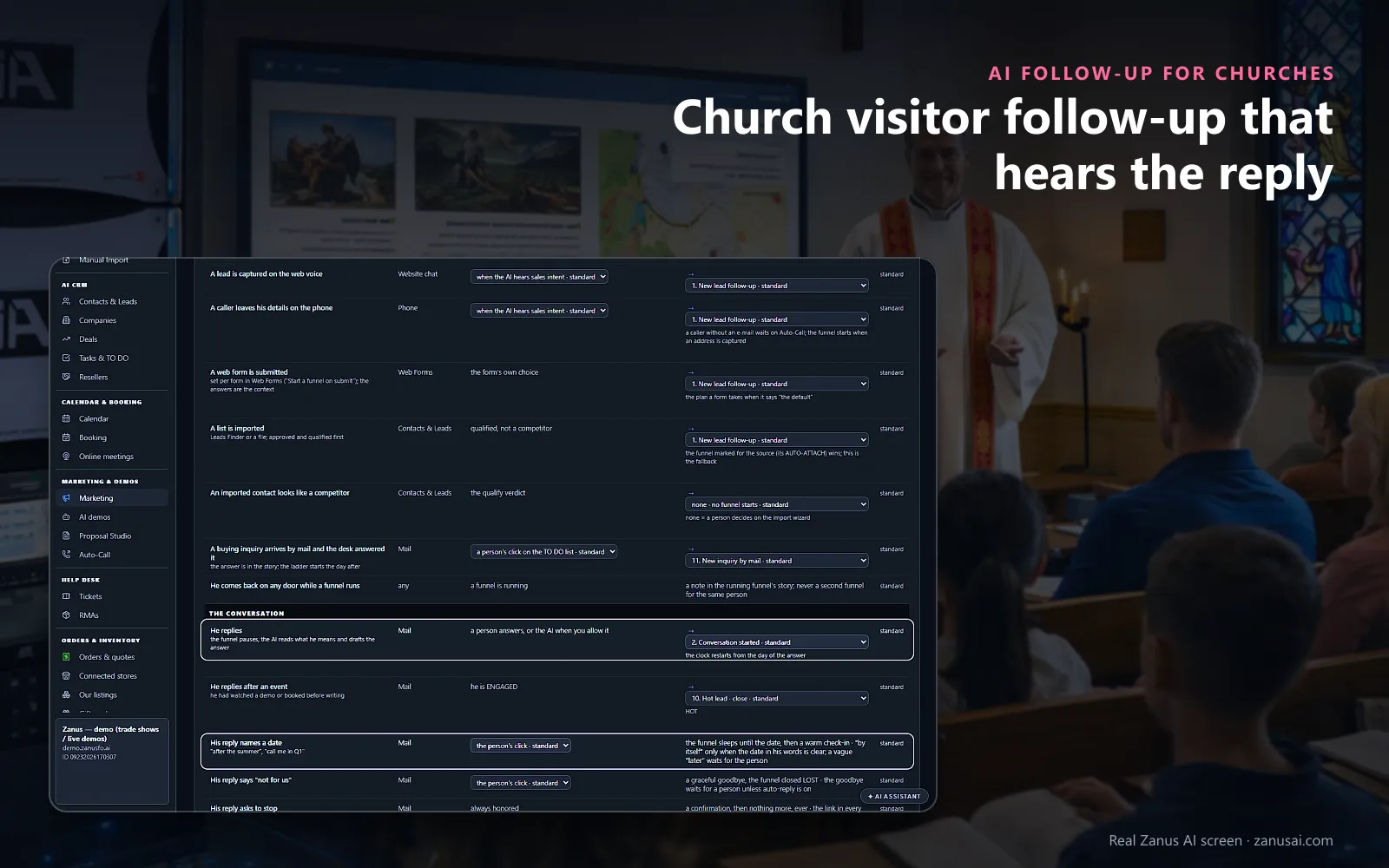
A reply pauses the plan and the AI reads it: a date holds the plan until then, and a request to stop ends it.
 Easy setupSet up everything just by talking to Lisa AISee how ›
You“For first-time guests, keep it to three e-mails over two weeks, then stop.”
Lisa“First-time guests now get three e-mails, on day 0, day 3 and day 14, and then the plan ends. Apply?”
You talk. Lisa sets it up. Applied only on your yes.
How Churches use it
A first-time guest who sent the connect card on Sunday gets a thank-you that day and a newcomer class note on day three.
A couple who asked about a June wedding and went quiet appears on the call list marked no response after three days.
A family replies that they are going through a hard week; the plan stops and the reply lands on the pastor's list at once.
REAL AI - the whole Front Office is AI, not old software with an AI button.
What’s included
- Sequences after a lead, a demo, a quote, a booking, by stage
- Presets suggested from your knowledge; the AI writes and tunes the steps with you
- A reply stops the sequence and alerts the owner; consent rules respected
- Templates in the customer's language; every touch on the customer's record
- Deliverability report: bounces, complaints, engagement
Add it to any contact channel — AI Phone, AI Webchat, AI E-mail or AI Web Forms — or get it inside a solution · See pricing › · Per company, never per seat.
Everything AI Follow-up does, for every business ›
Works withAI MarketingAI Auto-CallAI DemoAI QuotingAI Booking
The plans
First-time guest follow-up the office does not have to remember
Starts by itself
Choose where each plan starts: the office line, the chat, an e-mail, the connect card form or a list you import after an event.
Notes, not templates
In newcomer follow-up emails, each step carries a sentence on what it must achieve, such as an invitation to the newcomer class, and the AI writes from it.
Paced like a person
Sends are spaced with a pause between them and a daily cap, so the busy week after Easter never floods a family's inbox.
Wedding inquiries too
The follow-up for church inquiries covers weddings too: a new inquiry by e-mail, such as a question about a June wedding, gets its own short plan of four steps.
Set-up
A church follow-up sequence ready in 2 minutes
Keep the ready plans
The plans for new inquiries and newcomers are there from the start, with their days and notes; ask Lisa to shorten one.
Name the sender
Tell Lisa who signs, the welcome pastor or the parish office, with a role, a phone and the mailbox replies go to.
Pick the doors
Choose which channels start a plan, such as the connect card form, the website chat and the office line.
Read what it wrote
Through the 7 trial days, no card needed, read on each guest's record every e-mail the AI wrote for the church.
Questions & answers
AI Follow-up for Churches: questions & answers
Can church follow-up be automated without feeling pushy?
Yes, if the plan stays short. You decide the steps and the days, each e-mail is written from what the guest actually asked the church, and the first reply stops the sending and puts a person in charge.
Who signs the follow-up e-mails?
A person of your staff. Each plan is signed by a sender with a name, a role, a phone and a signature, such as the welcome pastor, and that name is what the guest sees in the inbox.
Can a pastor stop the e-mails for one family?
Yes. Stop the plan from its row, from the family's contact card or from the mail thread, and an unsubscribe takes that person out of every plan the church runs, for good.
What does the church office see each morning?
The call list: who replied, who asked for a call and who stayed silent, grouped by local time, each with the plan, the step reached and the days since the last e-mail.
Do the e-mails read like a form letter?
No. Each step holds a short note of what it must achieve, and the AI writes the message fresh from that note and the guest's own story, in their language. Preview shows one as the guest would receive it.
Keep exploring
Where next?
Start with the one thing you need. Add more anytime by asking Lisa.
AI Front Office for Churches ›
Easy setup
Answers & books
Sells
Helps your team
Included
Award-winning AI
Winner at CES 2026, ISE 2026 and TMCnet Enterprise AI Product of the Year.
REAL AI - the whole Front Office is AI, not old software with an AI button.
Awards & trade shows ›


Give Lisa your website.
She sets up your business in 2 minutes.
Other software makes you learn it. Zanus AI learns your business.
Try it free on your own business — no credit card, per company, never per seat.
Ready to buy? See plans & pricing ›
Or call +1 (954) 736-3939 — the AI answers.