AI Knowledge for Churches. An AI knowledge base for churches, taught by talking
AI Knowledge is the AI knowledge base for churches that every call, chat and e-mail answers from: your service times, holidays, departments and the rules the AI keeps. Write that it never counsels and that a crisis call goes to the person you named; each rule carries its own test, run every night.
TRY AI KNOWLEDGE FREENo credit card · Ready in 2 minutesReady to buy? See plans & pricing ›
7 days free · per company, never per seat · nothing to install
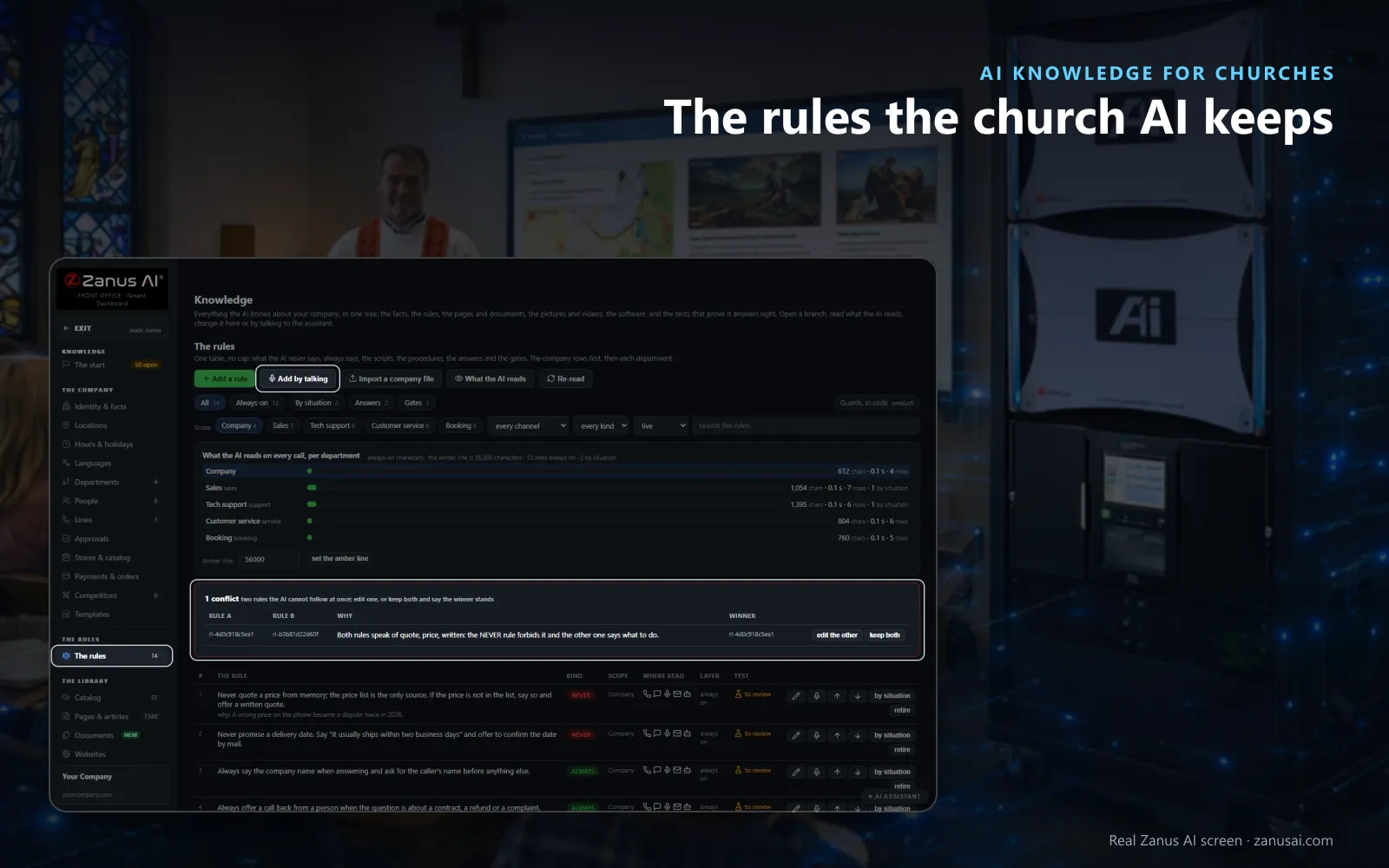
Rules
Never, always, scripts and procedures in one table; two rules that clash are paired so the office decides which one wins.
 Easy setupSet up everything just by talking to Lisa AISee how ›
You“Add a rule: never counsel; in a crisis, give the emergency number and transfer to the on-call pastor.”
Lisa“The rule says the AI never counsels; in a crisis it gives the emergency number and transfers to the pastor on call, with a nightly test. Apply?”
You talk. Lisa sets it up. Applied only on your yes.
How Churches use it
The office adds a rule: never offer counsel or spiritual advice, and offer to connect the caller with the pastor instead.
Christmas service times are added once in October, and the phone, the chat and the e-mails all give the same times.
A rule to give out the pastor's mobile and a rule never to share staff numbers are paired, and the office decides which wins.
REAL AI - the whole Front Office is AI, not old software with an AI button.
What’s included
- The start: the first questions, answered typed or by talking
- The company: identity, locations, hours, departments, people, catalog
- The rules: never, always, scripts, procedures, answers and must-ask
- The library: catalog, pages, documents, websites, pictures, videos, software
- Websites: your site read again every day, new pages added
- Auto-Retraining: every conversation reviewed for gaps and lessons
- Quality tests: rule tests, approved answers and picture sets every night
- The company file: export and import everything the AI knows
Available on its own or inside a solution · See pricing › · Per company, never per seat.
Everything AI Knowledge does, for every business ›
Works withAI PhoneAI WebchatAI E-mailAI Chat for your teamAI File CabinetAI Team Training
Your rules
Church knowledge base rules, tested every night
Never and always
One table holds the church AI rules: what the AI never says, always says, its scripts and its procedures, each with its scope and channels.
Contradictions paired
Two rules the AI cannot keep at once are shown side by side with the reason, and the office says which one wins.
Each rule tested
A rule asks its own question every night; it turns red when a must-not word appears, and the failed answer is shown.
Gaps wait for you
A question with no written answer is never filled with a guess; it waits for the office with the whole conversation.
Set-up
A parish office knowledge base in 2 minutes
Your website, read
Give Lisa the church's address; the pages, pictures and videos join the knowledge topic by topic.
The first questions
Answer by talking what the church does and what the AI must never say; each answer becomes a rule or a fact.
Your rules and files
Add the rules the office already follows and drop in your documents; contradictions are paired for you.
Approve and deploy
Nothing is live until you press APPROVE & DEPLOY; run it free for 7 days with no card and read the tests.
Questions & answers
AI Knowledge for Churches: questions & answers
Can the AI be kept from giving spiritual advice?
Yes. Write it as a never rule, such as never counsel or offer spiritual guidance, and add an always rule to offer the pastor. Each rule carries a test question with the words its answer must and must not contain, run every night.
What does the AI say when it does not know a church fact?
It says so in your words and never guesses. The question waits under Q&A and gaps with the whole conversation, and once the office answers it, the phone, the chat and the e-mails all use that answer.
How does the AI learn our service times?
Give Lisa your website address. She reads the pages, pictures and videos topic by topic, then asks what the church does and what she must never say or promise. Hours, holidays and the church service times FAQ sit with the church's own facts.
Does anything go live without the office's approval?
No. The assistant proposes and you press APPROVE & DEPLOY, so a rule dictated in a hurry is read back first. Answers your staff gave in call notes and e-mails can return as proposals, also waiting for your yes.
Does the AI learn personal details people share?
No. Personal data is never learned by any automation, and the terms you list as never-learn stay out of the knowledge, so a name in a prayer request is never turned into a fact.
Keep exploring
Where next?
Start with the one thing you need. Add more anytime by asking Lisa.
AI Front Office for Churches ›
Easy setup
Answers & books
Sells
Helps your team
Included
Award-winning AI
Winner at CES 2026, ISE 2026 and TMCnet Enterprise AI Product of the Year.
REAL AI - the whole Front Office is AI, not old software with an AI button.
Awards & trade shows ›


Give Lisa your website.
She sets up your business in 2 minutes.
Other software makes you learn it. Zanus AI learns your business.
Try it free on your own business — no credit card, per company, never per seat.
Ready to buy? See plans & pricing ›
Or call +1 (954) 736-3939 — the AI answers.