AI Webchat for Churches. The AI chatbot for church website visitors
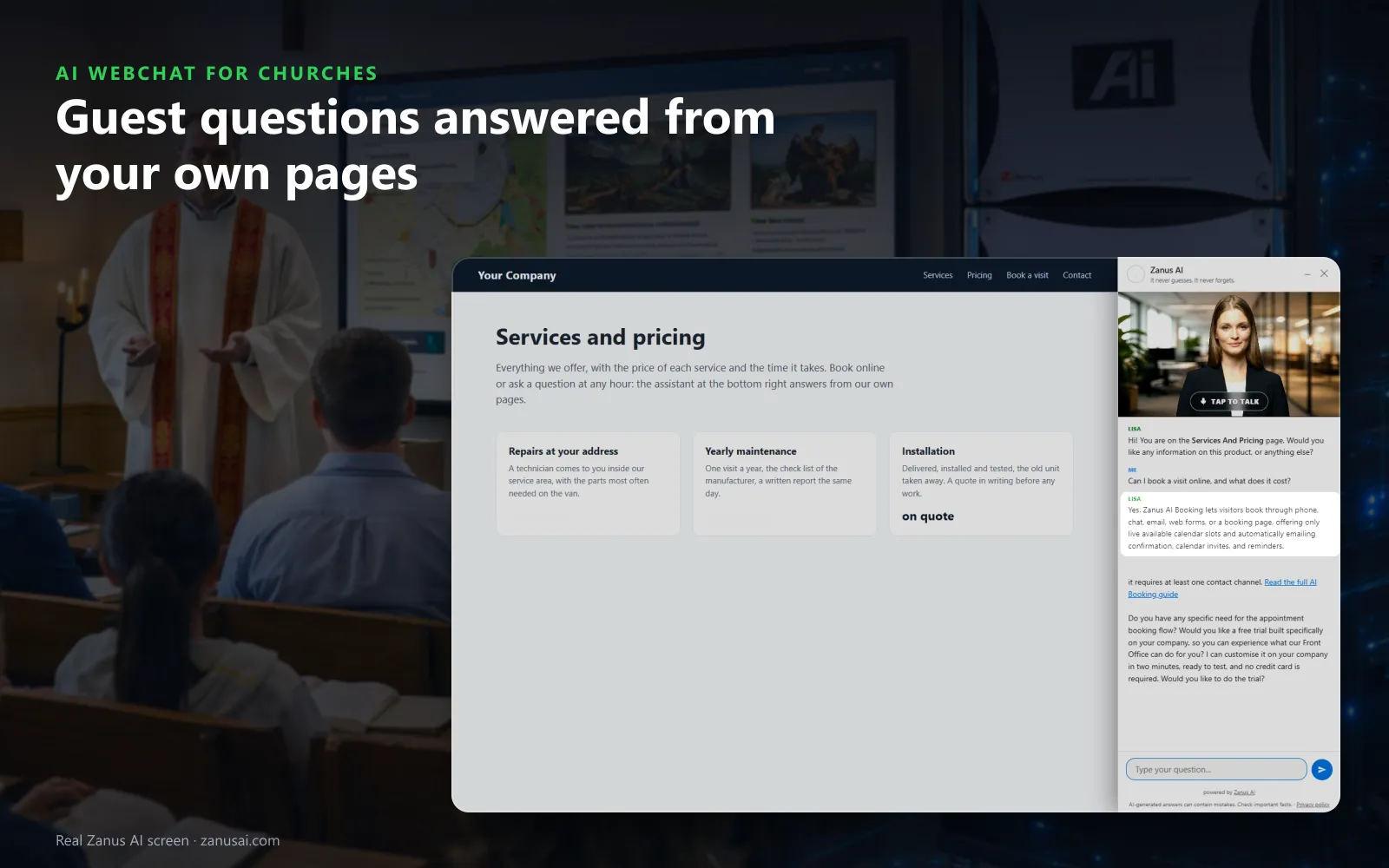
AI Webchat is an AI chatbot for church website visitors that answers by text or voice, in 40 languages, from your own pages only. It tells a first-time guest what to expect on Sunday, opens the page that covers the question, shows your photo of the entrance, and passes anything pastoral to a person with the conversation attached.
TRY AI WEBCHAT FREENo credit card · Ready in 2 minutesReady to buy? See plans & pricing ›
7 days free · per company, never per seat · nothing to install
Answers
She greets visitors by the page they are reading and writes the answer as it arrives, from your website and approved knowledge, never a guess.
 Easy setupSet up everything just by talking to Lisa AISee how ›
You“On the visit page, answer what to expect and open the newcomer page.”
Lisa“Visitors on the visit page get answers from your welcome page, and the newcomer page opens when they ask what comes next. Apply?”
You talk. Lisa sets it up. Applied only on your yes.
How Churches use it
A mother asks at ten at night whether there is a nursery during the late service and where to check in her toddler.
A visitor asks what people wear on Sunday; the chat answers from your welcome page and opens the newcomer lunch page.
Someone types that they are struggling; the chat answers with the words your church wrote for that moment and files it for a person.
REAL AI - the whole Front Office is AI, not old software with an AI button.
What’s included
- Text and voice in one widget on your site, the visitor types or talks; the AI answers in their language
- Knows the page the visitor is on and answers from your pages, files, prices and rules
- Shows pictures and product screens while it talks; opens the right page of your site and continues there
- Captures the lead with a verified e-mail; books appointments from your live calendar; offers your AI Demo
- Your people take over any chat live in one click, with the context, not a transcript to read
- Instant barge-in: the visitor interrupts and the AI stops; echo and background noise filtered
- Optional AI Avatar: the same assistant with a face that talks
- Every conversation on the customer's record; chat analytics per page and topic; sessions exportable
- Installs with one line on any site, Shopify, WordPress, custom; the widget is yours to brand
Available on its own or inside a solution · See pricing › · Per company, never per seat.
Everything AI Webchat does, for every business ›
Works withAI BookingAI AvatarAI DemoAI QuotingAI TicketsAI Returns & WarrantyAI CRM
On your website
What a church website chatbot answers for first-time guests
What to expect
Service length, what people wear, whether children stay in the service and where to sit, answered from your welcome pages in the visitor's own words.
Shows the place
Asked where the entrance is, it holds up your own photo of the door and opens the page that explains how to find it.
Books the next step
With AI Booking added, a visitor books a seat at the newcomer class or a meeting with a pastor inside the chat, verified first.
A person when asked
A visitor who asks for someone lands in the queue that needs a person, or becomes a ticket, with the whole conversation attached.
Set-up
Put a chatbot for churches on your website in 2 minutes
Paste one line
The script goes once in your site theme, and every page from Plan a Visit to the events calendar gets the chat.
Lisa reads the site
She names the pages she may open, finds the photos she may show and asks how guests should be greeted.
Formal or familiar
Choose the form of address for the languages that have the choice, and write the opening lines once for every visitor.
Read the week
During the free week, read each session it held, the page it started on and what each conversation led to.
Questions & answers
AI Webchat for Churches: questions & answers
Can a church website chatbot answer questions about our beliefs?
Only from what your church published about itself, such as a beliefs page or a what-to-expect page. It does not interpret teaching or counsel; those questions go to a member of the clergy with the conversation attached.
Which languages does the multilingual church chatbot speak?
40 languages, typed or spoken. Your opening lines are written once in your language, and each visitor reads and hears them in theirs, so a family can ask about the Spanish Mass in Spanish.
Can the office see each church website chat as it happens?
Yes. Live sessions show the page, the language and the last activity, and watching is read-only. Every session keeps its outcome, such as answered, a new lead or a ticket for the office.
How do we put the chat on our church website?
Paste one line of code in your site theme once, and every page gets the chat in your colors. The status strip says installed as soon as a visitor opens a page.
What happens when the chatbot does not know?
It does not guess. The question goes to your office and is counted as a knowledge gap, so the answer is written once and given on every channel from then on.
Keep exploring
Where next?
Start with the one thing you need. Add more anytime by asking Lisa.
AI Front Office for Churches ›
Easy setup
Answers & books
Sells
Helps your team
Included
Award-winning AI
Winner at CES 2026, ISE 2026 and TMCnet Enterprise AI Product of the Year.
REAL AI - the whole Front Office is AI, not old software with an AI button.
Awards & trade shows ›


Give Lisa your website.
She sets up your business in 2 minutes.
Other software makes you learn it. Zanus AI learns your business.
Try it free on your own business — no credit card, per company, never per seat.
Ready to buy? See plans & pricing ›
Or call +1 (954) 736-3939 — the AI answers.