ZANUS FRONT OFFICE FOR CHURCHES — FACILITY & EVENT FEES
Facility and event fees from your published schedule — not from memory.
A family asks what the hall costs for a reception, a community group asks about weekly use of a classroom, a couple asks about a wedding when neither is a member. The AI builds the fee document from your facility-use policy and fee schedule — tier, deposit, set-up and cleaning responsibilities, insurance requirement — sends it as a clean document with validity, and follows up politely. Discretionary waivers stay with the pastor.
Try it free 7 days on your own business · no credit card · per company, never per seat
REAL AI - the whole Front Office is AI, not old software with an AI button. Give it your website: it learns your company, works from your approved knowledge and gets better with every answer you approve.
Live on this site right now — the assistant in the corner is the product · Award-winning AI — CES · ISE · TMCnet
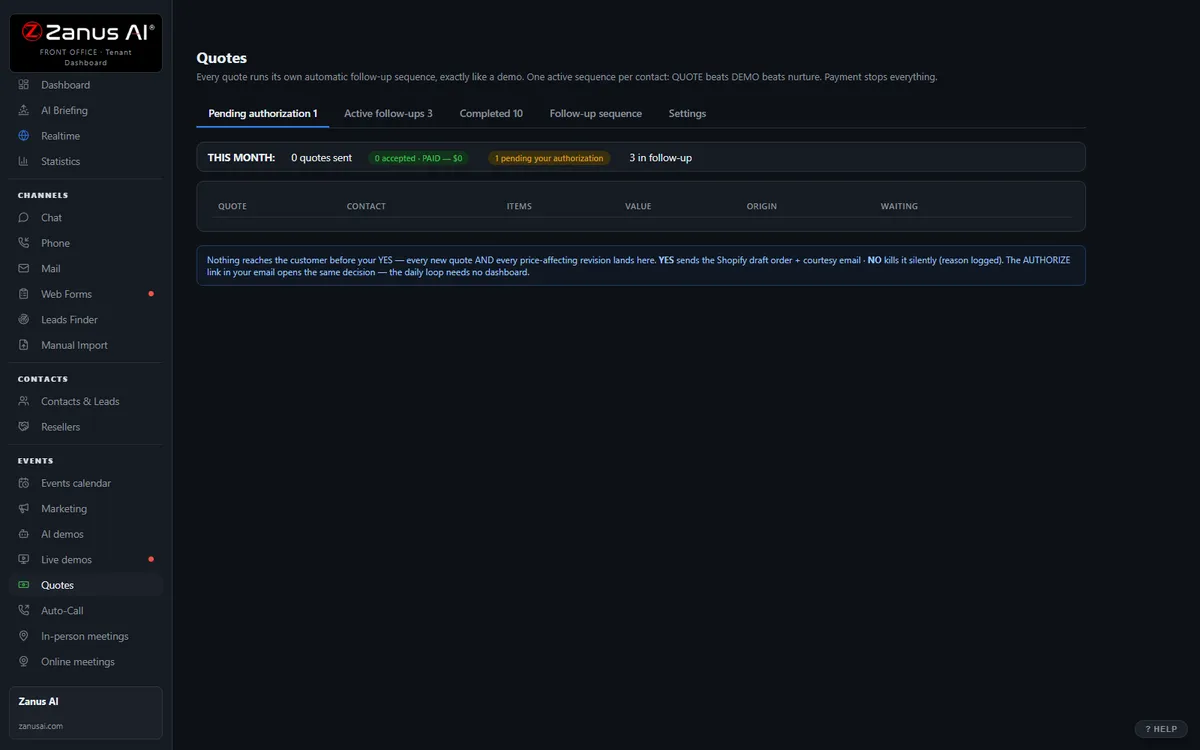
The real Quotes menu: built by AI, authorized by you with one click.
What it does
Member, ministry and outside-group tiers, deposits, custodial and kitchen fees, retreat and camp fees — from the schedule you published, never improvised at the desk.
The group accepts and the room request moves to approval in the same click; a payable link if you take deposits online.
The unanswered request is followed up on your schedule — and a reply, or a request for a waiver, alerts a person.
Inside AI Quoting — the real screens
Click a tab. Every picture is the live Front Office, not a mockup — the left menu is the whole product.
Quote-to-cash without a second system
Elsewhere, configure-price-quote is often a separate product bolted on top. Here, quoting is one included function of your integrated Front Office — connected to every conversation.
- No per-user CPQ tax
- Connected to chat, phone, demo and email history
- Quote-to-cash without a rollout project

Available on its own — or inside a solution
Questions, answered
Can it waive or reduce a fee?
Only within the rules you set — for example, no fee for member funerals or internal ministries. Anything discretionary is queued for the pastor or administrator with one click.
Does it decide who may book the sanctuary?
No. It states the published requirements and priority tiers, checks the calendar and files the request; approval, and any conversation about a ceremony, stays with the clergy.
Try it free on your own congregation. 7 days. No credit card.
Give it your website. It learns your company. Then call it, chat with it, e-mail it — and decide. Nothing to install, nothing to cancel.
← Previous: Email · Sharing with a colleague? 📄 Get the PDF · ✉️ Email this page ·