AI Calls Transcripts for Churches. Call transcription for church offices, every leg written
AI Calls Transcripts is call transcription for church offices: every call your staff takes, on the computer, in the phone app or on a leg the AI handed over, is written onto the caller's record with its summary. Calls the AI answers alone are written already, so the pastor reads the whole conversation in one place.
TRY AI CALLS TRANSCRIPTS FREENo credit card · Ready in 2 minutesReady to buy? See plans & pricing ›
7 days free · per company, never per seat · nothing to install
Handovers
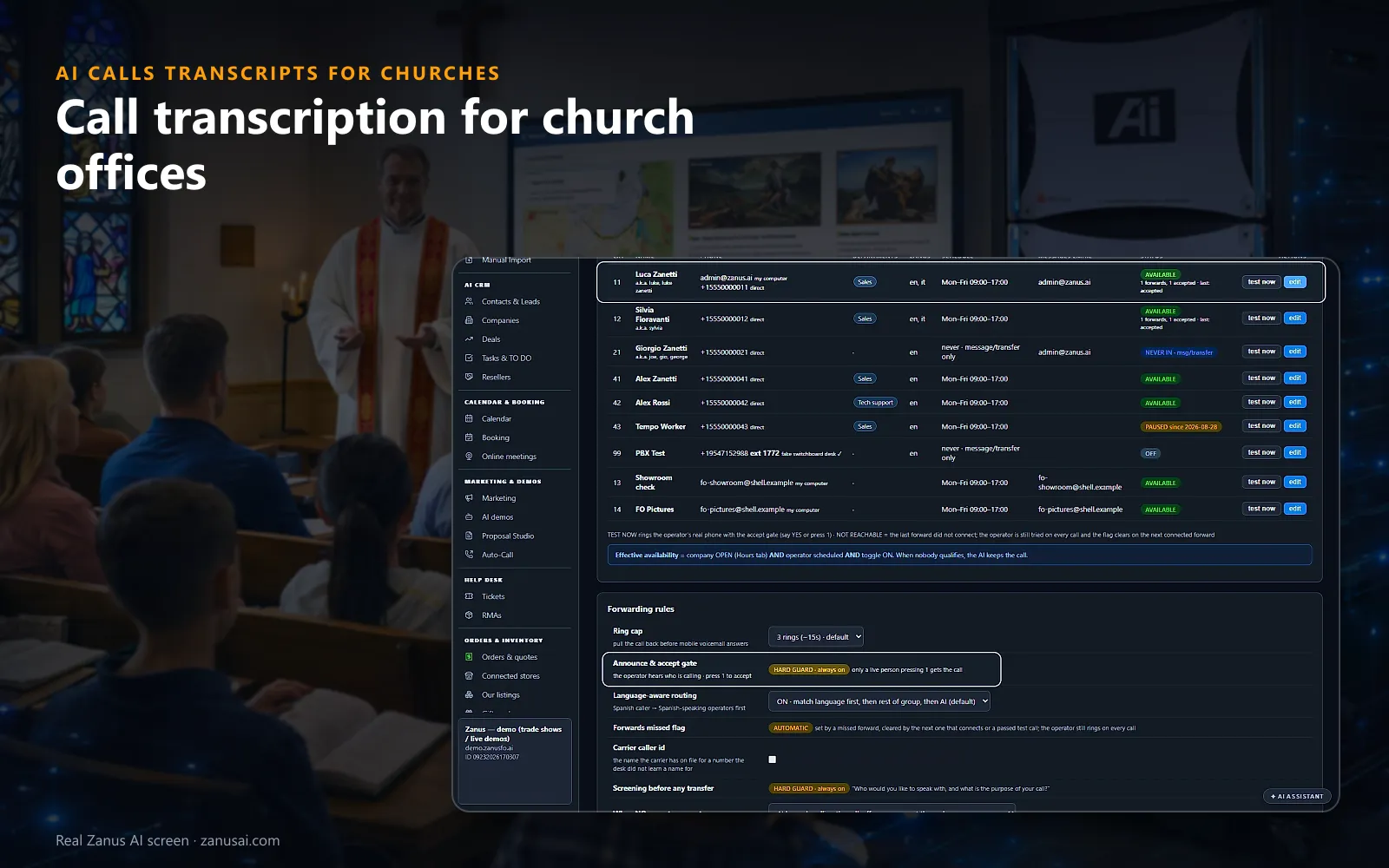
Before picking up a handed-over call, the staff member hears the caller's name and reason, and their side of the conversation is transcribed too.
 Easy setupSet up everything just by talking to Lisa AISee how ›
You“Transcribe the calls our staff take, and copy pastoral care transcripts to the senior pastor.”
Lisa“Staff calls are transcribed from the next call on, and the pastoral care department's transcripts also go to the senior pastor's mailbox. Apply?”
You talk. Lisa sets it up. Applied only on your yes.
How Churches use it
The AI hands a bereaved daughter to the pastor on call; his part of the call joins the AI's part on one record.
A volunteer calls homebound members from the computer; the church number is shown and each call is transcribed.
During a call about a funeral time, the administrator presses Send the recap and mails herself the facts so far.
REAL AI - the whole Front Office is AI, not old software with an AI button.
What’s included
- My phone: the calls taken on the computer, written as they happen
- The phone app: the calls taken on the iPhone, each device its own leg
- Transferred legs: every leg a person holds after the AI hands a call over
- Calls you place: calls from a computer phone, transcribed
- Summaries: each call written with its summary
- What happened: transfers, holds, rings and messages taken, in the transcript
- Send the recap: the facts and the transcript so far, to your own e-mail
- Routing: each department's mailbox receives its transcripts and messages
Add it to AI Phone or get it inside a solution · See pricing › · Per company, never per seat.
Everything AI Calls Transcripts does, for every business ›
Works withAI PhoneAI CRMAI Follow-upAI Proposal StudioAI TicketsAI Returns & WarrantyAI Calls Teleprompter
Every call
Church phone call notes written for every leg
On the computer
A call taken with My phone is written as it happens, and Recent keeps it with call back, message and transcript beside it.
In the phone app
The pastor's iPhone rings as its own leg, and transcribed pastor calls taken there join the same record as calls taken at the office.
Handed-over calls
When the AI passes a caller to a colleague, what Lisa learned first, who, why and the language, stays on the caller card, and the transferred call transcripts join the same record.
Messages from the call
A message a caller dictates is written from the call at its close, with the callback number taken from the spoken digits.
Set-up
Church call summaries switched on in 2 minutes
AI Phone first
Calls Transcripts sits on AI Phone, so the church lines, the staff and the departments are already in place.
Say it to Lisa
Tell her to transcribe the calls the staff take, and every call is written from the next one on.
Choose the mailboxes
Pick the mailbox for each department's transcripts and messages, and whether recordings are kept and transcribed.
Read the first transcripts
Across the free week, no card needed, read the first transcripts on each caller's record before you decide.
Questions & answers
AI Calls Transcripts for Churches: questions & answers
Are the AI's own calls written down too?
Yes, always, on AI Phone alone. AI Calls Transcripts adds the calls your staff and volunteers take themselves, so the conversation stays written after the AI hands a caller to a person at the church.
Is every church call recorded?
No. Recording is off as shipped. Switched on, it records the part a person handles, both sides hear two short beeps, and the recording is kept for the days you set, from one day to three years.
Can volunteers call from home without showing their own number?
Yes, from the computer phone. The church number is shown to the person called, the outbound line has its own announcement switch, and each call is transcribed onto that member's record.
Where do the transcripts go?
Each department's mailbox receives its own transcripts and taken messages, such as pastoral care or facilities, and a copy for a supervisor, such as the senior pastor, is one switch.
Do transcripts show transfers and holds?
Yes. Each one keeps what was said and what happened on the church line, a transfer, a hold, a ring or a message taken, while the system's working lines stay hidden unless you ask for them.
Keep exploring
Where next?
Start with the one thing you need. Add more anytime by asking Lisa.
AI Front Office for Churches ›
Easy setup
Answers & books
Sells
Helps your team
Included
Award-winning AI
Winner at CES 2026, ISE 2026 and TMCnet Enterprise AI Product of the Year.
REAL AI - the whole Front Office is AI, not old software with an AI button.
Awards & trade shows ›


Give Lisa your website.
She sets up your business in 2 minutes.
Other software makes you learn it. Zanus AI learns your business.
Try it free on your own business — no credit card, per company, never per seat.
Ready to buy? See plans & pricing ›
Or call +1 (954) 736-3939 — the AI answers.