AI Avatar for Automotive OEMs. An AI avatar for automotive brand websites and owner portals
AI Avatar is an AI avatar for automotive brand websites: a face in your chat whose lips follow her voice, answering owners and shoppers by voice or text in their language from your own pages. She hands each visitor to the right department's person, and the face, the name and the voice change with the hand-over.
TRY AI AVATAR FREENo credit card · Ready in 2 minutesReady to buy? See plans & pricing ›
7 days free · per company, never per seat · nothing to install
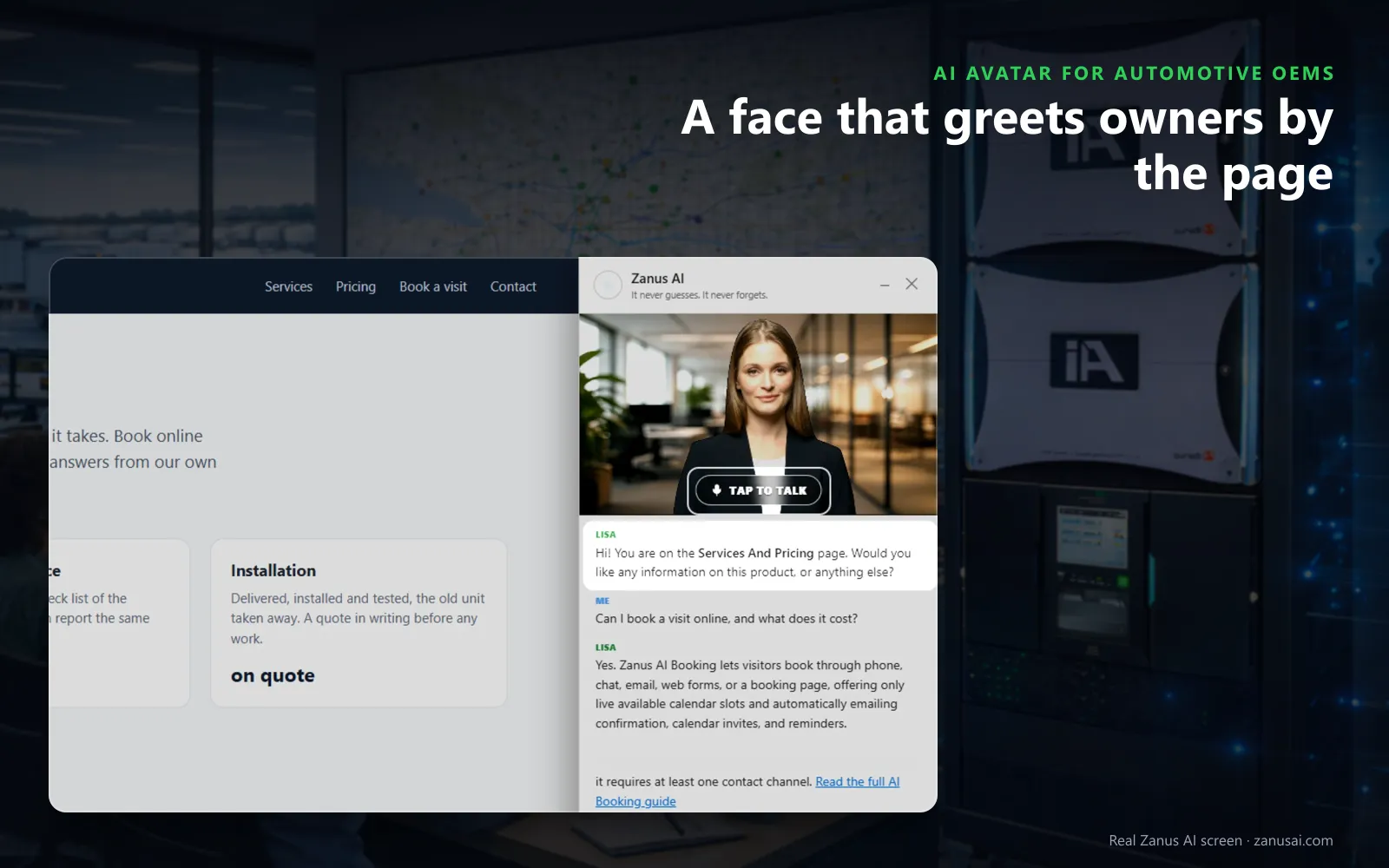
Tap to talk
An owner on a model or charging page sees her face over the chat, taps to talk, and hears a first line about that very page.
 Easy setupSet up everything just by talking to Lisa AISee how ›
You“Give the parts desk a man's voice, a calm pace and his own face.”
Lisa“The parts desk will speak with a man's voice at a calm pace, with his own face and name in the chat. Apply?”
You talk. Lisa sets it up. Applied only on your yes.
How Automotive OEMs use it
A first-week owner taps the talking avatar for owner portals and asks how home charging works; she opens the charging page.
A shopper ready to compare trims is handed to Sales; the face and the name change, so he knows who answers now.
Speaking Korean, a visitor hears the multilingual AI avatar for owners answer in Korean, from the same model pages as everyone else.
REAL AI - the whole Front Office is AI, not old software with an AI button.
What’s included
- A talking avatar in the chat widget, same knowledge, same voice, same record
- Presents your pages and pictures while it talks
- The face of your company on the site, in 40 languages
Add it to AI Webchat or get it inside a solution · See pricing › · Per company, never per seat.
Everything AI Avatar does, for every business ›
Works withAI WebchatLisa, your AI assistant
What it does
Interactive avatar for automakers: a face for owners and shoppers
Tap to talk
The visitor taps her picture and speaks; her first line names the page he is on, and he can interrupt her like a person or type below.
She shows while she talks
When she talks about charging, a trim or a feature with its own page, she opens it, and she holds up your pictures when asked.
One person per desk
Lisa opens the chat and hands over to sales, owner relations or parts, each with its own face, name and voice.
When she does not know
She says so and the question goes to your team, so an owner is answered by a person rather than a guess.
Set-up
Set up an AI avatar for your brand site in 2 minutes
Cast who speaks
Keep Lisa or cast one person per desk: a name, a face from the ten looks and one of the thirteen voices.
Preview the pair
Preview opens the face speaking with that voice as an owner would see it; adjust the pace or the tone if you like.
Show the face
Tick show a face in the chat, choose how the face moves, the head motion and the backdrop, then try the chat as a visitor.
A week on your brand site
Run her on your own brand site for 7 days on the free trial, then read every session she held with its outcome.
Questions & answers
AI Avatar for Automotive OEMs: questions & answers
Should an automaker put an AI avatar on its brand site?
Where owners and shoppers need something explained, such as charging, a feature or a trim, a face helps. The avatar answers from the same approved pages as the chat, opens the page it talks about and hands the visitor to the right desk.
Will owners think the avatar is an employee?
She runs inside the chat, which never pretends to be a person it is not. A visitor who asks for a human lands with your team or in a case, with the whole conversation attached.
Can some pages keep the chat without a face?
Yes. Your webmaster adds data-avatar off to the widget line on a page, such as a safety or recall page, and that page keeps the text chat without the face.
How are long avatar sessions kept in check?
Session limits stop one visitor from holding her for hours on launch day; past the limit that visitor gets the face loop or the text chat, and everyone else keeps her face.
Does the avatar need AI Webchat?
Yes. AI Avatar gives the chat on your brand site a face, and the same names, voices and faces then speak on the phone, in AI demos and in the mail signature, from one place in Settings.
Keep exploring
Where next?
Start with the one thing you need. Add more anytime by asking Lisa.
AI Front Office for Automotive OEMs ›
Easy setup
Answers & books
Sells
Helps your team
Included
Award-winning AI
Winner at CES 2026, ISE 2026 and TMCnet Enterprise AI Product of the Year.
REAL AI - the whole Front Office is AI, not old software with an AI button.
Awards & trade shows ›


Give Lisa your website.
She sets up your business in 2 minutes.
Other software makes you learn it. Zanus AI learns your business.
Try it free on your own business — no credit card, per company, never per seat.
Ready to buy? See plans & pricing ›
Or call +1 (954) 736-3939 — the AI answers.