AI CRM for Home & Senior Care. The CRM for home care that fills itself.
AI CRM is a CRM for home care agencies and senior living communities that fills itself: every family, referral source and caregiver who calls, chats, e-mails or sends a form becomes a contact with the whole story on one record. Inquiries open on the first sign of interest and move toward an assessment or a move-in as the family acts.
TRY AI CRM FREENo credit card · Ready in 2 minutesReady to buy? See plans & pricing ›
7 days free · per company, never per seat · nothing to install
Every family
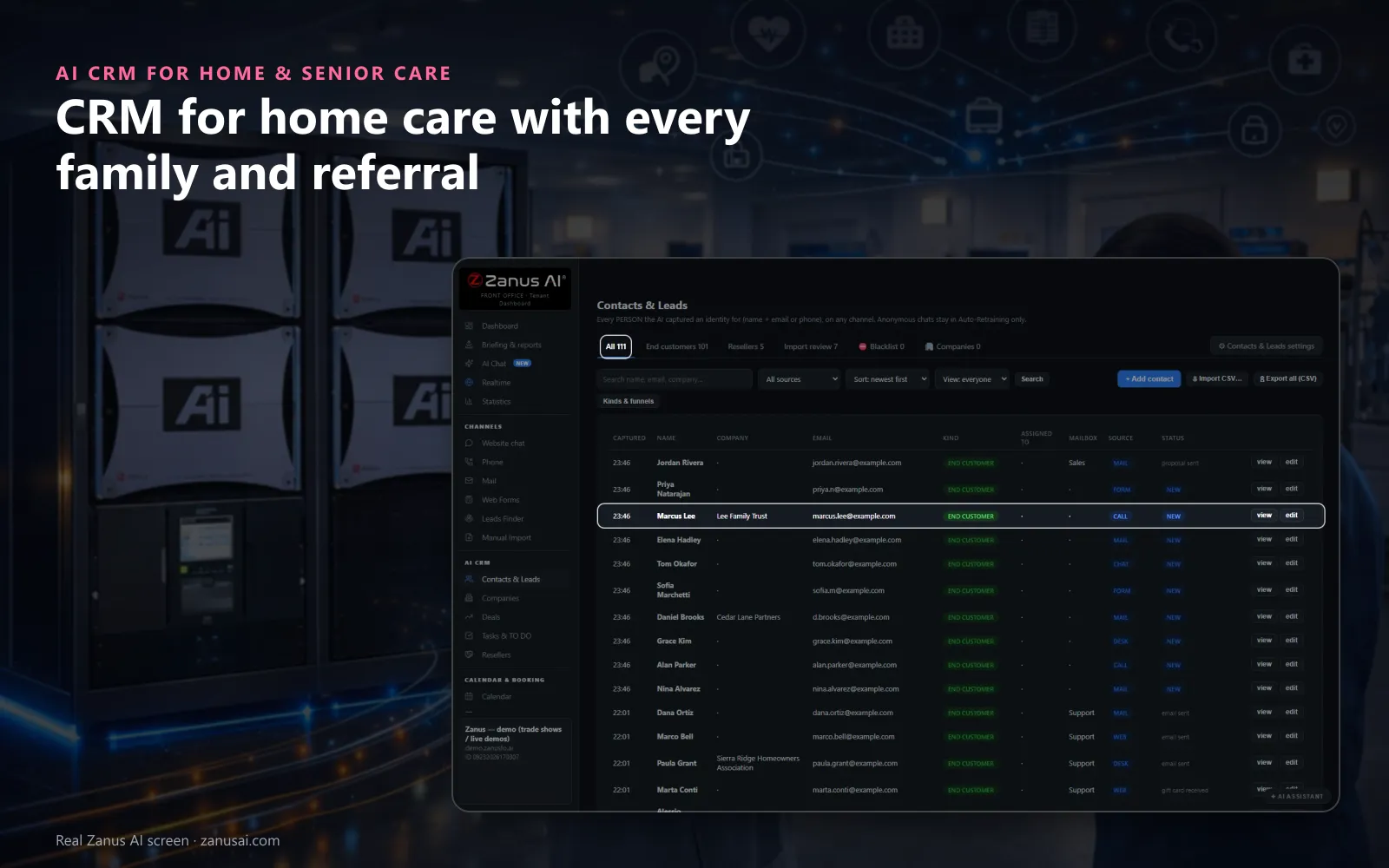
Each daughter, case manager or applicant who gave a name and a way to reach them appears on one list, with their source and their stage.
 Easy setupSet up everything just by talking to Lisa AISee how ›
You“Show me every family who toured this month but has no move-in date.”
Lisa“Here are the families who toured without a move-in date, those who opened your estimate first. Shall I brief you on the top one?”
You talk. Lisa sets it up. Applied only on your yes.
How Home & Senior Care use it
The intake manager asks Lisa which inquiries from this week's hospital discharges still have no assessment booked.
A case manager whose referrals have stopped shows a falling health score with its reason, so your liaison plans a visit.
After a tour, the family's follow-up plan starts by itself and a task reminds the director to call on day three.
REAL AI - the whole Front Office is AI, not old software with an AI button.
What’s included
- Every person and company qualified from the conversations, health score with its WHY, gauges, photo, LinkedIn; nothing typed by your staff
- Deals with stages, probability and expected close, created and moved by the events themselves: lead qualified → demo → quote → won
- Tasks and to-dos assigned to your people, from the AI or by hand, with reminders; calls, meetings and notes logged on the record
- Your own fields on contacts, companies and deals; saved views; tags and segments; record ownership
- Pipeline forecast weighted by probability; win / loss review; "ask your pipeline" in plain language
- Basic contacts and companies stay in every Front Office, this item adds the qualification, the pipeline and the forecast
Add it to any contact channel — AI Phone, AI Webchat, AI E-mail or AI Web Forms — or get it inside a solution · See pricing › · Per company, never per seat.
Everything AI CRM does, for every business ›
Works withAI PhoneAI WebchatAI Web FormsAI DemoAI QuotingAI BookingAI Follow-upAI TicketsAI Returns & WarrantyAI Calls TranscriptsAI Marketing
What it does
What a CRM for home care does without anyone typing
The phone, the chat, the mail and the forms write the records of your home care business as they work; your team reads them and makes the decisions.
Every inquiry becomes a contact
A daughter who calls, a son who chats at midnight and a case manager who fills your referral form each become a contact, with the channel on the row.
The whole story on one record
Calls with their transcripts, chats, e-mails, estimates, bookings and tasks sit on one timeline, newest first, so nobody asks the family to repeat themselves.
Inquiries that open by themselves
An inquiry opens as a deal on the first sign of interest, such as an estimate or a visit asked for, and moves on as the family acts.
Health with its reason
Each contact carries a health score from 0 to 100, and the tooltip says why it moved, such as an estimate opened or a week of silence.
Brief me before the call
One click on Brief me and Lisa writes a one-page brief: who the family is, what they asked, what was sent and what to say next.
Families ready to decide
READY TO BUY sorts to the top the families who opened an estimate, booked a visit or replied in the last fourteen days, with the reason under each name.
Referral sources
Home care CRM referral tracking for hospitals, physicians and placement agencies
Hospitals as company records
Case managers and discharge planners writing from the same verified hospital domain are grouped into one company, with their people, inquiries and tasks together.
Source tracking on every row
Each family shows where it came from, a hospital referral, a physician's office, your website or a phone call, so you see which sources send new clients.
Kinds of contact of your own
Name the kinds your agency works with, such as client, family member, referral source, caregiver applicant and vendor, and filter every list by them.
A quiet source noticed
When a case manager who used to refer goes silent, the health score falls with its reason, so referral relationships never fade unnoticed and a saved view lists the offices to visit.
Inquiry pipeline
Home care CRM software with an inquiry pipeline from first call to start of care
Stages in your words
Your sales process in your words: keep the shipped stages or rename them for intake, such as inquiry, assessment booked, estimate sent, start of care, and lost with its reason.
Board or list
See every open inquiry as a board by stage or a sortable list, filtered by coordinator, and save the view you open every morning.
A weighted forecast
Open inquiries, the pipeline and a weighted forecast sit above the board, each amount weighed by a probability that blends the stage with the family's health score.
Every move written down
The stage history keeps when an inquiry moved, who moved it and why; the machine never moves one back and never marks a family lost.
Moments in the office
The office moments when a home care agency CRM is already filled in
Monday morning
The weekend's calls, chats and referral forms are already contacts, each with its summary, so no inquiry falls through the cracks and intake starts with call backs.
Before the home visit
Ask Lisa to brief you on the family you meet at ten and save time: one page says who called, what they asked about and what was promised.
When a family goes quiet
Ask which estimates have had no answer for a week; the list returns with each contact's health and the automated follow-up running for them.
When a family says stop
Tell Lisa to pause all home care marketing to a family; every scheduled message holds until you resume, and a note written by hand still leaves.
Every channel
A CRM for home health care that records calls, mail, chat and estimates
Calls on the timeline
With AI Phone, every call lands on the family's timeline with its summary; switch recording on and each call keeps its recording and transcript too.
Mail, chat and forms
Every e-mail, chat and web form a family sends appears with its channel, and each reply is read and filed with what it meant.
Estimates and payments
An estimate sent, opened or paid moves the inquiry's stage and the family's status, and the estimate itself is one click from the deal.
Tasks and the TO DO desk
Tasks your team creates and the TO DO desk of replies, calls due and drafts sit in one list, with each family's local time on the line.
Compared
Home care CRM compared with a spreadsheet and a CRM you fill in
| What intake needs | A spreadsheet | A CRM you fill in | Separate phone, chat and mail tools | AI CRM |
|---|---|---|---|---|
| A new inquiry at night | Typed in the next day, if remembered | Typed by whoever took the call | Scattered across three inboxes | A contact by itself: with the channel and the summary |
| Referral sources | A tab nobody updates | Kept if someone logs each call | Not tracked | Grouped by hospital domain: with the source on every family's row |
| Inquiry stage | A colour in a cell | Moved by hand | Unknown | Moved as the family acts: with the history of every move |
| Before the call back | Search the inbox and the notes | Read the record, if filled in | Ask colleagues | Brief me in one click: with what was asked and sent |
| A family that says stop | Remembered, or not | A checkbox to tick | Each tool on its own | Paused in one sentence: on every channel until you resume |
Set-up
Set up CRM software for home care agency intake in 2 minutes
Nothing to type on day one
Every call, chat, form or e-mail that gives a name with an e-mail or phone lands in Contacts & Leads from the first day; a CSV import waits in Import review.
Your kinds of contact
Tell Lisa the kinds you use, such as client, family member and referral source; she fills the settings and shows the change before applying it.
Your stages and fields
Rename the stages for intake and add fields of your own, such as the level of care discussed, the payer named or the client's town.
A free week
Try it free for 7 days with no credit card and read every contact it captured and every inquiry it opened when the week ends.
Questions & answers
Home care CRM questions from agencies and communities
What is a good CRM for a home care agency?
One built around intake, not a generic CRM nobody has time to feed. Look for families and referral sources captured from every call, chat and form, an inquiry pipeline that moves as families act, follow-up written from each family's history and a price per company. AI CRM does all four, and the 7-day free trial runs on your own inquiries.
What does a home care CRM do?
It is customer relationship management for the families and referral partners of an agency: every family, referral source and inquiry in one place, so intake knows who called, what they asked and what happens next. AI CRM builds those records from your phone, chat, e-mail and forms and opens an inquiry on the first sign of interest.
Does a CRM for home care replace our home care software for scheduling and billing?
No. AI CRM keeps the front office: contacts, conversations, inquiries, bookings, estimates and family requests. Electronic visit verification, caregiver scheduling, care plans, payroll, billing to payers and clinical records stay in your agency-management system, which it does not replace.
Can the CRM track referral sources such as hospitals and physician offices?
Yes. Case managers and discharge planners writing from the same verified hospital domain become one company record, each family shows its source on the row, and you can name a kind of contact such as referral source to filter them and save the view.
How do we keep the client and the family members together?
Each relative who calls or writes is a contact, and the inquiry is a deal opened with the person who asked. Add fields of your own to deals and contacts, such as the client's name, the level of care discussed or the payer named, so the whole family's inquiry reads as one.
Can the pipeline follow an inquiry from first call to start of care?
Yes. Rename the shipped stages for intake, such as inquiry, assessment booked, estimate sent and start of care. An estimate opened or paid moves the inquiry by itself, your team moves the other steps, and only a person marks an inquiry lost, with its reason, to make sure no family is dropped by the machine.
Which home care CRM features matter most?
The ones home care agencies need every day: contacts that arrive on their own from every channel, the source on every row, an inquiry board with a weighted forecast, tasks with the family's local time, a health score with its reason and a one-page brief before each call. Consent rules that pause marketing to a family in one sentence matter too.
Can it show which referral sources are slowing down?
Yes. Each referral contact carries a health score from 0 to 100 whose tooltip says why it moved, and the source on each family's row lets you filter inquiries by hospital or physician office. Save that view and your liaison sees which offices to visit next.
Does the CRM hold clinical or care-plan information?
No. Keep diagnoses, medications, care plans and visit notes in your clinical system. The front-office record is for who called, what they asked, what was booked or sent and what happens next, so families are answered without the CRM holding care records.
Can a family ask us to stop sending messages?
Yes. Tell Lisa to pause all marketing to that family and every scheduled step holds until you resume, while a note you write by hand still goes out. An unsubscribe removes the family from every follow-up funnel for good.
How much does a CRM for home care cost?
AI CRM is priced per company, never per seat, so intake, the directors and your sales team all work in it on one subscription. The plans are on the pricing page, and you can run it free for 7 days on your own families with no credit card.
How long does it take to set up a home care CRM?
The set-up takes 2 minutes and there is nothing to migrate first. The CRM fills from the first call, chat, form or e-mail; Lisa sets your kinds of contact and stages by talking, and a CSV of past inquiries waits in Import review until you accept it.
Keep exploring
Where next?
Start with the one thing you need. Add more anytime by asking Lisa.
AI Front Office for Home & Senior Care ›
Easy setup
Answers & books
Sells
Helps your team
Included
Award-winning AI
Winner at CES 2026, ISE 2026 and TMCnet Enterprise AI Product of the Year.
REAL AI - the whole Front Office is AI, not old software with an AI button.
Awards & trade shows ›


Give Lisa your website.
She sets up your business in 2 minutes.
Other software makes you learn it. Zanus AI learns your business.
Try it free on your own business — no credit card, per company, never per seat.
Ready to buy? See plans & pricing ›
Or call +1 (954) 736-3939 — the AI answers.