AI Avatar for Higher Education. The AI avatar for university websites, in every language
AI Avatar is an AI avatar for university websites: a face in your chat whose lips follow her voice, answering applicants and families by voice or text in their own language. She answers from your own pages, hands each visitor to the admissions or student services person with that person's face and name, and runs inside AI Webchat.
TRY AI AVATAR FREENo credit card · Ready in 2 minutesReady to buy? See plans & pricing ›
7 days free · per company, never per seat · nothing to install
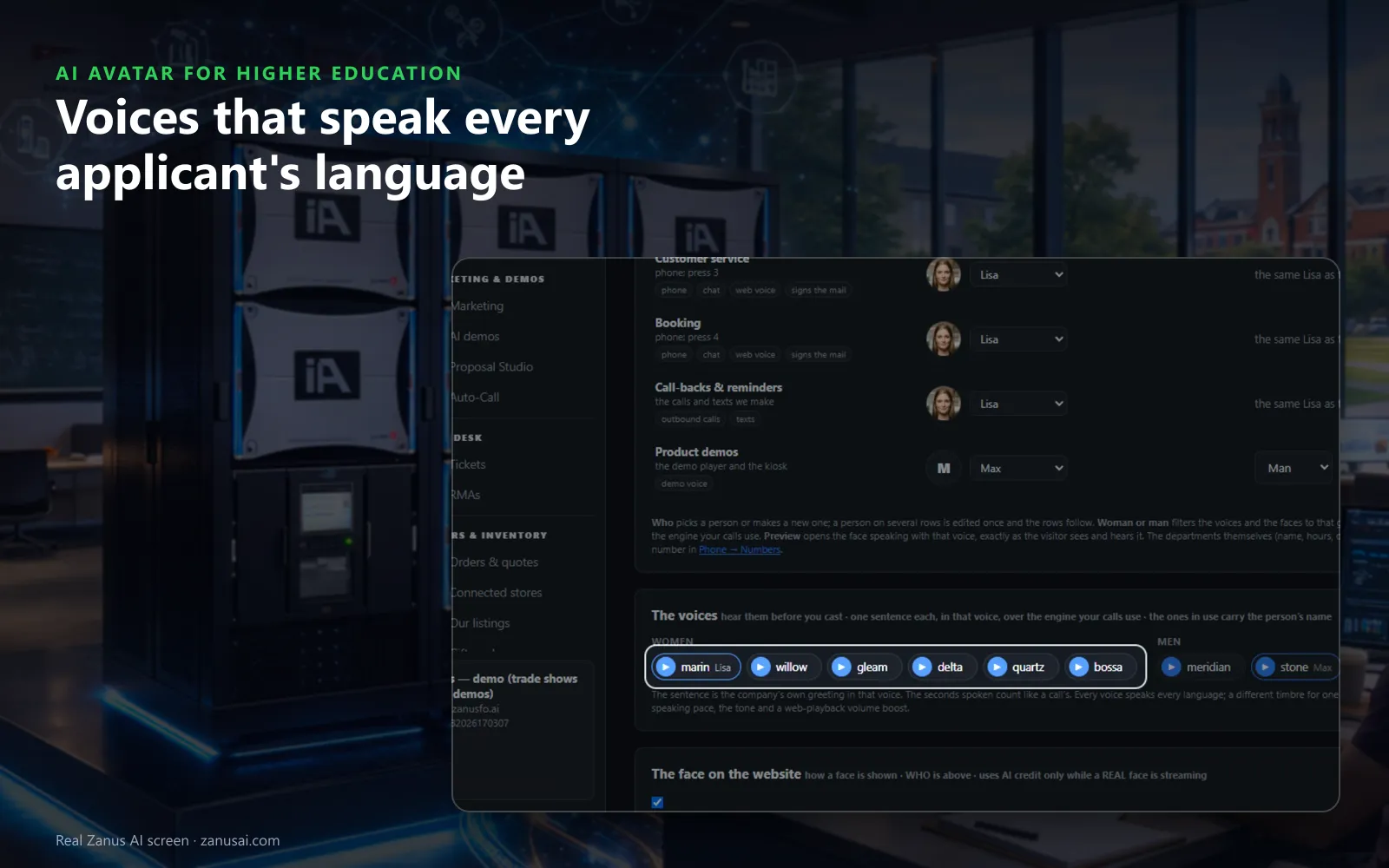
Voices
Thirteen voices, women and men, each read a line of your own greeting; set the pace and the tone, and every voice speaks every language.
 Easy setupSet up everything just by talking to Lisa AISee how ›
You“Give admissions a warm woman's voice, a little slower than standard.”
Lisa“Admissions will speak with a warm woman's voice at a slightly slower pace; Preview plays the face and voice together first. Apply?”
You talk. Lisa sets it up. Applied only on your yes.
How Higher Education use it
An applicant abroad taps her picture on the engineering page and asks about entry requirements; she answers aloud from your published page.
A parent who would rather see who answers meets the housing person's face and voice when the question turns to residence halls.
On pages that must stay plain, such as the conduct policy, your webmaster switches the face off and the chat stays.
REAL AI - the whole Front Office is AI, not old software with an AI button.
What’s included
- A talking avatar in the chat widget, same knowledge, same voice, same record
- Presents your pages and pictures while it talks
- The face of your company on the site, in 40 languages
Add it to AI Webchat or get it inside a solution · See pricing › · Per company, never per seat.
Everything AI Avatar does, for every business ›
Works withAI WebchatLisa, your AI assistant
Face to face
A talking avatar for admissions and student questions
Tap to talk
An applicant taps the picture of your virtual admissions assistant and speaks; her first line names the page they are reading, and they can interrupt her like a person.
Captions as she speaks
In the full view the words she says appear as captions, so a student in a quiet library can follow the answer without sound.
Shows the page she means
Asked about study abroad, she opens your page on it, and she holds up your campus pictures when a parent asks to see the halls.
Honest when she does not know
With no answer in your pages she says so plainly, and the question goes to admissions so a person replies instead of a guess.
Set-up
Multilingual AI avatar for colleges set up in 2 minutes
Cast each office
Keep Lisa or cast one person per office, with a name, a face from the ten looks and one of the thirteen voices.
Preview the pair
Preview plays the face speaking with that voice as an applicant would see it; adjust the pace or the tone before saving.
Choose how the face moves
Interactive lips, a lighter looping face, or the streamed face within the days, hours and daily cap you set for it.
A week on your website
Switch the face on, run it on your admissions pages for 7 days without a credit card and read every session she held.
Questions & answers
AI Avatar for Higher Education: questions & answers
What is an AI avatar for a university website?
A face that holds a real conversation in your website chat. The visitor taps her picture and talks, or types, and she answers from your own pages in the visitor's language, with lips that follow her voice on their own device.
Does the avatar need the university chatbot?
Yes. AI Avatar works on top of AI Webchat and gives that chat a face. The names, voices and faces you set in Who speaks are then the same on the phone, in AI demos and in the e-mail signature.
Can an AI avatar for international recruitment answer in each applicant's language?
Yes. Every voice speaks every language, so the same face answers one applicant in Vietnamese and the next in French. If one voice sounds odd in a given language, admissions can pick a different timbre for that language alone.
Can each campus office have its own face?
Yes. One row per department sets a name, one of the ten looks and a voice. When Lisa hands a visitor to admissions or student services, the face, the name and the voice change together, so the student knows who is answering now.
What if many applicants open the avatar on decision day?
Session limits keep one visitor from holding her for hours. Past the limit that visitor gets the looping face or the text chat, while everyone else keeps her face and every question is still answered.
Keep exploring
Where next?
Start with the one thing you need. Add more anytime by asking Lisa.
AI Front Office for Higher Education ›
Easy setup
Answers & books
Sells
Helps your team
Included
Award-winning AI
Winner at CES 2026, ISE 2026 and TMCnet Enterprise AI Product of the Year.
REAL AI - the whole Front Office is AI, not old software with an AI button.
Awards & trade shows ›


Give Lisa your website.
She sets up your business in 2 minutes.
Other software makes you learn it. Zanus AI learns your business.
Try it free on your own business — no credit card, per company, never per seat.
Ready to buy? See plans & pricing ›
Or call +1 (954) 736-3939 — the AI answers.