AI File Cabinet for Government Agencies. AI-driven document processing for government agencies, page by page
AI File Cabinet brings AI-driven document processing for government agencies: each application, letter, permit or scanned form is read as it arrives, given its kind and its date, and found again at its page. Every applicant, licensee or program has its own file with rights, retention and a legal hold, and nothing is erased without a click.
TRY AI FILE CABINET FREENo credit card · Ready in 2 minutesReady to buy? See plans & pricing ›
7 days free · per company, never per seat · nothing to install
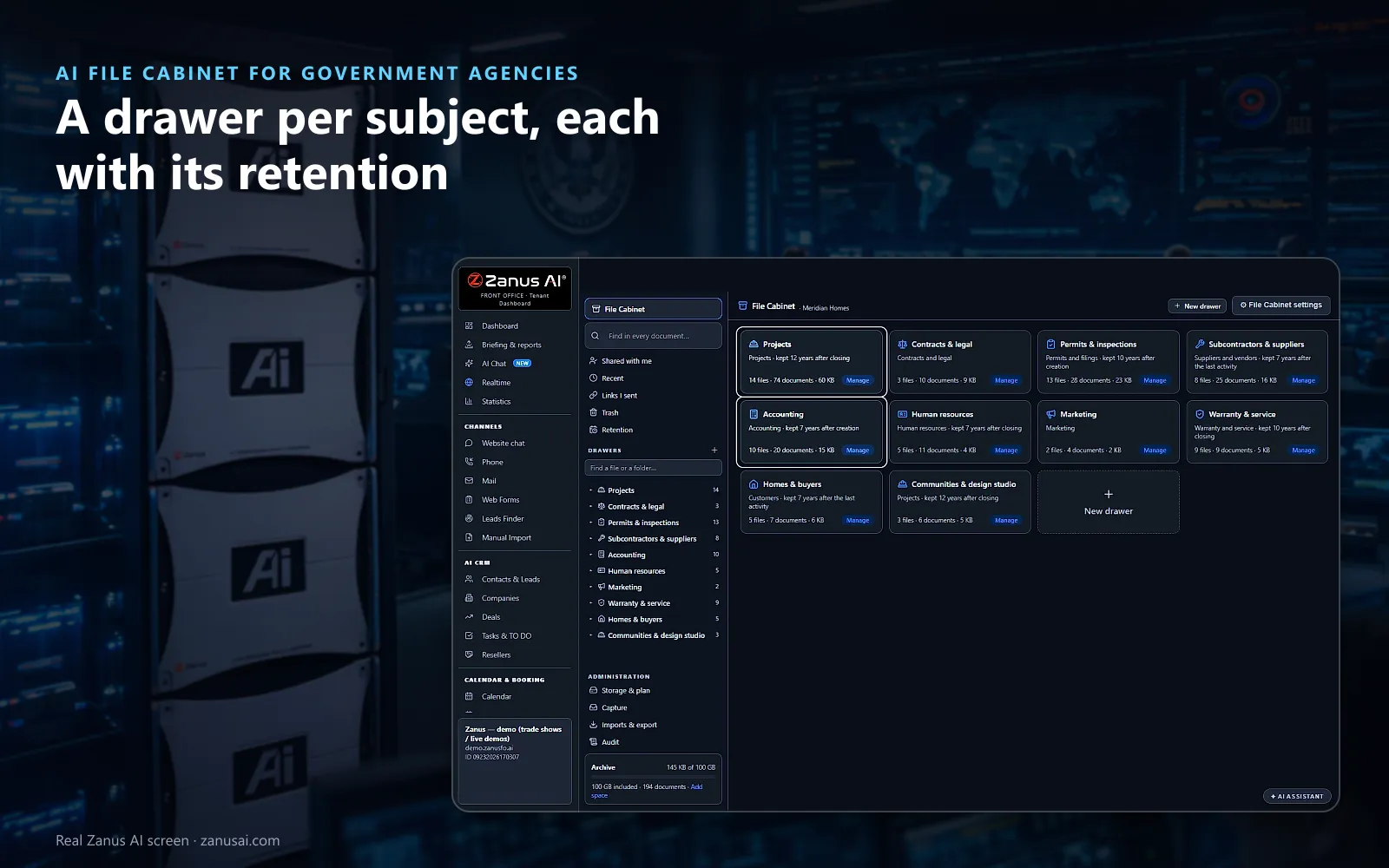
Drawers
Drawers such as permits, contracts and human resources, each one with its own list of who may open it and its own retention period.
 Easy setupSet up everything just by talking to Lisa AISee how ›
You“Keep the Permits and filings drawer 10 years after closing.”
Lisa“Here is the change: files in Permits and filings are kept 10 years after closing, then shown under Retention for your decision. Apply?”
You talk. Lisa sets it up. Applied only on your yes.
How Government Agencies use it
A clerk scans a mailed application with her phone into the applicant's file, and it is found the same day by what it says.
A program officer searches every drawer she may open for a grant number and opens each hit at its page.
A file under review goes on legal hold with its reason, and nothing in it can be trashed until an administrator lifts the hold.
REAL AI - the whole Front Office is AI, not old software with an AI button.
What’s included
- Drawers per department with one right per person: read, add, edit, manage
- Files per project, customer or matter; documents of any kind with versions
- Every page read, every recording transcribed; ask in plain words and open the proof at its page or second
- 100 GB of archive included, more space when you need it
- Phone scan, e-mail-in, filing from Mail and Phone; imports from Drive, Microsoft, Dropbox, Box and ZIP
Available on its own or inside a solution · See pricing › · Per company, never per seat.
Everything AI File Cabinet does, for every business ›
Works withAI E-mailAI PhoneAI QuotingAI Web FormsAI Team Assistant
Every document
Document management for government agencies, read as it arrives
A drawer per subject
In a digital file cabinet for program offices, Permits and filings, Contracts and legal, Human resources or Accounting each have a drawer with its rights and its retention.
Read by its content
An application, a letter or a permit gets its kind and date from its own words, read page by page and found by what it says.
Facts checked by code
Dates, totals and deadlines are read from the documents and checked; a fact that fails waits on the To verify list.
Hold, versions and audit
A legal hold on any file, versions of every document with its fingerprint, and every open written down.
Set-up
Records retention for agencies, set up in 2 minutes
Keep the drawers you need
Keep Permits and filings, Customers or Contracts and legal, and check the retention and rights of each.
Shape the files
Tell Lisa the fields and folders an applicant's file needs; she shows the template before and after.
Bring documents in
Scan with a phone, upload a folder or give a file its e-mail address; an import shows its plan first.
Ask about a file
During the free week, ask the Team Assistant about a real file and see the page behind each answer.
Questions & answers
AI File Cabinet for Government Agencies: questions & answers
Can AI read scanned applications and letters?
Yes. Scanned pages are read page by page, so scanned document search for agencies works through Find in every document, which matches their words and opens them at the page. Each document gets its kind from its own words and its facts checked by code.
How does records retention work in the cabinet?
You set a period per drawer: forever, or 7, 10 or 12 years once a file closes. When a closed applicant file reaches its date, it is listed under Retention for staff to keep a year longer, hold or erase; nothing goes without that click.
Who may open which files?
Each drawer of the agency cabinet carries its own rights, from No access to Manage. A private case file is seen only by its owner, those they share it with and the administrators, and the audit records each open, download, share and erase.
How do mailed and e-mailed documents get in?
Scan with the phone into the right file, upload a folder with its sub-folders, or send mail to the file's own address from your team or your allow list. An import shows its plan before anything is stored.
Can a file be shared with another office safely?
Send by link expires in 1 to 90 days, view only or with download, under a watermark; the code goes by mail, and ten wrong codes lock it.
Keep exploring
Where next?
Start with the one thing you need. Add more anytime by asking Lisa.
AI Front Office for Government Agencies ›
Easy setup
Answers & books
Sells
Helps your team
Included
Award-winning AI
Winner at CES 2026, ISE 2026 and TMCnet Enterprise AI Product of the Year.
REAL AI - the whole Front Office is AI, not old software with an AI button.
Awards & trade shows ›


Give Lisa your website.
She sets up your business in 2 minutes.
Other software makes you learn it. Zanus AI learns your business.
Try it free on your own business — no credit card, per company, never per seat.
Ready to buy? See plans & pricing ›
Or call +1 (954) 736-3939 — the AI answers.