AI Booking for Passenger Transportation. Shuttle booking software that books rides on every channel
AI Booking is shuttle booking software that books rides, airport transfers and charter calls on the phone, in your website chat, from a web form and on your booking page, straight into the free slots of your own book. Cars and vans count as units, a shared run counts its seats, and every passenger is verified before a ride enters the book.
TRY AI BOOKING FREENo credit card · Ready in 2 minutesReady to buy? See plans & pricing ›
7 days free · per company, never per seat · nothing to install
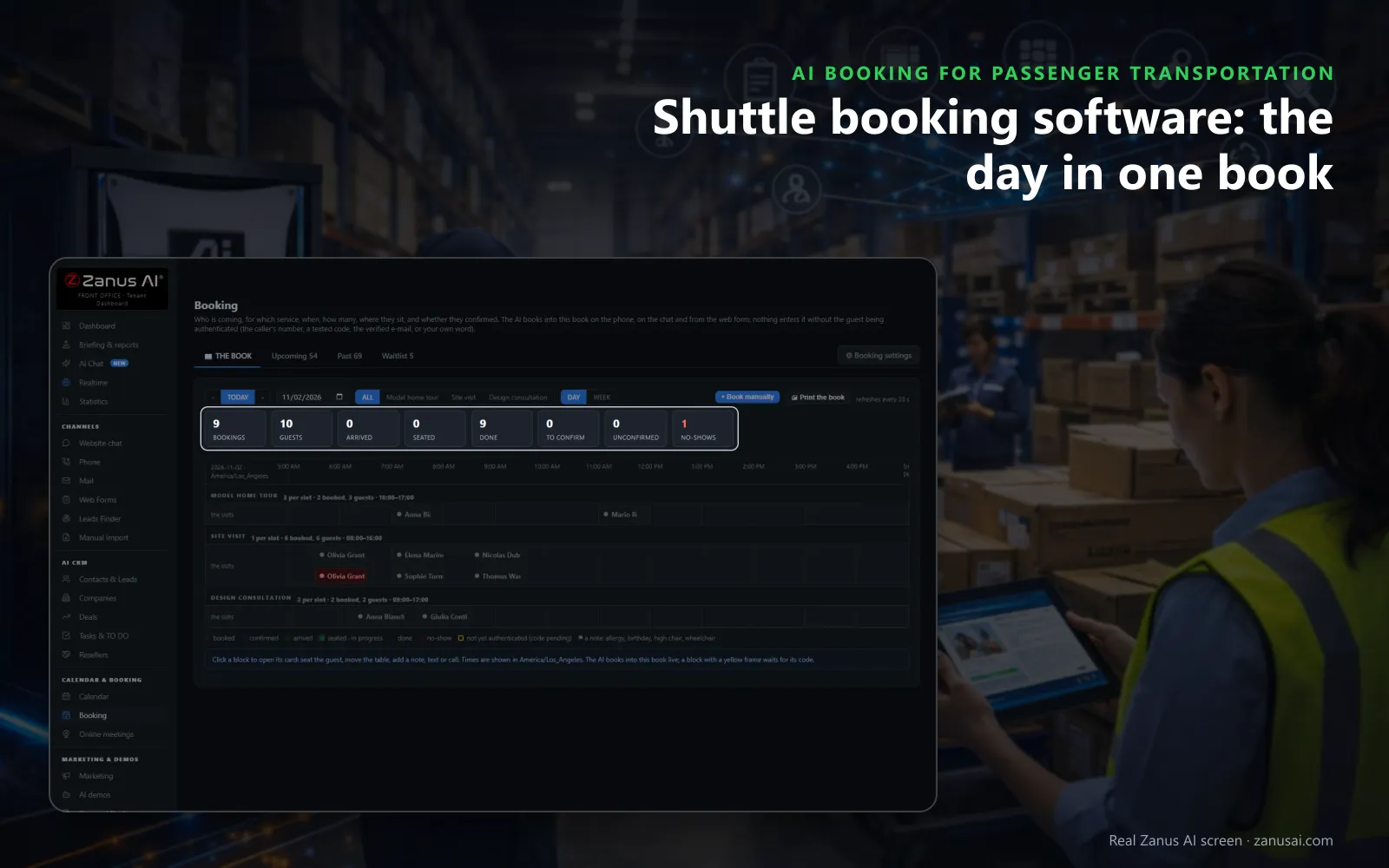
The day's book
Every ride booked by phone, chat or your site lands in one book, with the day's passengers, arrivals and no-shows counted on top.
 Easy setupSet up everything just by talking to Lisa AISee how ›
You“Airport pickups ask for the flight number and the number of bags.”
Lisa“Airport pickup now asks the flight number and the bags before it offers a time. Apply?”
You talk. Lisa sets it up. Applied only on your yes.
How Passenger Transportation use it
An executive assistant books a 5:15 AM sedan to the airport for Thursday and adds the flight number the service asks for.
A family books four seats on the 10 AM hotel shuttle run in the chat, and the confirmation text arrives before the chat closes.
A wedding planner requests three vans for a Saturday; the request waits as a REQUEST until your office presses CONFIRM.
REAL AI - the whole Front Office is AI, not old software with an AI button.
What’s included
- Booking inside the phone call, the chat, the e-mail and the form, plus a booking page
- By service and location: the AI offers the menu, then only the free slots of your live calendar
- Google / Outlook calendar connect; availability rules; buffers
- Confirmation and calendar invite e-mailed automatically; reminders; reschedule by reply
- Field visits with travel time; several providers with their own calendars
Add it to any contact channel — AI Phone, AI Webchat, AI E-mail or AI Web Forms — or get it inside a solution · See pricing › · Per company, never per seat.
Everything AI Booking does, for every business ›
Works withAI PhoneAI WebchatAI E-mailAI Web FormsLisa, your AI assistant
What it books
Shuttle booking software that books every channel into one book
The passenger asks for a ride wherever they are, and the AI books it while they are still there: only free slots, only verified riders, confirmed before they hang up.
Phone, chat, forms and booking page
The same book takes rides from a call, the website chat, a web form and your booking page, so a car booked on the phone is not offered again in the chat.
Free slots only
The AI offers only times that are free: the service's hours, the rides already taken, closures, whole-day blackouts and the busy times of the calendar you connect.
The questions each ride needs
Flight number, bags, party size, pickup address or a wheelchair: you set the questions per service, and the answers sit on the booking card for your team.
Confirmed and reminded
The confirmation goes out at once and the reminder by text, e-mail or both, the hours before you choose; a short reply confirms, cancels or asks for another time.
No-shows followed up
A missed pickup is marked after the grace period, the rider gets a single polite invitation to re-book, and a repeat no-show is asked to confirm next time.
A text when the car is ready
One tap on the booking card texts the passenger that the car is at the curb, and a moved ride tells them the new time by text or e-mail.
The rides it takes
Limo booking software for the rides that cannot wait
The dawn airport transfer
A traveler calls at 4 AM after a flight change; the AI offers the hours a sedan is free, takes the flight number and confirms by text before she hangs up.
The hotel shuttle run
Guests book seats on the 10 AM run from the chat; each booking takes its seats, and the run stops being offered when the last seat is gone.
The wedding or prom night
A planner asks for two stretch limousines and a van; marked subject to approval, the request waits on Upcoming until your office confirms or offers the next free time.
The corporate day of meetings
An assistant books a chauffeured car by the hour for a Tuesday of meetings; the service's length and the rest after it keep the next booking from overlapping.
Counted your way
A shuttle booking system that counts vans, seats and service areas
Units for private rides
A sedan, a van or a limousine is a unit: one booking takes it for its time slot, so the same car is not booked twice for the same hour.
Seats for shared runs
A shared airport or hotel shuttle counts its seats: a family of four takes four, and a full run drops off the list of free times.
The area you serve
The pickup address comes first; the postal codes you serve are kept, and an address outside your area becomes a callback, never a booking.
Depots, terminals and hours
Each location keeps its address and timezone, each service its own hours, and a closure carries the reason riders hear when they ask for that day.
Plainly
Chauffeur booking software that leaves dispatch to dispatch
No driver assignment or tracking
AI Booking does not assign drivers, plan routes or track vehicles; your dispatch tool keeps that job, and the bookings are written to the work calendar you connect.
No fares by distance
It calculates no fare from miles or zones; a flat rate you keep for a vehicle is read from AI Inventory, and charters are priced from your list in AI Quoting.
No tickets or seat maps
Seats on a shared run are counted, not picked from a map, and no ticket is issued; the confirmation and the reminder are what the passenger receives.
Compared
Online booking system for shuttle buses, a diary or a person?
| What a ride booking needs | The phone and a paper diary | An online booking page alone | AI Booking |
|---|---|---|---|
| A call for a 5 AM pickup at midnight | Missed until morning | Only if the caller finds the page | Booked on the call: the flight number taken, the confirmation texted |
| The same van asked for twice | Written in two places | Blocked on the page only | One book for every channel: so a booked van is not offered again |
| A rider who does not show up | Noticed at the curb | Nothing happens | Marked NO-SHOW by itself: and invited once to book again |
| A wedding that needs your yes | A note to call back | Booked without asking | Held as a REQUEST: until your office confirms or offers another time |
| A rider who speaks Spanish | Whoever is at the desk | The page's language | Answered in Spanish: on the phone and in the chat |
Set-up
Booking software for limo service and shuttles, set up in 2 minutes
Lisa reads your website
She reads your service pages, finds your depots and asks which rides you run, how a ride is counted and what each booking must ask.
Your services, by talking
Tell Lisa you run airport transfers, hourly chauffeur rides and a shared hotel shuttle; she proposes the services, turns and texts with before and after.
Your calendar connected
Connect the work calendar you already use so its busy times are not offered to a passenger, or run the book on its own.
A week of real rides
Run it free for 7 days with no credit card and read every ride it booked, confirmed and re-booked when the week ends.
Questions & answers
Questions operators ask about shuttle booking software
What is shuttle booking software?
Software that lets passengers book a seat on a run or a whole vehicle for a time, and keeps those bookings in one place. AI Booking adds the AI: it books on the phone, in the chat, from a form and on your booking page, and confirms and reminds by itself.
Can the AI take limo and chauffeur bookings on the phone?
Yes. The caller says the day, the time and the pickup; the AI asks the questions you set for that service, offers only the times a car is free, verifies the caller by number or texted code and books the ride while the caller is still on the line.
Does AI Booking replace our dispatch software?
No. It books the ride into your book and confirms it. Assigning a driver and a vehicle to each run, routing and live vehicle tracking stay in the dispatch tool you already use, and your team sees every booked ride with the channel it came from.
How does it count cars, vans and seats?
Each service is counted your way: by bookings, by seats or by units. A private sedan or van counts as one unit for its time slot, a shared shuttle run counts the seats you set, and a full slot is not offered again.
Can riders book an airport transfer with the flight number?
Yes. You set the questions each service asks before a time is offered, such as the flight number, the terminal, the bags or a child seat, and the answers are written on the booking card your team reads.
How are passengers verified before a ride is booked?
By the caller's number on the phone, a code sent by text, a verified e-mail, or your own word when your staff book by hand. A ride waiting for its code holds its place for the minutes the service sets, 15 by default.
What happens when a passenger does not show up?
After the grace period the ride is marked NO-SHOW by itself and, with the rule on, the passenger receives one polite message to book again. A passenger who missed twice in a year is asked to confirm at the next booking.
Can charter and group rides wait for our approval?
Yes. Mark a service as subject to approval and each request lands as a REQUEST on Upcoming, with the passenger told the time is requested. Your office presses CONFIRM to send the confirmation, or DECLINE to offer the rider the next free time.
Does the AI calculate fares or mileage rates?
No. AI Booking books the time and the vehicle; it works out no fare by distance. With AI Inventory the flat rate you set for a vehicle is read to the caller, and a charter is priced from your own list through AI Quoting.
Can several depots or terminals share one book?
Yes. Each location keeps its address and its own timezone, each service says where it runs, and the AI asks the passenger which location when you have more than one. A closure over existing rides lists them, so you keep, move or cancel each.
How much does shuttle booking software cost here?
AI Booking is priced per company, never per seat, so every agent at your desk works in the same book; the prices sit with the other Front Office modules on the pricing page. You can run it free for 7 days on your own rides, with no credit card.
Keep exploring
Where next?
Start with the one thing you need. Add more anytime by asking Lisa.
AI Front Office for Passenger Transportation ›
Easy setup
Answers & books
Sells
Helps your team
Included
Award-winning AI
Winner at CES 2026, ISE 2026 and TMCnet Enterprise AI Product of the Year.
REAL AI - the whole Front Office is AI, not old software with an AI button.
Awards & trade shows ›


Give Lisa your website.
She sets up your business in 2 minutes.
Other software makes you learn it. Zanus AI learns your business.
Try it free on your own business — no credit card, per company, never per seat.
Ready to buy? See plans & pricing ›
Or call +1 (954) 736-3939 — the AI answers.