ZANUS FRONT OFFICE FOR DEFENSE CONTRACTORS — RFQS & QUOTES
Quotes from your approved price list — released by a person, in minutes.
A buyer asks for a quote on catalog spares, a training course seat block, a service call-out, a standard repair. The AI builds the quote from your approved price list, lead-time rules and terms text — never an improvised number at the desk — queues it for release by your estimator or contracts staff, sends it as a clean document with validity, and follows up politely until the buyer decides. Anything outside the list becomes a case for your people.
Try it free 7 days on your own business · no credit card · per company, never per seat
REAL AI - the whole Front Office is AI, not old software with an AI button. Give it your website: it learns your company, works from your approved knowledge and gets better with every answer you approve.
Live on this site right now — the assistant in the corner is the product · Award-winning AI — CES · ISE · TMCnet
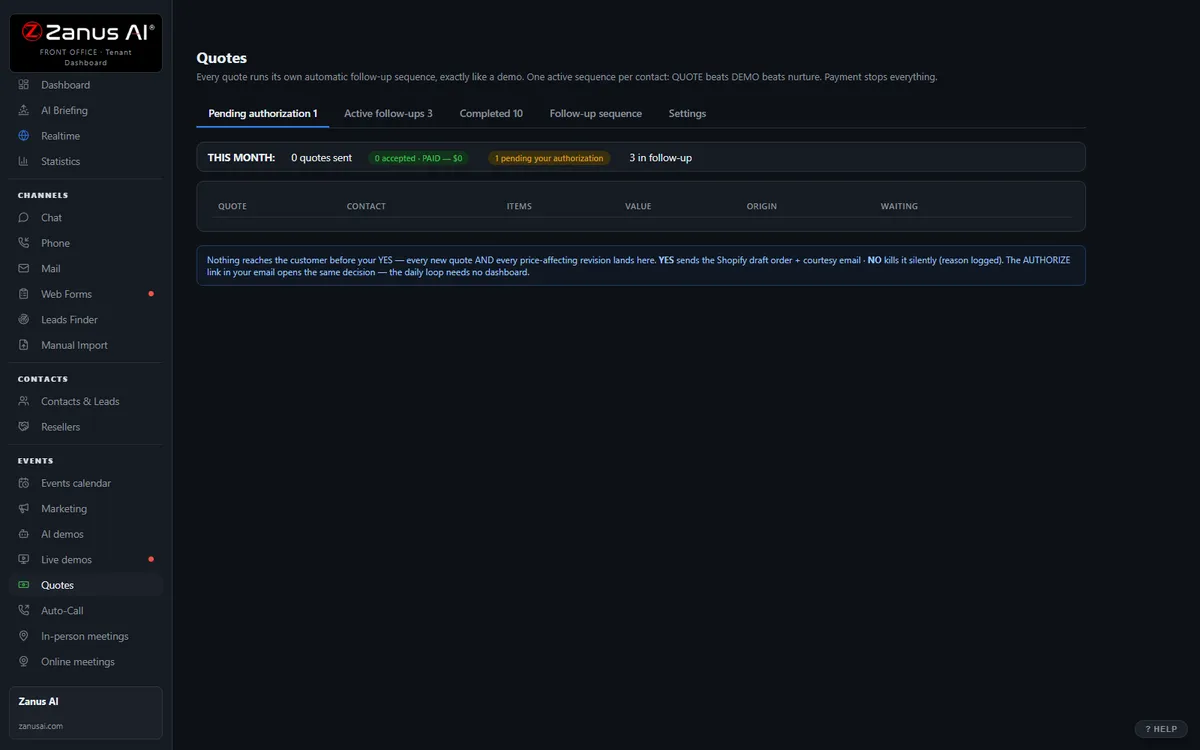
The real Quotes menu: built by AI, authorized by you with one click.
What it does
Quotes come from your price list and rules — catalog spares, repair rates, course seats, service bundles — never from memory. No list, no quote.
Every quote waits for your one-click release; your approval chain for discounts and terms is enforced. What goes out is what contracts approved.
Opens tracked, the unanswered quote followed up on your schedule — and a buyer’s question or counter hands the thread to a person.
Inside AI Quoting — the real screens
Click a tab. Every picture is the live Front Office, not a mockup — the left menu is the whole product.
Quote-to-cash without a second system
Elsewhere, configure-price-quote is often a separate product bolted on top. Here, quoting is one included function of your integrated Front Office — connected to every conversation.
- No per-user CPQ tax
- Connected to chat, phone, demo and email history
- Quote-to-cash without a rollout project

Available on its own — or inside a solution
Questions, answered
Can it quote a proposal, a build-to-print part or a program-specific requirement?
No. Anything that needs a drawing, a specification, an engineering estimate or contract-specific terms is filed as a case with the RFQ details and routed to your estimating and contracts team. The AI quotes only from the list you approved and never accepts terms.
Which solution includes it?
Available on its own or inside a solution. Which solution includes what: see pricing.
Try it free on your own company. 7 days. No credit card.
Give it your website. It learns your company. Then call it, chat with it, e-mail it — and decide. Nothing to install, nothing to cancel.
← Previous: Email · Sharing with a colleague? 📄 Get the PDF · ✉️ Email this page ·