AI E-mail for Associations. An AI email responder for associations, desk by desk
AI E-mail is an AI email responder for associations: Lisa reads every message sent to your membership, events or education address, attaches it to the member's record and drafts the reply from your approved pages, in the sender's language. Each desk decides whether she sends alone or a staff member approves first.
TRY AI E-MAIL FREENo credit card · Ready in 2 minutesReady to buy? See plans & pricing ›
7 days free · per company, never per seat · nothing to install
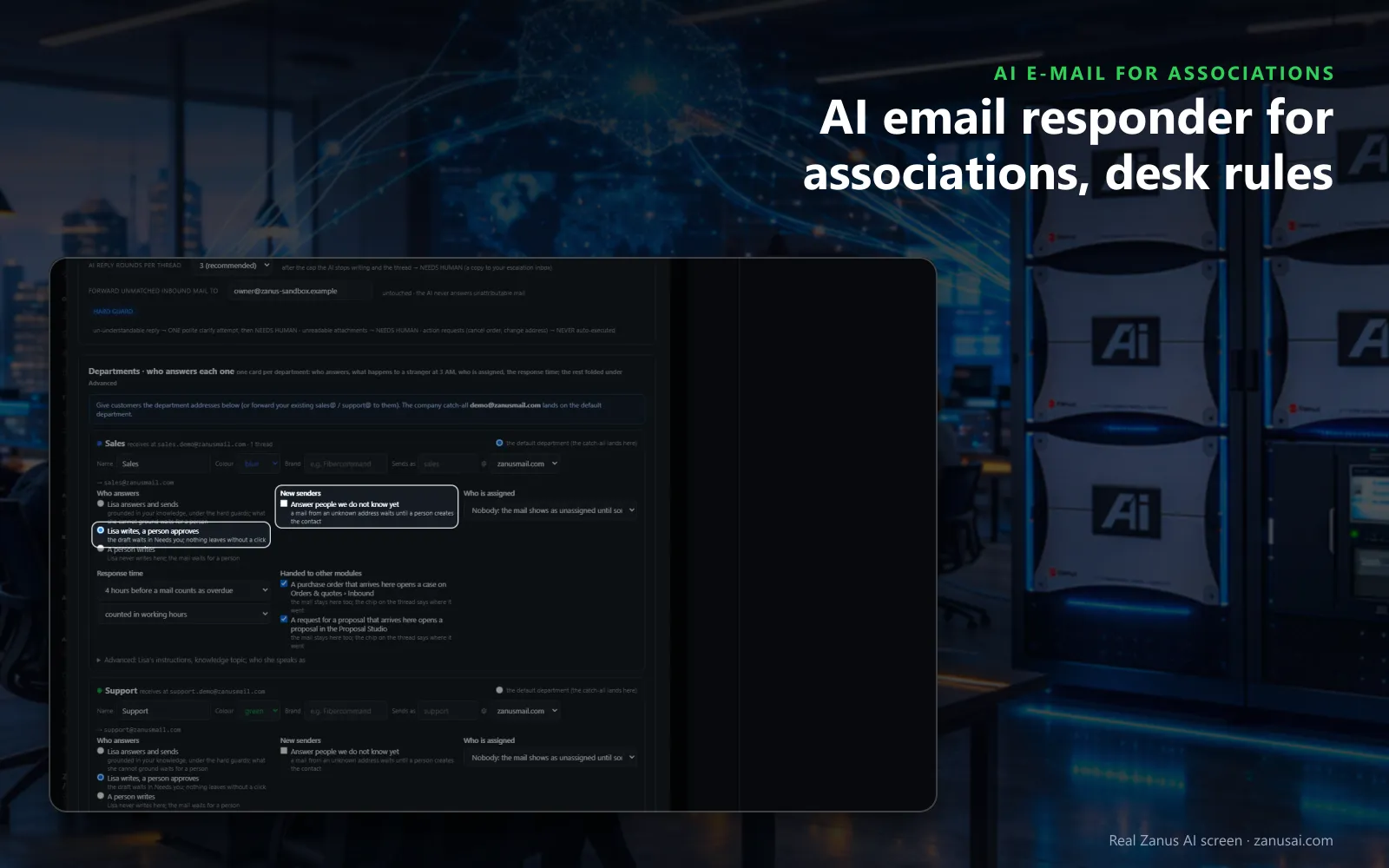
Rule per desk
Each desk decides whether Lisa answers and sends, writes for staff to approve, or stays out, with its own response time.
 Easy setupSet up everything just by talking to Lisa AISee how ›
You“Let Lisa answer the events desk alone; membership waits for approval.”
Lisa“I'm setting events to Lisa answers and sends, and membership to Lisa writes and a person approves. Apply?”
You talk. Lisa sets it up. Applied only on your yes.
How Associations use it
A member writes that her employer needs a dues receipt; Lisa sorts it to billing with a draft for staff to approve.
With events inbox management on its own desk, a registrant asking to transfer his badge gets your published transfer policy, and the change waits for events staff.
A reporter asks for your position on a pending bill; the thread goes to Needs you with the published statement in the draft.
REAL AI - the whole Front Office is AI, not old software with an AI button.
What’s included
- Your own sending domain, set up and warmed for you; replies land in Front Office, not in a personal inbox
- Drafts and answers from your approved knowledge, in the customer's language; approve each one or let it send under rules you set
- Take over any thread and send from your own address; connect your Google or Microsoft mailbox for personal mail
- Every thread on the customer's record; a reply stops any running follow-up and alerts the owner
- Templates written from your knowledge; deliverability report, bounces, complaints, engagement
- Attachments, quotes and confirmations sent from the same place; nothing typed twice
Available on its own or inside a solution · See pricing › · Per company, never per seat.
Everything AI E-mail does, for every business ›
Works withLisa, your AI assistantAI Follow-upAI QuotingAI BookingAI TicketsAI Returns & Warranty
Desk by desk
Membership inbox automation with your own rules
One desk per team
Membership, events, education, sponsorship and billing each get a desk with its own address, colour and count of open conversations.
Ready to send
For most routine member mail the answer waits in Ready to send; staff read it, change a word if they want and press Send and next.
Hard guards
An unclear reply gets one polite question, then a person; an unreadable attachment goes to a person, and the cap you set limits the AI's rounds on one thread.
Proposals where they belong
A sponsor's mail asking for a custom package opens a case in the Proposal Studio, and the message stays on the desk with a chip.
Questions & answers
AI E-mail for Associations: questions & answers
Can an AI answer an association's membership e-mail?
Yes. AI E-mail sorts each message to a desk, finds the member's record and writes the reply from your approved pages. By default Lisa writes and a staff member approves: the draft waits in Ready to send and nothing leaves without a click.
Are appeals and complaints ever answered by the AI alone?
Only if you allow it on that desk. Keep the standards desk on a person writes and Lisa never does, and an ethics complaint or an appeal waits for the staff member you name, with the summary of what the member wants.
Can several staff members share one membership inbox?
Yes. Every address lands on a desk the team shares; a manager assigns a thread, a colleague takes it over so Lisa stops writing, and Overdue shows member mail unanswered past the desk's response time, four hours by default.
Can staff connect their own mailbox?
Yes. Each staff member connects their mailbox whole or forwards a copy, and chooses which folders Lisa reads. A member's message in a personal mailbox can be poured into the right desk, and replies leave from the staff member's own address.
Does it reply in the member's language?
Yes. A message in another language is read to staff in theirs, and member email replies go out in the language the member wrote in. Write in your own language and press Also in to keep your text with the translation beside it.
Keep exploring
Where next?
Start with the one thing you need. Add more anytime by asking Lisa.
AI Front Office for Associations ›
Easy setup
Answers & books
Sells
Helps your team
Included
Award-winning AI
Winner at CES 2026, ISE 2026 and TMCnet Enterprise AI Product of the Year.
REAL AI - the whole Front Office is AI, not old software with an AI button.
Awards & trade shows ›


Give Lisa your website.
She sets up your business in 2 minutes.
Other software makes you learn it. Zanus AI learns your business.
Try it free on your own business — no credit card, per company, never per seat.
Ready to buy? See plans & pricing ›
Or call +1 (954) 736-3939 — the AI answers.