ZANUS FRONT OFFICE FOR HEALTH & HUMAN SERVICES — FEES & PROGRAM DOCUMENTS
Fee schedules and program documents — as published, in minutes.
A parent asks what the child-care copay is at their income band, a resident asks the fee for a certified birth certificate, a clinic patient asks about the sliding scale, a provider asks for the current rate sheet. The AI sends the published schedule or document your agency approved — never a number improvised at the desk — as a clean document, in the client’s language, and notes on the record that it was sent.
Try it free 7 days on your own business · no credit card · per company, never per seat
REAL AI - the whole Front Office is AI, not old software with an AI button. Give it your website: it learns your company, works from your approved knowledge and gets better with every answer you approve.
Live on this site right now — the assistant in the corner is the product · Award-winning AI — CES · ISE · TMCnet
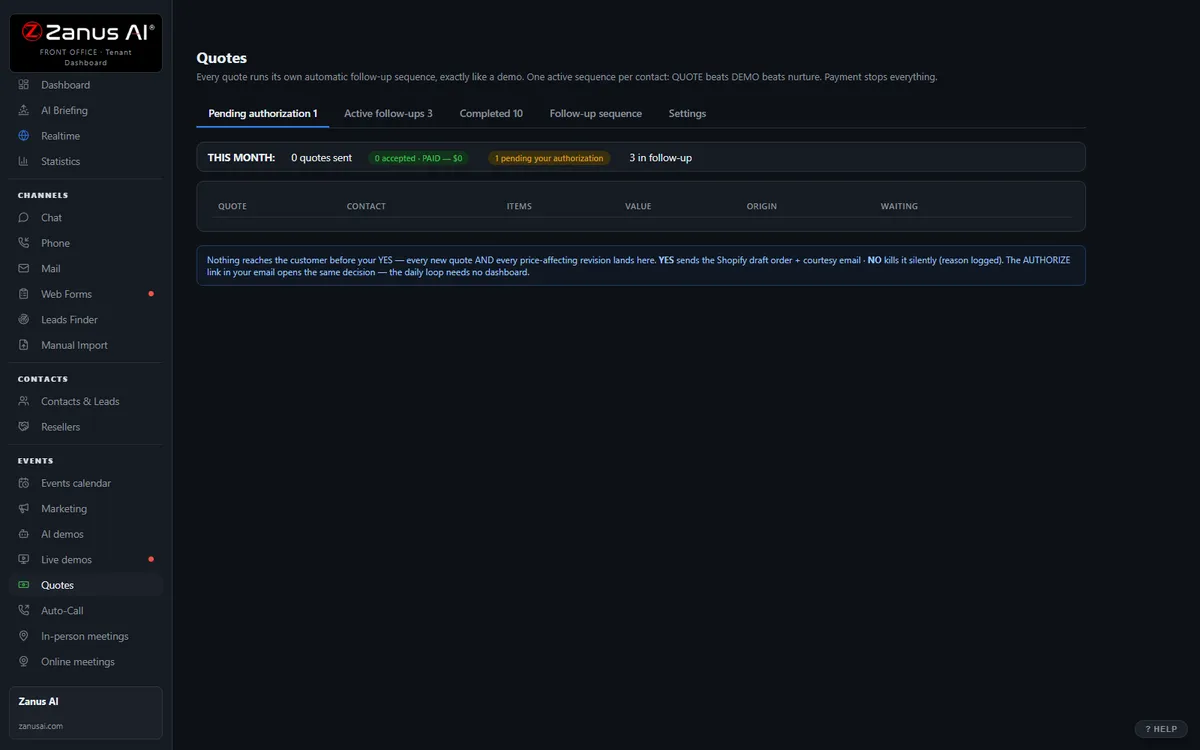
The real Quotes menu: built by AI, authorized by you with one click.
What it does
Fee schedules, copay tables, sliding scales, records fees and provider rate sheets come from the documents you load — never from memory, always the current version.
Program summaries, document checklists, the notice explainer, the appeal-rights leaflet — matched to what the client asked, sent with the appointment confirmation.
“So what will I pay?” about their own case: the client is told a worker will confirm, and the question is filed with a number.
Inside AI Quoting — the real screens
Click a tab. Every picture is the live Front Office, not a mockup — the left menu is the whole product.
Quote-to-cash without a second system
Elsewhere, configure-price-quote is often a separate product bolted on top. Here, quoting is one included function of your integrated Front Office — connected to every conversation.
- No per-user CPQ tax
- Connected to chat, phone, demo and email history
- Quote-to-cash without a rollout project

Available on its own — or inside a solution
Questions, answered
Does the AI calculate a client’s benefit or copay?
No. It sends the published table and explains how to read it in general terms. What a specific household will pay or receive is a caseworker’s determination; the question is routed there with the client’s details already on the record.
Which solution includes it?
Available on its own or inside a solution. Which solution includes what: see pricing.
Try it free on your own agency. 7 days. No credit card.
Give it your website. It learns your company. Then call it, chat with it, e-mail it — and decide. Nothing to install, nothing to cancel.
← Previous: Email · Sharing with a colleague? 📄 Get the PDF · ✉️ Email this page ·