AI Web Forms for Insurance Carriers. Claims intake software for every first notice of loss
AI Web Forms is claims intake software for insurance carriers: a policyholder reports the loss on your website's form in their language, the answers and photos arrive with the contact attached, and an urgent loss alerts your claims desk at once. Your claims team decides everything after that.
TRY AI WEB FORMS FREENo credit card · Ready in 2 minutesReady to buy? See plans & pricing ›
7 days free · per company, never per seat · nothing to install
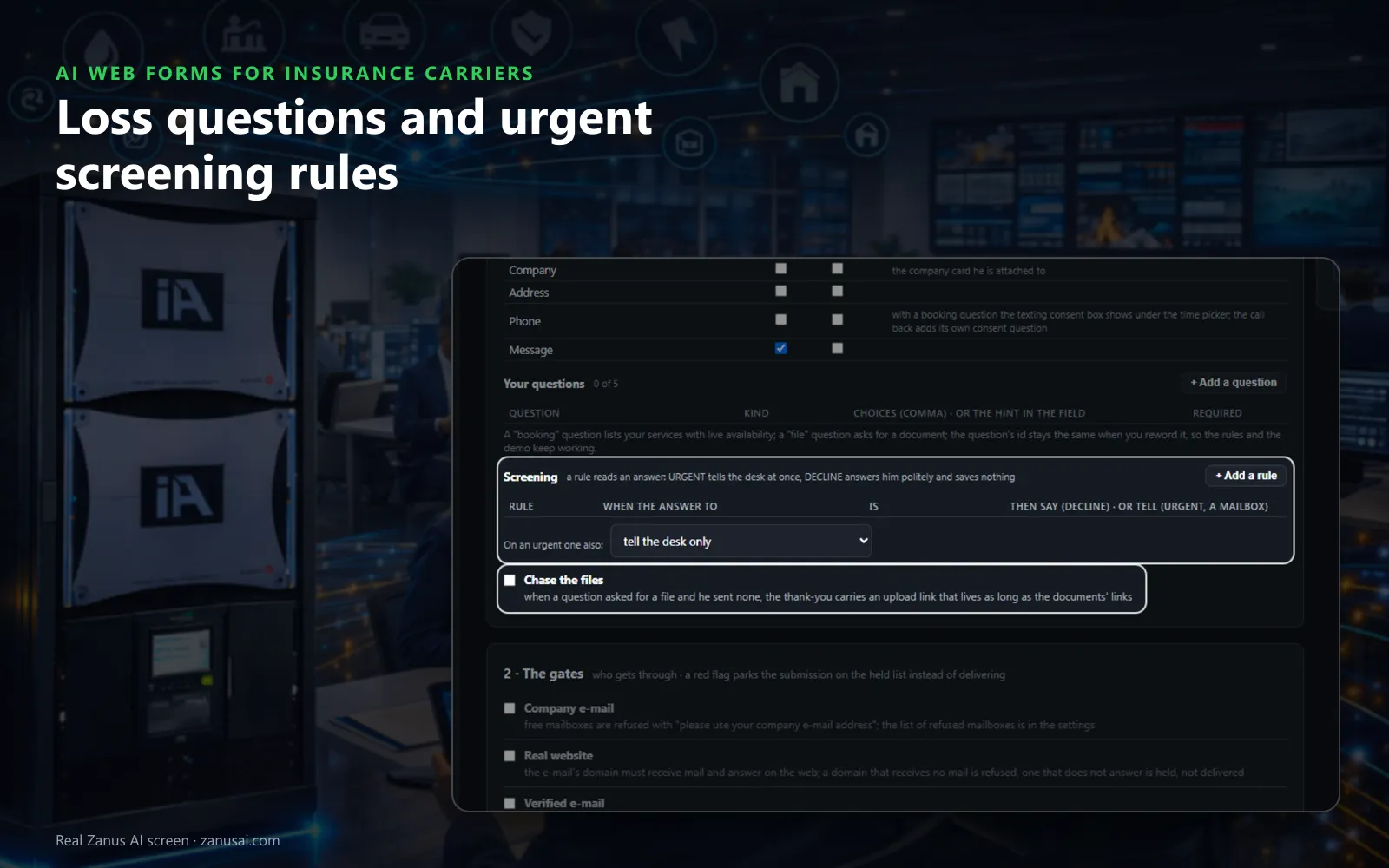
Intake questions
The standard fields plus up to five questions of your own, and screening rules that tell the claims desk about an urgent loss the moment it arrives.
 Easy setupSet up everything just by talking to Lisa AISee how ›
You“Mark any loss form that mentions water inside the home as urgent.”
Lisa“Before: every loss form lands as normal. After: forms whose answers mention water inside the home are marked URGENT and the claims desk is told. Apply?”
You talk. Lisa sets it up. Applied only on your yes.
How Insurance Carriers use it
A Saturday form about a tree through a roof is marked urgent by your screening rule, and the claims desk is told at once.
A driver submits the accident form without photos; the thank-you carries an upload link, and the files land on her contact.
A form sent in Spanish is answered in Spanish, and the request reaches claims intake with the answers as she wrote them.
REAL AI - the whole Front Office is AI, not old software with an AI button.
What’s included
- Any form on your site, contact, quote, demo request, application, answered in seconds, not the next morning
- The lead qualified and scored from what they wrote; the first reply sent immediately in their language
- E-mail verified (syntax, domain, deliverability) before anything is promised to it
- Contact record created; the owner alerted; the next step proposed
- Forms translated into your customers' languages; embedded on any site
- Feeds every automation you add: booking, quoting, follow-up, the AI Demo
Available on its own or inside a solution · See pricing › · Per company, never per seat.
Everything AI Web Forms does, for every business ›
Works withAI BookingAI QuotingAI Follow-upAI DemoAI TicketsAI File Cabinet
Online FNOL
Claims intake automation software for an online first notice of loss
In the policyholder's language
The form shows in the visitor's language with your questions, and the reply leaves on the spot, signed by the claims desk, saying only what happens next.
Photos chased politely
When a question asked for photos and none came, the thank-you carries an upload link, and the files go to the policyholder's contact, never into your knowledge.
Urgent losses flagged
A screening rule reads an answer, such as water still coming in, and tells the claims desk at once or sends the emergency sheet from your files.
One line on your site
Paste one line where the claim form should appear, inline, as a popup or as a compact row, and your webmaster needs no login.
Set-up
Your insurance claims intake form in 2 minutes
Start from an intake template
Pick an intake form and change the title the policyholder sees, such as Report a loss or Report an accident.
Write five questions
Ask the date, where it happened, what happened, whether anyone was hurt and a file for photos, or tell Lisa and she builds them.
Add the screening rules
Decide which answers mark a form urgent and who is told, then hear Lisa read the rules back before you save them.
Place it and test it
Copy the line to your claims page, send a test loss yourself and see it arrive, all inside the 7-day free trial.
Questions & answers
AI Web Forms for Insurance Carriers: questions & answers
What is claims intake software?
Software that takes the first report of a loss and turns it into something your claims team can work. With AI Web Forms the policyholder fills your form, the answers and files land with the contact, urgent losses alert the desk, and the claims team decides from there.
Does the AI decide anything about the claim?
No. The form takes the facts down and nothing more: the AI never adjudicates, reserves, values or pays a claim and never tells the policyholder what is covered. The thank-you says only what happens next, in the words you approved.
What questions can a first notice of loss form ask?
The standard contact fields and up to five questions of your own: a text, a longer description, a choice, yes or no, a date, a group of fields or a file to upload. A screening rule can read any answer and tell the claims desk at once.
Is digital FNOL only for web forms?
No. The same first notice can come by phone or chat: AI Phone and AI Webchat take the details in the conversation and file the request, so every loss reaches claims intake in the policyholder's own words, whatever the door.
How is spam kept out of claims intake?
Every claim form carries a hidden trap field and a cap per network, so an automated submission sees a thank-you page while nothing is stored. Spam never shows on the list and is never counted as a reported loss.
Keep exploring
Where next?
Start with the one thing you need. Add more anytime by asking Lisa.
AI Front Office for Insurance Carriers ›
Easy setup
Answers & books
Sells
Helps your team
Included
Award-winning AI
Winner at CES 2026, ISE 2026 and TMCnet Enterprise AI Product of the Year.
REAL AI - the whole Front Office is AI, not old software with an AI button.
Awards & trade shows ›


Give Lisa your website.
She sets up your business in 2 minutes.
Other software makes you learn it. Zanus AI learns your business.
Try it free on your own business — no credit card, per company, never per seat.
Ready to buy? See plans & pricing ›
Or call +1 (954) 736-3939 — the AI answers.