AI Calls Transcripts for Enterprise Groups. AI call transcription for enterprises, every leg your people take
AI Calls Transcripts is AI call transcription for enterprises: the calls the AI answers are already written, and this module writes the parts your people take, on My phone, in the phone app and on every transferred leg. Each call lands in the customer's story with its summary, and each department's mailbox receives its own transcripts.
TRY AI CALLS TRANSCRIPTS FREENo credit card · Ready in 2 minutesReady to buy? See plans & pricing ›
7 days free · per company, never per seat · nothing to install
Transfers
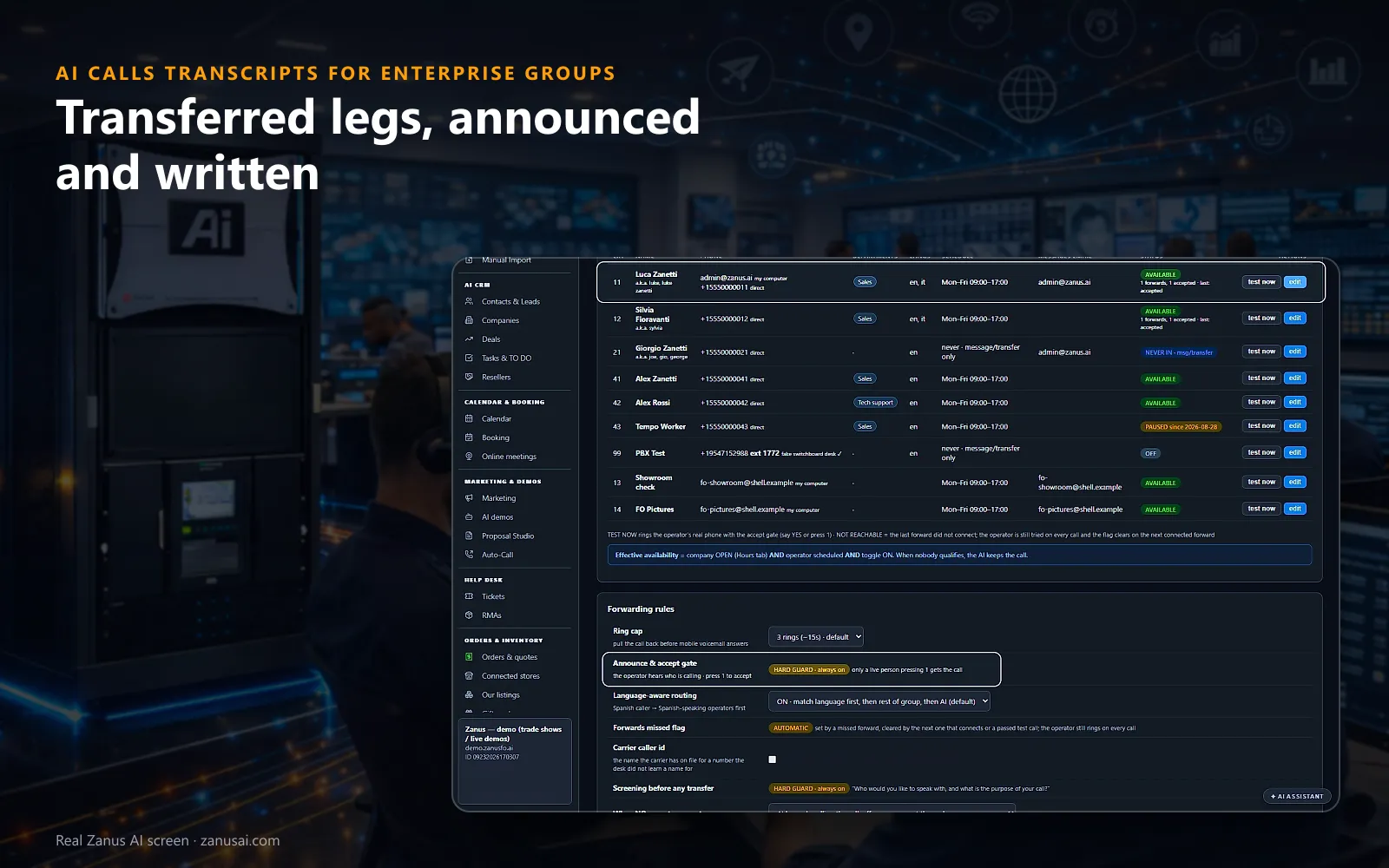
A transferred call is announced to the colleague, who accepts it, and his part of the conversation is written into the same customer story.
 Easy setupSet up everything just by talking to Lisa AISee how ›
You“Send every service transcript to the service mailbox, with a copy to the supervisor.”
Lisa“Service transcripts go to the service mailbox, with a supervisor copy; here is before and after. Apply?”
You talk. Lisa sets it up. Applied only on your yes.
How Enterprise Groups use it
The AI hands a caller from the switchboard to the service desk in Madrid, and both parts of the call sit in one story.
A sales manager presses Send the recap during a call with a key account and gets the facts so far by e-mail.
Support, sales and booking each receive their own transcripts, an AI call summary by department and the messages taken, with a supervisor copy for the service desk.
REAL AI - the whole Front Office is AI, not old software with an AI button.
What’s included
- My phone: the calls taken on the computer, written as they happen
- The phone app: the calls taken on the iPhone, each device its own leg
- Transferred legs: every leg a person holds after the AI hands a call over
- Calls you place: calls from a computer phone, transcribed
- Summaries: each call written with its summary
- What happened: transfers, holds, rings and messages taken, in the transcript
- Send the recap: the facts and the transcript so far, to your own e-mail
- Routing: each department's mailbox receives its transcripts and messages
Add it to AI Phone or get it inside a solution · See pricing › · Per company, never per seat.
Everything AI Calls Transcripts does, for every business ›
Works withAI PhoneAI CRMAI Follow-upAI Proposal StudioAI TicketsAI Returns & WarrantyAI Calls Teleprompter
Every call written
Call center transcription for large companies, on every device
My phone on the computer
Calls answered at the desk computer are transcribed live, and Recent keeps each one with call back, message and transcript.
The phone app
The phone app rings as its own leg beside the computer, and a call taken there is written into the same customer story.
Up to three devices
The computer, the phone app and one more device ring on one login, the first to answer takes the call, and each signs out from My devices.
What happened, not only words
Transfers, holds, rings and messages taken stay in the transcript, while technical lines hide until someone presses Show technical lines.
Set-up
Set up transferred call transcripts in 2 minutes
AI Phone first
The module sits on top of AI Phone, so your numbers, operators, departments and hours are already in place.
Switch it on
Tell Lisa to transcribe the calls your team takes, and every call from the next one on is written.
Who receives what
Name the mailbox for each department's transcripts and messages, turn on the supervisor copy, and decide if recordings are kept.
A week of transcripts
Run it on your own calls for 7 days with no credit card, and read the first transcripts in each customer's story.
Questions & answers
AI Calls Transcripts for Enterprise Groups: questions & answers
Which calls does AI call transcription cover in a large company?
Every call the AI answers is written on AI Phone alone, at no extra cost. AI Calls Transcripts adds the calls your people take: on My phone on the computer, in the phone app and on every leg the AI transfers to a colleague.
Are transferred calls transcribed as one conversation?
Yes. The AI's part and your colleague's part sit in one story, with what Lisa learned before the hand-over: who, what for, asked for whom and the language. On a desk phone or a mobile, the colleague hears who is calling before taking it.
Who receives the transcripts?
Each department's mailbox receives its transcripts and the messages taken, flagged ones reach the editor, and a supervisor copy is one switch. A transcript is never silently dropped.
Are calls recorded?
Recording is off as shipped, so call logging with recording rules starts from your own decision. Switched on, it records the part a person handles, both sides hear two short beeps, it can be transcribed, and it is kept for the number of days you choose, from 1 to 1,095.
Can managers follow live calls?
Yes. A manager can listen to, whisper on or join a live call from AI Phone, then read the written call and its summary once it ends, beside the customer's e-mails, chats and quotes.
Keep exploring
Where next?
Start with the one thing you need. Add more anytime by asking Lisa.
AI Front Office for Enterprise Groups ›
Easy setup
Answers & books
Sells
Helps your team
Included
Award-winning AI
Winner at CES 2026, ISE 2026 and TMCnet Enterprise AI Product of the Year.
REAL AI - the whole Front Office is AI, not old software with an AI button.
Awards & trade shows ›


Give Lisa your website.
She sets up your business in 2 minutes.
Other software makes you learn it. Zanus AI learns your business.
Try it free on your own business — no credit card, per company, never per seat.
Ready to buy? See plans & pricing ›
Or call +1 (954) 736-3939 — the AI answers.