AI File Cabinet for Construction. Construction document management software with a file per job
AI File Cabinet is construction document management software with a file per home or job: the blueprints, the contract, the change orders, the permits and the invoices, each read by the AI as it arrives and found again at its page. Invoices add up by vendor and by trade, and nothing is erased without a click.
TRY AI FILE CABINET FREENo credit card · Ready in 2 minutesReady to buy? See plans & pricing ›
7 days free · per company, never per seat · nothing to install
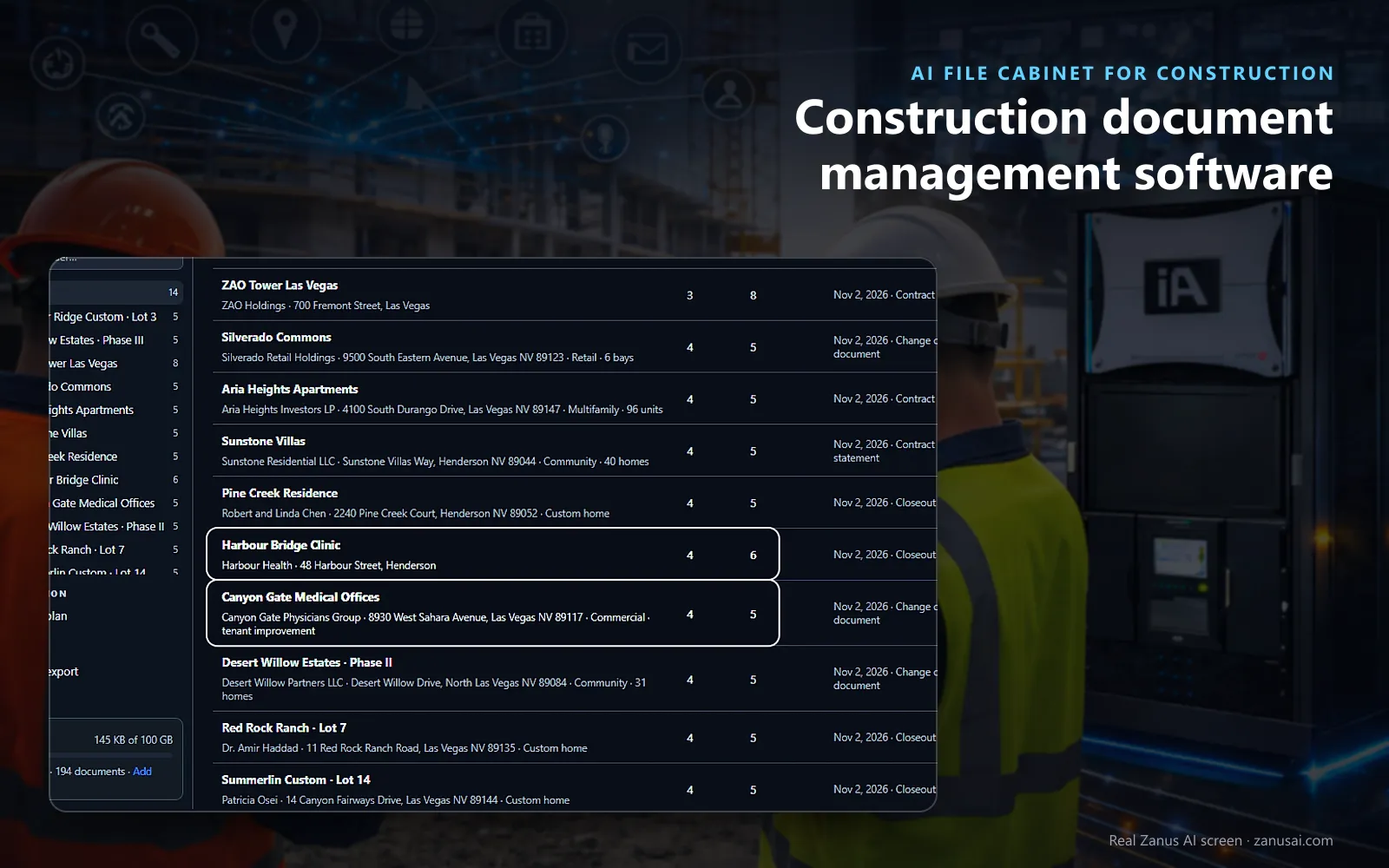
Files by job
One file per job, each with its client and site address, and its folders and documents inside, the way a secretary keeps a real cabinet.
 Easy setupSet up everything just by talking to Lisa AISee how ›
You“Add a Punch list folder to every new job file.”
Lisa“Every new job file will open with a Punch list folder beside the contract and change orders. Apply?”
You talk. Lisa sets it up. Applied only on your yes.
How Construction use it
The PM scans the signed change order on site with his phone, and it lands in the job's file as one PDF, read like any other.
The supplier mails an invoice to the job's own address, and the file's summary adds it by vendor and by trade.
The owner's lawyer asks for the story of the job; you send it by link, read-only, protected by a six-digit code.
REAL AI - the whole Front Office is AI, not old software with an AI button.
What’s included
- Drawers per department with one right per person: read, add, edit, manage
- Files per project, customer or matter; documents of any kind with versions
- Every page read, every recording transcribed; ask in plain words and open the proof at its page or second
- 100 GB of archive included, more space when you need it
- Phone scan, e-mail-in, filing from Mail and Phone; imports from Drive, Microsoft, Dropbox, Box and ZIP
Available on its own or inside a solution · See pricing › · Per company, never per seat.
Everything AI File Cabinet does, for every business ›
Works withAI E-mailAI PhoneAI QuotingAI Web FormsAI Team Assistant
How it works
Document management for contractors, one file per job
A file from its template
A new job opens with the fields and folders of its drawer: client, address, contract, change orders and field, changed by asking Lisa.
Read as it arrives
Every permit, invoice or change order gets its kind and its date from its own words and is read page by page, so a search finds what it says.
Found at the page
Find in every document returns each hit with its job and drawer and opens it at the page, or plays a recording from the line that matched.
Rights and retention
Each drawer sets who may open what, a legal hold protects any file, and every open, download and share is written in the audit.
Set-up
Open your job files in 2 minutes
Open your drawers
Keep the drawers you need, such as Projects, Permits and filings, Suppliers and vendors, and Warranty and service.
Shape the job file
Tell Lisa the fields and folders a job needs, such as client, address, contract and change orders; she shows the template first.
Bring the documents in
Upload a folder with its sub-folders, scan with your phone or give a job its e-mail address; an import shows its plan first.
A week on real jobs
Try it on your own documents for 7 days with no credit card, then ask the Team Assistant about a job and see the page behind each answer.
Questions & answers
AI File Cabinet for Construction: questions & answers
What is construction document management software?
It keeps every document of a job in one place and finds it again by what it says. AI File Cabinet opens a file per home or job with its folders, reads each document as it arrives, and finds it at the page when you search.
Can a superintendent add documents to the digital file cabinet for contractors from the site?
Yes. Scan takes the pages with the phone's camera and files them as one PDF in the job you chose, a note can be dictated, and every file has its own e-mail address for documents sent from the field.
Does it total the invoices on a job?
Yes. A project file adds up its invoices by vendor and by trade, from the facts read in each document and checked by code. A fact that fails its check waits on the To verify list.
Can it read drawings?
A DXF drawing gets its drawing facts and is drawn with its layers, and a spreadsheet is read as a table and summed by code. It reads documents; it does no takeoffs or estimates from the plans.
In project file management for builders, how long are job files kept?
As long as the drawer says: forever, or 7, 10 or 12 years after closing. A file past its time appears under Retention with Keep a year, Hold or Erase, and a legal hold stops anything from being erased.
Keep exploring
Where next?
Start with the one thing you need. Add more anytime by asking Lisa.
AI Front Office for Construction ›
Easy setup
Answers & books
Sells
Helps your team
Included
Award-winning AI
Winner at CES 2026, ISE 2026 and TMCnet Enterprise AI Product of the Year.
REAL AI - the whole Front Office is AI, not old software with an AI button.
Awards & trade shows ›


Give Lisa your website.
She sets up your business in 2 minutes.
Other software makes you learn it. Zanus AI learns your business.
Try it free on your own business — no credit card, per company, never per seat.
Ready to buy? See plans & pricing ›
Or call +1 (954) 736-3939 — the AI answers.