AI Auto-Call for Construction. Appointment reminder calls for contractors that hear the answer
AI Auto-Call places appointment reminder calls for contractors: the day before a site visit or an estimate walk, the AI calls each homeowner from your own line with the date, the time window and the address, and hears yes, no or another day. A client who wants another day is transferred to your team, and every answer lands on the booking.
START YOUR FREE TRIALNo credit card · Ready in 2 minutesAuto-Call opens with your first paid plan. See plans & pricing ›
7 days free · per company, never per seat · nothing to install
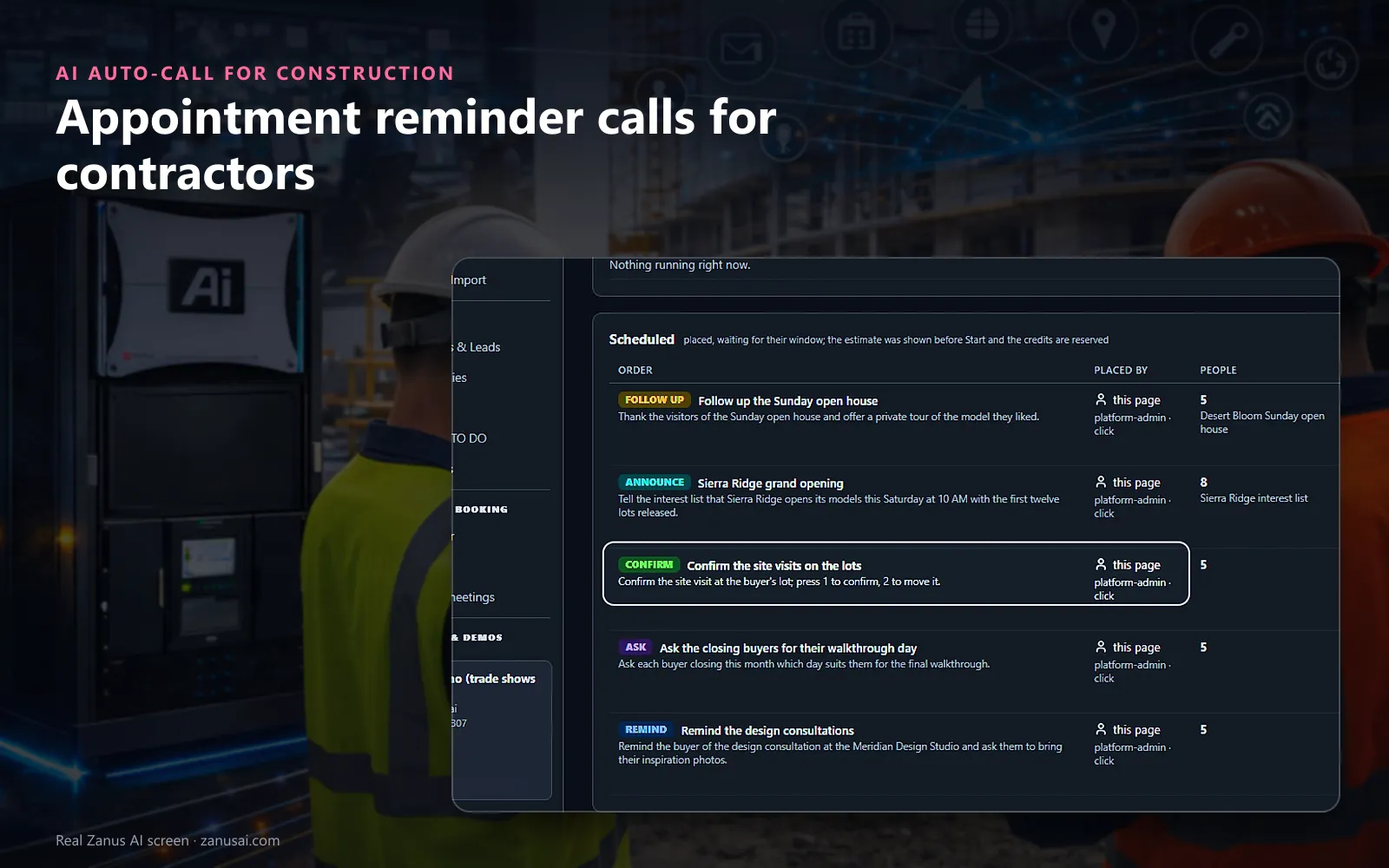
Five kinds of call
Confirm a date, remind, ask a question, follow up or announce to many: each call order says in one sentence what the AI must achieve.
 Easy setupSet up everything just by talking to Lisa AISee how ›
You“Call tomorrow's site visits to confirm, between 9 AM and 6 PM.”
Lisa“Tomorrow's site visits will be called to confirm between 9 AM and 6 PM, each in the client's local time. Place the order?”
You talk. Lisa sets it up. Applied only on your yes.
How Construction use it
The day before the estimate walk, one of your estimate appointment reminders calls the homeowner with the time window; she says yes and the booking reads confirmed.
A client who cannot be home Thursday is transferred to your team to agree another day, and the day she asked for lands on a to-do.
The office tells Lisa to call every open-house registrant and announce the new hour, and she reads back the count first.
REAL AI - the whole Front Office is AI, not old software with an AI button.
What’s included
- Outbound calls by the AI: confirm, remind, ask, follow up and announce, several people at once
- Consent rules and each person’s local calling hours; retries, and a voicemail message or a message with a text to confirm
- Every answer by person on the order and on the customer’s story; a change of date transferred to your team
Add it to AI Phone or get it inside a solution · See pricing › · Per company, never per seat.
Everything AI Auto-Call does, for every business ›
Works withAI PhoneAI BookingAI Web FormsAI MarketingAI Online MeetingsAI Demo
How it works
Site visit confirmation calls placed from your own line
Who, what and when
Who to call, what the call is for and when; before Start, the estimate shows how many calls it will make and who cannot be called.
Yes, no or another day
The client answers in her own words; yes confirms the booking, no cancels it, and another day goes to your team as a to-do.
Several calls at once
Five calls at a time by default and up to twenty, so the whole of tomorrow's schedule is confirmed in one afternoon.
Every answer on the record
The result comes back by person, in her words with the transcript, on the order and on the client's story in your contacts.
Set-up
Set up reminder calls for your site visits in 2 minutes
Your line
The calls go out from your company's own number in AI Phone, and a client who calls it back reaches your AI.
Your rules
Calling hours, calls at a time, retries, the voicemail rule and what is said at the start, all under Auto-Call settings.
Your first order
Tell Lisa who to call and why, or open a new call order and fill in who, what and when; she reads back the count first.
Trial, then Auto-Call
Start your free trial of the Front Office today, 7 days with no credit card; Auto-Call opens with your first paid plan.
Questions & answers
AI Auto-Call for Construction: questions & answers
Do reminder calls cut no-shows at site visits?
They tell you the day before who will not be home, while the slot can still be filled. The AI calls each client with the date, the window and the address, and a yes confirms the booking while a no cancels it.
Does the AI take a confirmation from voicemail?
Never. On voicemail the AI leaves your message and, where texting is on, sends a text the client answers to confirm or cancel. A yes on the call is only taken from the person.
When do AI outbound calls for contractors reach our clients?
Only inside each person's local calling window, 10 AM to 6 PM on weekdays unless you change it, Saturday as you choose and never on Sunday. A person not reached is called again as many times as you set.
Can automated calls for contractors reach homeowners without permission?
It calls only a number the person gave your company. A sales call to a mobile needs written consent on record, stop calling me is final on every list, and Auto-Call ships switched off, so you turn it on after checking the law of your markets.
Can the AI call back a lead from our estimate form?
Yes. A visitor who answered yes to May we call you back about this is called by the AI from your line once you switch Web forms on under Auto-Call settings; each module stays off until you turn it on.
Keep exploring
Where next?
Start with the one thing you need. Add more anytime by asking Lisa.
AI Front Office for Construction ›
Easy setup
Answers & books
Sells
Helps your team
Included
Award-winning AI
Winner at CES 2026, ISE 2026 and TMCnet Enterprise AI Product of the Year.
REAL AI - the whole Front Office is AI, not old software with an AI button.
Awards & trade shows ›


Give Lisa your website.
She sets up your business in 2 minutes.
Other software makes you learn it. Zanus AI learns your business.
Try it free on your own business — no credit card, per company, never per seat.
Ready to buy? See plans & pricing ›
Or call +1 (954) 736-3939 — the AI answers.