ZANUS FRONT OFFICE FOR CONSTRUCTION — BIDS & ESTIMATES
Estimates from your real unit prices. Bids that chase themselves.
A homeowner asks what a 30-square roof runs, a facility manager asks your service-call rate, an owner asks whether your bid went out. The AI builds standard-scope estimates from your unit prices and packages — never an improvised number on the phone — and sends the estimator’s custom bid as a clean document with validity and terms, tracks the open, and follows up politely until the owner or the homeowner decides.
Try it free 7 days on your own business · no credit card · per company, never per seat
REAL AI - the whole Front Office is AI, not old software with an AI button. Give it your website: it learns your company, works from your approved knowledge and gets better with every answer you approve.
Live on this site right now — the assistant in the corner is the product · Award-winning AI — CES · ISE · TMCnet
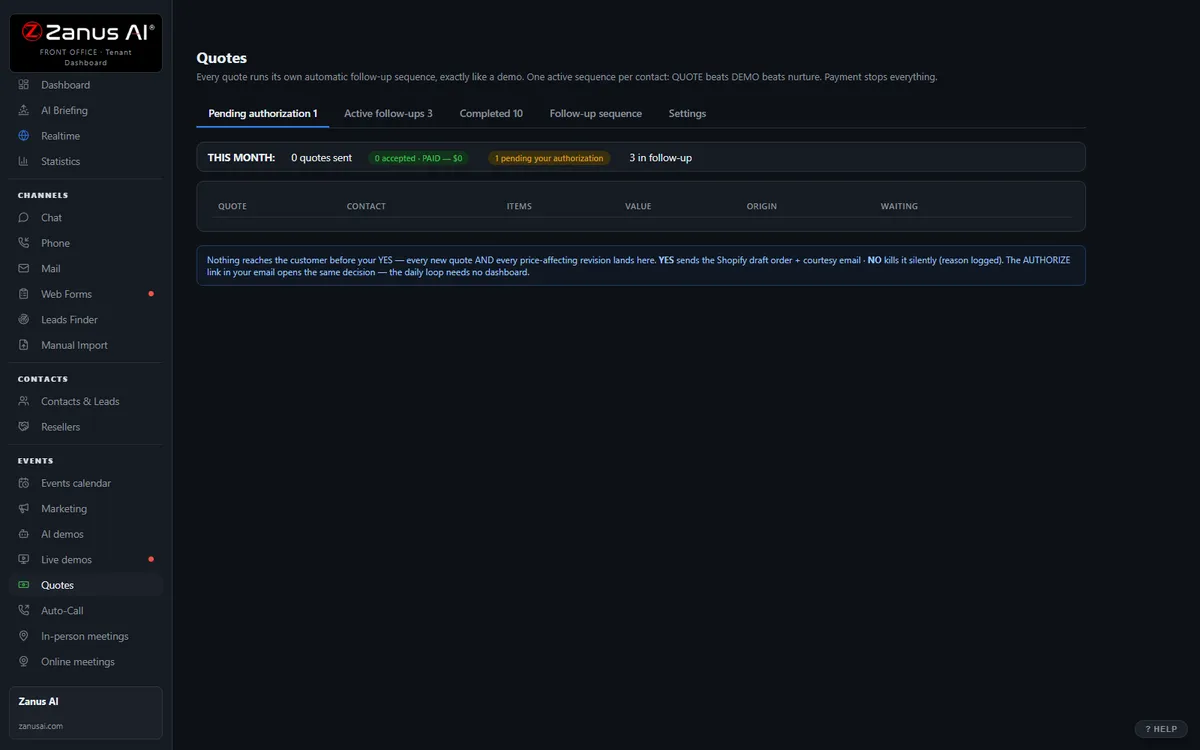
The real Quotes menu: built by AI, authorized by you with one click.
What it does
Estimates come from your rate card, unit prices and packages — service rates, standard inspections, allowances — never from memory. Custom scope waits for the estimator.
The client accepts and books the kickoff or site visit in the same click; a payable link if you take deposits online.
The unopened bid is followed up on your schedule — day 1, 3 and 7 — and a reply about alternates alerts the estimator.
Inside AI Quoting — the real screens
Click a tab. Every picture is the live Front Office, not a mockup — the left menu is the whole product.
Quote-to-cash without a second system
Elsewhere, configure-price-quote is often a separate product bolted on top. Here, quoting is one included function of your integrated Front Office — connected to every conversation.
- No per-user CPQ tax
- Connected to chat, phone, demo and email history
- Quote-to-cash without a rollout project

Available on its own — or inside a solution
Questions, answered
Does the AI estimate a commercial project?
No. It quotes only what you approved as standard scope and rate card. A custom project is estimated by your people; the AI takes the request complete, books the walk, then sends the finished bid, tracks who opened it and runs the follow-up.
Who approves an estimate?
Your rules: automatic for standard packages and rate-card items, one click from the estimator for anything custom or discounted. Every estimate and bid is logged on the client’s and the project’s record.
Try it free on your own company. 7 days. No credit card.
Give it your website. It learns your company. Then call it, chat with it, e-mail it — and decide. Nothing to install, nothing to cancel.
← Previous: Email · Sharing with a colleague? 📄 Get the PDF · ✉️ Email this page ·