ZANUS FRONT OFFICE FOR CONSULTING — CLIENT REQUESTS
Client requests that file themselves — and reach the engagement lead, not an inbox.
A client asking for a deliverable’s status while the engagement manager is on a plane, a procurement team’s clarification question on your RFP response, a data-room access request, an invoice query from a client’s accounts payable, a complaint about a workshop: the AI identifies the contact and the engagement, files the case with everything it needs, routes it to the engagement lead, bid owner or finance — and keeps the client informed until it is closed.
Try it free 7 days on your own business · no credit card · per company, never per seat
REAL AI - the whole Front Office is AI, not old software with an AI button. Give it your website: it learns your company, works from your approved knowledge and gets better with every answer you approve.
Live on this site right now — the assistant in the corner is the product · Award-winning AI — CES · ISE · TMCnet
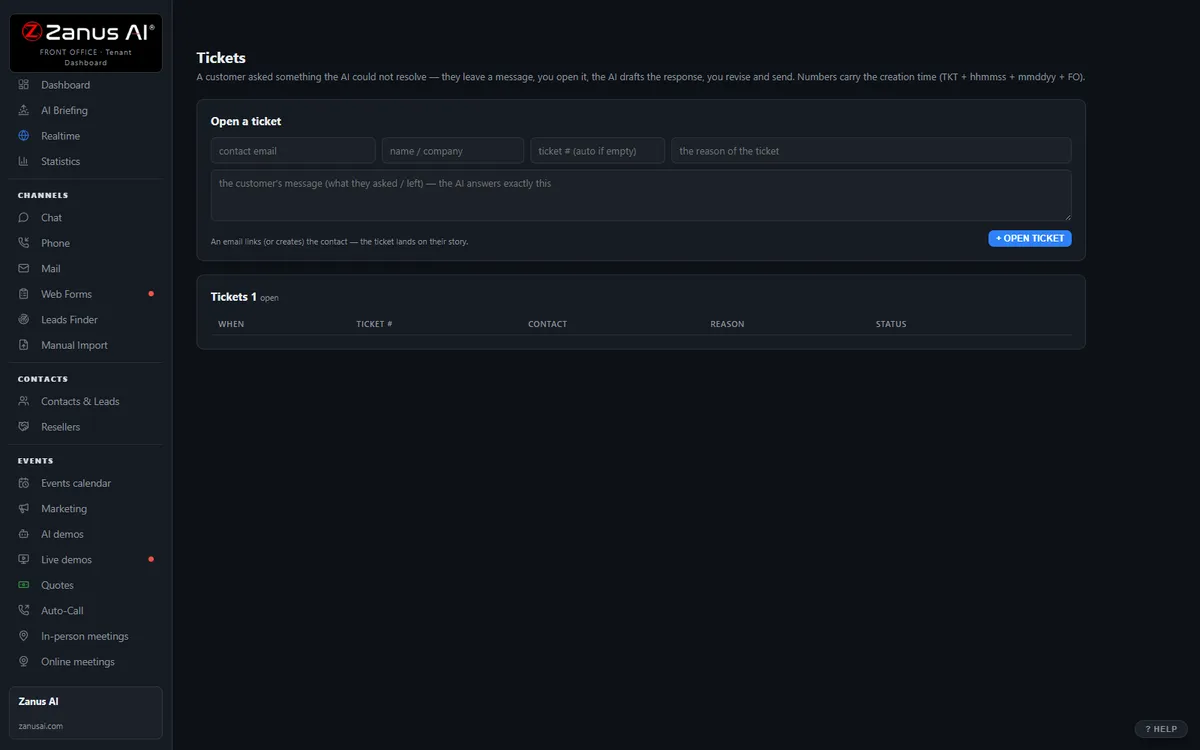
The real Tickets menu: tickets and RMAs attached to the full contact history.
What it does
Client, organization, engagement, what exactly is asked, by when — captured in the conversation, no callback to ask again, in the client’s language.
Engagement questions to the engagement lead, RFP items to the bid owner, invoices to finance, complaints to the relationship partner — with the transcript.
The client hears the request reached the right person and when to expect an answer — the AI confirms receipt and owner, never the substance.
Inside Tickets & RMA — the real screens
Click a tab. Every picture is the live Front Office, not a mockup — the left menu is the whole product.
Off-hours is where you win
A client with a broken product at 9 PM gets an answer, a ticket and instructions — not voicemail. That client stays.
- 24/7 in up to 40 languages
- Status updates sent automatically
- Inside a solution — see pricing

Available on its own — or inside a solution
Questions, answered
Does the AI answer questions about an engagement’s content or status?
No. It confirms the request reached the engagement lead and when they will respond. Deliverables, findings and scope are discussed by your professionals, and nothing about one client is ever visible to another.
Which solution includes it?
Available on its own or inside a solution. Which solution includes what: see pricing.
Try it free on your own firm. 7 days. No credit card.
Give it your website. It learns your company. Then call it, chat with it, e-mail it — and decide. Nothing to install, nothing to cancel.
← Previous: Team Training · Sharing with a colleague? 📄 Get the PDF · ✉️ Email this page ·