AI Online Meetings for Consulting Firms. AI meeting notes for consultants, confirmed before they go
AI Online Meetings gives you AI meeting notes for consultants on every client meeting held in your branded room: Lisa writes the summary, the decisions, the promises, the next steps, the objections and the open items. On the templates you choose, the notes wait for a partner's confirmation before they reach the client and the relationship's story.
TRY AI ONLINE MEETINGS FREENo credit card · Ready in 2 minutesReady to buy? See plans & pricing ›
7 days free · per company, never per seat · nothing to install
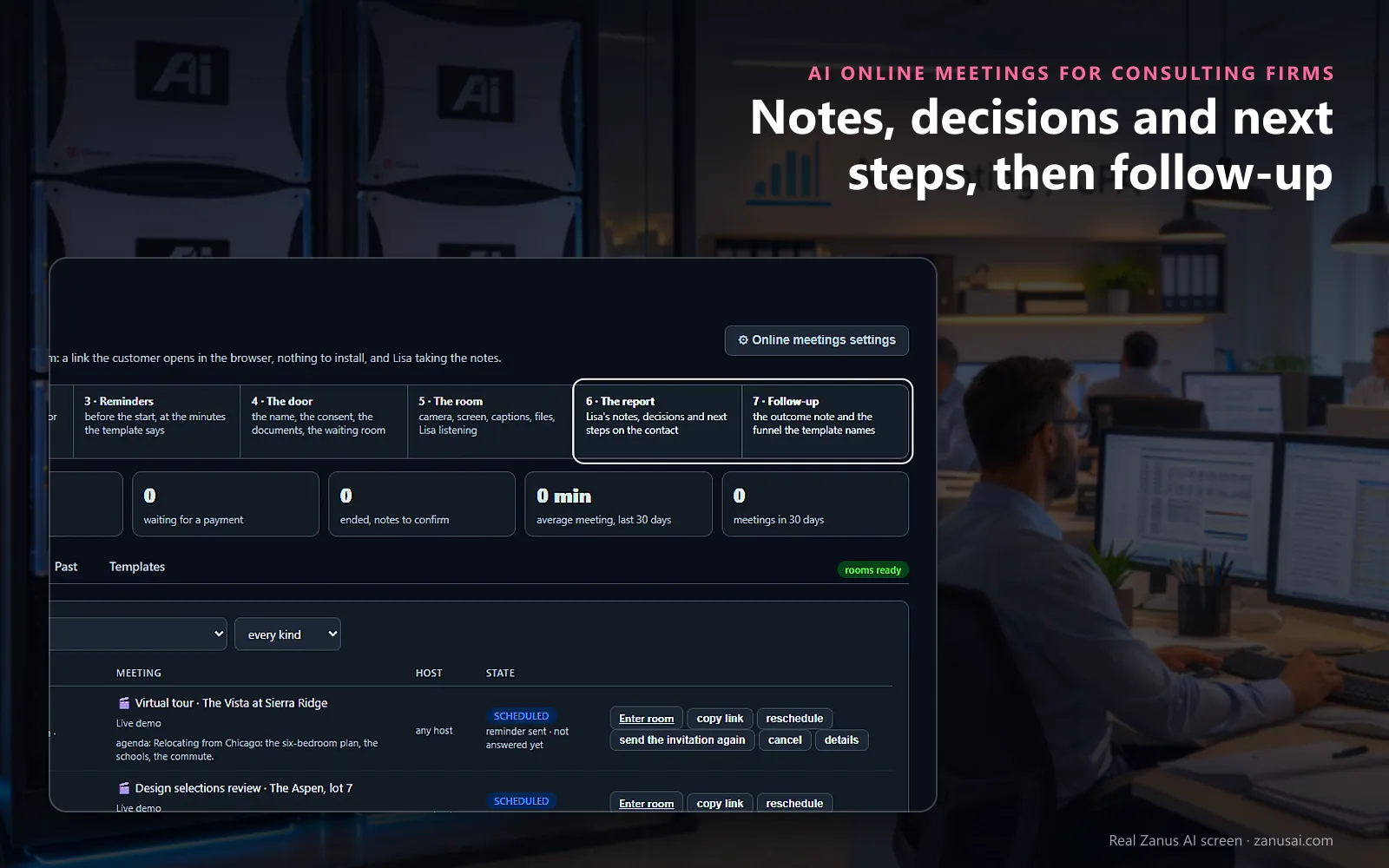
The notes
When the meeting ends, the report lists the notes, the decisions and the next steps, and the follow-up named by the template begins.
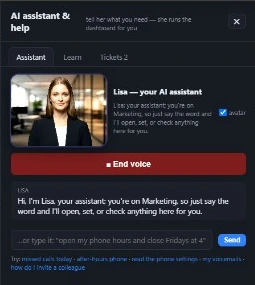 Easy setupSet up everything just by talking to Lisa AISee how ›
You“Hold every client meeting's notes for the engagement lead to confirm.”
Lisa“Notes of client meetings will wait on To-do until the host confirms them, then go to the guest once. Apply?”
You talk. Lisa sets it up. Applied only on your yes.
How Consulting Firms use it
After a client steering committee, Lisa drafts the steering meeting minutes, with each decision and the owner of every next step, before the partner reaches the next appointment.
A client sponsor joins the room from a browser link on a hotel laptop, with nothing to install and no account.
Before the second meeting, the partner reads what was agreed at the first, filed as one event on the client's story.
REAL AI - the whole Front Office is AI, not old software with an AI button.
What’s included
- Meetings booked by Front Office, up to 8 people
- Files shared; transcript and summary on the record
- Regulated mode: no recording, when your sector requires it
Add it to any contact channel — AI Phone, AI Webchat, AI E-mail or AI Web Forms — or get it inside a solution · See pricing › · Per company, never per seat.
Everything AI Online Meetings does, for every business ›
Works withAI PhoneAI WebchatAI Web Forms
After the meeting
Client meeting notes for consulting firms, filed and followed
Written as it ends
With meeting transcription for consultants running in real time, Lisa picks out the decisions, promises and next steps as soon as the meeting closes.
Confirmed by the host
On the templates you choose, nothing reaches the client until the host has read every line and pressed Confirm the notes.
Next steps become to-dos
Confirming files the notes on the client's story and turns each next step into a to-do for the colleague assigned.
The next move, one click
Send the notes, open a quote, book the next meeting or send an AI demo, straight from the notes.
Set-up
Online client meetings for consulting firms in 2 minutes
Pick the templates
Simple live meeting, pre-paid consultation or training class, each with its length, room and notes rule.
Brand the room
Tell Lisa your room name, when the guest link opens and how long recordings are kept.
Book from every door
Point your booking services at a template, so meetings booked by phone, chat or form land on the agenda.
A week of notes
Seven free days, then read every set of notes Lisa wrote before you decide.
Questions & answers
AI Online Meetings for Consulting Firms: questions & answers
Can a consultant check the AI notes before the client sees them?
Yes, per template. The notes wait on To-do with every line editable: change a decision, remove a promise, add a next step and assign it to a colleague, then press Confirm the notes. Send the notes mails them to the guest once, from your firm.
What is in the notes after a client meeting?
The summary of what was said, the decisions, the promises made by each side, the next steps with a colleague assigned to each, the objections raised and the items left open, measured against the agenda the guest read in the invitation.
How long are recordings and transcripts kept?
The days you set per kind of meeting. Opening a recording takes a link that lasts ten minutes, and the access log keeps who viewed which recording or file, and when.
Can a client pay before a paid strategy session?
Yes. The pre-paid consultation template takes the payment before the room opens, holds the slot while it is awaited, reminds the guest before the hold ends and offers translated captions.
Keep exploring
Where next?
Start with the one thing you need. Add more anytime by asking Lisa.
AI Front Office for Consulting Firms ›
Easy setup
Answers & books
Sells
Helps your team
Included
Award-winning AI
Winner at CES 2026, ISE 2026 and TMCnet Enterprise AI Product of the Year.
REAL AI - the whole Front Office is AI, not old software with an AI button.
Awards & trade shows ›


Give Lisa your website.
She sets up your business in 2 minutes.
Other software makes you learn it. Zanus AI learns your business.
Try it free on your own business — no credit card, per company, never per seat.
Ready to buy? See plans & pricing ›
Or call +1 (954) 736-3939 — the AI answers.