For your museum

Turn Visitor Questions Into Ticket Sales AI museum chatbot for art, history, science and children's museums

Visitors ask about exhibits, tickets and group visits before deciding whether to come.

Zanus AI is the museum chatbot that answers your visitors on the website by text or voice, in 40 languages, from the facts your team approved, and the same AI picks up the museum's phone, e-mail and web forms. It points each visitor to your own ticketing page, books school and group visits into the right calendar, follows up on memberships and rental inquiries, and passes loans, offers of objects and anything unusual to your staff.

  • A museum chatbot on your own website, answering by text or voice in 40 languages, day and night
  • School groups, guided tours and private events booked into the right calendar, with reminder calls
  • The same AI on the phone, e-mail and forms, with ticket and membership questions ending at your own links
Try free 7 days: A free 7-day trial, set up in about 2 minutes, no credit card required. Per company, never per seat; have your museum's website and an e-mail on the same domain ready.Just a demo: Nothing to set up: tell us where to send it and the AI demo reaches your inbox in about 2 minutes.
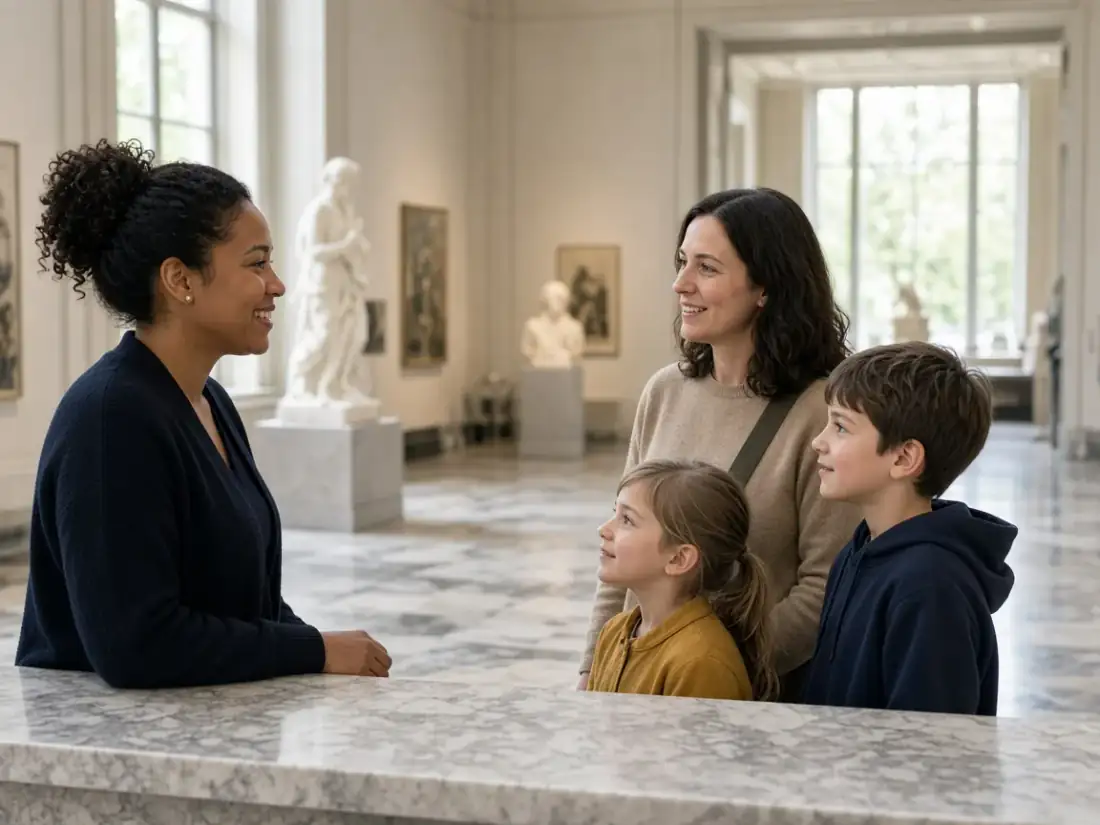
Museum visitor services staff member greeting a family at the admissions desk while the AI answers chats and calls
Answered by AI · 24/7
Winner CES 2026 · ISE 2026 · TMCnet Enterprise AI Product of the Year 202624/7 on your own number40 languagesSet up in 2 minutes
Every module, shown in a museum

More than a museum chatbot: one AI from the website to the event hall

A museum hears the same questions at every door: what is on, when you are open, whether the elevator reaches the upper galleries, how a class can visit, what a wedding in the atrium involves. Many of them start in the museum chatbot on your website, and the same AI takes the rest: the phone, the e-mail and the forms, then the group calendars, the rental quotes, the member follow-ups, the lost-and-found list and the files your staff rely on. Unlike a chat that only repeats a list, every reply ends somewhere useful: your ticketing link, a booked tour, a quote waiting for your events manager. Each module is shown at work in a museum with its own screen: try them all free for 7 days, get the AI demo, or open a module's page for the details.

Answers & books: museum booking software behind every chat, call and form

Every door a visitor, teacher or planner knocks on, answered at once, and group visits placed straight into the education calendar.

AI Phone

Every call to the museum answered, even on closed days

AI Phone picks up the museum's own number on the first ring, including the days the galleries are closed and late evenings after the last tour. A traveler phoning from overseas is answered in the language she speaks, with facts drawn only from what your staff approved. A teacher can book or move a gallery program during the call, a donor is put through to development with his name and reason announced, and anyone else leaves a message with the callback number read back to confirm it.

All modules
Museum chatbot and phone answering: the settings of one visitor line, real Zanus AI screen
Real Zanus AI screen (demo data): AI Phone, get a number local, seen closer.

AI Booking

Museum tours and school programs booked into open slots

AI Booking works as museum booking software behind the phone, the website chat, your forms and your own booking page. Each docent, classroom, theater or gallery space keeps its own free times, and a museum with a second site keeps a separate book for each location. Before a group lands in the calendar, the leader is verified; moves and confirmations happen on the same channels, and a reminder reaches the teacher or tour leader before the visit.

All modules
Museum booking software: upcoming school groups and tours listed with confirm and reschedule, real Zanus AI screen
Real Zanus AI screen (demo data): AI Booking, Upcoming, the list of what is coming, seen closer.

AI Webchat

A museum chatbot that answers while visitors plan the trip

AI Webchat is the museum chatbot on your own site. A visitor types or speaks a question, whether the dinosaur hall is open during renovation or if picnic lunches are allowed, and the answer comes from your pages and approved documents only, in any of 40 languages. A grandparent can book a family workshop without leaving the conversation, and when someone asks for a person, or the chat is not certain, it offers your visitor services team instead of guessing.

All modules
Museum chatbot answering a visitor's question live in the website chat, real Zanus AI screen
Real Zanus AI screen (demo data): AI Webchat, website chat live now, seen closer.

AI E-mail

The museum inbox sorted by desk, with replies drafted

AI E-mail reads everything that lands in the museum's general inbox and sends it to the right desk: education, events, membership, the museum store or curatorial. For each message it drafts a reply from your approved facts, in the writer's own language, so a German tour operator gets an answer in German. You choose which kinds leave on their own, such as directions or opening hours; a loan request or a complaint waits for a staff member with the draft already written.

All modules
Museum inbox by AI: e-mail settings for sorting visitor mail by desk and drafting replies, real Zanus AI screen
Real Zanus AI screen (demo data): AI E-mail, A new mail, written to anyone from a department's address, seen closer.

AI Web Forms

Field trip and event requests answered the moment they arrive

AI Web Forms puts request forms on the museum's website that write back as soon as someone presses send, in that person's language. A teacher's field trip form can ask up to five questions of your own, such as grade, group size and preferred month, collect the chaperone list as a file, or book a slot directly. Your screening rules are read on every submission, for example sending large wedding inquiries straight to the events manager, and each sender gets a contact record.

All modules
Museum field trip and event request forms, the submissions list with replies sent, real Zanus AI screen
Real Zanus AI screen (demo data): AI Web Forms, web forms submissions, seen closer.

AI Avatar

A talking face that welcomes museum visitors online

AI Avatar gives the museum chatbot a face: her lips move with her voice as she greets each visitor by voice or text in the language they use. She explains the current exhibitions, family days and accessibility details from the pages you approved, and when a question belongs to a person, such as a curator or the events team, she hands the visitor over. She never claims to be one of your staff or volunteers.

All modules
Museum chatbot with a talking avatar showing a picture over the page on request, real Zanus AI screen
Real Zanus AI screen (demo data): AI Avatar, a picture over the page when the visitor asks, seen closer.

Sells: tickets, memberships, rentals and gift cards moved forward

Answers that end at your ticketing link, rental quotes that wait for your yes, member follow-ups that stop when someone replies, and e-mail campaigns to the group you pick.

AI CRM

One record per visitor, teacher, member and event planner

AI CRM builds itself from the museum's calls, chats, e-mails and forms, so nobody types a visitor into a spreadsheet. Each conversation sits on one record with where it came from, the language spoken and the person's time zone. Teachers from the same school, or staff from one corporate member, are grouped together, and the first sign of a sale, such as a planner asking about the atrium for a product launch, opens a deal.

All modules
Museum CRM: the kinds of contact and the reply switches a manager sets, real Zanus AI screen
Real Zanus AI screen (demo data): AI CRM, Contacts & Leads settings, the deal stages and the custom fields, seen closer.

AI Quoting

Museum rental and group program quotes from your price list

AI Quoting prices what the museum sells beyond admission: an evening in the sculpture garden, a private curator-led tour, a season of school outreach visits. It works from your own price list whether the request came by phone, chat, e-mail or a school's purchase order. Nothing goes out until you say yes; the planner then accepts on their own quote page and pays the way you already take payments, since the AI never handles a card.

All modules
Museum rental quotes followed up: the after-the-quote plan with each step and its day, real Zanus AI screen
Real Zanus AI screen (demo data): AI Quoting, Follow-ups, the plan "5. After the quote" as it runs, seen closer.

AI Proposal Studio

Gala and sponsorship proposals written on your letterhead

AI Proposal Studio reads a corporate planner's brief or a school district's request for a year of field trips page by page, including the attached floor plans and schedules. It asks no more than three questions, then writes the museum's proposal from your own knowledge, with every line priced from your rate card for spaces, catering minimums or exhibition sponsorship levels, and prints it on your letterhead. Your director or events manager approves it, a person sends it, and its progress is tracked afterward.

All modules
Museum event and sponsorship proposals: the proposal presets and their editor, real Zanus AI screen
Real Zanus AI screen (demo data): AI Proposal Studio, A proposal open: the request, the register, the win themes, the blocks, the gate and the commercial, seen closer.

AI Inventory

Museum store stock answered and catalogs held for callers

AI Inventory keeps the list of what the museum sells or rents: exhibition catalogs, prints, replicas and toys from the museum store, plus the event furniture you rent out, each with its picture, price and quantity. When a caller or chat visitor asks whether the catalog of the current show is still available, the AI checks the stock, quotes the price exactly as its card shows, e-mails the item's page and can hold it at the desk for the hours you set. Rentals are booked the same way.

All modules
Museum store stock: quick actions on an item to mark it sold, reserved or change its price, real Zanus AI screen
Real Zanus AI screen (demo data): AI Inventory, The article card, the pictures, the fields and what the assistant says, seen closer.

AI Gift Cards

Museum gift cards sold online, by phone and at the desk

AI Gift Cards sells the museum's gift cards on your own gift page, over the phone, in the website chat and at the admissions desk, either for an amount or for a named experience such as a family workshop or a behind-the-scenes tour. Once bought, a card has no expiry date and no fee. Print QR cards for the shop counter, redeem them on a call or at the desk from any phone, and let a company order ten or more for its staff as one quote.

All modules
Museum gift card settings: amounts, designs, delivery, channels and redeeming, real Zanus AI screen
Real Zanus AI screen (demo data): AI Gift Cards, a company's order of many cards, seen closer.

AI Follow-up

Open rental inquiries and tour quotes followed up for you

AI Follow-up writes again to the museum's inquiries and quotes that went quiet: the couple who asked about an atrium wedding, the school that never answered its field trip quote. Each e-mail is composed fresh from what that person actually told you, not from a template, so it mentions the date or grade they gave. The moment someone replies, the sequence stops and the reply lands with your events or education staff.

All modules
Museum follow-up e-mails: automated follow-ups on open inquiries that stop on a reply, real Zanus AI screen
Real Zanus AI screen (demo data): AI Follow-up, The plan editor, the steps and the guide of a funnel, seen closer.

AI Marketing

Exhibition opening e-mails to the members you choose

AI Marketing sends e-mail campaigns to the slice of contacts you filter, for instance members who visited last year or teachers who booked a fall program. Each message is written from the museum's approved information, such as the new exhibition's dates and the members' preview evening, in every reader's own language. Anyone who has not agreed to hear from you is left out, and the replies are answered by the AI or handed to your membership staff.

All modules
Museum e-mail campaigns: the templates used to write to members and past visitors, real Zanus AI screen
Real Zanus AI screen (demo data): AI Marketing, main marketing, seen closer.

AI Auto-Call

Museum workshop and tour reminders called in every language

AI Auto-Call phones the families signed up for Saturday workshops and the groups booked for guided tours, from the museum's own number and in each person's language, many calls at the same time. It listens for the answer: yes keeps the place, no frees it for someone else, and a request for another day goes to your staff to arrange. Every response is logged.

All modules
Museum reminder calls: the stages of the AI's confirmation calls to booked groups, real Zanus AI screen
Real Zanus AI screen (demo data): AI Auto-Call, auto call call stages, seen closer.

AI Demo

A personal tour of the museum's event spaces, presented by Lisa

AI Demo builds a personal presentation from the museum's own pages, photos and videos: the atrium set for dinner, the rooftop terrace at sunset, the lecture hall. You release each one, then Lisa presents it live on a personal link in the planner's language. The planner can stop her at any point to ask about capacity or load-in times, and whatever she cannot answer goes into your gap log for the events team.

All modules
Museum event space presentations: AI demo settings for approval and link validity, real Zanus AI screen
Real Zanus AI screen (demo data): AI Demo, new ai demo for whom, seen closer.

AI Live Meetings

Walk a sponsor through the exhibition plan in your own room

AI Live Meetings opens a room with the museum's name on it, and the sponsor or planner joins straight from a link in the browser; there is nothing to install. The exhibition renderings, floor plans and a video of last year's gala sit one click away while you talk. Press STAND BY to hide your screen while you look up a private budget file. Lisa's notes wait for your confirmation, and screen sharing helps when a member needs help with their online account.

All modules
Museum live meetings: the list of branded rooms where sponsors and planners join by link, real Zanus AI screen
Real Zanus AI screen (demo data): AI Live Meetings, live demos active demo links, seen closer.

AI Online Meetings

Donor and teacher video calls with notes written for you

AI Online Meetings lets a board member, a major donor or a teacher planning a class visit join from the browser, with no download and no account to create. They wait in a waiting room branded with the museum's look until you let them in. Pick a template for the kind of meeting, a volunteer orientation or a donor conversation, and afterward Lisa drafts the summary, the decisions and the next steps for your approval.

All modules
Museum online meetings: the hours and closures set for booking video calls, real Zanus AI screen
Real Zanus AI screen (demo data): AI Online Meetings, online meetings hours closures, seen closer.

AI Partner Portal

Tour operators and hotels that refer museum visitors, approved

AI Partner Portal gives tour operators, hotel concierges and the shops that resell your museum store products one link to apply, or you invite them yourself. The AI researches each applicant on the web so you can review who they are, then you approve them with the scopes you pick and a status that ends on the date you set. Resellers get your wholesale tiers, and the Approved tab shows how many demos and sales each partner brought.

All modules
Museum partner portal settings: approval address, invitation e-mail and wholesale tiers, real Zanus AI screen
Real Zanus AI screen (demo data): AI Partner Portal, The form editor, the questions a candidate answers, seen closer.

Supports: lost items, store returns and the calls staff take

Each request tracked to the right desk, museum store returns checked against your own rules, and the calls your people handle written down.

AI Tickets

Lost items and museum visitor requests tracked to the right desk

AI Tickets turns the requests that need follow-up into tracked cases, whichever way they arrive: a call about a scarf left in the museum coat room, a chat asking for a wheelchair on Saturday, an e-mail about a membership card that never came. Each case keeps the whole conversation and the visitor identified. Where your knowledge holds the answer, the AI replies; anything else stays with the staff member you assign, such as security or the membership office.

All modules
Museum visitor requests: who answers each department and how sure the AI must be, real Zanus AI screen
Real Zanus AI screen (demo data): AI Tickets, Tickets · the Tickets settings, seen closer.

AI Returns & Warranty

Museum store returns and damaged orders checked for you

AI Returns & Warranty handles what comes back to the museum store. When a science kit bought in the shop will not light up, it walks the parent through the fixes first. If that does not help, it finds the purchase in your records, works out whether the warranty still covers it, compares the request with your return policy written in everyday language and asks for anything missing, like a photo of a cracked print. You approve every return; every e-mail is drafted for you.

All modules
Museum store returns: the list of return and warranty requests waiting for a yes, real Zanus AI screen
Real Zanus AI screen (demo data): AI Returns & Warranty, main rmas, seen closer.

AI Calls Transcripts

Calls your museum staff take, written onto the record

AI Calls Transcripts writes down the calls your people handle themselves, whether the museum's development officer rings a donor from the computer, the education coordinator answers on the phone app, or a call the AI transferred continues with a curator. A summary lands on the person's record next to what the AI told them earlier, so whoever calls back next sees the full story. Recording stays switched off until you decide to turn it on.

All modules
Museum call transcripts: answers from staff calls waiting for a manager's review, real Zanus AI screen
Real Zanus AI screen (demo data): AI Calls Transcripts, Pending for me, what waits for your decision, seen closer.

AI Calls Teleprompter

The right answer on screen while a member is on the line

AI Calls Teleprompter listens alongside your membership desk. While a member explains that she wants to upgrade before the gala preview, the answer from the museum's own knowledge appears on your staff member's screen with the source it came from: which level includes the preview, how guest passes work. It never speaks to the caller; your person reads, decides and stays the voice of the museum on every call.

All modules
Museum call teleprompter: the written answers shown to staff while a caller talks, real Zanus AI screen
Real Zanus AI screen (demo data): AI Calls Teleprompter, Answers & battle cards, the written answers that outrank the pages, seen closer.

Helps your team: the visitor handbook, the files and the training

Answers from your own visitor services manual with the source shown, docent and volunteer training taught by voice, and contracts filed as they arrive.

AI Team Assistant

Gallery staff ask, and the museum's own manuals answer

AI Team Assistant answers your staff from the museum's documents and from the records each person is allowed to open, never from the internet. A gallery attendant asks what to do when a visitor touches a painting, a new events coordinator asks about the caterer rules for the atrium, and each answer cites the manual and the page. When nothing has been written on the subject, it says so plainly and logs the gap for a manager.

All modules
Museum staff assistant: past questions answered from the museum's own documents, real Zanus AI screen
Real Zanus AI screen (demo data): AI Team Assistant, recipients, seen closer.

AI Chat for your team

Web research for museum educators and planners, facts sourced

AI Chat for your team searches the web the way your museum staff would ask: which school districts have spring break next month, whether a road closure affects Saturday's festival parking, what an artist's foundation published about a work. It reads the pages it finds, names the source of every fact and double-checks it before anyone acts on it. It never opens your own records, so visitor and member data stay out of its searches.

All modules
Museum team AI chat: one personal chat link with its access, devices and questions, real Zanus AI screen
Real Zanus AI screen (demo data): AI Chat for your team, Personal chat links, one lease: the access, its log, the devices and the questions, seen closer.

AI Knowledge

Exhibitions, hours and house rules in one approved museum tree

AI Knowledge gathers the museum's website, visitor policies, exhibition texts and group rules into one tree that the phone, the museum chatbot, e-mail and forms all answer from. A question it has no answer for, say whether a borrowed painting may be photographed, is left for your staff rather than guessed. Every night the rules are tested, and nothing new reaches visitors until a person on your team approves it.

All modules
Museum chatbot knowledge base: the visitor questions left for staff to answer once, real Zanus AI screen
Real Zanus AI screen (demo data): AI Knowledge, Documents, the files the AI reads page by page, seen closer.

AI Team Training

New museum docents and volunteers trained by voice

AI Team Training lets your museum's senior docent explain the opening routine or how to lead a school group once, talking or typing. Lisa then teaches it to every new volunteer and gallery attendant by voice and on screen, each on a personal link. The trainee can interrupt with a question whenever something is unclear, then answers a spoken test at the end, and the volunteer coordinator sees who has finished.

All modules
Museum docent and volunteer training: the course editor with a chapter open, real Zanus AI screen
Real Zanus AI screen (demo data): AI Team Training, The book editor, a section open with its media beside it, seen closer.

AI File Cabinet

Museum contracts, sponsor agreements and grant files in one place

AI File Cabinet is one archive laid out like a real cabinet: a drawer for the museum's event rentals, one for sponsors, one for vendors, each holding a file per caterer, sponsor or contract, with folders inside. Every insurance certificate, sponsorship agreement and grant report is read the moment it arrives and can be found again at the exact page. Each drawer has its own access rights and retention, and every opening of a file is audited.

All modules
Museum document filing: a file's story with every document on one timeline, real Zanus AI screen
Real Zanus AI screen (demo data): AI File Cabinet, The story of a file: every document as a moment on one timeline, by channel, seen closer.

AI Time Machine

A member's or sponsor's whole history with the museum, by date

AI Time Machine lays out a timeline from your own records, such as a longtime member who became a sponsor: every visit, renewal letter, gala invitation, meeting note and signed document in date order. Before the museum director meets them, the story of the relationship is there on one screen. It informs; a person decides what to ask for next.

All modules
Museum sponsor history: one organization's people and its combined timeline, real Zanus AI screen
Real Zanus AI screen (demo data): AI Time Machine, A contact open, his journey and his timeline, seen closer.
A day at the front desk

A day at the museum's front office, door by door

Visitors, teachers, planners and members reach a museum through many doors between opening and the last evening event. One AI stands behind every one of them, and your staff see only what needs a person.

A teacher calls before the doors open

A fourth-grade teacher wants three classes in for the spring history program. The AI checks the education calendar, books the morning she picks, reads back the chaperone and lunchroom rules you approved, and sends the confirmation to her school e-mail.

A volunteer at the admissions desk

A visitor asks whether the sensory-friendly morning includes the special exhibition. While he listens, the volunteer sees your approved answer on screen with the page it came from, and the visitor walks in without anyone fetching a supervisor.

A family plans the weekend on the website

A parent asks the museum chatbot whether strollers are allowed, where to park and if the children's gallery is open on Sunday. The chat answers by text or voice from your own pages, then hands her your timed-entry ticket link while she is still deciding.

A rental inquiry arrives by form

A corporate planner asks about a dinner for eighty guests in the sculpture court. The form gets a reply in seconds, a quote is drafted from your rental price list for the events manager to approve, and the requested evening is held so no one else takes it first.

Tomorrow's groups confirmed

AI Auto-Call rings the group leaders booked for tomorrow from your own line. A yes confirms the visit, a no frees the slot for another school, and a request for a later arrival lands on the education coordinator's list for the morning.

After closing, a question about membership

A caller asks what the family membership includes and whether members get into next week's preview night. The AI answers from your membership page, e-mails the join link, and a friendly follow-up goes out a few days later unless she replies first.

Your rules

Where the AI stops and your museum staff step in

A museum's front office runs on facts someone checked: hours, exhibitions, rules for groups, accessibility details. You write the limits once, and the AI keeps them at every door, day or night.

Tickets stay on your own system

The AI takes no card payment and issues no ticket. It settles the question, then hands the visitor your own ticketing link, so every sale lands where your admissions team already counts it.

No appraisals, no authentication

A caller with a painting from the attic hears your approved reply: the museum does not value or authenticate objects. An offer to donate an object is written down in full for your curatorial staff.

Gifts and tax questions go to people

It shares your giving page and the wording you approved, and gives no tax or legal advice. Questions about how a donation is treated are passed to your development office with the caller's details.

Accessibility answered from your notes

Entrances, wheelchairs to borrow, quiet hours and service animals are answered only from what you wrote. A special request, such as a sign language interpreter for a tour, waits for the person you name.

Safety calls reach a person at once

A caller who reports a lost child, an injury or a safety concern hears your instruction straight away and is transferred to the staff member on duty, never left in a queue.

A person whenever your rules say so

Admissions, education, events, membership and the museum store each pick AI only, AI first or a person first, and press or loan inquiries can always go straight to staff.

Compared

Museum chatbot compared: staff, scripted bots, answering services or one AI

When the lobby phone rings through a busy school morning and the website fills with the same questions, most museums weigh the same choices: lean harder on staff and volunteers, add a scripted chatbot to the website, pay an outside answering service, or let one AI front office take every door.

What the museum needsStaff and volunteers aloneA scripted website chatbotAn outside answering serviceZanus AI
The ring at opening timeCalls wait while the desk greets visitorsWebsite only; the phone keeps ringingA message for laterEvery caller answered, the question settled
Closed days and eveningsNobody to pick upCanned replies to the keywords it was givenMessages read the next morningAnswered under your after-hours rules
Questions about the current exhibitionAnswered by whoever happens to knowOnly the questions someone scripted, until the next showA script that soon goes staleAnswered from your approved exhibition pages
School and group visitsPhone tag with teachersA link to a request formA request passed alongBooked into the education calendar with a confirmation
Tickets, memberships and gift cardsExplained call by callA menu of links to pick fromNot coveredEach visitor sent to your own purchase link
Event rental inquiriesCallbacks days laterA contact form and a waitA name and a number onlyA quote from your price list, waiting for your yes
Set-upHiring, scheduling and training volunteersBuilding the decision tree question by questionContracts and scripts2 minutes, from your website

A scripted chatbot only knows the questions someone wrote for it, and a message slip still needs a callback. Zanus AI gives the museum one front office: the same approved facts, the same rules and one visitor record behind the chat, the phone, the e-mail and the forms, with staff stepping in wherever you say.

Set-up

Set up your museum's AI front office in 2 minutes

Forward the museum's main line

Visitors keep dialing the number on your website, signs and rack cards. You forward it from your current phone service; there is no porting and nothing to install.

Tell Lisa about the museum

Give her your hours, closed days, galleries, current exhibitions, group visit rules, membership levels and rental spaces. Lisa reads your website for everything else and shows you each change before it goes live.

Set the desks and the limits

Choose who answers for admissions, education, events and membership, paste your ticketing and membership links, and write what every caller must hear, such as bag rules or the last entry time.

See it work

Two ways to watch it work for your museum

Try it free with your own museum

Lisa takes your museum's website and builds a private sandbox for 7 days: a phone line in your area code that answers as your museum, your own website with Lisa on it, and a dashboard filled with your information. Your real phones and website stay exactly as they are.

No credit card. One trial for each company; use an e-mail address on your museum's domain.

TRY FREE 7 DAYS

Just a demo, nothing to set up

Watch the AI front office answer visitors in the chat and on the phone, book a group and route requests without configuring anything. Tell us where to send it, and the link reaches your inbox in about 2 minutes.

No sales call, only the demo in your inbox.

JUST A DEMO
Frequently asked questions

Questions museum directors ask about a museum chatbot

What is a museum chatbot?

It is the chat on your museum's website that answers visitors while they plan a visit: hours, exhibitions, parking, strollers, group rules. Zanus AI answers there by text or voice, in 40 languages, from your own pages and approved notes, and hands over your ticket link. Behind the chat the same AI answers the phone, the e-mail and the web forms, so every door gives the same answer and passes the rest to the right person.

Can the AI sell tickets for us?

It sells by answering, not by charging. The AI takes no card payment and issues no tickets; your ticketing system keeps doing that. What it does is settle the question that stood between the visitor and the visit, such as hours, parking or what is on, and then give your own ticket link in the chat, by e-mail or on the call, so the sale is made where you already take it.

Can it work as museum scheduling software for school trips and group tours?

Yes, for every visit booked through the front office. Teachers and group leaders book by phone, chat or form into the calendar you keep for each program, gallery, classroom or guide. The AI asks the questions you set, such as grade, group size and arrival time, sends a confirmation with your rules attached, and AI Auto-Call can phone the leader the day before to confirm or free the slot.

How does it answer accessibility questions?

From the accessibility information you approve: entrances, elevators, wheelchairs to borrow, quiet hours, service animals, captioned or described tours. It repeats only what you wrote, does not guess about a gallery it has no notes on, and puts any special request, such as a sign language interpreter for a group, in front of the person you name.

What happens when a new exhibition opens or we close for weather?

You tell Lisa, or update the page on your website, and she shows you the change before it is used. An unexpected closure can be written as an always-say rule, so every caller, chat visitor and e-mail hears it first. Nothing new reaches the public until you approve it, and you can remove the rule the moment the doors reopen.

Will it replace our visitor services staff and volunteers?

No, and it is not meant to. It takes the questions people ask all day long, the overflow on school mornings and the evening calls, so your team can stay with the visitors in the lobby and the galleries. Each desk chooses AI only, AI first or a person first, and calls your rules send to a person are transferred with who is calling and why.

Can it help sell memberships and gift cards?

Yes, through your own links. It explains each membership level from your page, answers what members receive, and sends the join or renewal link. Gift cards are offered on every channel the same way, ready for a birthday or a grandparent's visit. Members close to their renewal date can get a follow-up that stops the moment they reply, and a campaign can go to the members you filter.

Can it handle event rentals and weddings?

It answers the first questions about your rental spaces, capacity and catering rules from your approved notes, drafts a quote from your rental price list that waits for your events manager's yes, and holds the requested date. Planners can watch a personal AI demo of your spaces, and a video meeting with your team is written up as notes on the planner's record.

Does it replace our ticketing or collections software?

No. Zanus AI is the front office around them. Your ticketing system still sells and scans tickets, and your collections records stay where they are. The AI keeps its own record of every conversation, with each visitor, member or planner on one page filled from every channel, and sends people on to your links.

Can we keep the museum's phone number?

Yes. The number printed on your brochures, signs and website stays yours. You forward it to the AI from your current phone service, with no porting and nothing to install, and when a call needs your staff it is put through with a short introduction of the caller and the reason.

Which languages can it speak with visitors?

The visitor's own. A tourist calling from abroad is answered in their language, the website chat works in 40 languages by text or voice, and a talking avatar can greet visitors on your pages. A call can also be passed to the staff member or volunteer who speaks that language.

How is visitor and member information looked after?

You decide. Call recording is off as shipped, each department sees only its own conversations and transcripts, and staff get access only to the desks you give them. The AI answers from what you approved and nothing outside it; your museum and its advisors decide what its own privacy policy requires.

How much does a museum chatbot cost?

Zanus AI is priced per company, never per seat, so admissions, education, events, membership and every volunteer work under one subscription. A small historic house museum and a large art museum are priced the same way, by the organization rather than by the login. You pick the modules the museum needs, the website chat among them; the plans are on the pricing page.

What is the difference between the 7-day free trial and the demo?

The free trial builds a sandbox of your own museum from your website and runs for 7 days, with no card: a phone line that answers as you, your site with Lisa on it and a dashboard. The demo shows the AI front office ready-made and reaches your inbox in about 2 minutes, with nothing to set up.

More for nonprofits: AI website chatbot for nonprofits · AI phone answering for nonprofits · AI booking calendars for nonprofits

For your museum

Try your museum's complete AI front office free for 7 days

Every website chat answered, every call picked up, every visitor sent to your ticket page, every school group in the calendar, every rental inquiry quoted, and your staff answering from your own visitor handbook.

Or call +1 (954) 736-3939 and hear the AI answer.

TRY FREE 7 DAYSJUST A DEMO