For your research institute or laboratory

Turn Research Requests Into Qualified Project Inquiries Research AI chatbot for research institutes and laboratories

Potential partners ask about our expertise, then disappear before the right researcher can respond.

Zanus AI puts a research AI chatbot on the website of research institutes and laboratories, with the same AI behind the phone, the e-mail and the web forms: it answers companies, sponsors and outside users from your approved expertise, asks your intake questions and puts each request in front of the right researcher or office. The first call lands in that person's calendar before the partner moves on, and scientific judgment and project terms always stay with your people.

  • Every partner inquiry answered 24/7 on the website chat, by text or voice in 40 languages, and on the phone, e-mail and web forms
  • Your intake questions asked, and each request routed to the right researcher, core facility, laboratory or office
  • First calls and instrument sessions booked in each researcher's or instrument's own calendar, with follow-ups that end when the partner replies
Try free 7 days: A free 7-day trial, set up in about 2 minutes, no credit card required. Per company, never per seat; have your institute's or laboratory's website and an e-mail on the same domain ready.Just a demo: Nothing to set up: tell us where to send it and the AI demo reaches your inbox in about 2 minutes.
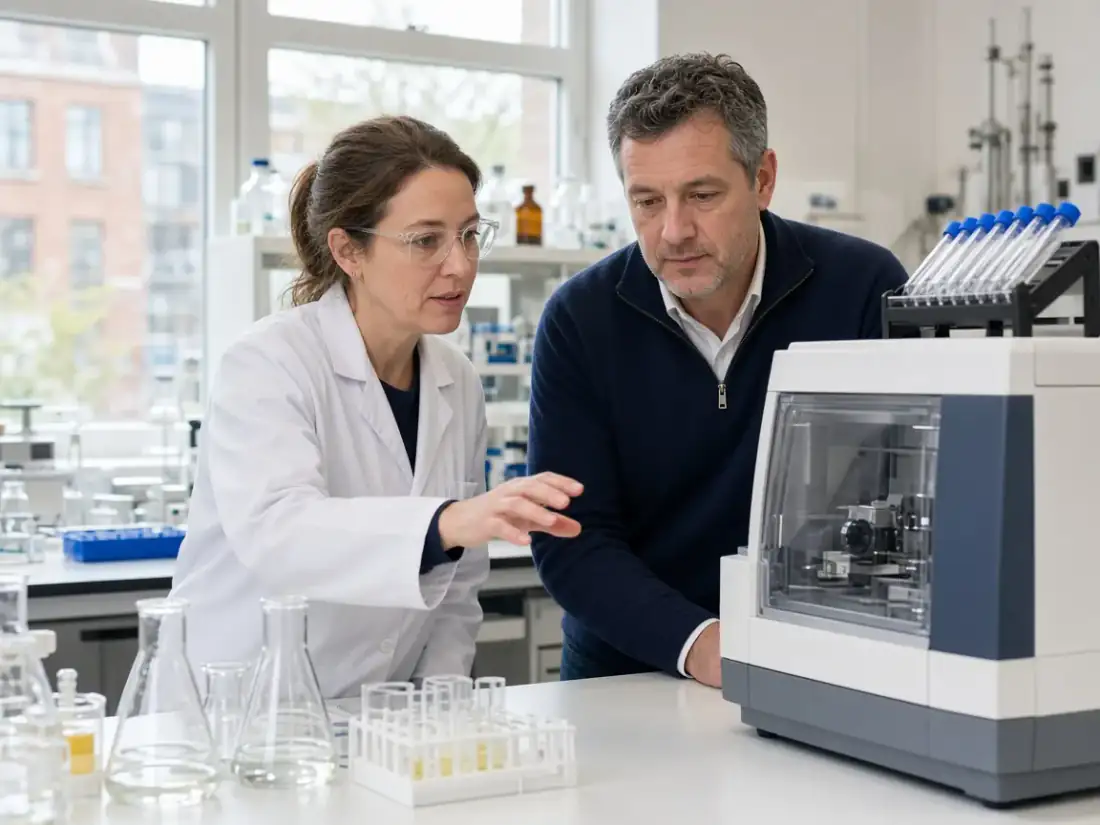
Laboratory manager showing a visiting industry partner a benchtop instrument while the AI answers the institute's inquiries
Answered by AI · 24/7

Your complete next-gen AI solution for your research institute or laboratory

Each module below is shown at work in a research institute or laboratory. Tap one to open it, then test the whole set free for 7 days or ask for the AI demo.

Winner CES 2026 · ISE 2026 · TMCnet Enterprise AI Product of the Year 202624/7 on your own number40 languagesSet up in 2 minutes
Every module, shown in a research institute or laboratory

An AI chatbot for research partners, and every office behind it

A partnership often starts with one question sent to the wrong inbox. Here a single AI stands behind every door of the institute or laboratory: the research AI chatbot on your website, the main line, the e-mail and the inquiry forms, the booking of first calls and instrument sessions, the follow-ups, the quotes for routine testing and the answers your staff look up all day. It works from the expertise, services and rules you approve, so a company asking about polymer testing and a foundation asking about a sponsored study both get a straight answer and a clear next step. Each module appears at work in a research setting with its own screen: try the whole solution free for 7 days, get the AI demo, or open the module's page for every detail.

Answers & books: every inquiry met, with lab scheduling software built in

Chats, calls, e-mails and forms from partners, sponsors and outside users, answered at once, with the meeting or the instrument session in the right calendar.

AI Phone

Every institute call answered, long after the labs go dark

AI Phone answers the institute's own number from the first ring, day and night, from the same approved knowledge as your research AI chatbot. A pharmaceutical scout calling from abroad hears your services in her own language, and her first call with a principal investigator is booked before she hangs up. A founder asking for the imaging core is put through to its manager with his name and reason; when the manager is busy, the AI takes a message and reads his number back. You keep your number and simply forward it.

All modules
Research AI chatbot and phone line: the devices that ring when the AI transfers an institute call, real Zanus AI screen
Real Zanus AI screen (demo data): AI Phone, Hold & transfer, the hold music, the voicemail messages and the recording, seen closer.

AI Booking

First meetings and instrument sessions booked in open slots

AI Booking fills the calendars you open for each researcher, instrument and meeting room: a confocal session for a visiting startup, a first meeting between a sponsor and your center director, a tour of the clean room. It books, moves and confirms by phone, in the website chat, from your forms and on your own booking page, at each campus or site. Every outside user is verified before the slot enters the book, and a reminder goes out before the day, so it doubles as lab scheduling software.

All modules
Lab scheduling software for research institutes: upcoming instrument sessions and partner meetings, real Zanus AI screen
Real Zanus AI screen (demo data): AI Booking, Upcoming, the list of what is coming, seen closer.

AI Webchat

A research AI chatbot that answers partners on your site

AI Webchat is the research AI chatbot on your institute's website: a biotech company asks whether you run single-cell sequencing for outside groups, and the answer comes by text or voice, in any of 40 languages, from your service pages and approved documents only. When the visitor wants to talk it through, the chat books a meeting with the right lab in the same conversation. It offers a person whenever someone asks for one, or when it is not sure of the answer.

All modules
Research AI chatbot on an institute website: every live chat session with outside partners listed, real Zanus AI screen
Real Zanus AI screen (demo data): AI Webchat, the full chat her answer written as it arrives, seen closer.

AI E-mail

Collaboration e-mails routed to the right institute desk

AI E-mail reads every message that reaches your institute's addresses, partnerships@, cores@ or the general inbox, and sorts it by department. For each one it drafts a reply from your approved information, in the language the sender wrote in, so a Korean university asking about a joint study gets an answer it can read. You choose which kinds leave on their own, such as directions or sample shipping hours; the rest waits for a person with the draft already written.

All modules
Research institute e-mail desks: partnership and core facility addresses added for AI replies, real Zanus AI screen
Real Zanus AI screen (demo data): AI E-mail, mail all inboxes every desk in one list, seen closer.

AI Web Forms

Sponsored research inquiry forms answered the moment they land

AI Web Forms puts inquiry forms on your institute's site that reply the moment they are sent, in the sender's language. You add up to five questions of your own, such as research area, sample type, volume and hoped-for start, and a form can collect a project brief as a file or book a first call. It reads your screening rules before a request goes further, and every sender becomes a contact record, the same record your research AI chatbot writes to.

All modules
Research AI chatbot web form: a sponsored research inquiry opened with its intake answers, real Zanus AI screen
Real Zanus AI screen (demo data): AI Web Forms, web form submission open, seen closer.

AI Avatar

A talking face that greets research partners on your website

AI Avatar gives your institute's website chat a face whose lips move with her voice. A foundation's program officer browsing your site is greeted by voice or text in his own language, and the avatar explains your centers, cores and shared instruments from the pages you approved. When a question belongs to a scientist, she hands him to the right person, and she never presents herself as a member of your staff.

All modules
Talking AI avatar for a research institute website: the three views visitors see in the chat, real Zanus AI screen
Real Zanus AI screen (demo data): AI Avatar, Widget & greeting, the status strip and the install line, seen closer.

Sells: inquiries turned into projects and repeat lab work

Follow-ups, quotes from your fee schedule, proposals and campaigns to past partners, each waiting for your yes where it should.

AI CRM

Every sponsor, startup and lab user on one living record

AI CRM fills itself from the calls, chats, e-mails and forms your institute receives, so the first question a materials firm asked in the chat and the call with your lab director a week later sit on one record, with source, language and time zone. Contacts from the same company or foundation are grouped together, and a deal opens on the first real sign of a project, such as a request for a quote on contract testing. You name the kinds of contact yourself: sponsor, industry partner, core user, collaborator.

All modules
Research institute CRM: the kinds of contact and the switches for AI replies to partners, real Zanus AI screen
Real Zanus AI screen (demo data): AI CRM, The deals board, the pipeline by stage, seen closer.

AI Quoting

Routine lab testing quoted from your own fee schedule

AI Quoting prices routine laboratory work from your own fee schedule, whether the request arrives on a call, in the chat, by e-mail or as a purchase order from a company's buyer: forty water samples for metals, a week of instrument time, a standard stability panel. Every quote waits for your yes before it goes out. The customer accepts on a quote page of their own and pays the way you choose; the AI never takes a card itself. Sponsored projects stay with your office.

All modules
Laboratory testing quotes priced from a research institute's fee schedule: the closed quotes, real Zanus AI screen
Real Zanus AI screen (demo data): AI Quoting, closed, seen closer.

AI Proposal Studio

Contract research proposals drafted from your rate card

AI Proposal Studio reads a company's request for contract research and every attached document page by page, asks three questions at most, then writes the proposal from your institute's own knowledge: methods you offer, facilities, past project areas. Each line is priced from your rate card and printed on your letterhead. A manager approves it after seeing what changed between versions, a person sends it, and from then on it is tracked.

All modules
Research institute proposal approval: what changed between versions and the checks before a yes, real Zanus AI screen
Real Zanus AI screen (demo data): AI Proposal Studio, A proposal open: the request, the register, the win themes, the blocks, the gate and the commercial, seen closer.

AI Inventory

Reference materials and loan equipment answered from stock

AI Inventory is your list of what the laboratory sells, rents out or services, each item with pictures, price and quantity: certified reference materials, sampling kits, a portable spectrometer on loan. When a caller or a chat visitor asks, the AI says whether it is in stock and gives the price exactly as written on its card, e-mails the item's page, holds it for the hours you set, or books the rental of a device.

All modules
Laboratory inventory: the quick actions that mark an item sold, reserved, on order or repriced, real Zanus AI screen
Real Zanus AI screen (demo data): AI Inventory, Fields & labels, your name for every field and what the AI says, seen closer.

AI Gift Cards

Course vouchers and test gift cards sold by your laboratory

AI Gift Cards sells cards for an amount or for a named service of your laboratory, such as an instrument workshop or a home well-water test, on your own gift page, on the phone, in the chat and at the desk. Once bought, a card has no end date and no fee, and QR cards can be printed for an open day. Staff redeem one on a call or at the desk from any phone, and a company sending ten or more technicians to a course orders the cards as one quote.

All modules
Laboratory gift cards and course vouchers: the month's sales, redemptions and balance by channel, real Zanus AI screen
Real Zanus AI screen (demo data): AI Gift Cards, the settings, seen closer.

AI Follow-up

Partners who went quiet followed up in fresh words

AI Follow-up writes to the inquiries and quotes your institute left open: the medical device firm that asked about biocompatibility testing and went silent, the startup that received a quote for sequencing runs and never answered. Each e-mail is written anew from what that contact actually told you, not from a template. The moment they reply, the sequence stops and the reply goes to the researcher or office handling the request.

All modules
Research institute follow-up map: which partner event, from chat to quote, starts which e-mail plan, real Zanus AI screen
Real Zanus AI screen (demo data): AI Follow-up, The map, which event starts which plan, seen closer.

AI Marketing

News of new instruments sent to past research partners

AI Marketing sends e-mail campaigns to the contacts you filter, for example every company that used your institute's mass spectrometry core in the last two years, when a new instrument or a training day opens. Each message is written from your approved knowledge in the contact's own language, and only people whose consent allows it are included. Replies are answered by the AI or passed to the person who runs the core.

All modules
Research institute marketing pictures: the image library the AI may show partners in chat and demos, real Zanus AI screen
Real Zanus AI screen (demo data): AI Marketing, Campaigns, one message to a list on one date, seen closer.

AI Auto-Call

Instrument training and site visits confirmed by phone

AI Auto-Call phones the outside users and visitors on your laboratory's calendar from your own number, in each person's language, many calls at once: the postdoc from a partner lab booked on the electron microscope, the investors coming to see the pilot plant. It understands yes, no or another day. A yes confirms, a no frees the slot for another group, and a new date is passed to your coordinator. Every answer is logged.

All modules
Laboratory confirmation calls: the settings for AI reminder calls to booked instrument users, real Zanus AI screen
Real Zanus AI screen (demo data): AI Auto-Call, auto call settings, seen closer.

AI Demo

A personal tour of your core facilities for each prospect

AI Demo builds a personal presentation of your institute from your own pages, photos and videos: the cores, the instruments and the kinds of projects a particular company asked about. You release each one, then Lisa presents it live on a personal link in the prospect's language. The R&D lead can interrupt at any moment with a question, and anything Lisa cannot answer lands in your gap log for a researcher to fill.

All modules
Research institute AI demo: choosing the partner a personal presentation of your labs is built for, real Zanus AI screen
Real Zanus AI screen (demo data): AI Demo, active links the book is out, seen closer.

AI Live Meetings

Live walkthroughs of your lab capabilities, nothing to install

AI Live Meetings opens a room with your institute's name on it. A sponsor's team joins from a link in the browser with nothing to install, and your capability slides, instrument photos and facility videos sit one click away. Press STAND BY to hide your screen while you open a confidential file. Lisa takes notes that wait for your confirmation, and on a support call you can share your screen to walk an outside user through a data portal.

All modules
Research institute live meetings: the completed live sessions with sponsors and partners, real Zanus AI screen
Real Zanus AI screen (demo data): AI Live Meetings, live demos completed, seen closer.

AI Online Meetings

Scoping calls with sponsors in your own branded waiting room

AI Online Meetings runs your scoping calls in the guest's browser, with no install and no account to create. A foundation's program officer waits in a waiting room carrying your institute's brand until your principal investigator admits her. Templates set up each kind of meeting, from a first scoping call to a quarterly project review, and afterwards Lisa writes the summary, the decisions and the next steps, which go on record only after your yes.

All modules
Research institute online meetings: the waitlist of guests before a researcher admits them, real Zanus AI screen
Real Zanus AI screen (demo data): AI Online Meetings, online meetings waitlist, seen closer.

AI Partner Portal

Referral partners and kit distributors approved with an end date

AI Partner Portal lets the consultancies that refer testing work to your laboratory and the distributors that resell your assay kits apply on one link or by your invitation. The AI researches each applicant on the web and puts the findings in front of you. You grant only the scopes you pick, each approval with an expiry date, and resellers get wholesale tiers. The Approved tab counts the demos and sales each partner brings.

All modules
Laboratory partner portal: approved referral partners and kit resellers with scopes, demos and sales, real Zanus AI screen
Real Zanus AI screen (demo data): AI Partner Portal, resellers reseller form editor, seen closer.

Supports: every request tracked, every partner call on record

Sample questions, status checks and service requests become tracked tickets, and the calls your team takes are transcribed.

AI Tickets

Sample status and service requests tracked from every channel

AI Tickets turns the calls, chats, e-mails and forms that reach your laboratory into tracked requests, each with the full conversation and the customer identified: where a shipment of samples stands, a missing data file, a question about an instrument booking. The AI answers what your approved knowledge covers, like receiving hours or how to label a tube, and leaves the rest for the staff member you name for that kind of request.

All modules
Laboratory help desk: sample and service requests from calls, chats, e-mails and forms in one list, real Zanus AI screen
Real Zanus AI screen (demo data): AI Tickets, Tickets · the Responded tab with who answered, the time and the rating, seen closer.

AI Returns & Warranty

Faulty kits and loaned devices handled under your own rules

AI Returns & Warranty starts with troubleshooting when a customer reports a faulty assay kit or a sensor your laboratory supplied. It then finds the purchase in your records, works out whether the item is still under warranty, checks the request against the return rules you wrote in plain words and asks for anything missing, such as the lot number or a photo. No return goes ahead without your yes, and every e-mail is written for you.

All modules
Laboratory returns and warranty: the return window and proof needed per product type, real Zanus AI screen
Real Zanus AI screen (demo data): AI Returns & Warranty, RMAs · the RMA settings on What we accept, per product type, seen closer.

AI Calls Transcripts

Every partner call your researchers take, written down

AI Calls Transcripts writes down the calls your institute's people take on the computer, in the phone app and on every leg the AI transfers to them, so the scoping conversation a principal investigator had with a pharma scientist appears on that contact's record as text with a summary, right beside what the AI said earlier. Recording stays off until you decide to switch it on, which matters when partners discuss unpublished work.

All modules
Research institute call transcripts: the answers from staff calls waiting for review and approval, real Zanus AI screen
Real Zanus AI screen (demo data): AI Calls Transcripts, Archive, every conversation on every channel, seen closer.

AI Calls Teleprompter

Approved answers on screen while your officer talks to a sponsor

AI Calls Teleprompter follows along while a company describes its project to your research development officer and puts the matching answer from your institute's knowledge on his screen, with its source: which core runs that assay, the usual sample requirements, who leads the relevant group. It never speaks on the call. Your officer stays the voice the partner hears, only better prepared.

All modules
Research institute call teleprompter: approved answers with sources shown to staff during a call, real Zanus AI screen
Real Zanus AI screen (demo data): AI Calls Teleprompter, ai assistant takes the mail desk, seen closer.

Helps your team: your capabilities, policies and documents on call

An assistant that answers from your own documents with the source shown, courses for new staff and a file cabinet that files every document.

AI Team Assistant

Lab procedures and policies answered for staff, with the page

AI Team Assistant answers your institute's staff from your own documents and from the records each person is allowed to open, never from the internet. A new core technician asks how outside users are invoiced or which form a visiting scientist signs, and the answer cites the document and the page. When nothing is written on the subject, it says so plainly and logs the gap for whoever owns the policy.

All modules
Research institute team assistant: who receives the morning briefing, by mail or spoken by Lisa, real Zanus AI screen
Real Zanus AI screen (demo data): AI Team Assistant, today, seen closer.

AI Chat for your team

Background on a prospective partner, each fact with its source

AI Chat for your team searches the web the way your staff phrase their questions: what a prospective industry partner makes, when a conference abstract deadline falls, how dry ice shipments to Japan are usually handled. It reads the pages, shows where each fact came from and checks it before anyone at the institute acts on it. It never reads your own records, so partner files stay out of its reach.

All modules
Research institute team AI chat: the access log of every opened or refused personal chat link, real Zanus AI screen
Real Zanus AI screen (demo data): AI Chat for your team, Personal chat links, the Access log of every open and every refusal, seen closer.

AI Knowledge

One approved source behind every answer about your research

AI Knowledge gathers your institute's website, capability statements, core facility rules, sample submission guides and contact facts into one tree, and every channel answers from it: chat, phone, e-mail and forms. A question it cannot answer, such as whether a new method suits a partner's material, is left for your staff and never guessed. The rules are tested every night, and nothing goes live until a person approves it.

All modules
Research AI chatbot knowledge: payment and order facts read from quotes and orders, real Zanus AI screen
Real Zanus AI screen (demo data): AI Knowledge, images the test with lisa, seen closer.

AI Team Training

Core facility know-how taught to every new technician

AI Team Training captures the know-how of your most experienced people: the core manager explains once, by talking or typing, how outside samples are received and logged. Lisa then teaches it to every new technician and research coordinator by voice and on screen, on a personal link. The new hire can stop her with a question at any moment, finishes with a spoken test, and you see who has completed it.

All modules
Laboratory staff training: questions the course did not answer, waiting for the trainer's reply, real Zanus AI screen
Real Zanus AI screen (demo data): AI Team Training, Questions, what the book did not answer and where the questions land, seen closer.

AI File Cabinet

Partner agreements and core records in one research archive

AI File Cabinet keeps the institute's paperwork in one archive built like a real cabinet: a drawer for partner agreements, one for core facility records, one for suppliers, with a file per company and folders inside. Each document is read as it arrives, so a signed material transfer agreement can be found again at the right page. Rights and retention are set per drawer, and every opening of a file is audited.

All modules
Research institute file cabinet settings: reading tiers per drawer, folders and templates, real Zanus AI screen
Real Zanus AI screen (demo data): AI File Cabinet, File Cabinet settings: the reading tiers by kind and by drawer, the budget, the folders and the templates, seen closer.

AI Time Machine

A partnership's whole story on one dated research timeline

AI Time Machine builds a timeline from your own records when you need the story of a collaboration: the first inquiry from the company, every visit to the laboratory, each letter, meeting note, quote and signed document at its date. Before a renewal meeting with a long-standing sponsor, your director sees years of the relationship in one view. It informs; the decisions stay with your people.

All modules
Research institute time machine: a partner's history as dated moments in lanes on one timeline, real Zanus AI screen
Real Zanus AI screen (demo data): AI Time Machine, A deal open, the stage, the person and the history, seen closer.
A day at the front desk

A day of research inquiries at an institute or laboratory

Companies, sponsors and outside users reach a research institute or laboratory through six doors in a single day. One AI stands behind all of them, and your researchers only see the inquiries that are ready for them.

The overnight inbox is already sorted

Messages from partners in Europe and Asia arrived while the office slept. AI E-mail has sorted each one by office, sponsored research, core facilities or lab services, and drafted the replies. The routine answers went out; the two that mention contract terms wait for your research development officer.

A materials company asks the research AI chatbot

An R&D manager asks on your website whether the institute runs fatigue testing on composite parts. The chat answers from your approved service list, asks about sample count, timeline and whether an NDA is needed, then books a first call in the lab director's own calendar before she leaves the page.

A founder calls the main line

A startup founder wants time on the mass spectrometry core. The AI answers on the institute's own number, asks your intake questions and transfers him to the core manager, saying who is calling and why. When she is at the bench, it takes a message and reads back his callback number.

A testing request through the web form

A food producer asks your testing laboratory for shelf-life work through the lab services form and gets a reply in seconds. A quote is drafted from the laboratory's own fee schedule and waits for the lab manager's yes, and the follow-up reminders stop the moment the producer writes back.

A coordinator on a sponsor call

Your partnerships coordinator takes a call from a sponsor's program manager. The approved answer about your equipment and past project areas appears on her screen with its source, and afterwards the call transcript goes to the principal investigator who will carry the conversation from here.

Facility tours and training confirmed

AI Auto-Call reaches the outside users booked for tomorrow's instrument training and the visitors coming for a facility tour. A yes confirms the slot, a no frees it for someone else, and a request for another day lands with the facility coordinator.

Your rules

Where the AI stops and your researchers take over

The reputation of an institute or a laboratory rests on what its people say. You set the limits once, and the AI keeps them on every call, chat and e-mail.

No scientific opinion

It answers only from the expertise, services and equipment you approved. It does not judge whether a method fits, whether a project is feasible or what results to expect; those questions go to a researcher.

No project terms

Budgets, timelines, intellectual property, publication rights and agreements are never promised by the AI. A quote for a routine laboratory service is drafted from your fee schedule and waits for a person's yes.

Confidential details wait for an agreement

An always-say rule can ask partners, in your words, to keep proprietary details out of a first message until the right agreement is in place. Call recording is off as shipped.

Sensitive topics go to your office

Anything you list, such as export questions, clinical work, animal studies or a media request, is handed to the office you name with the whole conversation attached.

Researchers decide who they meet

First calls are booked only into the calendars and hours each researcher opened, and a topic can be set to wait for a person before anything is booked.

Each office sets its own mode

Sponsored research, core facilities and lab services can each run as AI only, AI first or a person first, so every office decides when an inquirer reaches a human.

Compared

A research AI chatbot compared with the usual setup

When partner inquiries go unanswered, research institutes and laboratories usually weigh the same choices: leave it to office staff and researchers, hire a general answering service, rely on a web form and a shared inbox, or put one AI front office at every door.

What the institute or laboratory needsOffice staff and researchersGeneral answering serviceWeb form and shared inboxZanus AI
A partner's first questionWaits for whoever reads the inboxA message taken, no answer givenAn automatic receiptAnswered at once from your approved expertise
The intake questionsAsked on the first call, if someone picks upNot askedA long form many leave half doneAsked in conversation and saved to the record
Reaching the right researcherForwarded from hand to handOne message to the main officeSorted by handRouted by topic to the person or office you named
Partners in other time zonesOffice hours onlyMessages for the morningA reply days laterAnswered day and night in their language
The first call bookedE-mails back and forthNot coveredNot coveredBooked in the researcher's own calendar
Follow-up after first contactWhen someone remembersNot coveredNot coveredFollow-ups that stop once the partner replies
Set-upHiring and trainingContracts and scriptsForms and routing rules built by hand2 minutes, from your website

A form or an answering service covers one door and one step. Zanus AI is a research AI chatbot and a front office for the whole institute or laboratory: the same approved expertise, the same intake questions and the same record behind every chat, call, e-mail and form, with a researcher or office wherever your rules ask for one.

Set-up

Set up your institute's AI front office in 2 minutes

Forward the main line

Keep the number partners already have. Forward it as you would to an answering service: nothing to port and no software to install.

Tell Lisa about the institute

Name your centers, cores, laboratories, lab services, researchers and the topics each one takes, plus office hours. Lisa reads your public pages to fill in the rest, and nothing goes live until you have seen it.

Write your intake and hand-off rules

List the questions every inquiry must answer, the topics that go straight to an office, and the confidentiality line every partner should hear.

See it work

Two ways to see it handle your inquiries

Try it free with your own institute

Hand Lisa your institute's web address and she sets up a private 7-day sandbox: a test phone line that picks up as your institute, a copy of your site with Lisa on it, and a dashboard filled with your own centers and services. Your live phones and website are left alone.

No card needed. One trial per company, using an e-mail on your institute's domain.

TRY FREE 7 DAYS

Just a demo, nothing to set up

Watch the AI front office take an inquiry, ask the intake questions and book a first call, with nothing to configure. Say where to send it and the demo link reaches your inbox in about 2 minutes.

No sales call, only the demo by e-mail.

JUST A DEMO
Frequently asked questions

Questions research institutes and laboratories ask about a research AI chatbot

What is a research AI chatbot?

Here it is the chat on the website of a research institute or laboratory that answers outside inquiries from companies, sponsors, foundations and other universities, by text or voice in 40 languages. Zanus AI puts the same AI on the phone, e-mail and web forms: it answers from your approved expertise, asks your intake questions, routes the inquiry to a researcher or office and books the first call. It is not a tool for doing the research itself.

How does the AI know what our researchers work on?

It knows only what you give it: your expertise pages, service list, core facility catalog, equipment and the topics each researcher or center takes. Lisa reads your website for the rest, and you approve every change. When a question goes beyond that approved material, the AI says so and passes the inquiry to a person instead of guessing.

Will the AI give a scientific opinion or say whether a project can work?

No. It gives no scientific opinion, does not judge methods or feasibility and never predicts results. It describes what your institute offers in your approved words, asks the intake questions and hands the scientific conversation to the researcher you named for that topic, with everything the partner said already on the record.

Can it agree to budgets, timelines or contract terms?

No. The AI commits to no project terms: no budget, timeline, intellectual property or publication arrangement. For routine lab services with a published fee schedule, it can draft a quote from your own price list, and that quote waits for a staff member's yes before it is sent. Sponsored research and partnership terms stay with your office.

Does it work for a testing laboratory as well as a research institute?

Yes. A contract or testing laboratory sets it up the same way: its services, the sample rules and turnaround times it publishes, and the staff who take each kind of request. The chat and the phone answer from that list, the web form asks for sample type and count, quotes come from the laboratory's own price list and wait for a yes, and status questions become tracked tickets.

How does it decide which researcher or office gets an inquiry?

By the topics and rules you set. Each office, such as sponsored research, industry partnerships, core facilities or lab services, gets its own subjects and its own mode: AI only, AI first or a person first. On the phone the AI transfers the caller and says who is calling and why; by chat, e-mail or form the inquiry reaches that office with the whole conversation.

Which intake questions can it ask an industry partner?

The ones your institute writes. Common ones are the organization and contact, the research area, the sample type and volume, the timeline, how the work would be funded and whether an agreement is needed before details are shared. The answers are saved to the inquiry's record, so the researcher starts the first call already knowing the basics.

How is confidential partner information handled?

You decide. An always-say rule can ask partners not to send proprietary details before an agreement is in place, call recording is off as shipped, and staff see only the offices they are given. Whether your set-up meets your institution's research security and privacy obligations is decided by the institute and its advisors.

Can outside users book our core facility instruments or a facility tour?

Yes, within the calendars you open, so it also serves as lab scheduling software for outside users. Each instrument, room or staff member can have its own calendar, and the AI books into it by phone, chat or form, with a confirmation and reminders. AI Auto-Call confirms the day before: a yes keeps the session, a no frees it. Who may use an instrument stays your rule.

Does it replace our grants or research administration system?

No. Zanus AI is the front office in front of those systems: it answers, routes, books and follows up, and keeps the record of every conversation with a partner. Awards, budgets, agreements and research records stay where they are today, handled by your office and the tools it already uses.

Which languages does it speak with international partners?

Their own. The phone answers each caller in the language they speak, and the website chat works in 40 languages by text or by voice. A call can be passed to the colleague who speaks the partner's language. The institute keeps its own number, too: the line is simply forwarded, with nothing to port.

How much does a research AI chatbot cost for an institute or laboratory?

Zanus AI is priced per company, never per seat, so every center, core, laboratory and office of the institute works under one subscription and a new researcher joins without a new seat. You pick the modules you need, and the plans are on the pricing page.

What is the difference between the 7-day free trial and the demo?

The free trial builds a sandbox around your own institute from its website for 7 days, with no card: a test line, your site with Lisa on it and a dashboard. The demo shows the AI front office ready-made, with nothing to set up, and reaches your inbox in about 2 minutes.

More for higher education: AI receptionist for higher education · AI web forms and inquiry intake · AI booking calendars for campus offices

For your research institute or laboratory

Give every research inquiry a fast first answer, free for 7 days

Every partner answered on the chat, the phone, e-mail and forms, every inquiry routed to the researcher who should see it, first calls booked, routine quotes ready for your yes, and your staff answering from your own documents.

Or call +1 (954) 736-3939 and hear the AI answer.

TRY FREE 7 DAYSJUST A DEMO