ZANUS FRONT OFFICE FOR LOGISTICS — AI BRIEFING NEW
Your morning starts with the night shift already handled.
Before the dock opens: how many shippers and consignees asked for status overnight, which pickups were booked, which exceptions were filed and to whom, which claims were opened, which spot quotes went out — and the three accounts that need a human call before the 8 AM tender. In-app and by email, every day.
Try it free 7 days on your own business · no credit card · per company, never per seat
REAL AI - the whole Front Office is AI, not old software with an AI button. Give it your website: it learns your company, works from your approved knowledge and gets better with every answer you approve.
Live on this site right now — the assistant in the corner is the product · Award-winning AI — CES · ISE · TMCnet
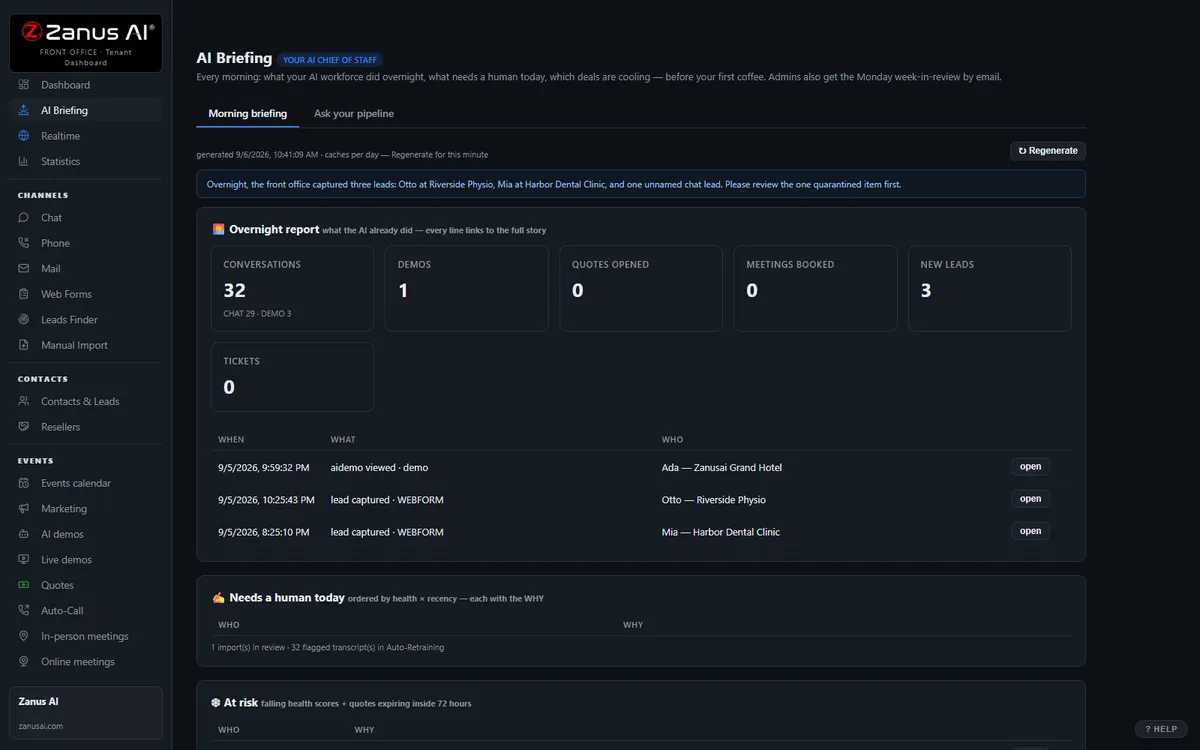
The real AI Briefing menu: the morning digest, then ask your pipeline anything.
What it does
Status calls answered from connected data, PODs sent, pickups booked, dock slots moved, exceptions filed — the desk starts with the work done.
The consignee refusing freight, the shipper asking about a new lane, the claim with photos, the broker waiting on a rate — ranked, with transcripts.
“How many quotes went untendered this week?” “Which account stopped calling?” Answers from your data only — no data, no claim.
Inside AI Briefing — the real screens
Click a tab. Every picture is the live Front Office, not a mockup — the left menu is the whole product.
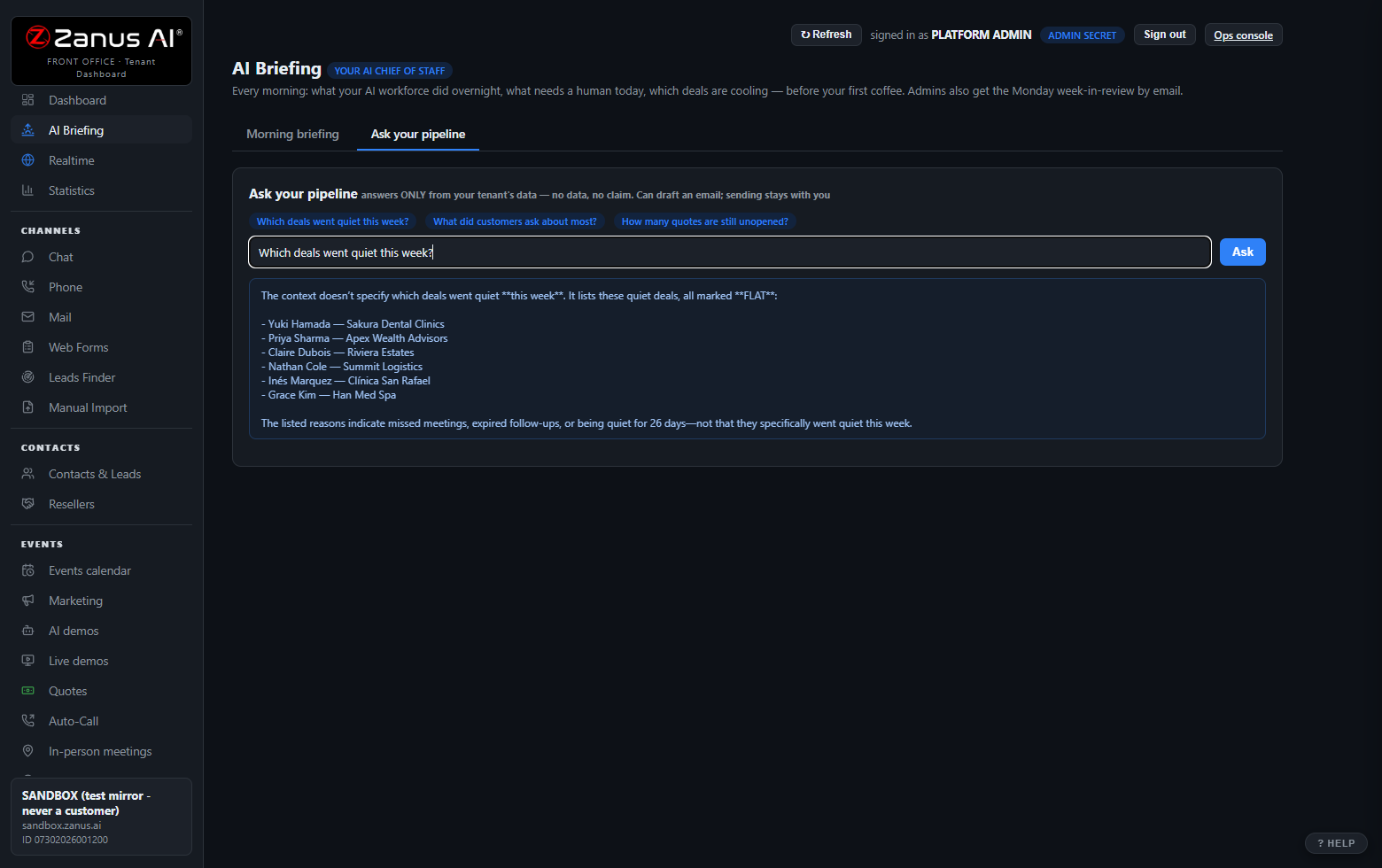
Ask-your-pipeline: question your business in plain language
"Which deals went quiet this week?" "Which shipper asked about a new lane this week?" "How many rate quotes have not been tendered yet?" It answers ONLY from your tenant’s data — no data, no claim, the same discipline as every Zanus answer. It can draft the follow-up email; sending always stays with you.
- Contacts, companies, funnels, quotes, transcripts, stats
- Numbers come from queries, never from model memory
- Drafts land in your operator queue — never auto-sent
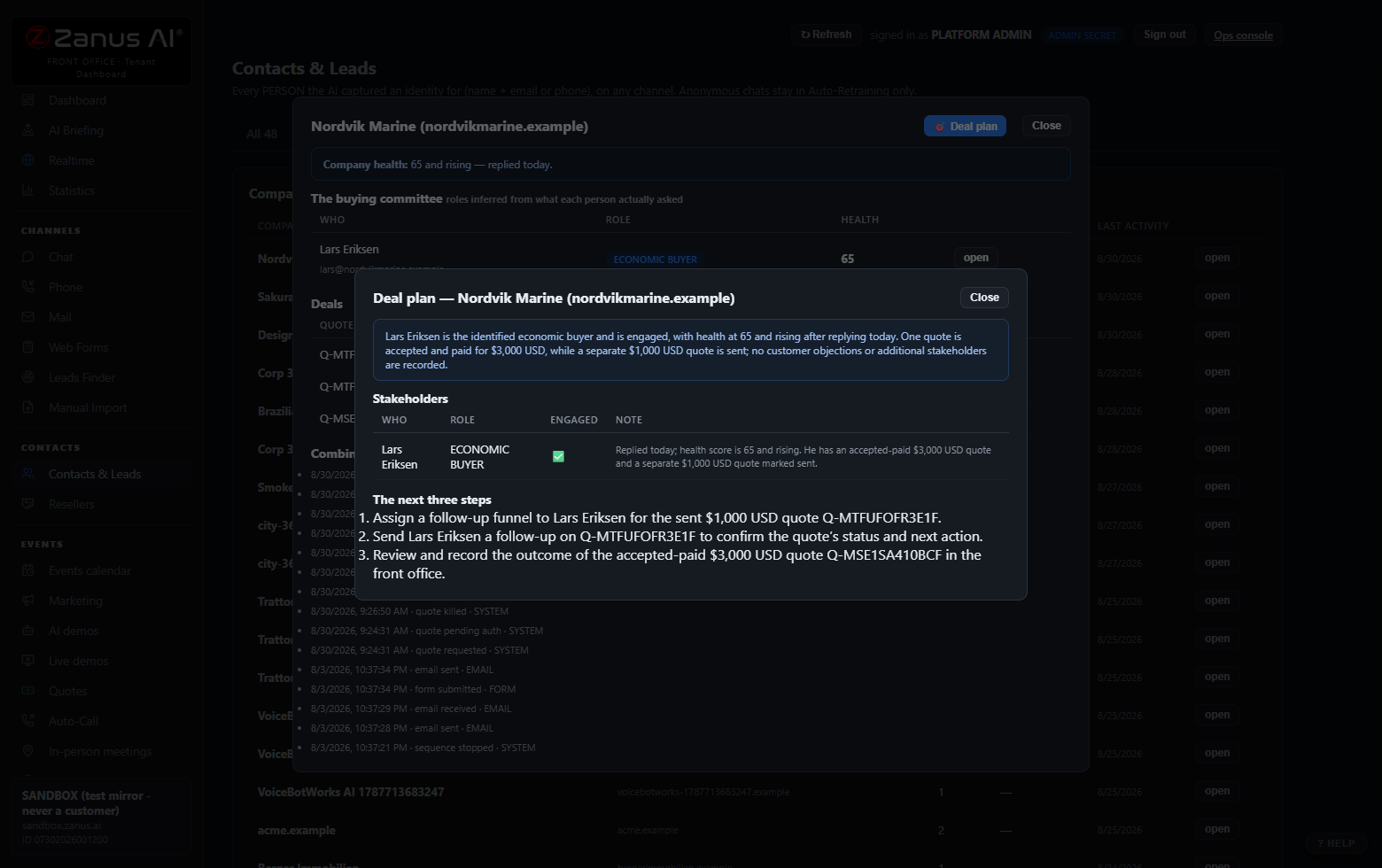
Deal Plan: the plan to win, one click
On any contact or company: stakeholders engaged (and the missing ones), objections raised — answered and unanswered — engagement trajectory, and the next three steps as concrete Front Office actions.
- One page, human-readable, regenerate anytime
- Built from the full story: every call, chat, demo and email
- Works at company level too
Available on its own — or inside a solution
Questions, answered
Who receives the briefing?
Whoever you choose: the operations director, the customer-service lead, each account manager with their own shippers only, the terminal manager with their own dock. In-app and by email, with shortcuts into every record it mentions.
Does it act on its own?
It reports and drafts. Follow-up messages land in your operator queue for a click; nothing about a claim, a rate exception or a dispatch decision is sent without a person.
Try it free on your own operation. 7 days. No credit card.
Give it your website. It learns your company. Then call it, chat with it, e-mail it — and decide. Nothing to install, nothing to cancel.
← Previous: Overview · Sharing with a colleague? 📄 Get the PDF · ✉️ Email this page ·