ZANUS FRONT OFFICE FOR MANUFACTURING — DEALERS & ACCOUNTSNEW
Dealers, distributors and accounts — mapped from real conversations.
A manufacturer lives on its organizations: the distributors that stock the line, the dealers that sell and service it, the OEM accounts that buy on blanket orders, the plants that run the installed base. The AI groups every verified contact under its company automatically, infers each person’s role from what they asked — purchasing asks price, maintenance asks parts, engineering asks tolerances — scores the relationship, and flags the distributor going quiet before the orders stop.
Try it free 7 days on your own business · no credit card · per company, never per seat
REAL AI - the whole Front Office is AI, not old software with an AI button. Give it your website: it learns your company, works from your approved knowledge and gets better with every answer you approve.
Live on this site right now — the assistant in the corner is the product · Award-winning AI — CES · ISE · TMCnet
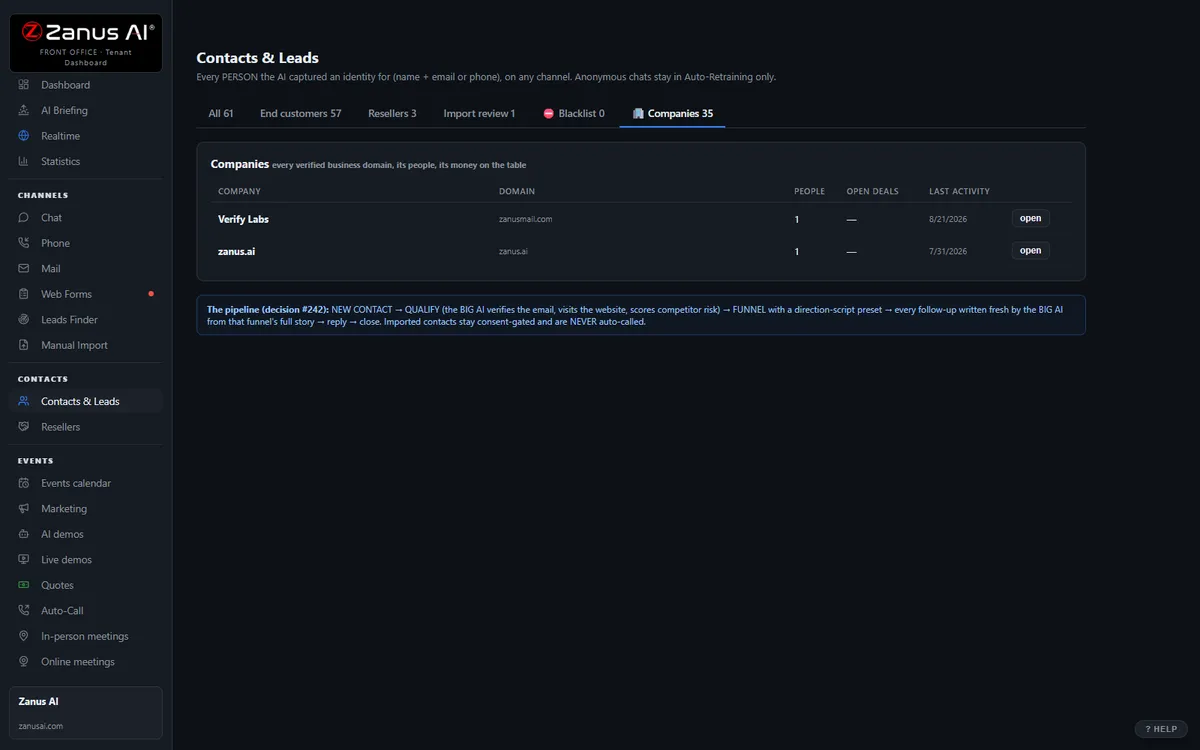
The real Companies tab: all the people, roles, combined timeline, health score.
What it does
Contacts from the same dealer cluster automatically; RFQs, quotes, claims and visits per account, per month — without the channel manager’s spreadsheet.
Every account carries a 0–100 score and the reasons: RFQs slowing, quote unopened, a claim escalated, the last two touches unanswered.
The account where you know only the buyer and nobody in maintenance or engineering — flagged, so the rep reaches the people who specify.
Inside Companies — the real screens
Click a tab. Every picture is the live Front Office, not a mockup — the left menu is the whole product.
Health score on everything — always with the WHY
Every contact and company carries a 0–100 health score recomputed from real events: recency, demo engagement, quote opens, reply sentiment, call outcomes. "62 and falling — no reply to the last two touches, quote unopened for 9 days."
- On contact cards, company cards and a sortable Statistics column
- Falling scores surface in the morning briefing’s At Risk list
- Available on its own or inside a solution
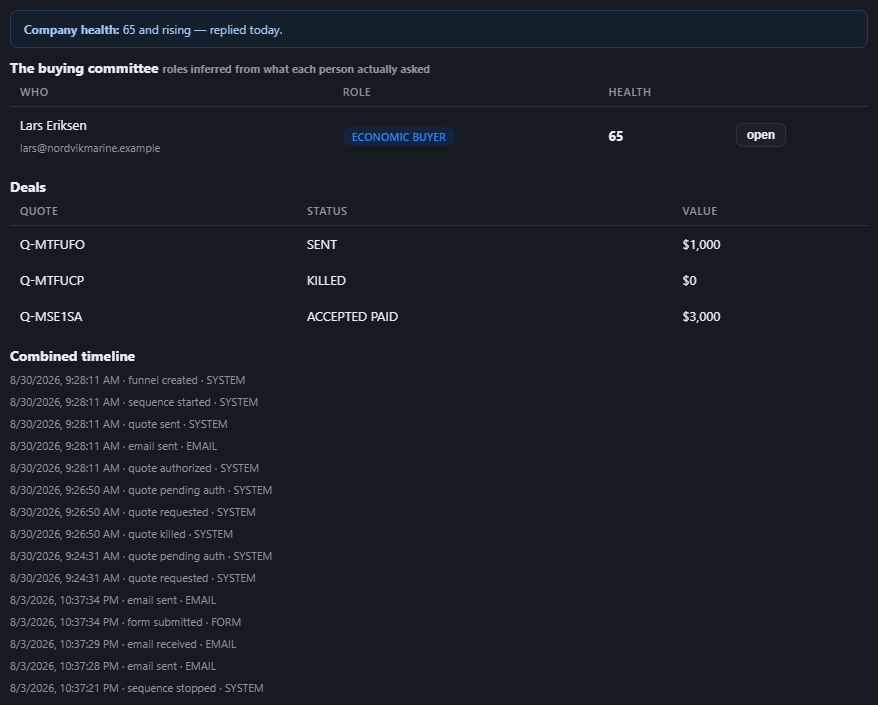
Available on its own — or inside a solution
Questions, answered
Does this include the end users behind a dealer?
Yes, where they contact you or where you record them: the contractor who bought through a distributor, the plant that runs the unit. Contacts can belong to more than one company; the timeline stays per person, the picture aggregates per account and per dealer.
Which solution includes it?
Available on its own or inside a solution. Which solution includes what: see pricing.
Try it free on your own plant. 7 days. No credit card.
Give it your website. It learns your company. Then call it, chat with it, e-mail it — and decide. Nothing to install, nothing to cancel.
← Previous: Booking · Sharing with a colleague? 📄 Get the PDF · ✉️ Email this page ·