For your school district office

Turn Parent Inquiries Into Completed Applications AI receptionist for schools at the school district office and board of education

Parents ask about admissions, then applications stall while our office catches up.

Zanus AI is the AI receptionist for schools that answers for your school district office and your board of education: every parent call, website chat, e-mail and enrollment form, at once and in the family's language. It books registration appointments, follows up on unfinished applications until the parent replies, and hands every decision about a child to your staff.

  • Parent calls, chats, e-mails and enrollment forms answered day and night, in each family's language
  • Registration appointments and document checks booked straight into each registrar's own calendar
  • Unfinished applications followed up until the parent replies, and board of education questions answered from your approved facts
Try free 7 days: A free 7-day trial, set up in about 2 minutes, no credit card required. Per organization, never per seat; have your district's website and an e-mail on the same domain ready.Just a demo: Nothing to set up: tell us where to send it and the AI demo reaches your inbox in about 2 minutes.
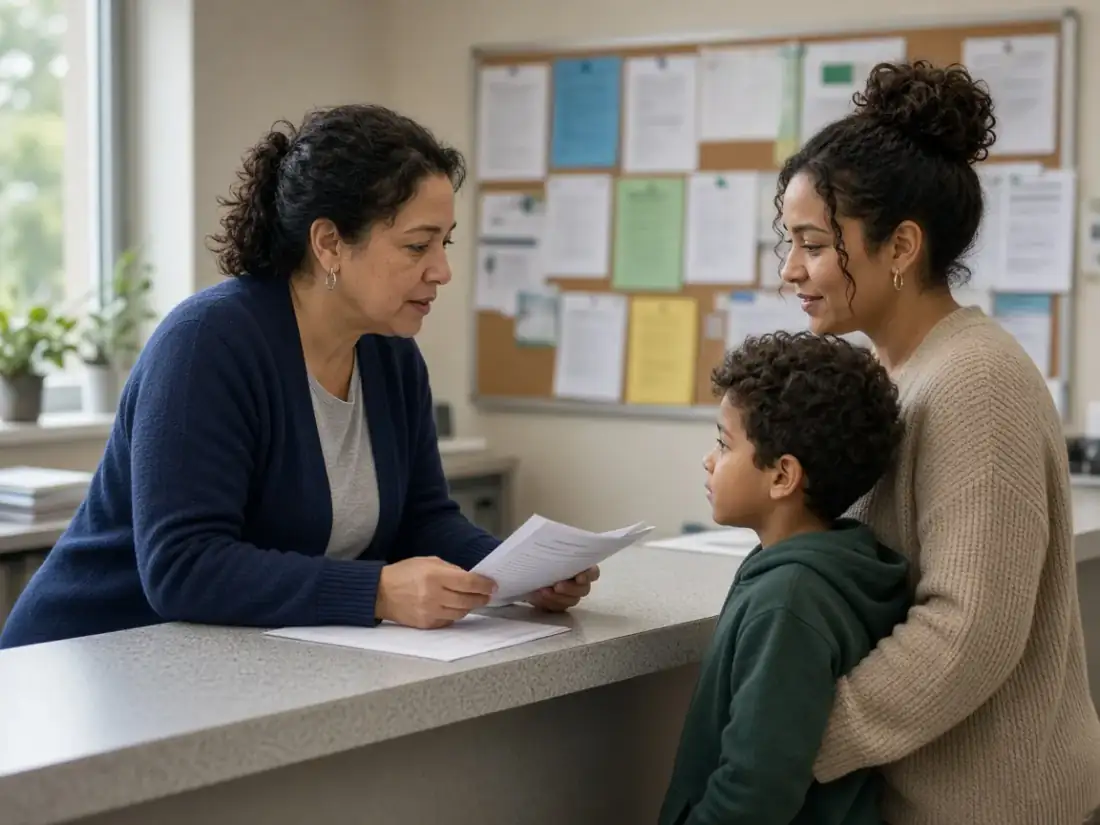
District registrar reviewing enrollment papers with a parent at the office counter while the AI answers the phones
Answered by AI · 24/7

Your complete next-gen AI solution for your district office

Each module here is shown working for a school district office and a board of education: pick one to jump straight to it, then start every module free for 7 days or ask for the AI demo.

Winner CES 2026 · ISE 2026 · TMCnet Enterprise AI Product of the Year 202624/7 on your own number40 languagesSet up in 2 minutes
Every module, shown in a district office

An AI receptionist for schools in every corner of the district office

Families reach a district in many ways before an application is finished: a call about attendance zones, a chat on the enrollment page, an e-mail about a transfer, a form sent at midnight. One AI stands behind all of them and answers from your own guides, so a parent hears the same steps at every door. It books the registration appointment, keeps the family's record as it fills, follows up when an application pauses halfway, tracks records and transfer requests for the right coordinator, and gives your staff answers from your board policies with the source shown. Every module below appears in a school district office on its own screen; start the full solution free for 7 days, request the AI demo, or read the module's page for the details.

Answers & books: parent calls, chats, mail and enrollment forms

The ways families reach the district, answered at once, with the registration appointment on the calendar.

AI Phone

Parent calls to the district answered on the first ring

AI Phone is the AI receptionist for schools that picks up the district's own number on the first ring, at seven in the morning and long after the doors lock, in the language each parent speaks. It explains kindergarten age cutoffs, attendance boundaries and office hours from the answers you approved, books or moves a registration visit while the parent is still on the line, and puts a caller through to transportation or the board clerk saying who is calling and why. Otherwise it takes a message and reads the callback number back.

All modules
AI receptionist for schools: the local number that answers district office calls, real Zanus AI screen
Real Zanus AI screen (demo data): AI Phone, main phone, seen closer.

AI Booking

Registration visits booked in each registrar's open slots

When a family is ready to register, AI Booking finds the time: on a call, in the website chat, from an inquiry form or on the district's own booking page. Each registrar, meeting room and school front counter keeps its own open slots, location by location, so a parent can pick the office closest to home. This AI receptionist for schools verifies the parent before anything enters the book, and a reminder goes out before the appointment day.

All modules
AI receptionist for schools: booking rules for registration visits, hours and reminders, real Zanus AI screen
Real Zanus AI screen (demo data): AI Booking, Settings, the defaults of the book, seen closer.

AI Webchat

Enrollment questions on the district website, in 40 languages

AI Webchat is the AI receptionist for schools on your enrollment and board of education pages, answering by text or voice in 40 languages from your published pages and approved documents only. A family arriving from another state can ask which immunization records and proof of address to bring; a resident can find out when public comment sign-up closes. The chat books a registration visit without leaving the conversation and brings in someone from the office whenever the visitor asks or the answer is uncertain.

All modules
AI receptionist for schools in the district website chat, every parent conversation listed, real Zanus AI screen
Real Zanus AI screen (demo data): AI Webchat, website chat live now, seen closer.

AI E-mail

The district inbox sorted by department, replies in the parent's language

AI E-mail reads every message that lands in the district's addresses and routes it to the department that owns it: enrollment, transportation, nutrition services or the board clerk. For each one it drafts a reply from your approved information, written in the language the parent used. The kinds you pick, such as calendar dates or office hours, go out by themselves; a message about a transfer or a records request waits for a staff member with the draft already prepared.

All modules
School district office inbox: parent e-mails sorted by department, drafts ready for approval, real Zanus AI screen
Real Zanus AI screen (demo data): AI E-mail, settings admin, seen closer.

AI Web Forms

Enrollment inquiry forms that write back to parents in seconds

AI Web Forms puts inquiry forms on the district website that reply to the parent the moment they press send, in that parent's language. You add up to five questions of your own, such as the grade the child enters in the fall and the school the family is zoned for. A form can collect an uploaded lease or utility bill, or book a registration slot; your screening rules are read on arrival, and a contact record for the family is created.

All modules
School enrollment inquiry form received and answered at once, with the family's request open, real Zanus AI screen
Real Zanus AI screen (demo data): AI Web Forms, Settings, what every form shares, seen closer.

AI Avatar

A talking face that welcomes families to the school district

AI Avatar gives the district's website chat a face whose lips follow her voice. She greets a visiting family by voice or by text in their own language, explains the steps of enrolling from the pages you approved, and hands the conversation to the right person at the school district office when one is needed. She is presented as an AI and never claims to be a registrar or anyone on your staff.

All modules
Talking AI avatar for a school district website: the install line and greeting settings, real Zanus AI screen
Real Zanus AI screen (demo data): AI Avatar, Widget & greeting, the status strip and the install line, seen closer.

Sells: applications finished and programs filled

Follow-ups for unfinished applications, open house invitations, virtual tours and facility rental quotes that wait for your yes.

AI CRM

One record per family, from the first question to the last form

AI CRM builds itself from the calls, chats, e-mails and forms that reach the district office. A family's whole conversation sits on one record, with where it started, the language spoken and the time zone, so a registrar reads what the parent asked last week before calling back. Contacts from the same organization, a child-care center or a youth league, are grouped together, and a deal opens on its own when a group first asks about renting a gym.

All modules
School district CRM: families, partners and community groups each kept on one record, real Zanus AI screen
Real Zanus AI screen (demo data): AI CRM, tasks to do to do operators desk, seen closer.

AI Quoting

Gym and auditorium rental quotes from the district fee schedule

AI Quoting prices community requests from the fee schedule your board adopted: a youth league asking for the middle school gym on Saturdays, a community theater wanting the auditorium for a spring show. It quotes on a call, in the chat, by e-mail or from a purchase order, and nothing goes out before your business office says yes. The group accepts on its own quote page and pays the way the district takes payment; the AI never handles a card.

All modules
School facility rental quotes: the fee list, quote document and payment settings, real Zanus AI screen
Real Zanus AI screen (demo data): AI Quoting, quotes settings document and payments, seen closer.

AI Proposal Studio

Shared-service proposals for neighboring districts and partners

AI Proposal Studio takes on the longer requests a district receives, such as a neighboring district asking to send teachers to your summer training institute or a city asking to share buses for a recreation program. It reads the request and every attached document page by page, asks you three questions at most, writes from your knowledge and prices each line from your own rate card, on district letterhead. A manager approves it, a person sends it, and it is tracked from there.

All modules
School district proposal writer: a new request, its documents and the preset to start from, real Zanus AI screen
Real Zanus AI screen (demo data): AI Proposal Studio, Settings, the presets: the four house presets and the company's own as cards, the editor and the house, seen closer.

AI Inventory

Event equipment the district rents, answered and held on the phone

AI Inventory keeps the list of what the district rents out or sells: folding tables, portable stages and sound kits for community events, surplus desks offered to the public, each with its picture, price and quantity. When a caller or a chat visitor asks, the AI says whether the item is available and gives its price exactly as the card shows it, e-mails the item's page, holds it for the hours you set and books the rental for the event date.

All modules
School district equipment rentals listed with quantity, price and holds for callers, real Zanus AI screen
Real Zanus AI screen (demo data): AI Inventory, external inventory products, seen closer.

AI Gift Cards

Gift cards for community education classes and summer camp weeks

AI Gift Cards lets the district sell gift cards for its community programs, for an amount or for a named class such as adult swim lessons or a week of summer camp. Families buy them on your gift page, by phone, in the chat or at the district counter; a purchased card never expires and carries no fee. Print QR cards for a fundraiser table, redeem them on a call or at the desk from any phone, and quote a parent group's order of ten or more as one.

All modules
School community program gift cards: monthly sales, redemptions and open balances, real Zanus AI screen
Real Zanus AI screen (demo data): AI Gift Cards, the page as it opens, seen closer.

AI Follow-up

Gentle follow-ups when a family's application goes quiet

AI Follow-up writes to the families whose inquiry or application went silent and to the groups that never answered a rental quote. Every e-mail is composed fresh from what that parent or organizer actually asked, so a mother curious about the dual-language program hears about that program, not a form letter. The moment someone replies, the sequence ends and the reply reaches your enrollment staff to carry on.

All modules
School enrollment follow-up: the families a person at the district should call today, real Zanus AI screen
Real Zanus AI screen (demo data): AI Follow-up, The map, which event starts which plan, seen closer.

AI Marketing

Kindergarten round-up invitations to the families who asked

AI Marketing sends e-mail campaigns to the families you pick with a filter, such as everyone who asked about kindergarten this winter or every household waiting on a magnet program answer. Each message is written from your approved information in the family's own language, and it goes only to contacts whose consent allows it. When a parent writes back, the AI answers from your guides or passes the reply to the school district office.

All modules
School district e-mail campaigns to families who consented, with a preset for each goal, real Zanus AI screen
Real Zanus AI screen (demo data): AI Marketing, The picture test, what a visitor would see for these words, seen closer.

AI Auto-Call

Kindergarten screening confirmations called in each family's language

AI Auto-Call phones families from the district's own number to remind them of a kindergarten screening or a new-family orientation, many calls at once, each in the family's language. It listens for the answer: yes confirms the visit, no frees the time for another child, and a request for a different day goes to your registration staff. Every answer is logged, so the office starts the morning knowing who is coming.

All modules
School reminder calls to parents: what is running today and who needs a person, real Zanus AI screen
Real Zanus AI screen (demo data): AI Auto-Call, auto call call stages, seen closer.

AI Demo

A personal virtual open house for each family moving into the district

AI Demo builds a personal presentation of the district from your own pages, photos and videos: the schools, the programs, the bus and meal details a new family needs. Lisa presents it live on a private link, in the family's language, once you release it. Parents can stop her at any moment to ask something; whatever she cannot answer from your material lands in your gap log for the office to fill.

All modules
School virtual open house: a new personal AI presentation started for one family, real Zanus AI screen
Real Zanus AI screen (demo data): AI Demo, active links the book is out, seen closer.

AI Live Meetings

Live virtual school tours in the district's own branded room

AI Live Meetings gives your coordinators a room with the district's name on it. A family joins from a link in the browser with nothing to install, while your staff show a magnet program's videos, photos and brochures, each one click away. STAND BY hides your screen while you open a private file, Lisa's notes wait for your confirmation afterward, and screen sharing lets the office guide a parent through the online application on a help call.

All modules
School district live virtual tours: finished sessions with their notes listed, real Zanus AI screen
Real Zanus AI screen (demo data): AI Live Meetings, live demos settings, seen closer.

AI Online Meetings

Online parent meetings with no app and no account to create

AI Online Meetings holds parent and committee meetings in the guest's browser, with no download and no account to set up. Guests wait in a waiting room carrying the district's branding until a staff member admits them, and each kind of meeting, from a transfer conversation to a facility planning call, starts from its own template. Afterward Lisa writes the summary, the decisions and the next steps, which are filed once you say yes.

All modules
School parent meeting notes: summary, decisions and next steps waiting for a yes, real Zanus AI screen
Real Zanus AI screen (demo data): AI Online Meetings, Online meetings settings, the room, who may do what and the usage, seen closer.

AI Partner Portal

Community partners and referrers approved by the district

AI Partner Portal gives the organizations that refer families to the district, or resell its community programs, one link to apply, or an invitation from you. Relocation agents, after-school providers and child-care centers are each researched on the web by the AI before you review them. You approve each with the scopes you choose and a status that ends on its date, set wholesale tiers for program seats, and the Approved tab counts the demos and sales each partner brings.

All modules
School district partner portal: the questions a referring organization answers, real Zanus AI screen
Real Zanus AI screen (demo data): AI Partner Portal, Approved, every reseller with its scopes, demos and sales, seen closer.

Supports: every parent request tracked to the end

Records and transfer requests, student device repairs and the calls your staff take, each one written down for its owner.

AI Tickets

Parent requests from every channel tracked for the right person

AI Tickets turns calls, chats, e-mails and forms into tracked requests, each one carrying the full conversation and the family it came from. A question about bus stop times or the school calendar that your knowledge covers is answered by the AI straight away. A records request, an address change or a transfer question waits for the staff member you named, so nothing a parent asked slips between the counter and the district office.

All modules
School district request tracking: pending parent requests by channel and status, real Zanus AI screen
Real Zanus AI screen (demo data): AI Tickets, Tickets · the Responded tab with who answered, the time and the rating, seen closer.

AI Returns & Warranty

Student laptop repairs checked against the district's device rules

AI Returns & Warranty handles the student laptops and tablets families bring back broken. It starts with troubleshooting steps, then finds the device's purchase in the district's records, works out whether the warranty still covers it and checks the request against the device rules you wrote in plain words, asking the parent for anything missing. No return goes ahead without your technician's yes, and every e-mail to the family is written for you.

All modules
School laptop repair return: received, diagnosed, quoted and completed steps, real Zanus AI screen
Real Zanus AI screen (demo data): AI Returns & Warranty, RMAs · a return in the shop: received, the diagnosis, the quote, Complete the RMA, seen closer.

AI Calls Transcripts

Every staff call at the district office written onto the record

AI Calls Transcripts writes down the calls your registrars and clerks take on the computer, in the phone app and on each transferred leg, and puts a summary on the family's record next to what the AI said earlier. A coordinator picking up a transfer question sees the whole thread before calling back. Recording stays off until the district switches it on.

All modules
School district call notes: answers waiting for a staff decision after parent calls, real Zanus AI screen
Real Zanus AI screen (demo data): AI Calls Transcripts, Pending for me, what waits for your decision, seen closer.

AI Calls Teleprompter

Answers on screen while a parent explains the situation

AI Calls Teleprompter works beside your clerk during a live call: as the parent talks, the answer from your knowledge appears on the clerk's screen with its source, whether it is the immunization rule, the registration window or a board policy section. It never speaks to the parent. Your staff member stays the voice of the school district and decides what to say, with the written source in front of them.

All modules
School office call assist: approved written answers that appear for staff on calls, real Zanus AI screen
Real Zanus AI screen (demo data): AI Calls Teleprompter, Answers & battle cards, the written answers that outrank the pages, seen closer.

Helps your team: board policies, procedures and files at hand

Your policy manual, enrollment procedures, training courses and documents, answered for staff with the source shown.

AI Team Assistant

Board policy and procedure answers for district staff, with the page cited

AI Team Assistant answers your own people from the district's documents and from the records each person is allowed to open, never from the internet. A new clerk asking how long proof of residency stays valid, or a principal checking the field-trip policy, gets an answer that cites the document and the page. When nothing has been written on the subject, it says so plainly and logs the gap for the board of education to address.

All modules
School district staff assistant: answers from your own policies sent to chosen recipients, real Zanus AI screen
Real Zanus AI screen (demo data): AI Team Assistant, today, seen closer.

AI Chat for your team

Web research for district administrators with every source shown

AI Chat for your team searches the web the way your administrators ask: the state's new kindergarten age rule, a grant deadline, road closures before a storm. It reads the pages, shows where each fact came from and checks it before anyone at the school district office acts on it. It never opens your student or family records, so outside research stays apart from the files you keep.

All modules
Board of education team AI chat: private links and access for each staff member, real Zanus AI screen
Real Zanus AI screen (demo data): AI Chat for your team, Personal chat links, every access on one list, seen closer.

AI Knowledge

One tree of district facts behind every answer parents get

AI Knowledge gathers the district website, the enrollment guide, board policies and the facts you set into one tree, and every channel answers from it: phone, chat, e-mail and forms. A question the tree does not cover is left for your staff instead of being guessed. The rules are tested every night, and no change goes live until someone in the office approves it, so last year's deadlines never reach a parent by mistake.

All modules
School district knowledge base in several languages behind every AI answer, real Zanus AI screen
Real Zanus AI screen (demo data): AI Knowledge, people, seen closer.

AI Team Training

August clerks trained by voice before registration opens

AI Team Training lets the registrar who knows enrollment explain it once, speaking or typing, and Lisa teaches it to every seasonal clerk and new hire by voice and on screen through a personal link. The new person can interrupt with a question whenever something is unclear, then answers a spoken test at the end. The school district office sees who has finished before the counter gets busy.

All modules
School front office training course opened for a new clerk, taught by voice, real Zanus AI screen
Real Zanus AI screen (demo data): AI Team Training, training course open, seen closer.

AI File Cabinet

Board minutes, policies and contracts filed in drawers

AI File Cabinet keeps the district's papers in one archive built like a real cabinet: a drawer for board of education minutes, one for vendor contracts, one for facility use agreements, with a file per supplier or contract and folders inside. Each document is read as it arrives and can be found again at the exact page. Access rights and retention are set per drawer, and every opening is recorded in the audit.

All modules
Board of education document archive: reading settings, drawers and folder templates, real Zanus AI screen
Real Zanus AI screen (demo data): AI File Cabinet, File Cabinet settings: the reading tiers by kind and by drawer, the budget, the folders and the templates, seen closer.

AI Time Machine

The history of a school building project on one timeline

AI Time Machine lays out a timeline from the district's own records: a building renovation from the bond vote to the final walkthrough, or a family's contacts with the office across several school years. Every letter, visit, note and document appears at its date, so a superintendent preparing for a board of education meeting sees the story in order. It informs the reader; a person makes the decision.

All modules
School district history on one timeline built from records, letters and calls, real Zanus AI screen
Real Zanus AI screen (demo data): AI Time Machine, The AI Time Machine, the company's history on one timeline, seen closer.
A day at the front desk

A day at the school district office, from first call to last form

From the first call before eight to the last form after dinner, families contact the district through six different doors. One AI answers at each of them; your registrars, clerks and coordinators step in only where a person is needed.

Before the counter opens

The main line rings with questions a new family always asks: which school serves our new address, when does kindergarten registration open, what counts as proof of residency. Each parent gets the answer from your approved guides, and a caller asking about one particular student is transferred to the registrar with who is calling and why.

A family moving in, on the website

A father relocating for work opens the enrollment page and asks by voice, in Spanish, what the application needs. The website chat answers from your own pages, gives him the link to the application and the document list, and books a document check with the registrar before he leaves the page.

The enrollment inbox at noon

Mail about school choice, magnet programs and inter-district transfers piles up between meetings. AI E-mail sorts each message to the department that owns it and drafts the reply. Routine answers go out under the rules you set; anything about a particular child waits in the queue for a staff member.

Applications that stopped halfway

Some families began an application last week and never uploaded the residency papers. Each one receives a follow-up written from the questions that parent asked earlier. The reminders stop the moment a parent answers, and every reply lands in the family's record, ready for your enrollment team to pick up.

Tomorrow's document checks confirmed

AI Auto-Call phones the families booked for tomorrow's registration appointments, each in their own language. A yes confirms the appointment, a no frees the slot for another family, and a parent who asks for a different day is added to the registrar's callback list with the reason noted.

A transfer request after dinner

Long after the office closes, a mother sends the transfer request form from her phone. A reply reaches her within seconds with the next steps and the dates your district published, the request opens as a tracked ticket for the transfer coordinator, and the whole exchange is waiting in the family's record tomorrow morning.

Your rules

Where the AI stops and your district staff decide

An AI receptionist for schools must know where its job ends. Your district writes those lines once, and the AI keeps them on every call, chat, e-mail and form.

Decisions about a child stay with staff

Enrollment, residency, placement, transfers and program eligibility are decided by your people. The AI explains the steps and the documents from your approved guides, then passes the case to the person you named.

Student records are not discussed

It does not talk about grades, attendance, discipline, health or special education services. A caller who asks is transferred, or the request is written down in full for the right office, with the callback number read back.

Custody and guardianship go to a person

Questions about who may enroll, pick up or speak for a child are not answered by the AI. They reach your staff exactly as the parent put them.

Safety calls hear your instruction

A caller who reports a threat or an emergency hears your district's own words: hang up and call emergency services. Your safety contact is reached as your rules set out, and nothing else is handled on that call.

The board speaks for itself

On a pending vote, a complaint or a hearing, the AI gives only the public facts you approved, such as meeting dates, agendas and how to sign up for public comment, and passes the rest to the board clerk.

No payments, no permits

A facility rental request is held and quoted from your own fee list, then waits for your office's yes. The AI takes no card payment and issues no permit or approval on its own.

Compared

An AI receptionist for schools compared with the usual district options

When registration season buries the front counter, district offices usually weigh three answers: hiring seasonal clerks, paying a phone answering service, or stitching together separate tools for the website and the inbox.

What the district office needsSeasonal clerksPhone answering serviceSeparate web and inbox toolsZanus AI
The August registration rushLines busy, parents calling backMessages taken for laterVoicemail and a contact formEvery parent answered, the document check booked
Evenings and weekendsOffice closedA message for MondayAn automatic replyAnswered under your after-hours rules
Families in many languagesWhoever on staff speaks itA few languages, if anyTranslated pages onlyThe family's own language on the phone and the chat
Unfinished applicationsCalls made when there is timeNot coveredA separate e-mail toolFollow-ups that stop when the parent replies
Records and transfer requestsNotes on the counterA message slipA ticket tool kept up by handA request per family, assigned to its coordinator
One record per familySpread across inboxesMessage slipsOne record in every toolEvery call, chat, e-mail and form in the family's record
Set-upHiring and training each seasonContracts and scriptsEach tool configured on its own2 minutes, from your district website

Separate tools answer one door each, and a seasonal clerk can only be in one place. Zanus AI gives the district office one set of guides, one set of rules and one family record behind every call, chat, e-mail and form, with a person wherever your district wants one.

Set-up

Set up the district office's AI receptionist in 2 minutes

Forward the district's main line

Parents keep dialing the number printed on your letters and website. Forward it as you would to an answering service; there is no porting and nothing to install on district computers.

Tell Lisa about the district

Name your schools, departments, registration windows and office hours. Lisa reads the district website for the rest, including the enrollment pages and the board calendar, and shows you every change before it goes live.

Write the rules for your staff

Choose which calls reach the registrar, which requests wait for the transfer coordinator, what is never said about a student, and the safety instruction every caller must hear.

See it work

Two ways to see it work for your district

Try it free with your own district

Give Lisa the district website. She builds a private 7-day sandbox from it: a phone line that answers as your district office, your website with Lisa on it, and a dashboard with your own departments. Your real phone lines and website stay untouched.

No card. One trial per organization, with an e-mail on your website's domain.

TRY FREE 7 DAYS

Just a demo, nothing to set up

Watch the AI front office answer a parent, book a registration appointment and open a request, without configuring anything. Tell us where to send it; the link arrives by e-mail in about 2 minutes.

No sales call, only the demo in your inbox.

JUST A DEMO
Frequently asked questions

Questions district offices ask about an AI receptionist for schools

What is an AI receptionist for schools?

It is a virtual receptionist for schools: an AI that answers a school system's front office the way a trained receptionist would, on every channel at once. For a school district office or a board of education, Zanus AI answers parent calls, the website chat, the enrollment inbox and the web forms from your approved guides, books registration appointments, follows up on unfinished applications and hands any decision about a student to your staff.

Can one AI answer for the district office and each of our schools?

Yes. Set up each school office and each district department, such as enrollment, transportation or the board clerk, with its own hours, people and rules, and choose AI only, AI first or a person first for each. A caller is transferred to the right desk with a short note of who is calling and why, and every desk sees only its own messages.

How does it help parents finish an enrollment application?

By answering the question that stopped them, at the hour they ask it. The AI explains each step and document from your own guides, sends the link to your application and books a document check on the registrar's calendar. When an application pauses, a follow-up goes to the parent and stops as soon as they reply, and an e-mail campaign can reach every family who started but has not booked.

Will the AI decide residency, transfers or school placement?

No. Those decisions belong to your staff and your board's policies. The AI tells families what the process is, which documents to bring and when the windows open, from the information your district approved. Every request that needs a decision is written down in the family's own words and passed to the coordinator you named.

Does the AI talk about a student's grades, attendance or special education?

No. It does not discuss a student's grades, attendance, discipline, health or special education services with anyone. Parents asking about those are transferred to the right office, or their request is written down in full with the callback number read back, so a staff member can respond personally.

Can families reach the district in their own language?

Yes. The phone answers each caller in the language they speak, the website chat works in 40 languages by text or by voice, and a call can also be passed to a staff member who speaks that language. Families new to the country hear the enrollment steps in words they understand, which is often what gets an application finished.

Does it replace our student information system or enrollment platform?

No. Zanus AI is the front office around the systems you already use. It answers, books, follows up and keeps a front-office record of every conversation with a family, and it sends parents to your own online application. Student records and enrollment decisions stay in the systems where they live today.

Can the board of education use it for meeting and public comment questions?

Yes, within the facts you approve. The AI answers questions about meeting dates, agendas, locations and how to sign up for public comment from the pages and documents the board clerk publishes. It does not speak for board members or comment on a pending decision; those calls and messages go to the clerk.

How much does an AI receptionist for school districts cost?

There is one price for the whole organization, not one for each seat, so every registrar, clerk and coordinator in the district office works under a single subscription. You pick the modules your office needs, and the plans are listed on the pricing page.

Can we keep our number, and how long does set-up take?

You keep the number printed on your letters and website and forward it to the AI, with no porting and nothing installed. Set-up takes 2 minutes: tell Lisa your schools, departments, registration windows and office hours, and she reads the district website for the rest. Every change is shown to you first and goes live only when you approve it.

How is student and family information looked after?

Your district sets the rules. Call recording is off as shipped, each department receives only its own transcripts, and staff see only the departments they are given. The AI says nothing outside what you approved. Whether your set-up meets your student privacy obligations is decided by your district and its counsel.

What is the difference between the 7-day free trial and the demo?

The free trial builds a private sandbox from your district's website for 7 days, with no card: a phone line that answers as your office, your site with Lisa on it and a dashboard. The demo needs nothing from you; it shows the AI front office ready-made and arrives by e-mail in about 2 minutes.

More for k-12 schools: AI receptionist for K-12 schools · AI enrollment inquiry forms · AI enrollment follow-up emails

For your school district office

Put the district's complete AI solution to work free for 7 days

Every parent answered in their language, every document check on the right calendar, every unfinished application followed up, and your staff answering from your own policies with the source shown.

Or call +1 (954) 736-3939 and hear the AI answer.

TRY FREE 7 DAYSJUST A DEMO