ZANUS BACK OFFICE — EMAIL, INTAKE & OUTPUT
A real mail client built in (Google, Microsoft 365, any IMAP), a visual intake pipeline where every received file is routed and processed, and an Output page where the AI’s finished products land — preview, approve, send.
Cloud tenant or your own server · unlimited users · ready from day one
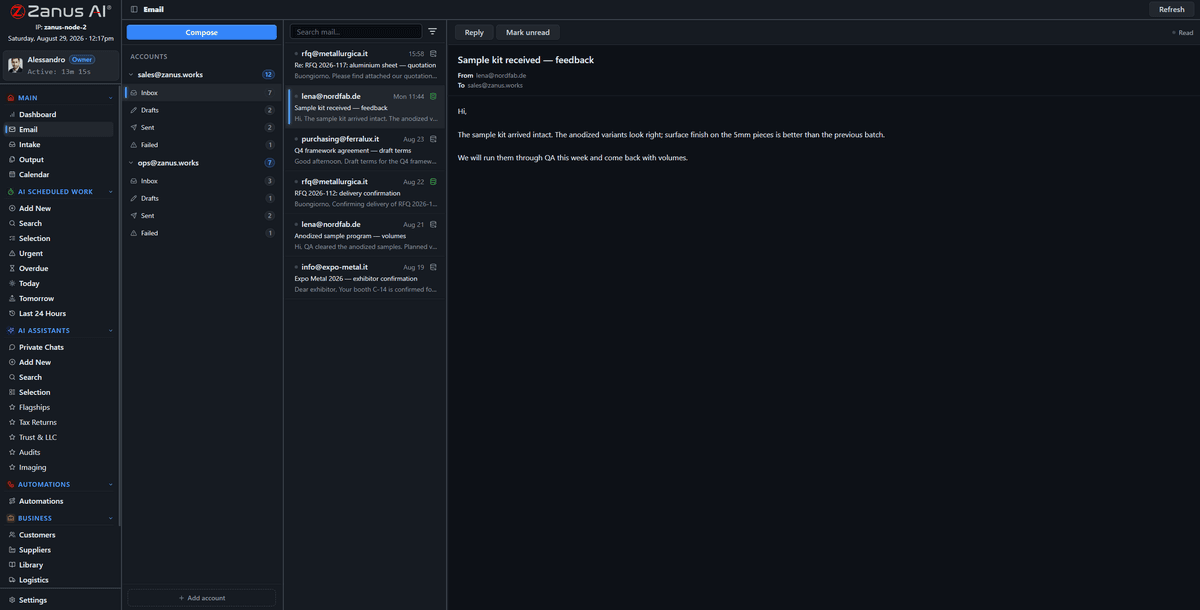
All your accounts, one three-pane client — attachments flow into the intake pipeline in one click.
Multiple accounts side by side, compose and inline reply, drafts and failed-send handling — mail lives where the business data lives.
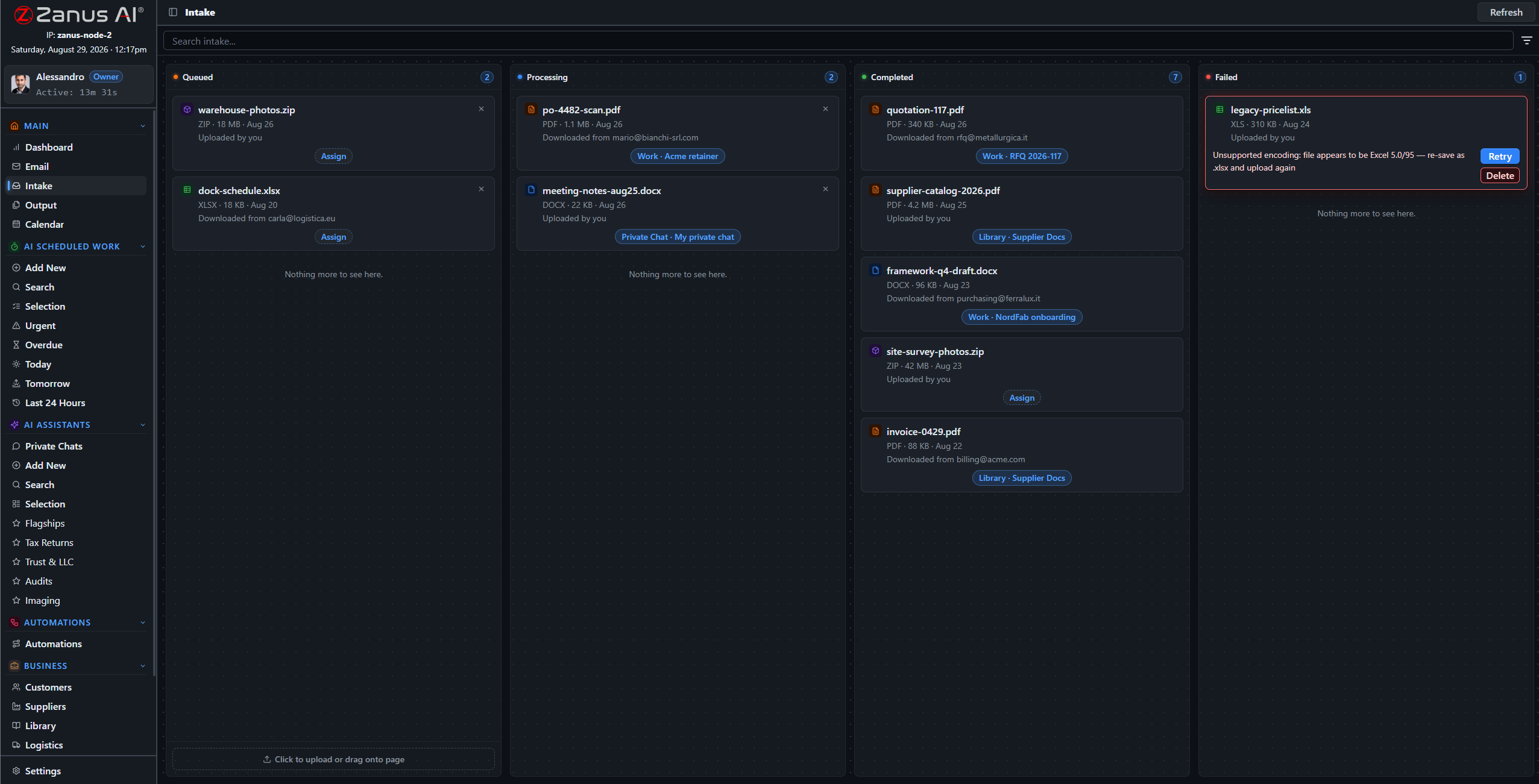
Everything the business receives crosses one visual board: Queued, Processing, Completed, Failed. Routed to a client, supplier, library or work.
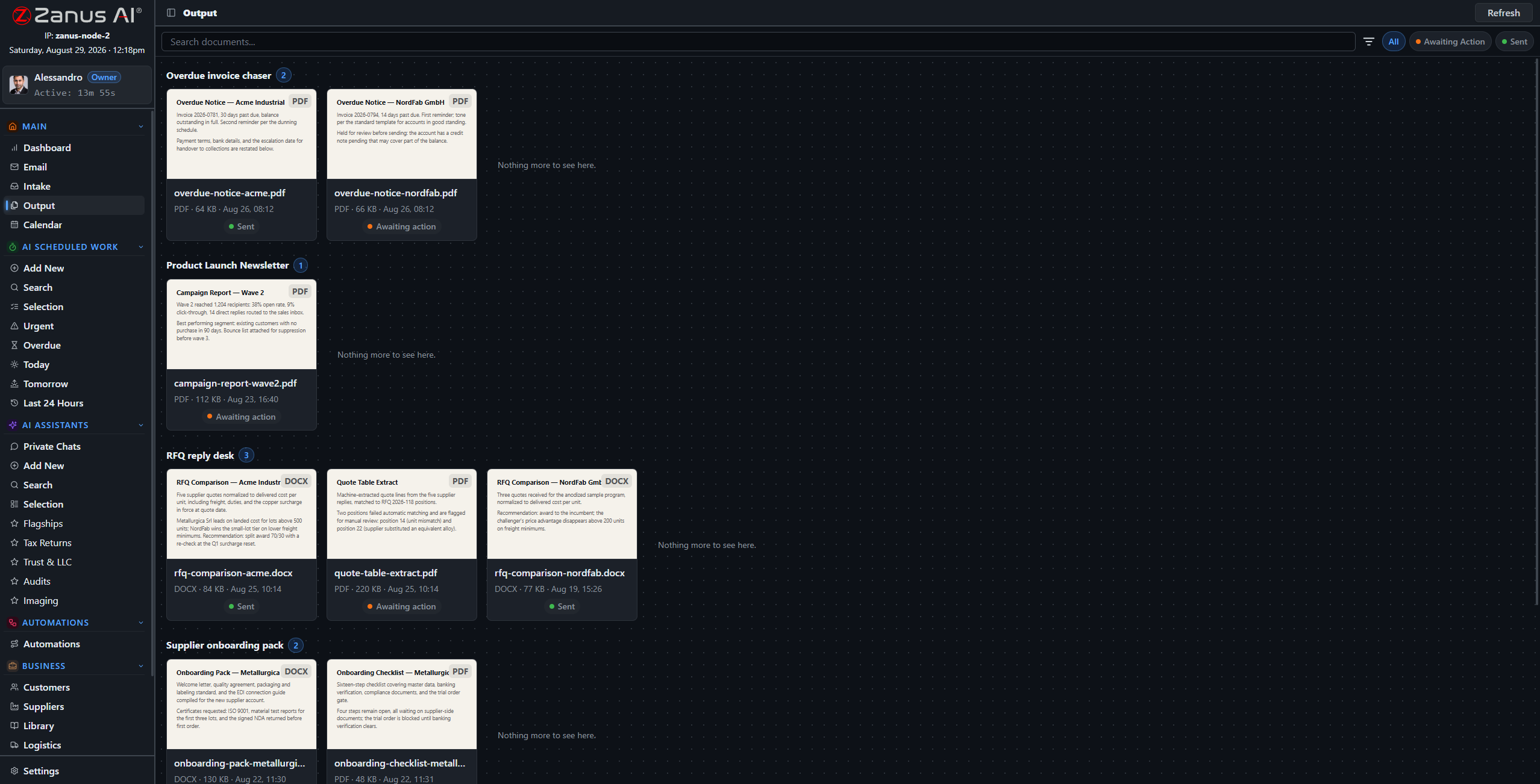
Every automation gets its own drawer of generated documents — paper-style thumbnails, full preview, and a clear status: awaiting your decision, or already sent.
An attachment arrives by email; one click sends it into intake; the pipeline routes it to the right client or library with handling instructions. Failures are visible with one-click retry — no silent black holes.


Reports drafted overnight, comparison documents, reply drafts: everything the AI produces lands on the Output page with a thumbnail, a preview and a status. You stay the approver — or let approved types send themselves.
No. Connect Google Workspace, Microsoft 365 or any IMAP provider — multiple accounts side by side in the same client.
When you choose so: attachments and content flow into the intake pipeline and get routed to clients, suppliers, libraries or works — under your handling rules.
← Previous: Documents & Knowledge · Sharing with a colleague? 📄 Get the PDF · ✉️ Email this page ·