Back Office AI
Get started

ZANUS BACK OFFICE — AI WORKFORCE

Work the AI performs on a schedule.

Not a chatbot waiting for prompts: you assign work to the AI like to an employee — type, documents, deadline, priority — and it executes unattended. Urgent, Overdue, Today, Tomorrow: the AI’s workload is managed like your team’s.

Get started

Cloud tenant or your own server · unlimited users · ready from day one
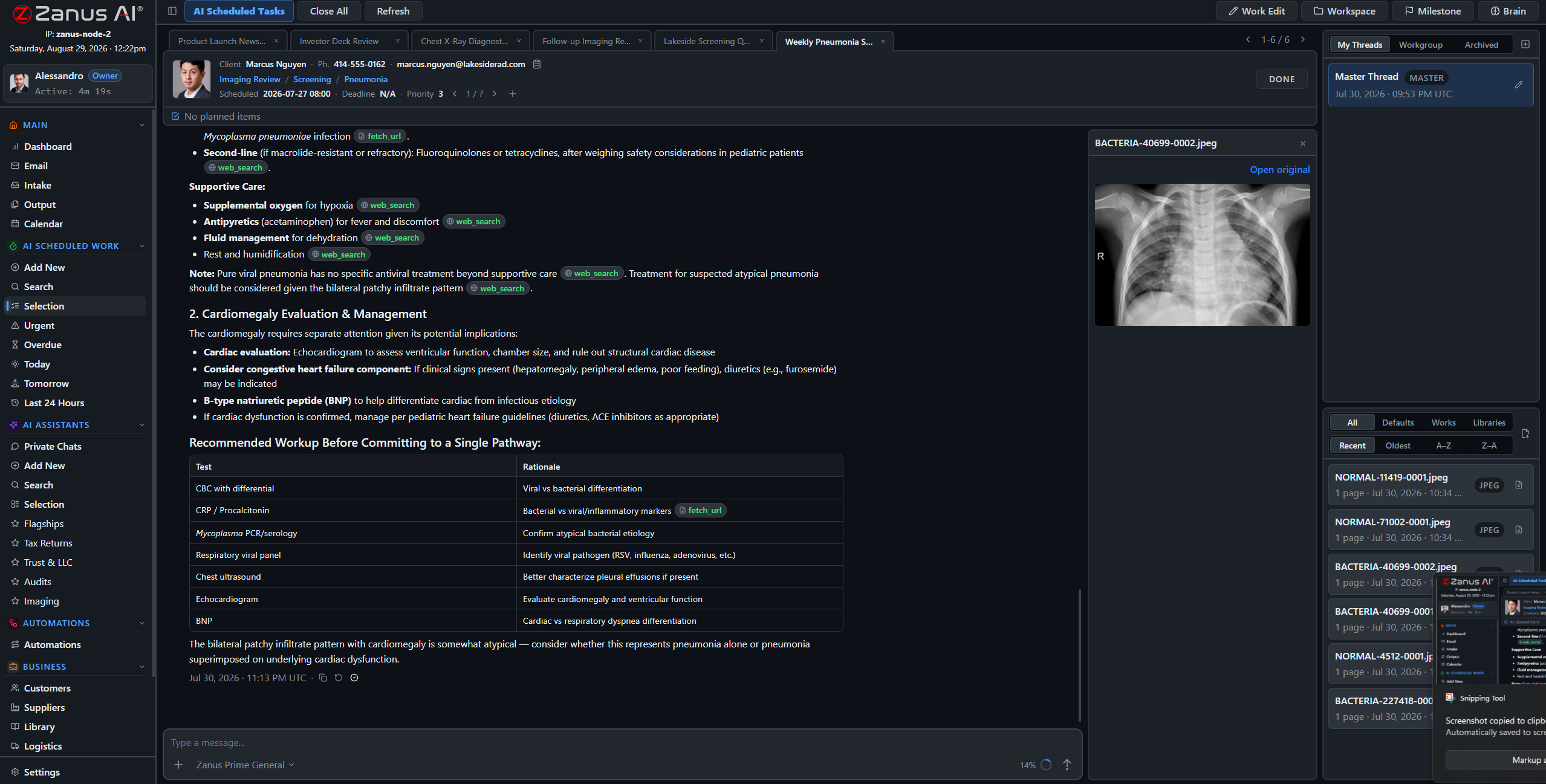
Zanus Back Office AI work session: imaging review with citations, files and milestones

A real AI work session: the AI reviews the case, cites its sources inline, tracks milestones.

What it does

Assigned like an employee

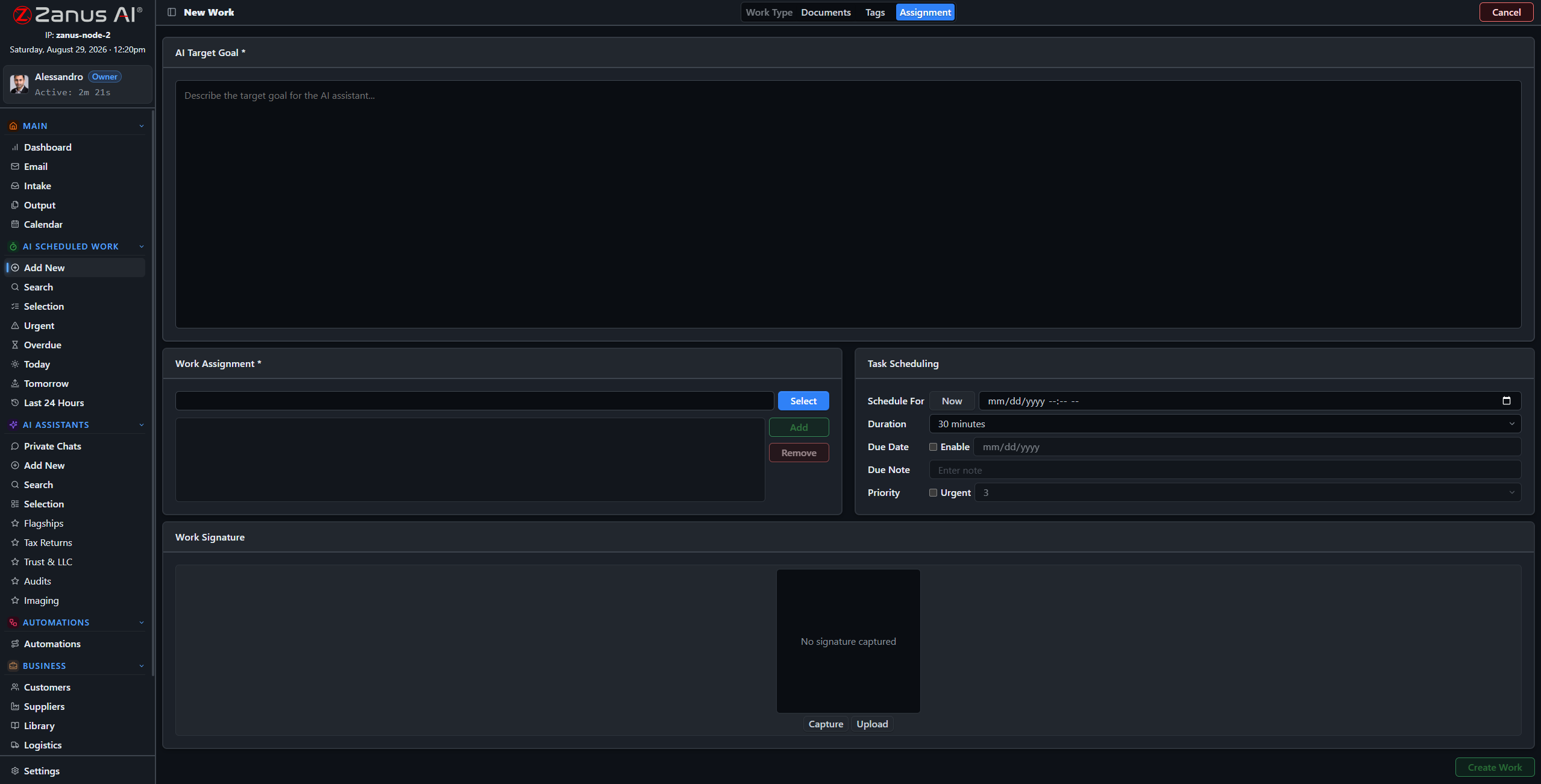
A four-step wizard: pick the work type, attach documents and libraries, set tags, schedule it with a priority. The form knows the rules and enforces them.

Executes unattended

Scheduled work runs without a person driving it. One-click views for Urgent, Overdue, Today, Tomorrow and Last 24 Hours keep the AI’s desk visible.

Every step on the record

Each work is a full session: streaming reasoning, the work’s files, citation previews inline, milestones and linked calendar tasks — all in one place.

The working surface: an expert at work

Open any piece of AI work and watch it think: grounded analysis of the attached files, sources cited inline in the conversation, milestones ticking, calendar tasks linked. This is AI doing professional work — not summarizing the internet.

  • Citations preview inline — every claim traceable
  • Files, documents and libraries attached to the work
  • Milestones and deadlines tracked per work
  • Chat with the work mid-execution: redirect, refine, approve
Tasks and projects tracked with AI prioritization
Four-step wizard for new AI work

Creating work takes a minute

The four-step wizard sets up a new piece of AI work: work type, documents, tags, schedule and priority. Work types are defined by YOUR business in settings — with default libraries and examples per type.

  • Work types molded to your business
  • Required fields enforced automatically
  • Recurring schedules for periodic work
  • Assign to the AI, a person, or both

Find anything, one click to the work

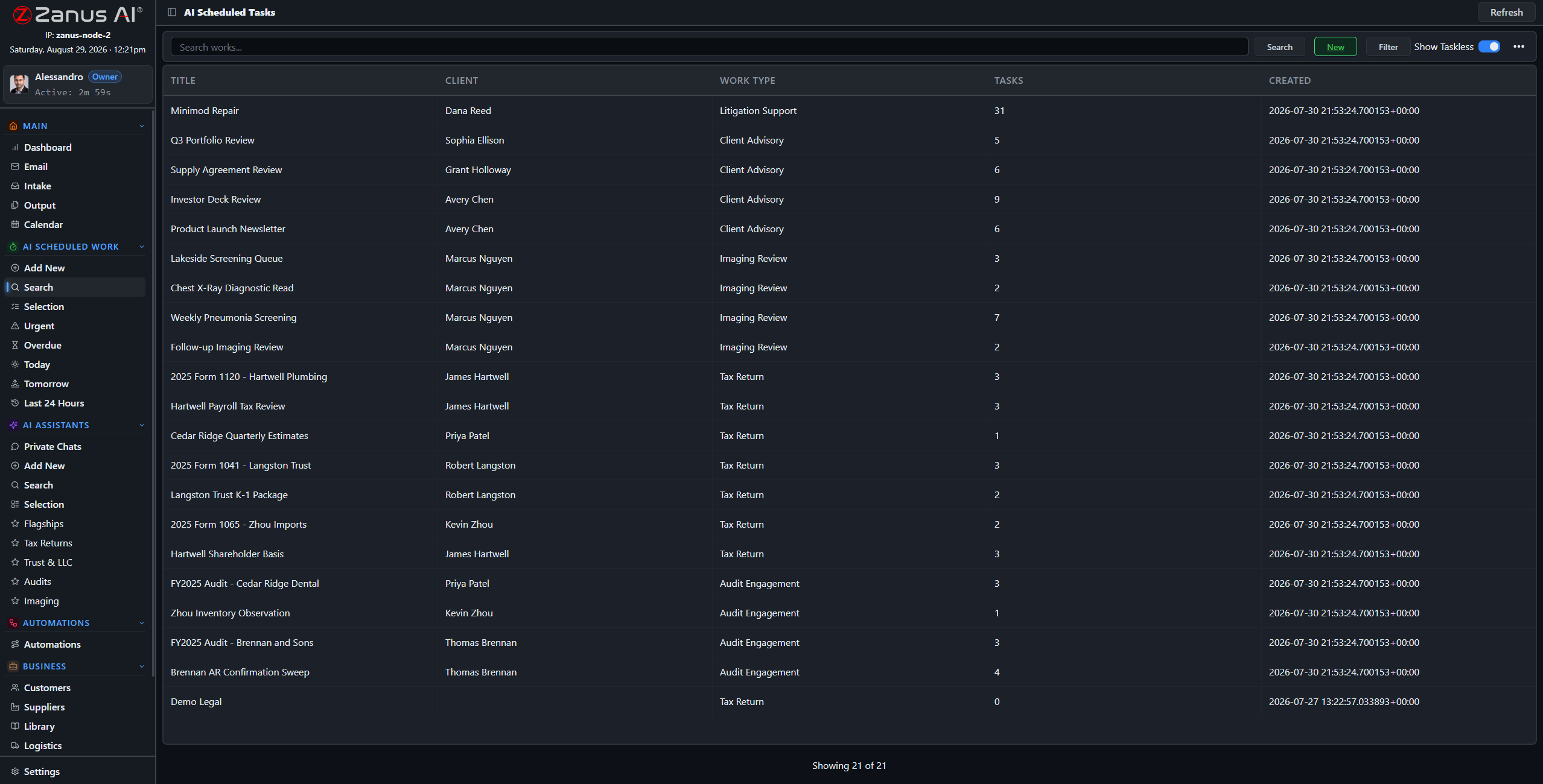
The roster of all scheduled works: searchable, filterable by client, type, category and date. Nothing the AI does is a black box — every work is one click away.

  • Search and filters across all AI work
  • Grouped views: Urgent, Overdue, Today
  • Jump from any row to the full session
Search and filter all AI works
Cloud AI subscriptions typically price per seat and meter the AI usage on top — and agent platforms hand you a toolkit that someone still has to design, build and maintain. Zanus Back Office ships as a WORKING system: unlimited users, every module included, grounded in YOUR documents from day one.

Questions, answered

How is this different from asking a chatbot?

A chatbot answers when you type. Zanus AI work is assigned, scheduled and prioritized like an employee’s: it executes at the set time, attaches to real business records, cites its sources and leaves a complete auditable session.

What kinds of work can it do?

Work types are defined per business: reviews, screenings, reports, drafting, analysis, monitoring — each with its own rules, default libraries and examples. Your industry package ships with the right types preloaded.

Can a person supervise?

Always. Every work has a full session you can open, read and redirect mid-execution. Output documents can require human approval before anything is sent.

See it working on YOUR business — the demo IS the product.

Get started
VIEW ALL NEXT

← Previous: Overview  ·  Sharing with a colleague? 📄 Get the PDF · ✉️ Email this page ·