AI E-mail for Wealth Management. An AI email responder for financial advisors and their clients
AI E-mail is an AI email responder for financial advisors that reads every message sent to the firm, finds the client, sorts it to client service, operations or an advisor and drafts the answer from your approved information. Routine replies can go out once you trust them, while your rules hold wire instructions, complaints and advice questions for a person every time.
TRY AI E-MAIL FREENo credit card · Ready in 2 minutesReady to buy? See plans & pricing ›
7 days free · per company, never per seat · nothing to install
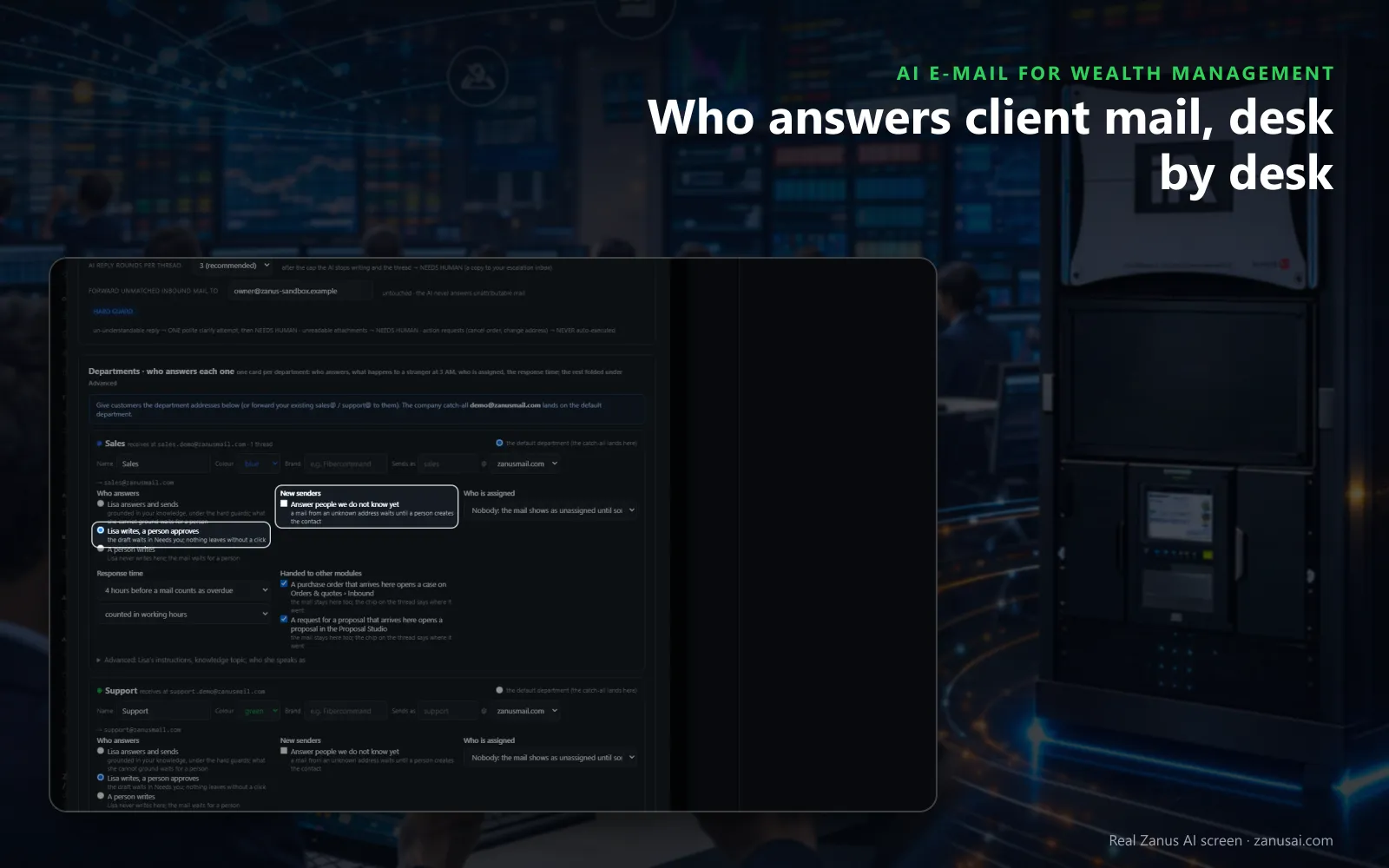
Rule per desk
Decide for each desk of the firm whether Lisa answers and sends, writes for a person to approve, or leaves the writing to your team.
 Easy setupSet up everything just by talking to Lisa AISee how ›
You“Hold every e-mail about wires or transfers for operations; never answer them alone.”
Lisa“I'm sorting mail about wires or transfers to operations, where a person writes every reply. Apply?”
You talk. Lisa sets it up. Applied only on your yes.
How Wealth Management use it
A client e-mails for two years of statements for her CPA; the draft reply with the request steps waits in Ready to send.
A message asks to send funds to a new bank account; it goes to Needs you for operations to decide, and nothing is sent.
A Portuguese-speaking client writes to move his review; the associate answers in English and the Portuguese translation goes beside it.
REAL AI - the whole Front Office is AI, not old software with an AI button.
What’s included
- Your own sending domain, set up and warmed for you; replies land in Front Office, not in a personal inbox
- Drafts and answers from your approved knowledge, in the customer's language; approve each one or let it send under rules you set
- Take over any thread and send from your own address; connect your Google or Microsoft mailbox for personal mail
- Every thread on the customer's record; a reply stops any running follow-up and alerts the owner
- Templates written from your knowledge; deliverability report, bounces, complaints, engagement
- Attachments, quotes and confirmations sent from the same place; nothing typed twice
Available on its own or inside a solution · See pricing › · Per company, never per seat.
Everything AI E-mail does, for every business ›
Works withLisa, your AI assistantAI Follow-upAI QuotingAI BookingAI TicketsAI Returns & Warranty
Client mail
An AI email assistant for financial advisors, desk by desk
One desk per team
Client service, operations, billing or the desks you name, each with its own address and its count of open client conversations, so email triage for RIAs happens before anyone opens a mail.
A draft already written
For routine mail, such as a statement copy or a review change, client email replies for advisory firms wait in Ready to send for an associate to read and send.
Only what needs a person
Needs you gathers the client mail that needs a decision, across every desk and every advisor's mailbox, each with Lisa's proposal beside it.
Who answers, per desk
Lisa answers and sends, Lisa writes and a person approves, or a person writes and Lisa never does: chosen for each desk on its own.
Set-up
A shared inbox for wealth management firms in 2 minutes
Your firm's addresses
Add the service, operations and info addresses and the desk each one lands on; the mailboxes your firm already has stay as they are.
Each advisor's mailbox
Advisors connect their own mailbox or forward a copy, and Lisa walks them through each step and runs the test with them.
Desks that always wait
Tell Lisa which desks she may answer alone and which wait for a person every time; each change is shown before and after.
A week of client mail
Run it on your firm's own mail for 7 days with no credit card, then read every reply Lisa prepared, sent or held.
Questions & answers
AI E-mail for Wealth Management: questions & answers
Can an AI answer client e-mails for a wealth management firm?
Yes, within the rules you set per department. By default Lisa writes and a person approves, so the draft waits in Ready to send. A department you trust can be switched to Lisa answers and sends, and every thread stays on the client's record.
Does the AI act on a wire or distribution request sent by e-mail?
No. Set the operations desk so a person writes every reply, and those threads wait for your staff. A person verifies the client by your procedures and decides; the AI never confirms that money moved.
Can advisors reply to clients from their own address?
Yes. Each advisor connects their own mailbox or forwards a copy, and mail sent from the Front Office goes out as their address, lands in its Sent folder and carries their signature and the firm's footer.
How does the shared inbox stop two associates answering the same client?
A manager assigns a thread to an associate, or an associate takes it over so Lisa stops writing on it. Overdue shows client mail unanswered past the response time you set, and Unassigned shows what nobody took yet.
Can the AI change a client's address after an e-mail?
No. Changing an address is one of the requests the AI never carries out by itself: the thread goes to a person, who checks the change with the client under your procedures.
Keep exploring
Where next?
Start with the one thing you need. Add more anytime by asking Lisa.
AI Front Office for Wealth Management ›
Easy setup
Answers & books
Sells
Helps your team
Included
Award-winning AI
Winner at CES 2026, ISE 2026 and TMCnet Enterprise AI Product of the Year.
REAL AI - the whole Front Office is AI, not old software with an AI button.
Awards & trade shows ›


Give Lisa your website.
She sets up your business in 2 minutes.
Other software makes you learn it. Zanus AI learns your business.
Try it free on your own business — no credit card, per company, never per seat.
Ready to buy? See plans & pricing ›
Or call +1 (954) 736-3939 — the AI answers.