AI Booking for Wealth Management. Scheduling for financial advisors, from first meeting to review
AI Booking is scheduling for financial advisors that books first meetings, annual reviews and onboarding meetings straight into each advisor's free time, from a call, a website chat, an inquiry form or your booking page. It offers only the slots that fit the meeting type, verifies the client before anything is booked, then confirms, reminds and re-books by itself.
TRY AI BOOKING FREENo credit card · Ready in 2 minutesReady to buy? See plans & pricing ›
7 days free · per company, never per seat · nothing to install
Advisors' agendas
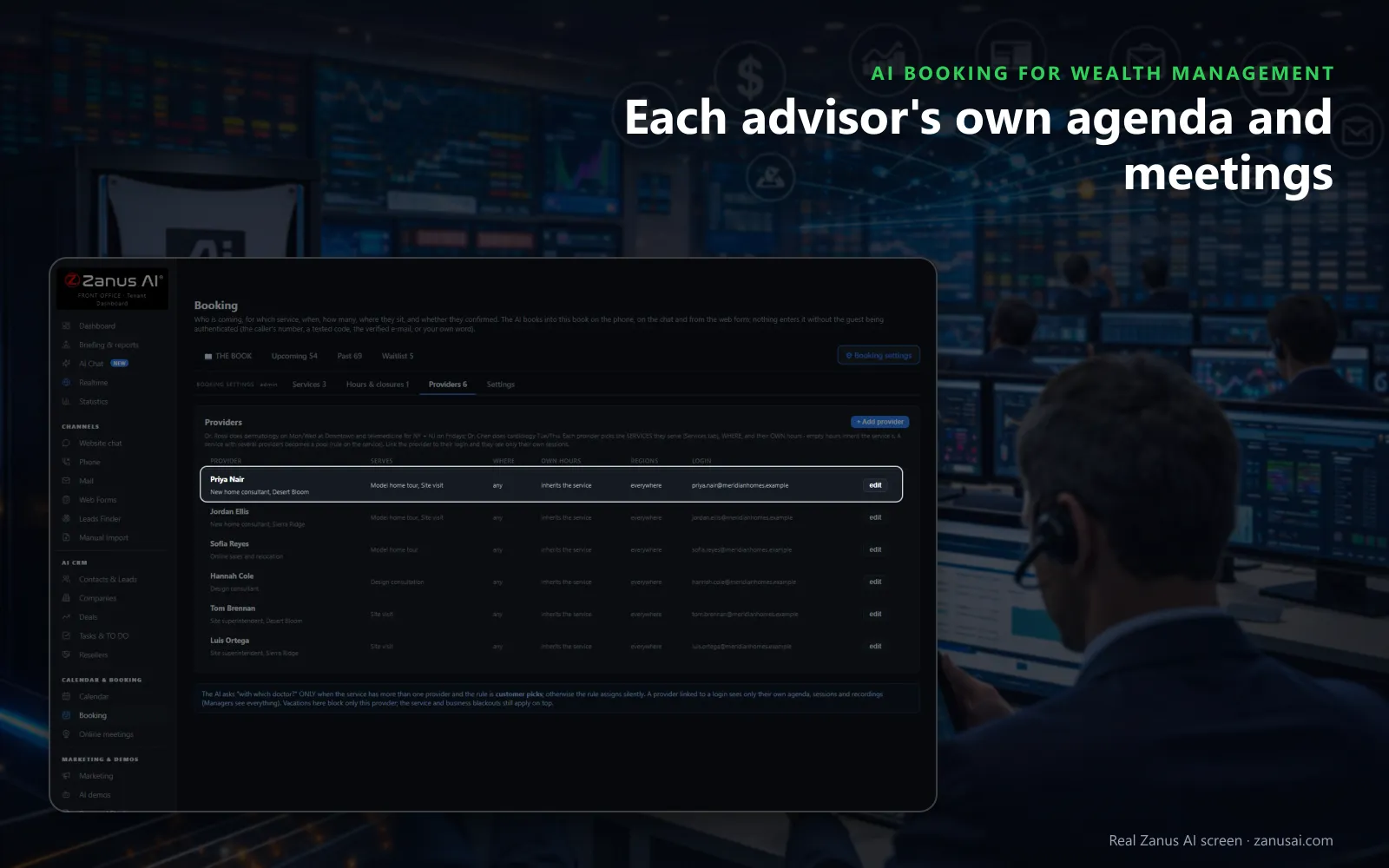
Each advisor serves their own meeting types with their own hours; when clients may choose, the AI asks which advisor they would like to see.
 Easy setupSet up everything just by talking to Lisa AISee how ›
You“First meetings last one hour, reviews forty-five minutes, with fifteen minutes free between them.”
Lisa“First meetings will book for an hour and reviews for forty-five minutes, each followed by a fifteen-minute rest. Apply?”
You talk. Lisa sets it up. Applied only on your yes.
How Wealth Management use it
A client calls to move her annual review to next week and picks a free slot on her own advisor's calendar.
A prospect referred by a CPA books an hour-long first meeting in the chat and receives the confirmation with what to bring.
A retired couple asks for a review at home; the AI offers only days that leave travel time between the advisor's visits.
REAL AI - the whole Front Office is AI, not old software with an AI button.
What’s included
- Booking inside the phone call, the chat, the e-mail and the form, plus a booking page
- By service and location: the AI offers the menu, then only the free slots of your live calendar
- Google / Outlook calendar connect; availability rules; buffers
- Confirmation and calendar invite e-mailed automatically; reminders; reschedule by reply
- Field visits with travel time; several providers with their own calendars
Add it to any contact channel — AI Phone, AI Webchat, AI E-mail or AI Web Forms — or get it inside a solution · See pricing › · Per company, never per seat.
Everything AI Booking does, for every business ›
Works withAI PhoneAI WebchatAI E-mailAI Web FormsLisa, your AI assistant
Every channel
Financial advisor scheduling from calls, chats and forms
Clients ask for a meeting wherever they are, and the AI books it while they are still there.
On the phone
A client who calls to move a review picks from two or three free times of their own advisor, and the confirmation is sent before the call ends.
In the website chat
A prospect reading your retirement-planning page asks for a meeting and books it in the conversation, verified by a texted code before it enters the book.
From your inquiry form
A booking question on the form lists your meeting types with live availability, so a prospect picks the first meeting while filling the form in.
On your booking page
Clients who prefer online scheduling on their own use the booking page, which books into the same free times the AI offers on the phone and in the chat.
By your associate
Client service books by hand for a client standing at the desk, with the associate's word as the verification and the same rules for length and rest.
Into the calendar advisors use
Each booking is written into the advisor's connected work calendar as an event, and that calendar's busy times are never offered to a client.
Meeting types
A scheduling tool for financial advisors that knows each meeting
First meetings
An hour, the few questions your firm asks before it, and the option to hold each request for an advisor's approval before the prospect is confirmed.
Annual and semi-annual reviews
The length, the rest after it and the minimum notice your firm sets, with only the client's own advisor offered unless clients may choose.
Onboarding meetings
Booked for a new client once the engagement is agreed, at the office or by video, with the questions your operations team needs answered first.
Reviews at the client's home
Where the meeting takes place is asked first; the areas you serve and the travel time between visits are kept, and an address outside them becomes a callback.
The advisor's week
Appointment scheduling software for financial advisors and their teams
Each advisor's own agenda
An advisor signs in to their own day and sees only their client meetings; a vacation or a conference blocks that advisor alone, not the whole firm.
The whole firm's week
The company view lays every advisor's reviews, calls and events side by side, with each day's meetings counted per meeting type.
Lisa reads the week
Ask Lisa what is next or to find a free hour on Thursday; she adds and moves her own events and never moves a client meeting without you.
Closures and holidays
Close the office for a holiday or a team retreat and clients hear the reason; meetings already booked in that time are listed for you to keep, move or cancel.
Before and after
Client review scheduling with reminders and no-show follow-up
Confirmation at once
The client receives the confirmation the moment the review is booked, then a reminder by text, e-mail or both, as many hours before as you choose.
A held place
With a texted code the slot is held for the minutes the meeting type sets while the client replies, so two clients never take the same time.
A waitlist for busy weeks
When the asked time is full in the weeks before year end, the AI offers the waitlist, and a freed slot is offered to the next client by text.
No-shows handled
A missed review is marked after the grace period and one polite message invites the client to book again; a second miss in a year asks for confirmation next time.
Compared
Scheduling for financial advisors compared with the alternatives
What the options advisory firms weigh do with a client who wants a meeting.
| Booking a client meeting | The phone and a paper diary | An online booking page | A person at the front desk | AI Booking |
|---|---|---|---|---|
| A request at 9 PM | Waits for the morning | Booked if the client finds the link | Waits for the morning | Booked at once: on the phone, in the chat or by form |
| The right advisor | Whoever reads the diary | The client must pick | Asked between other calls | The client's own advisor: or the one your rule assigns |
| The meeting length | Remembered by the assistant | One length per link | Remembered by the assistant | Set per meeting type: with rest and minimum notice |
| Reminders | A call if someone remembers | An e-mail | A call if there is time | Text and e-mail: the hours before that you choose |
| A missed review | Noticed later | Rarely followed up | Followed up by hand | Marked by itself: with one invitation to book again |
Set-up
Financial advisor scheduling software, set up in 2 minutes
Lisa reads your website
Lisa finds your offices on your pages and asks about your meeting types, how long each lasts and which advisor takes which clients.
Your line of business
Tell Lisa you are an advisory firm and she proposes the meeting types, lengths and client texts; you change any of them by talking, and she applies them on your yes.
Connect the advisors' calendars
Each advisor connects the work calendar they already use so its busy times are never offered, or the book runs on its own.
Seven days on real clients
Run the trial on your own firm with no credit card and read every meeting it booked, confirmed and re-booked when the week ends.
Questions & answers
Questions about scheduling for financial advisors
What is the best scheduling tool for financial advisors?
The one that books where clients already reach you and knows your meeting types. Look for booking from calls, chats and forms, only the right advisor's free times, a length and a rest for each meeting type, reminders by text and e-mail, and no-shows followed up. AI Booking does all of it from one book for the whole firm.
Can clients book their annual review with an AI?
Yes. On the phone, in the website chat or by form, the AI offers the free times of the client's own advisor at the length you set for a review, books the one chosen and sends the confirmation before the conversation ends.
How does the AI know an advisor's free time?
It reads each meeting type's hours, length, rest and minimum notice, the bookings already taken, the closures, and the busy times of the work calendar the advisor connects, read every five minutes. A slot blocked for a client lunch or a conference is never offered.
Will the AI book a prospect with the wrong advisor?
Each advisor is a provider with the meeting types they take, their own hours and their own agenda. The AI asks which advisor only when your firm lets clients choose; otherwise your rule assigns one, and an advisor's vacation blocks only that advisor.
How are clients verified before a meeting is booked?
By the number they call from, a code sent by text, a verified e-mail, or your associate's word when booking by hand. You pick the method for each meeting type, and nothing enters the book without it.
Do clients get appointment reminders before a review?
Yes. The confirmation leaves at once and the reminder goes by text, e-mail or both, as many hours before the meeting as you choose. When a review moves, the client is told the new time by text or e-mail.
What happens when a client misses a review?
After the grace period the booking is marked as a no-show and, with the rule on, the client receives one polite message inviting a new booking. A client who missed two meetings in a year is asked to confirm the next one.
Can a review be held by video instead of at the office?
Yes. Point a meeting type at an AI Online Meetings template and the reviews the AI books open a video room carrying your firm's name, which the client joins from a browser link with nothing to install.
Can first meetings wait for an advisor's approval?
Yes. Mark a meeting type as subject to approval and each request lands on Upcoming as a request, while the prospect is told the time is requested. Confirming sends the confirmation; declining offers the next free time.
Does it work across several offices and time zones?
Yes. Each office keeps its address and its own time zone, each meeting type says where it happens, and the AI asks the client which office suits them before it offers a time.
How much does financial advisor scheduling software cost here?
AI Booking is priced per company, never per advisor or per calendar, so the whole firm books from one subscription. Every advisor's review calendar can be tried free for 7 days, with no credit card, before the firm picks a plan.
Keep exploring
Where next?
Start with the one thing you need. Add more anytime by asking Lisa.
AI Front Office for Wealth Management ›
Easy setup
Answers & books
Sells
Helps your team
Included
Award-winning AI
Winner at CES 2026, ISE 2026 and TMCnet Enterprise AI Product of the Year.
REAL AI - the whole Front Office is AI, not old software with an AI button.
Awards & trade shows ›


Give Lisa your website.
She sets up your business in 2 minutes.
Other software makes you learn it. Zanus AI learns your business.
Try it free on your own business — no credit card, per company, never per seat.
Ready to buy? See plans & pricing ›
Or call +1 (954) 736-3939 — the AI answers.