ZANUS FRONT OFFICE FOR ENERGY SERVICES — AI BRIEFING NEW
Your morning starts with the overnight already handled.
Before the trucks roll: how many customers called after hours, which run-outs were routed to the on-call driver, which delivery windows were booked, which RFQs came in and which bids went out, which operator opened the bid twice, which supplier asked about a PO — and the three accounts that need a human call today. In-app and by email, every day.
Try it free 7 days on your own business · no credit card · per company, never per seat
REAL AI - the whole Front Office is AI, not old software with an AI button. Give it your website: it learns your company, works from your approved knowledge and gets better with every answer you approve.
Live on this site right now — the assistant in the corner is the product · Award-winning AI — CES · ISE · TMCnet
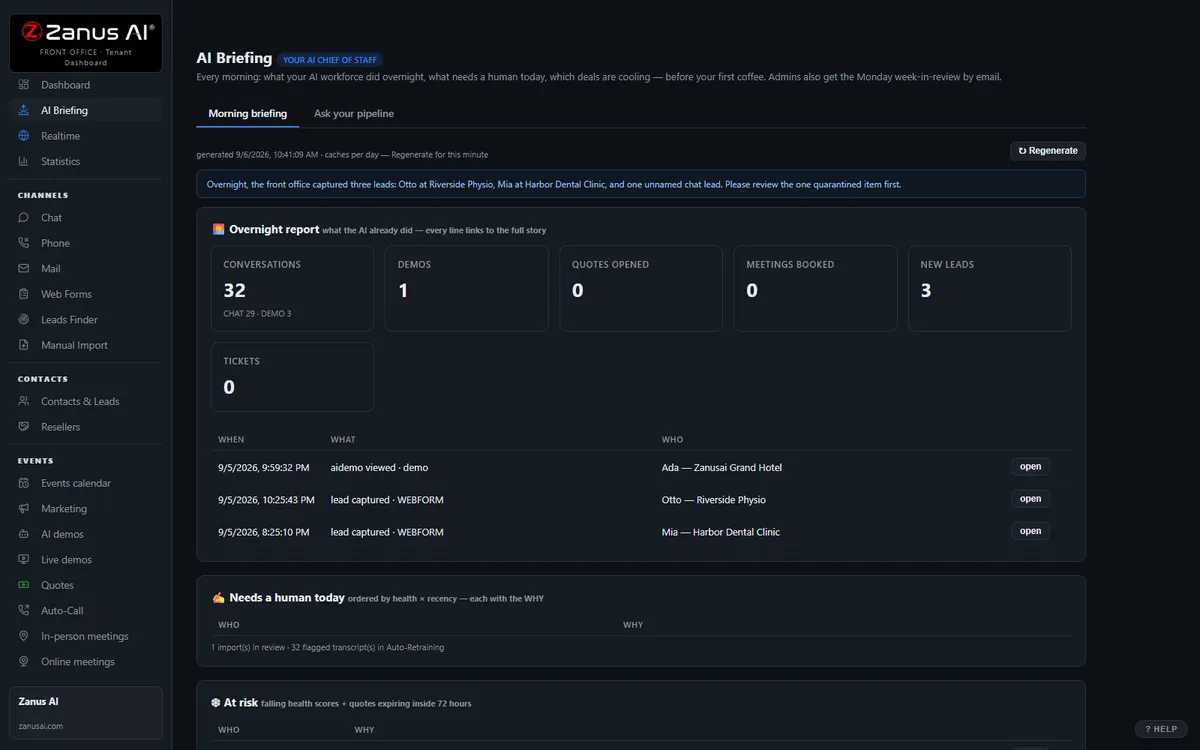
The real AI Briefing menu: the morning digest, then ask your pipeline anything.
What it does
Calls answered, deliveries booked, run-outs routed, RFQs acknowledged, bids drafted for approval — the dispatch desk starts with the work done.
The operator who wants a crew tomorrow, the disputed delivery, the landowner complaint, the bid opened three times — ranked, with the transcript.
“How many run-outs this week?” “Which account’s volume dropped?” Answers from your data only — no data, no claim.
Inside AI Briefing — the real screens
Click a tab. Every picture is the live Front Office, not a mockup — the left menu is the whole product.
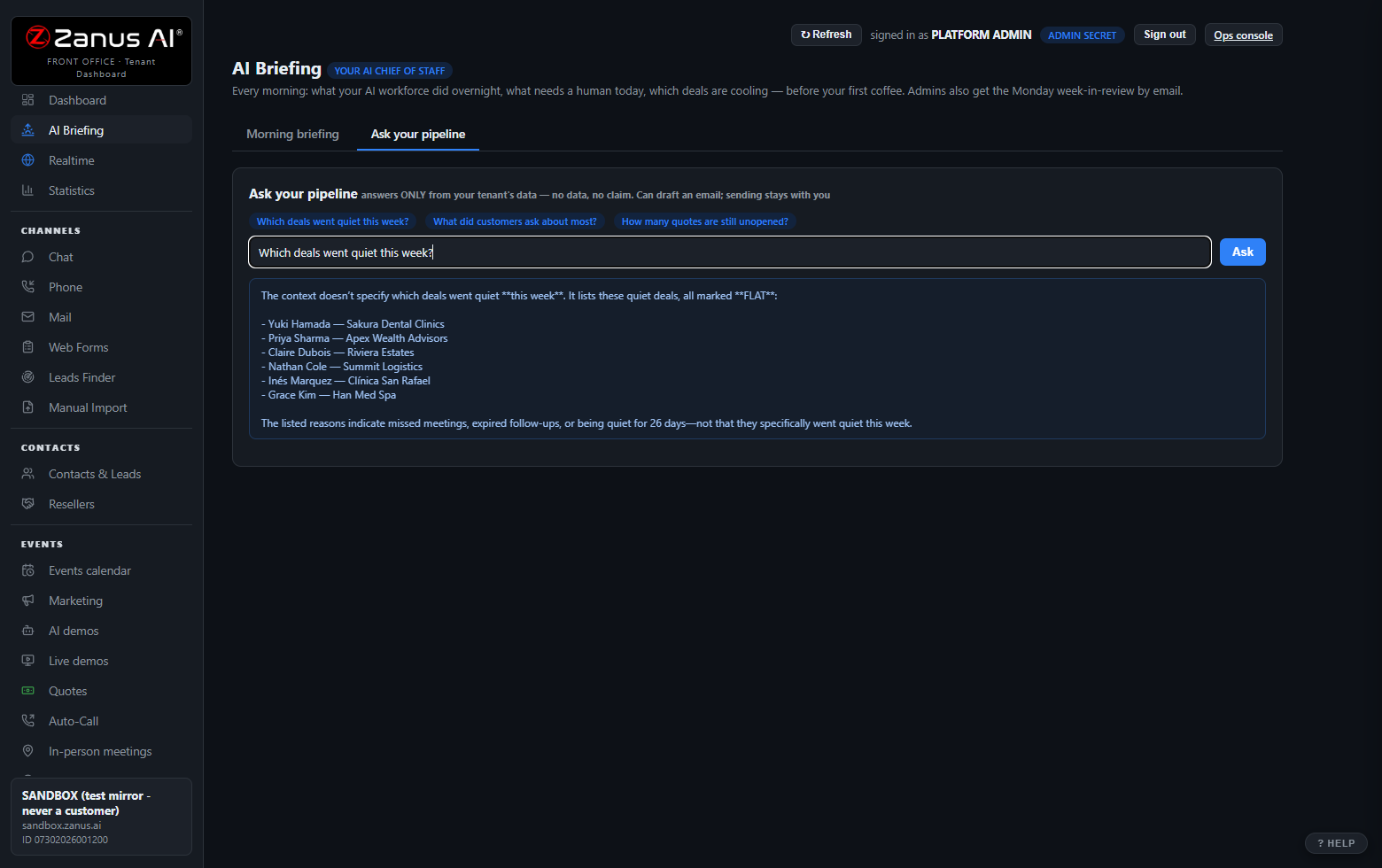
Ask-your-pipeline: question your business in plain language
"Which deals went quiet this week?" "Which operator asked about tank availability in the basin this week?" "How many bids sent this week are still unopened by the operator?" It answers ONLY from your tenant’s data — no data, no claim, the same discipline as every Zanus answer. It can draft the follow-up email; sending always stays with you.
- Contacts, companies, funnels, quotes, transcripts, stats
- Numbers come from queries, never from model memory
- Drafts land in your operator queue — never auto-sent
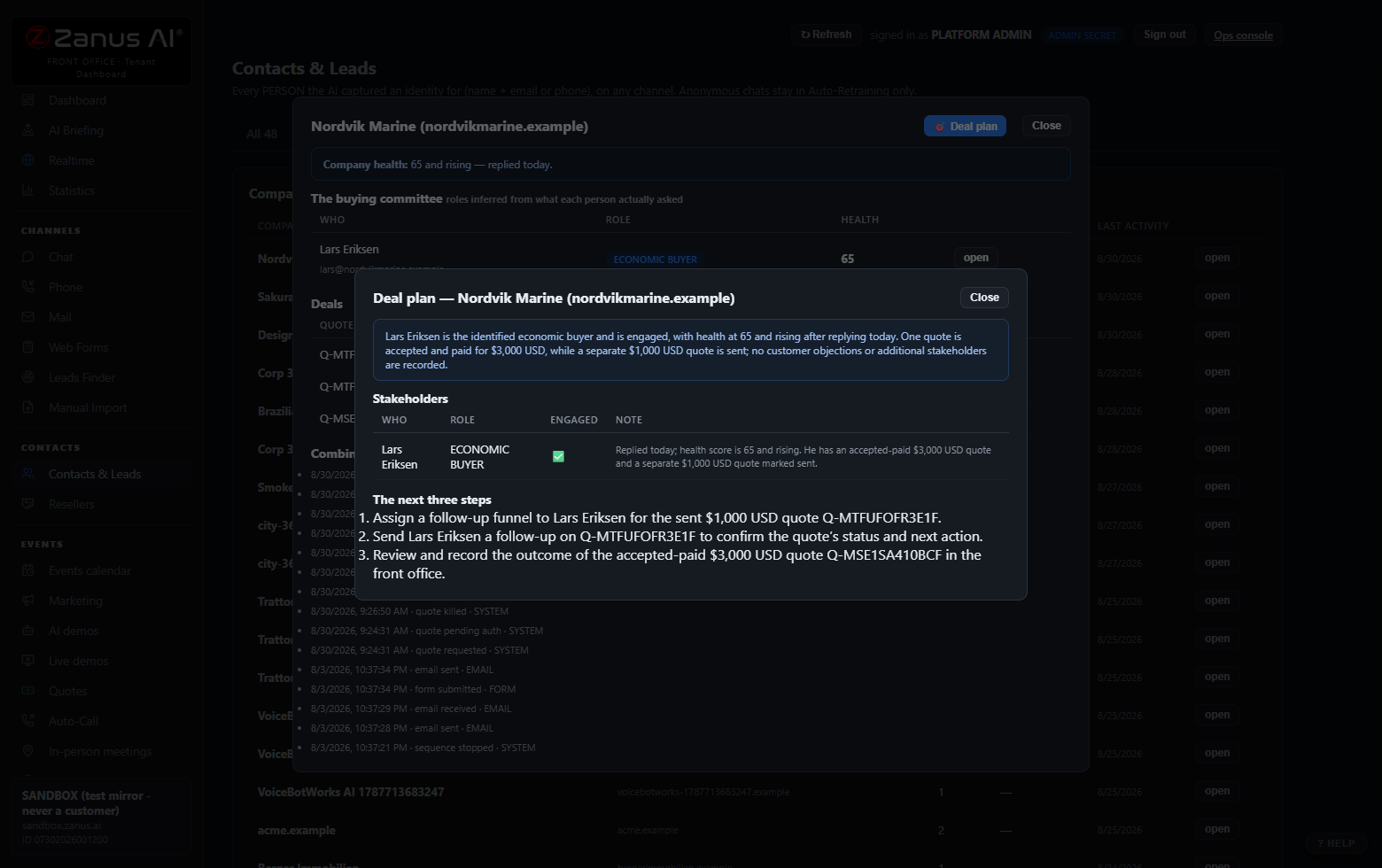
Deal Plan: the plan to win, one click
On any contact or company: stakeholders engaged (and the missing ones), objections raised — answered and unanswered — engagement trajectory, and the next three steps as concrete Front Office actions.
- One page, human-readable, regenerate anytime
- Built from the full story: every call, chat, demo and email
- Works at company level too
Available on its own — or inside a solution
Questions, answered
Who receives the briefing?
Whoever you choose: the owner, the dispatch manager, the sales manager, each yard or basin lead with their own accounts only. In-app and by email, with the shortcuts into every record it mentions.
Does it act on its own?
It reports and drafts. Follow-up messages and bids land in your operator queue for a click; nothing about safety, credit or non-standard terms is sent without a person.
Try it free on your own operation. 7 days. No credit card.
Give it your website. It learns your company. Then call it, chat with it, e-mail it — and decide. Nothing to install, nothing to cancel.
← Previous: Overview · Sharing with a colleague? 📄 Get the PDF · ✉️ Email this page ·