ZANUS FRONT OFFICE FOR CHURCHES — PARTNER ORGANIZATIONSNEW
The organizations around your congregation — mapped from real conversations.
A congregation lives among organizations: the funeral homes that call about services, the recovery group and the scout troop that meet in the hall, the shelter you cook for, the parish school, the vendors, the diocese or denominational office, the sister congregation that shares your building. The AI groups contacts under each organization automatically, keeps their history in one place, and flags the partner that has gone quiet.
Try it free 7 days on your own business · no credit card · per company, never per seat
REAL AI - the whole Front Office is AI, not old software with an AI button. Give it your website: it learns your company, works from your approved knowledge and gets better with every answer you approve.
Live on this site right now — the assistant in the corner is the product · Award-winning AI — CES · ISE · TMCnet
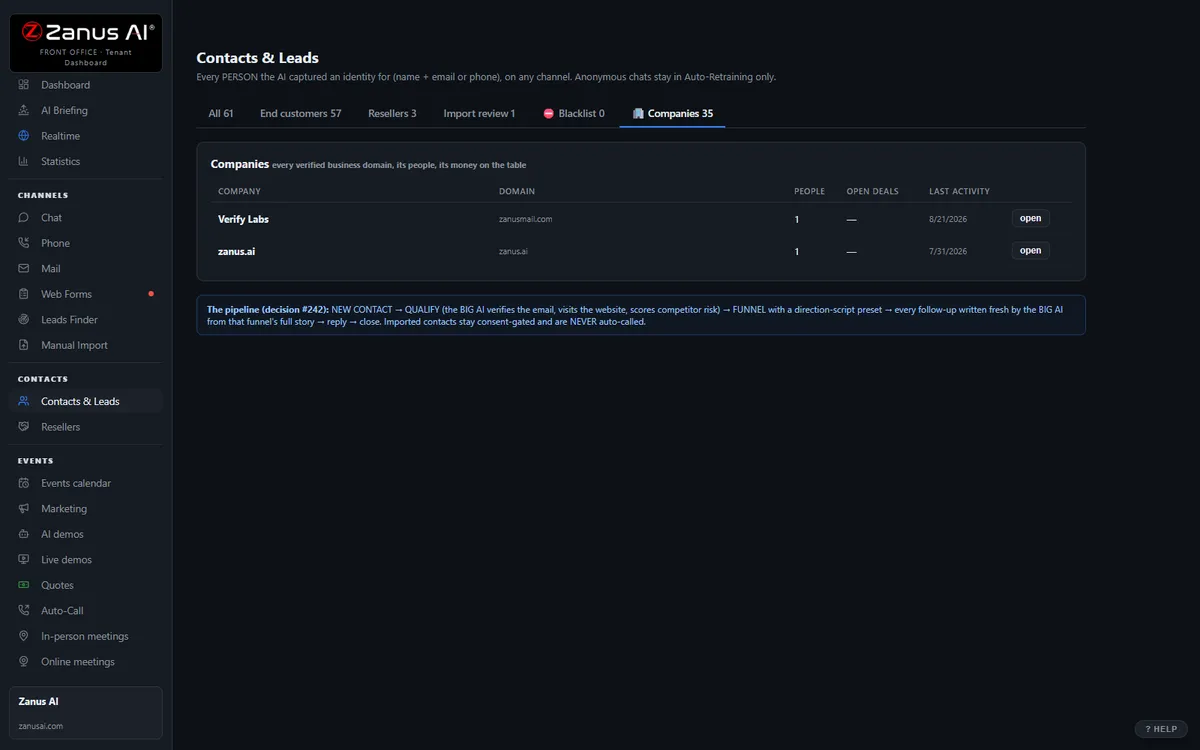
The real Companies tab: all the people, roles, combined timeline, health score.
What it does
Contacts from the same funeral home, school or agency cluster automatically; who called, what was booked, which policy they were sent — without a spreadsheet.
Every organization carries a 0–100 score and the reasons: requests waiting, a room request left unanswered, a partner who has not called since spring.
Which groups use which rooms on which nights, their insurance renewal dates and contacts — the administrator’s binder, kept by the AI.
Inside Companies — the real screens
Click a tab. Every picture is the live Front Office, not a mockup — the left menu is the whole product.
Health score on everything — always with the WHY
Every contact and company carries a 0–100 health score recomputed from real events: recency, demo engagement, quote opens, reply sentiment, call outcomes. "62 and falling — no reply to the last two touches, quote unopened for 9 days."
- On contact cards, company cards and a sortable Statistics column
- Falling scores surface in the morning briefing’s At Risk list
- Available on its own or inside a solution
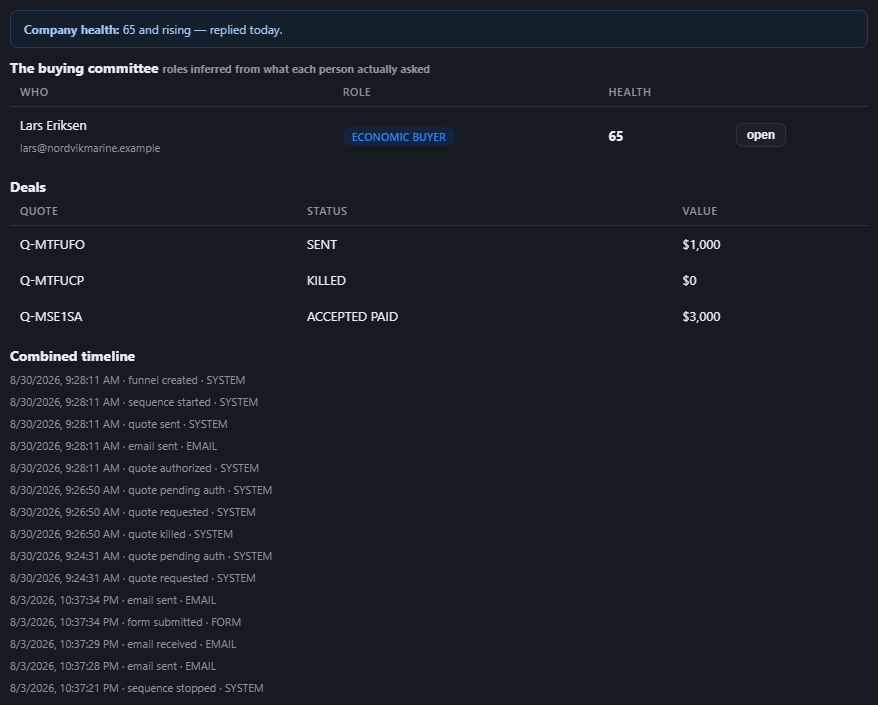
Available on its own — or inside a solution
Questions, answered
Does this cover the diocese or our denomination’s office?
Yes, where you record them — useful for the office that handles reporting requests, clergy scheduling or shared events with the wider body. Available on its own or inside a solution — see pricing.
Is this about donors or grants?
No. It maps the organizations your front office talks to. Stewardship and giving stay in your finance systems.
Try it free on your own congregation. 7 days. No credit card.
Give it your website. It learns your company. Then call it, chat with it, e-mail it — and decide. Nothing to install, nothing to cancel.
← Previous: Booking · Sharing with a colleague? 📄 Get the PDF · ✉️ Email this page ·