ZANUS FRONT OFFICE FOR AEROSPACE & AVIATION — OPERATORS & SUPPLIERSNEW
Operators, brokers and suppliers — mapped from real conversations.
An aviation business lives on its organizations: the airlines and fleets that send RFQs, the flight departments that base or visit, the MROs that sub-contract to you, the brokers who quote your stock, the lessors and the suppliers who feed you. The AI groups buyers, DOMs, schedulers and quality contacts under each organization automatically, scores the relationship, and flags the operator whose RFQs have stopped — before the business goes somewhere else.
Try it free 7 days on your own business · no credit card · per company, never per seat
REAL AI - the whole Front Office is AI, not old software with an AI button. Give it your website: it learns your company, works from your approved knowledge and gets better with every answer you approve.
Live on this site right now — the assistant in the corner is the product · Award-winning AI — CES · ISE · TMCnet
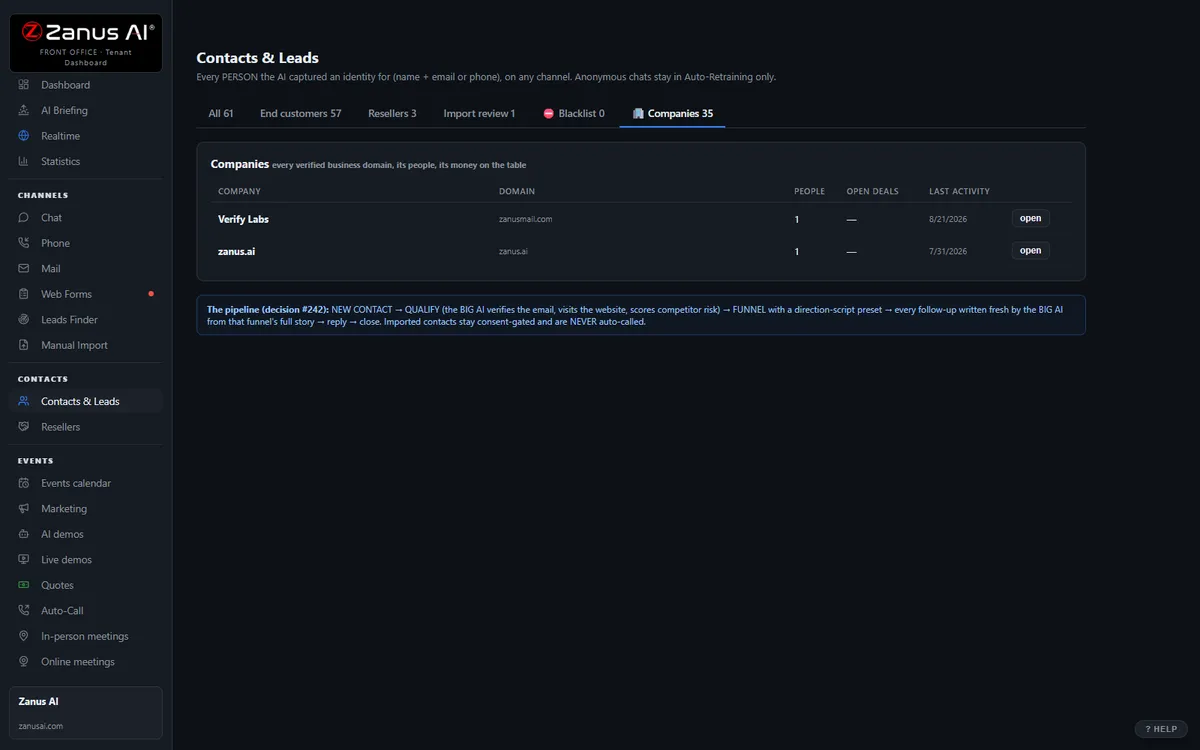
The real Companies tab: all the people, roles, combined timeline, health score.
What it does
Pricing and terms — the buyer. Repair scope and paperwork — the DOM or quality. Arrival logistics — the scheduler. Labeled on every person, from what they asked.
Every organization carries a 0–100 score and the reasons: RFQs slowing, quotes unopened, a status request left waiting, a complaint open.
The operator where you know the buyer but never the DOM — flagged, so a person can reach whoever approves the repair source.
Inside Companies — the real screens
Click a tab. Every picture is the live Front Office, not a mockup — the left menu is the whole product.
Health score on everything — always with the WHY
Every contact and company carries a 0–100 health score recomputed from real events: recency, demo engagement, quote opens, reply sentiment, call outcomes. "62 and falling — no reply to the last two touches, quote unopened for 9 days."
- On contact cards, company cards and a sortable Statistics column
- Falling scores surface in the morning briefing’s At Risk list
- Available on its own or inside a solution
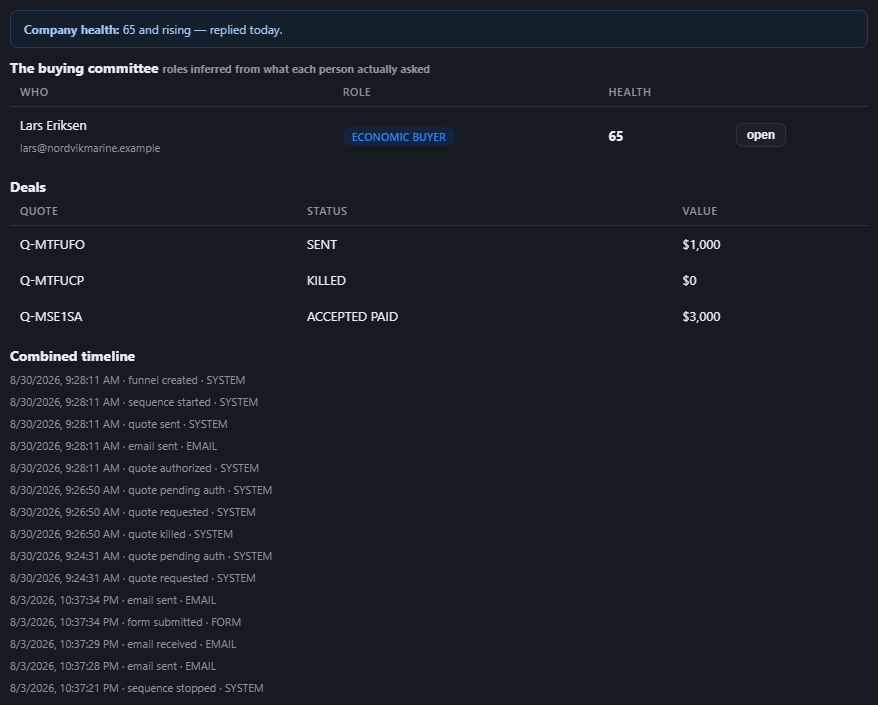
Available on its own — or inside a solution
Questions, answered
Does this include our suppliers and brokers?
Yes — any organization you talk to. Suppliers, brokers and lessors are mapped the same way, with their people and the combined timeline of RFQs, quotes and requests.
Which solution includes it?
Available on its own or inside a solution. Which solution includes what: see pricing.
Try it free on your own operation. 7 days. No credit card.
Give it your website. It learns your company. Then call it, chat with it, e-mail it — and decide. Nothing to install, nothing to cancel.
← Previous: Booking · Sharing with a colleague? 📄 Get the PDF · ✉️ Email this page ·