ZANUS AI FOR STAFFING & RECRUITMENT — AUTOMATIONS
Set it Monday. It runs forever.
Describe the job in plain words — “when a resume arrives, parse it, match it against open orders and alert the desk owner” — and it becomes connected blocks on a canvas, running on its own, with every run visible.
Private tenant or your own server · unlimited recruiters · EEOC-conscious workflows
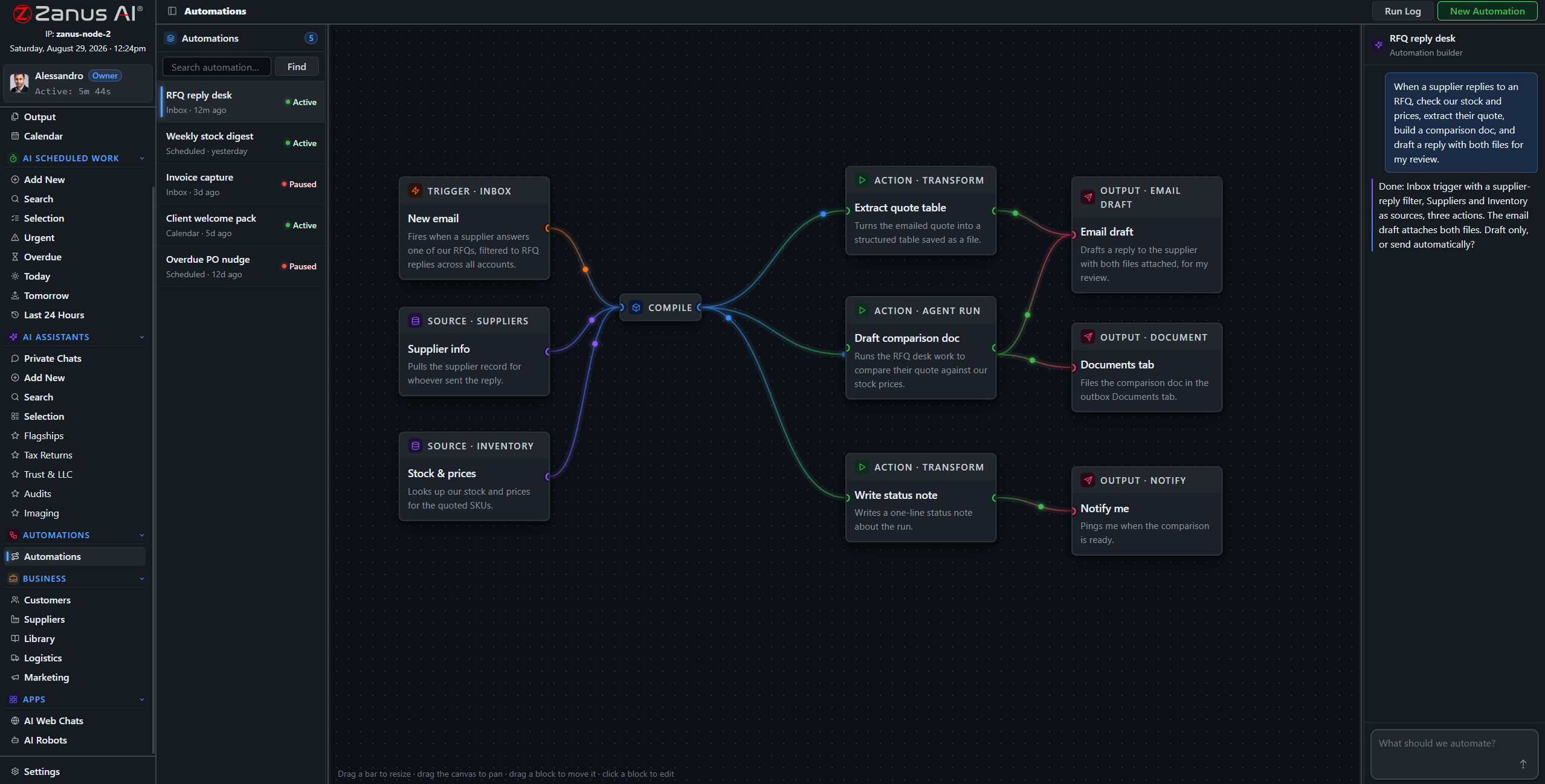
A real flow: inbox trigger, database sources, AI matching step, three outputs — drawn from a description.
What it does
Every resume hitting the inbox is parsed, deduplicated against the database, matched to open job orders and filed — with the recruiter alerted only when there’s a hit.
A finished interview triggers the transcript filing, the thank-you note draft and the client update — queued for approval before anything sends.
Contracts ending in three weeks trigger the redeployment scan and the check-in draft — the bench stays short because the system watches the dates.
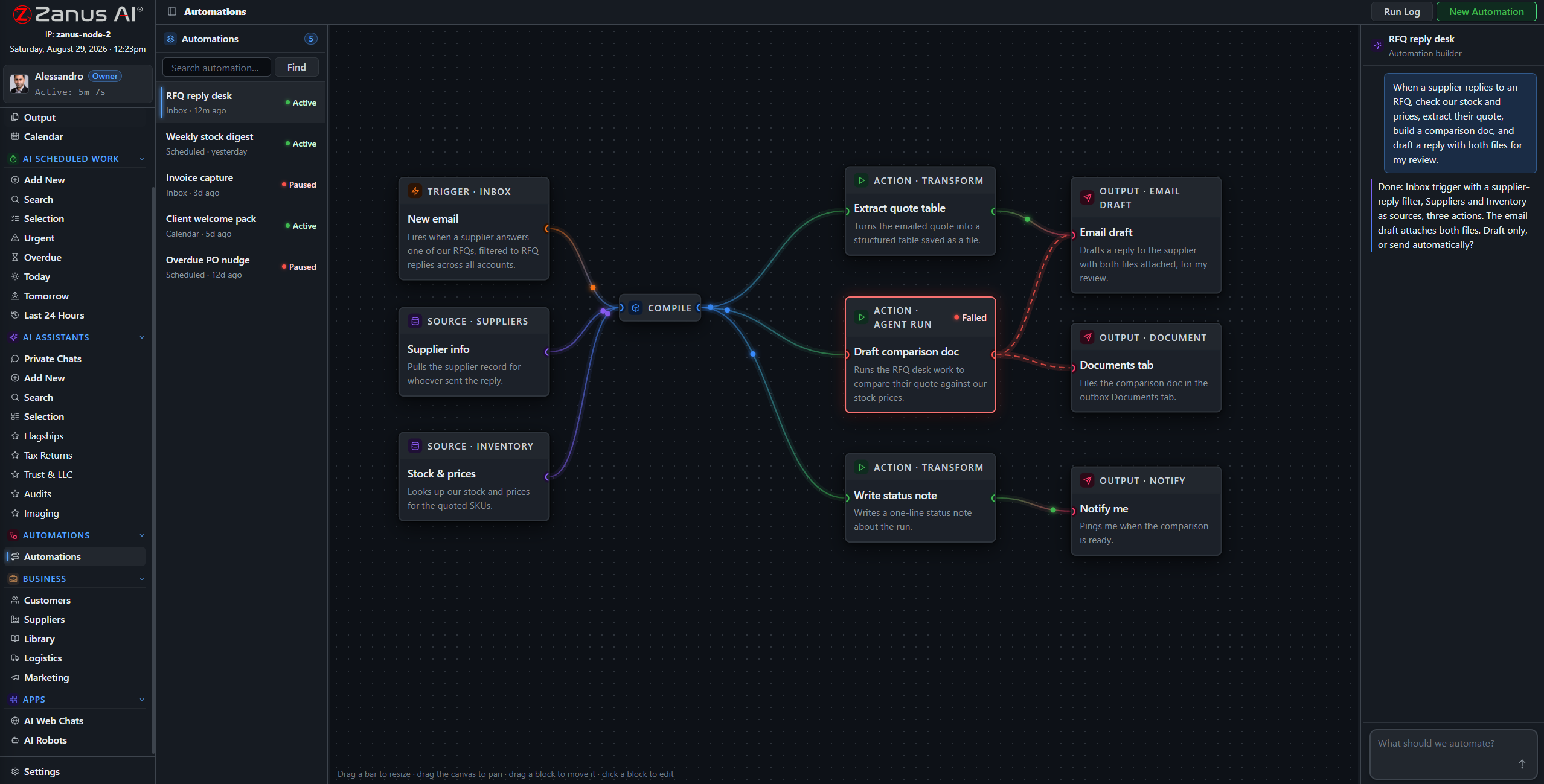
When something fails, you SEE it
Run states live on the flow: green success, red failure on the exact block. A submittal that silently never went out is a lost placement — here, nothing fails silently.
- Run log per automation
- One-click retry on failures
- Finished documents in Output, statused
Questions, answered
Who approves what goes to clients and candidates?
Your rules: queue everything for human approval, or auto-send only the categories you designate as safe — status acknowledgements, say, but never submittals.
See it working on YOUR desk — the demo IS the product.
← Previous: Team Training · Sharing with a colleague? 📄 Get the PDF · ✉️ Email this page ·