ZANUS FRONT OFFICE FOR AUTO-CALL — REACH & RESULTSNEW
Which window reaches people, which message works — in numbers, with the WHY.
How many contacts were reached on the first attempt between 5 and 7 PM versus at noon, which campaign produced the most confirmations, how many balances were paid within a day of the call, the no-show risk of an appointment whose reminder went unanswered twice, the questions customers asked during agent calls that your knowledge could not answer — computed from the calls the AI itself placed, not from fields someone filled in. Every number comes with the reasons.
Try it free 7 days on your own business · no credit card · per company, never per seat
REAL AI - the whole Front Office is AI, not old software with an AI button. Give it your website: it learns your company, works from your approved knowledge and gets better with every answer you approve.
Live on this site right now — the assistant in the corner is the product · Award-winning AI — CES · ISE · TMCnet
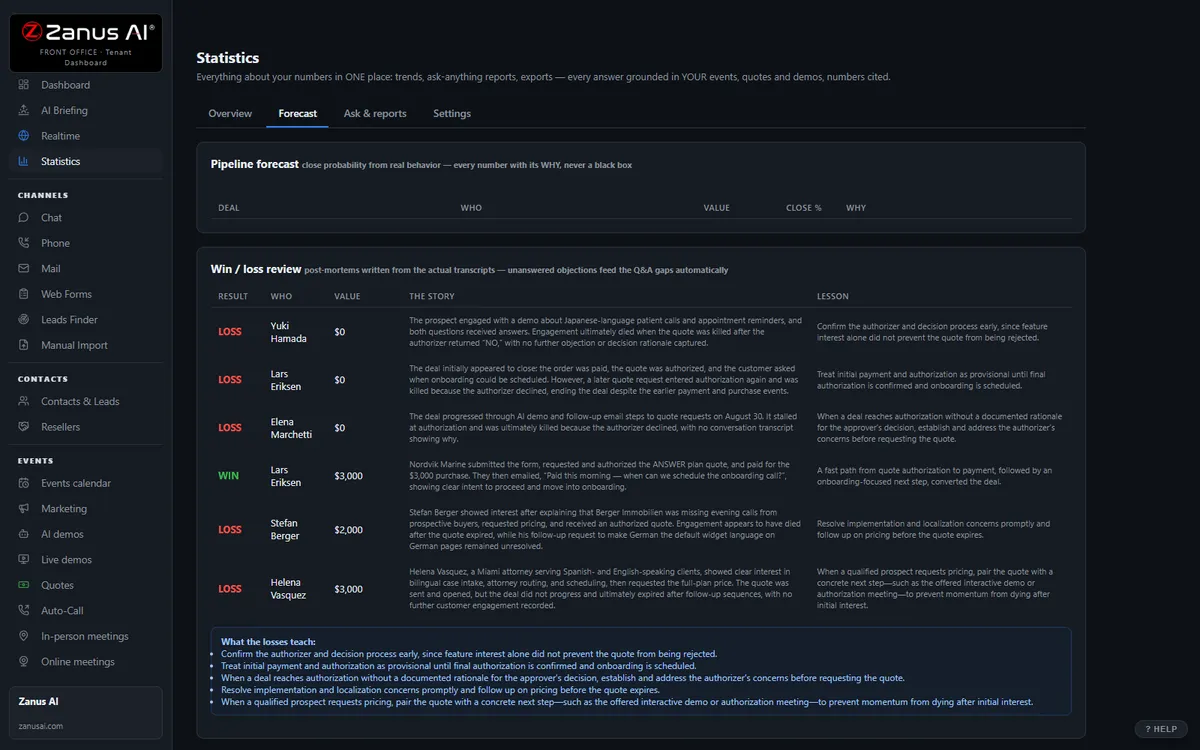
The real Statistics → Forecast tab: every deal, probability + the WHY. Auditable — not a black box.
What it does
Reached, voicemail, no answer per hour and day: so you set the call window that actually gets picked up, per campaign.
Confirmed, moved, paid, collected — per campaign and per message version; the no-show or late-payment risk with the WHY on every line.
The questions the AI could not answer during agent calls, grouped: answer once, and the next campaign knows it.
Inside Forecast & Statistics — the real screens
Click a tab. Every picture is the live Front Office, not a mockup — the left menu is the whole product.
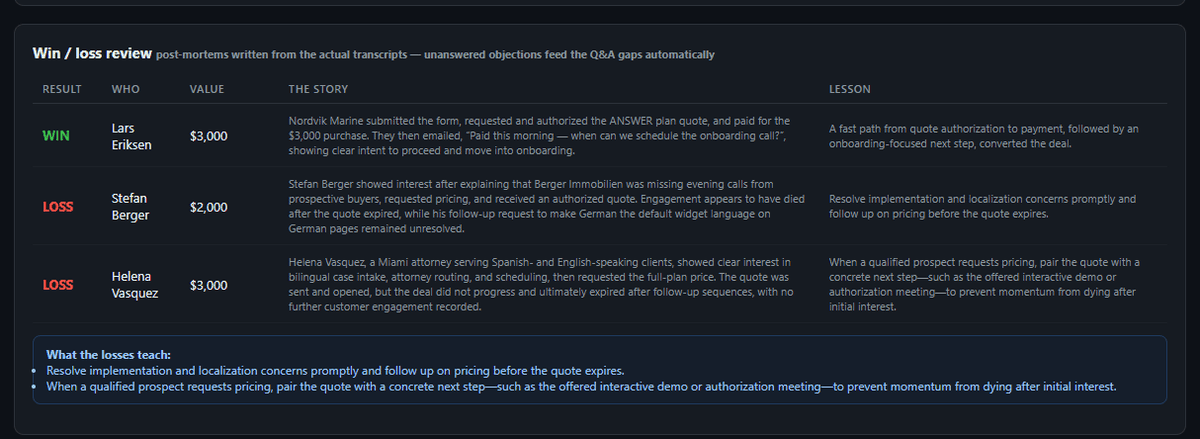
Every lost deal makes the next one easier to win
Objections that were never answered feed the knowledge-gap queue automatically. Answer once — every channel knows it forever. Aggregate view: your top 5 loss reasons this quarter.
- Post-mortems from transcripts, not from a rep’s memory
- Losses become knowledge, automatically
- Response-time stats included
Available on its own — or inside a solution
Questions, answered
Can it tell me whether the calls pay for themselves?
It shows what the AI placed and what came of it — confirmations, reschedules, payments, pickups — by campaign, window and channel, exportable as PDF or spreadsheet. The value of a kept appointment or a paid balance is yours to weigh; the counts are auditable.
Which solution includes it?
Available on its own or inside a solution. Which solution includes what: see pricing.
Try it free on your own business. 7 days. No credit card.
Give it your website. It learns your company. Then call it, chat with it, e-mail it — and decide. Nothing to install, nothing to cancel.
← Previous: Companies · Sharing with a colleague? 📄 Get the PDF · ✉️ Email this page ·