ZANUS AI FOR SMALL BUSINESS — AUTOMATIONS
The busywork loop, closed.
Describe the chore in plain words — “when a job is marked done, draft the invoice and put the payment reminder on the calendar” — and it becomes connected blocks on a canvas, running by itself, with every run visible.
Private tenant or your own server · your whole team · one flat price, no per-seat fees
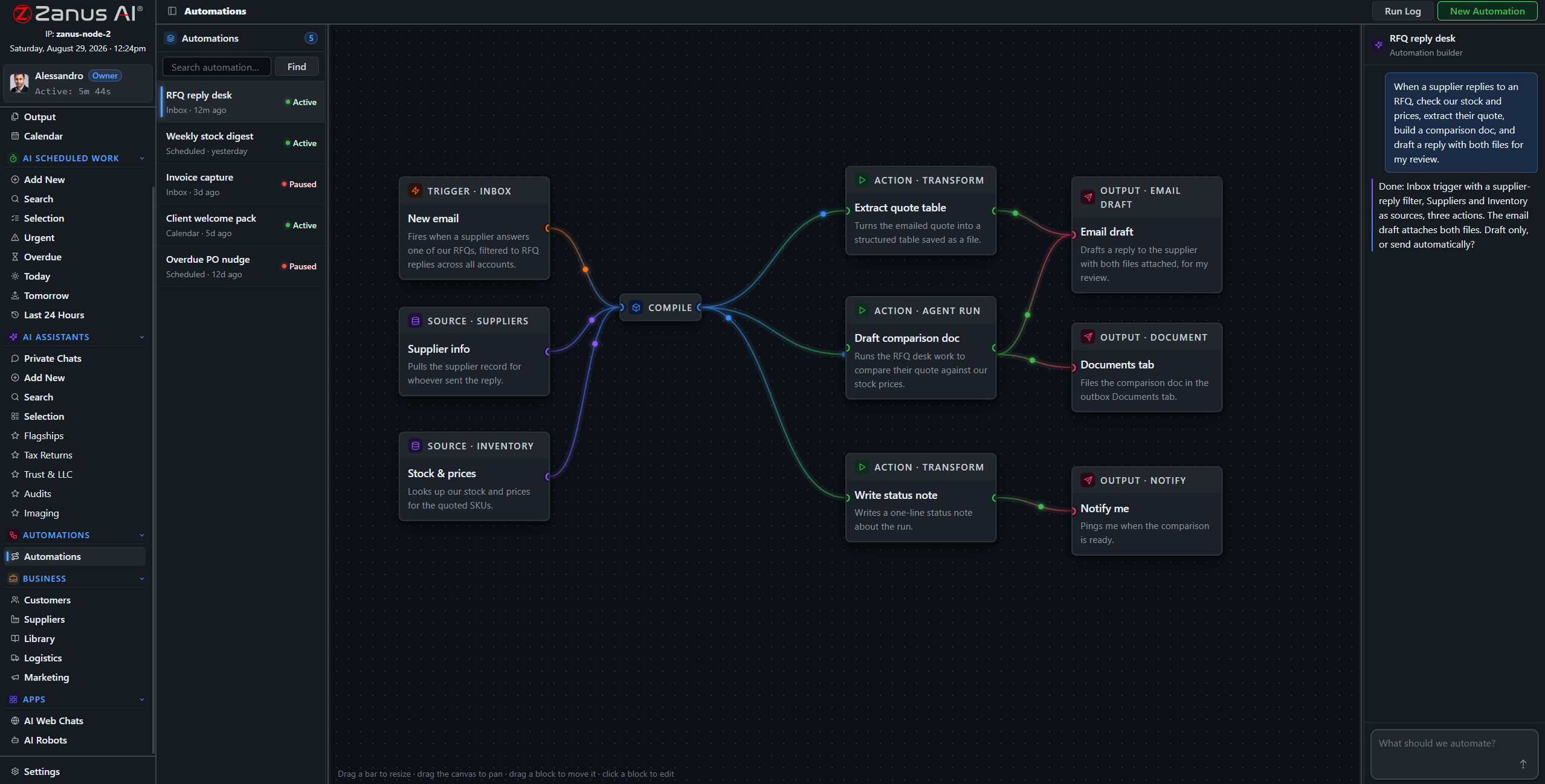
A real flow: trigger, sources, AI step, actions — drawn from a plain-language description.
What it does
A web form arrives → the AI qualifies it, drafts the quote from your prices, offers slots and books the job — you meet the customer at hello, already scheduled.
Mark the job complete → invoice drafted from the quote, queued for approval, payment link attached — the gap between finishing and billing drops to minutes.
Day 14 unpaid → a friendly nudge drafts itself; day 30 → a firmer one. You approve the tone once; the awkward chasing stops being your job.
When something fails, you see it
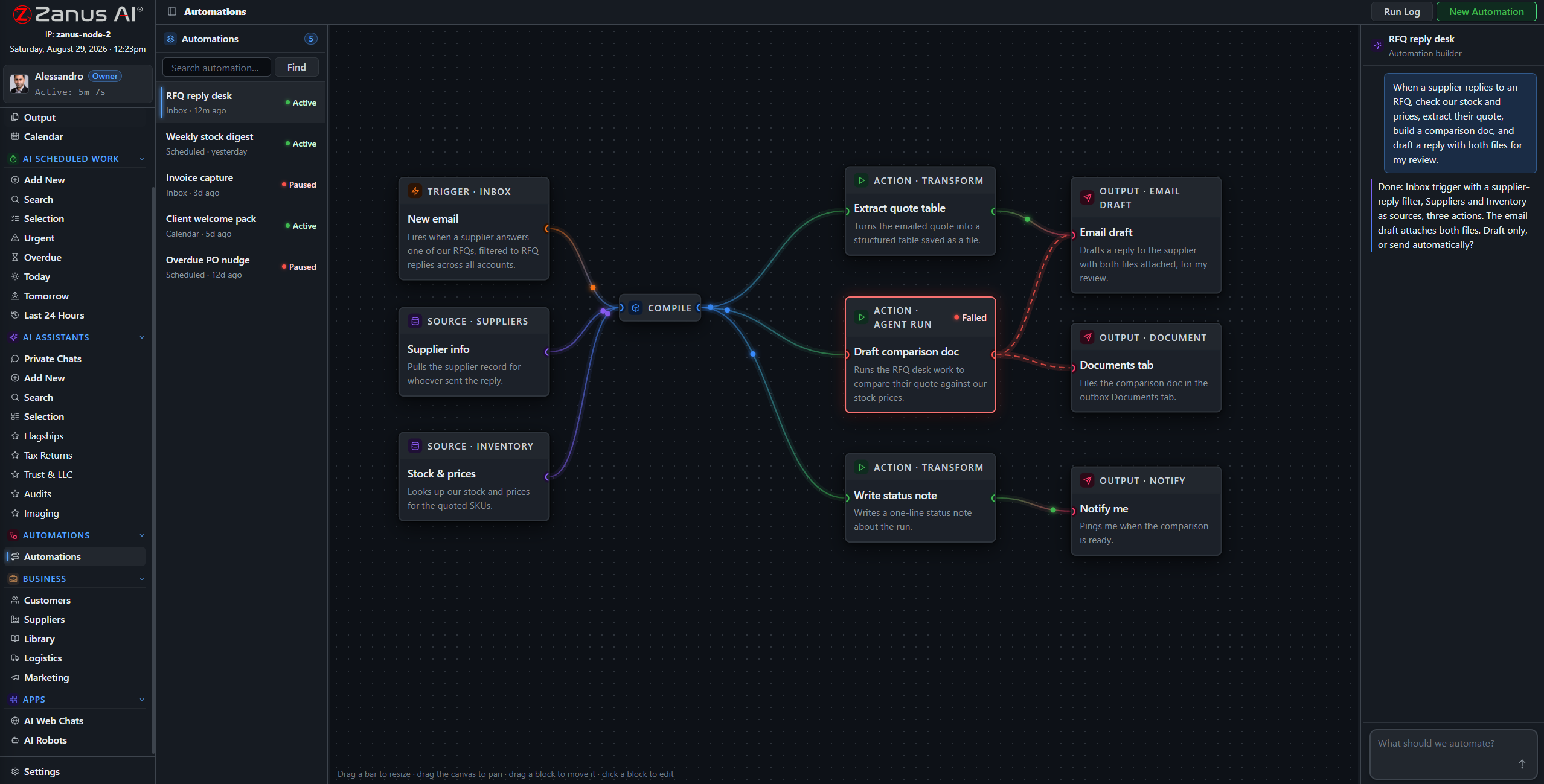
Run states live on the flow: green success, red failure on the exact block that broke. A one-person business cannot afford silent failures — here, a failed run is a visible red block with a one-click retry, not a surprise three weeks later.
- Run log per automation, every execution listed
- One-click retry on the failed block
- Outputs filed and statused, nothing vanishes
Questions, answered
Do I need to know how to code?
No. Describe the chore in plain language and the canvas assembles the blocks. If you can explain it to a helper, you can automate it.
See it working on YOUR business — the demo IS the product.
← Previous: Team Training · Sharing with a colleague? 📄 Get the PDF · ✉️ Email this page ·