ZANUS AI FOR LAW FIRMS — AUTOMATIONS
The firm’s repetitive work, set once.
Describe the job in plain words — “when an intake is accepted, draft the engagement letter and open the matter checklist” — and it becomes connected blocks on a canvas, running on its own, with every run visible and retryable.
Private tenant or your own server · your whole team · privilege-conscious architecture
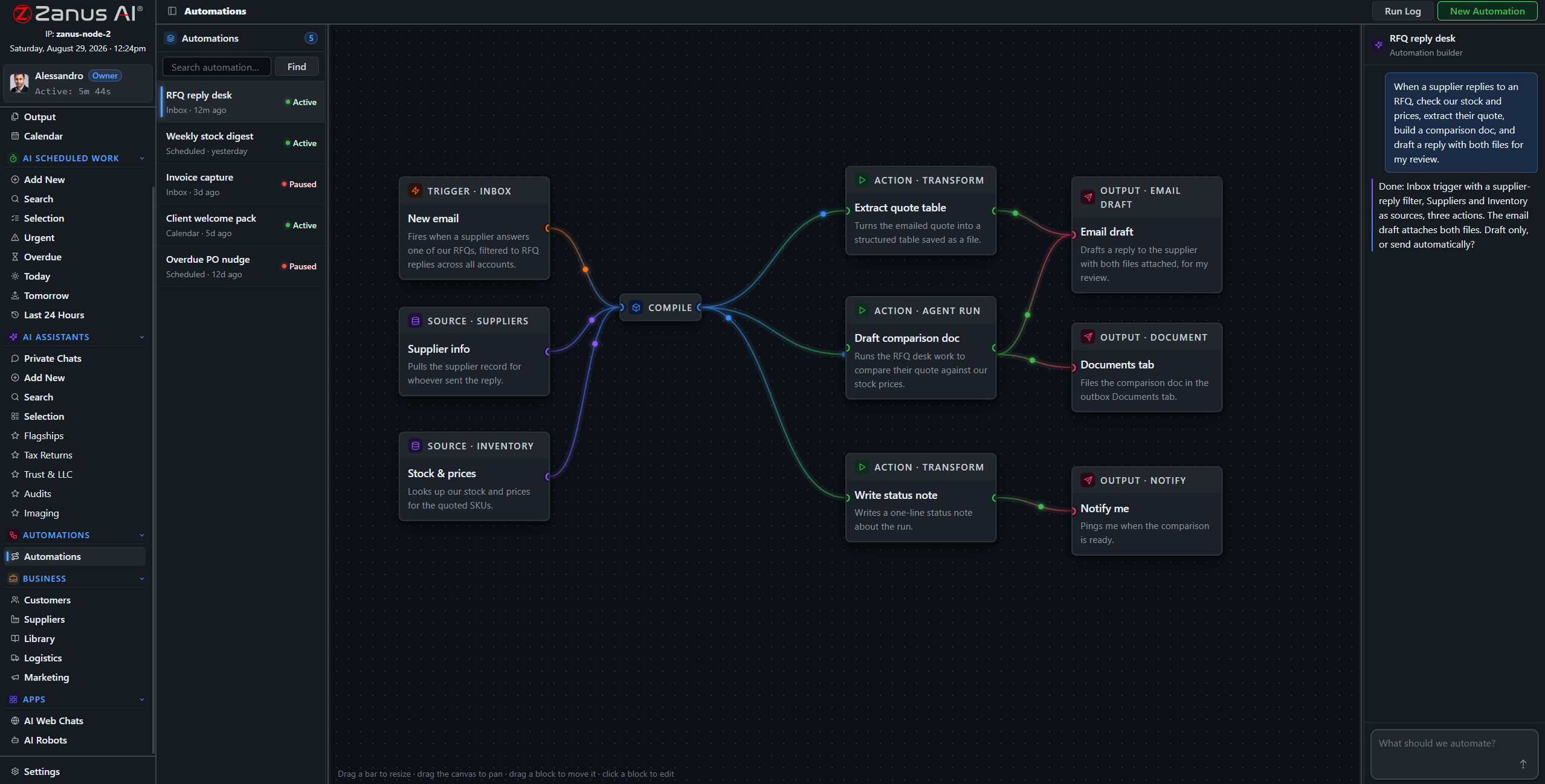
A real flow: intake trigger, matter sources, AI drafting step, three outputs — drawn from a description.
What it does
Intake accepted: the flow drafts the engagement letter from your template, opens the matter checklist, and queues the welcome email — the client signs while the enthusiasm is warm.
Court notices, opposing counsel letters and signed agreements arriving by email are routed to the right matter with handling instructions — no misfiled order discovered in week three.
A hearing notice arrives: the date lands on the attorney’s calendar, response deadlines are computed into the task list, and the pre-hearing checklist work is scheduled — from one trigger.
In a deadline business, silent failure is disqualifying
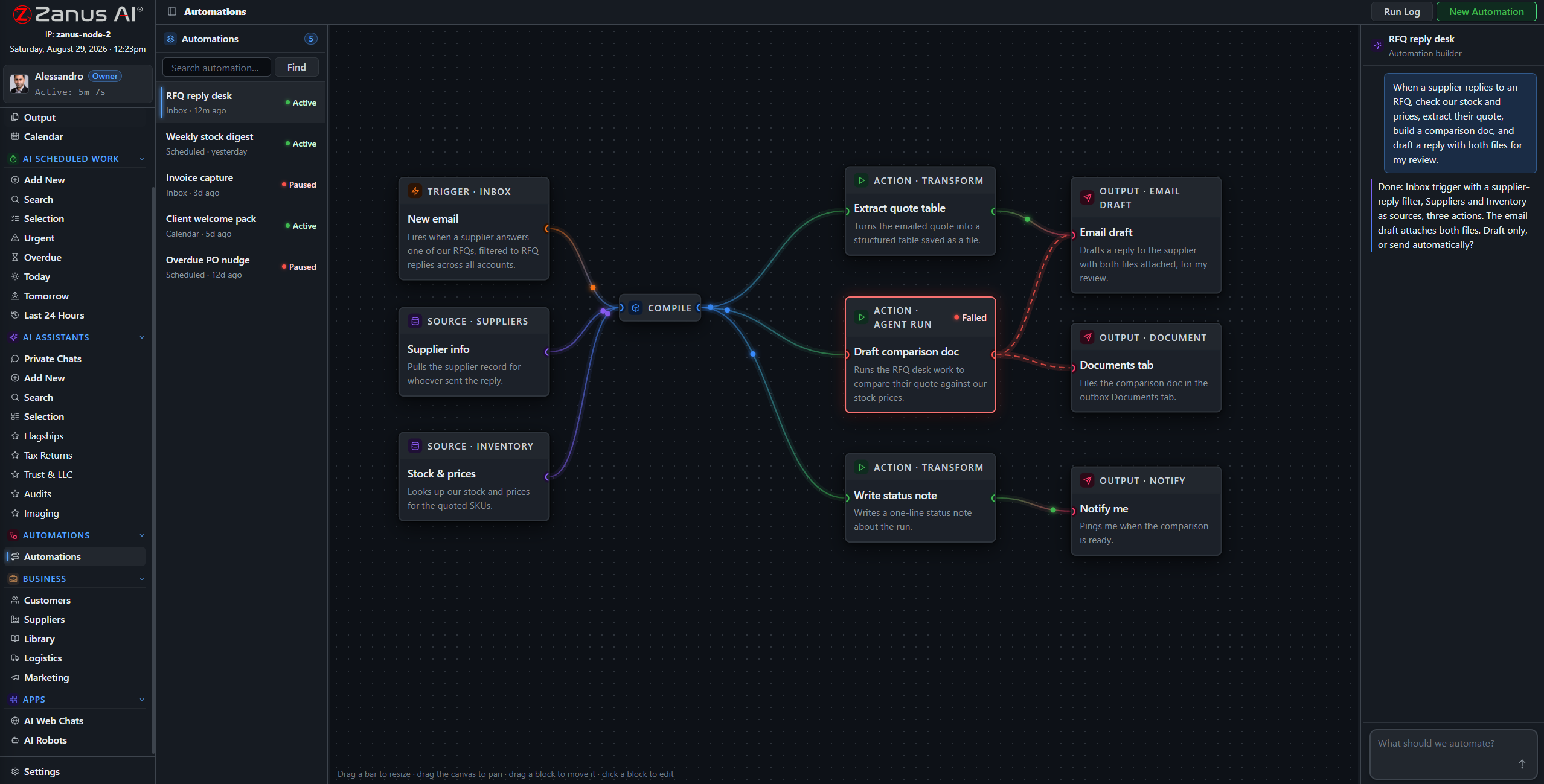
Run states live on the flow: green success, red failure on the exact block that broke. A deadline that failed to propagate or a letter that failed to file is visible the moment it happens — with one-click retry and a run log.
- Run log per automation, every execution recorded
- One-click retry on the failed block
- Finished documents in Output, statused for review
Questions, answered
Who approves what an automation sends?
Your rules: everything client-facing queues for human approval by default; auto-send only the categories the partners designate as safe. Approval gates are visible blocks on the canvas.
See it working on YOUR firm — the demo IS the product.
← Previous: Team Training · Sharing with a colleague? 📄 Get the PDF · ✉️ Email this page ·