ZANUS AI FOR EDUCATION — OVERVIEW
The AI your district needed before enrollment week.
Parent calls answered at 7 AM and 7 PM, in the family’s language. Enrollment questions handled, newsletters drafted, board reports compiled from your own records. One AI system for the family side and the district side — student data isolated in YOUR private tenant, or on a server the district owns.
Private tenant or your own server · unlimited staff · student data privacy by architecture
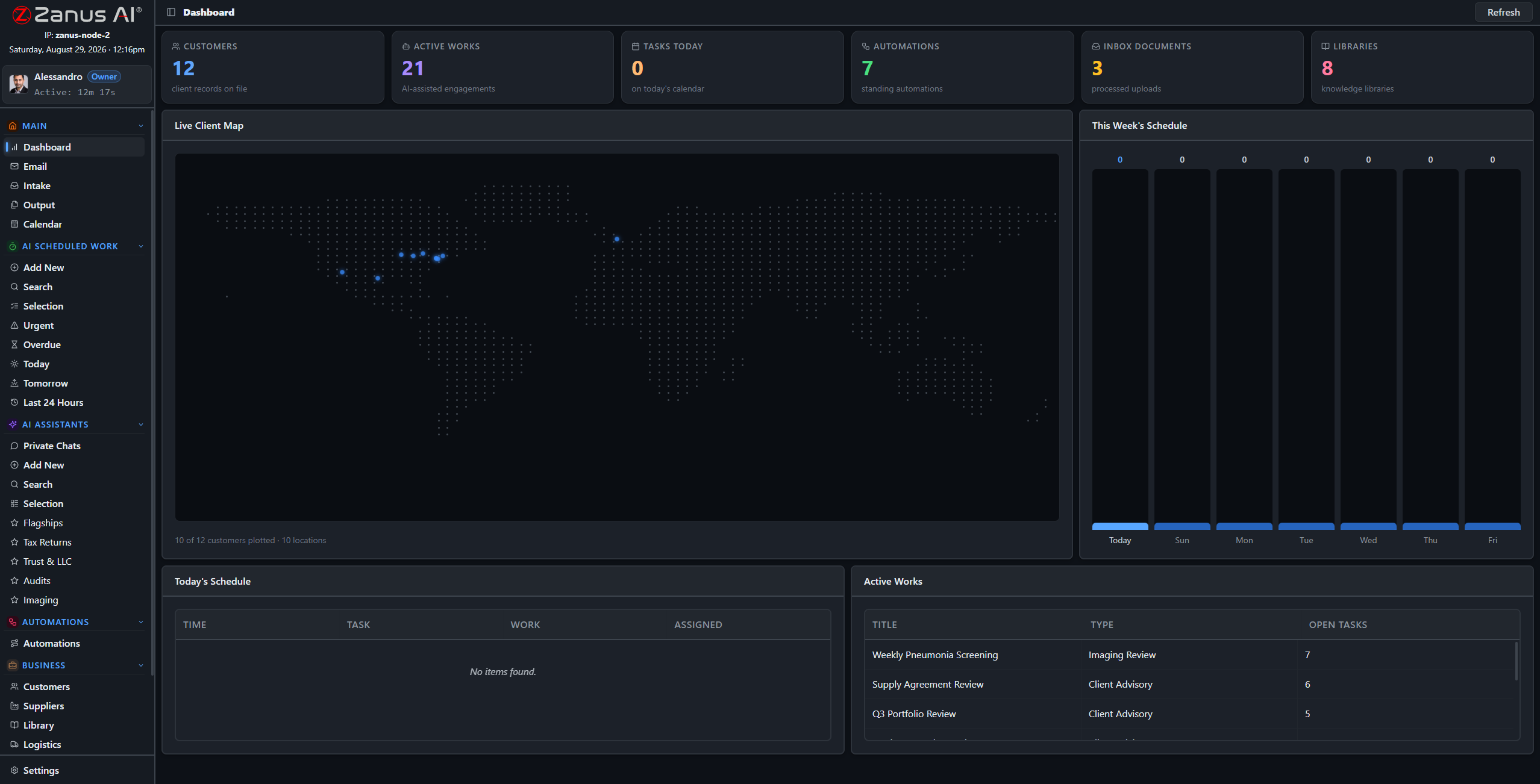
A real deployment view: enrollment records, scheduled AI works, the week’s reports in progress.
What it does
The AI answers school lines 24/7 in your chosen voices — bus routes, enrollment steps, closure questions — in up to 40 languages, and escalates anything sensitive to your staff, by your rules.
Family newsletters, board reports, policy summaries and enrollment letters drafted from your own documents in your templates — reviewed and approved by humans before anything sends.
Your tenant is isolated; nothing trains anyone else’s model. Permissions reach the field level, and districts that require it run the same OS on hardware inside their own building.
Front office: the family side, handled
The parent calling at 7 AM about the bus, the family that speaks Portuguese asking how to enroll, the fifty daily questions about early dismissal: the Zanus front office answers every ring on your menu, in the caller’s language, and never puts a worried parent on hold.
- AI phone on your menu and voices, 24/7
- Enrollment questions answered from YOUR approved information
- Up to 40 languages — built for multilingual communities
- See the Front Office for schools →

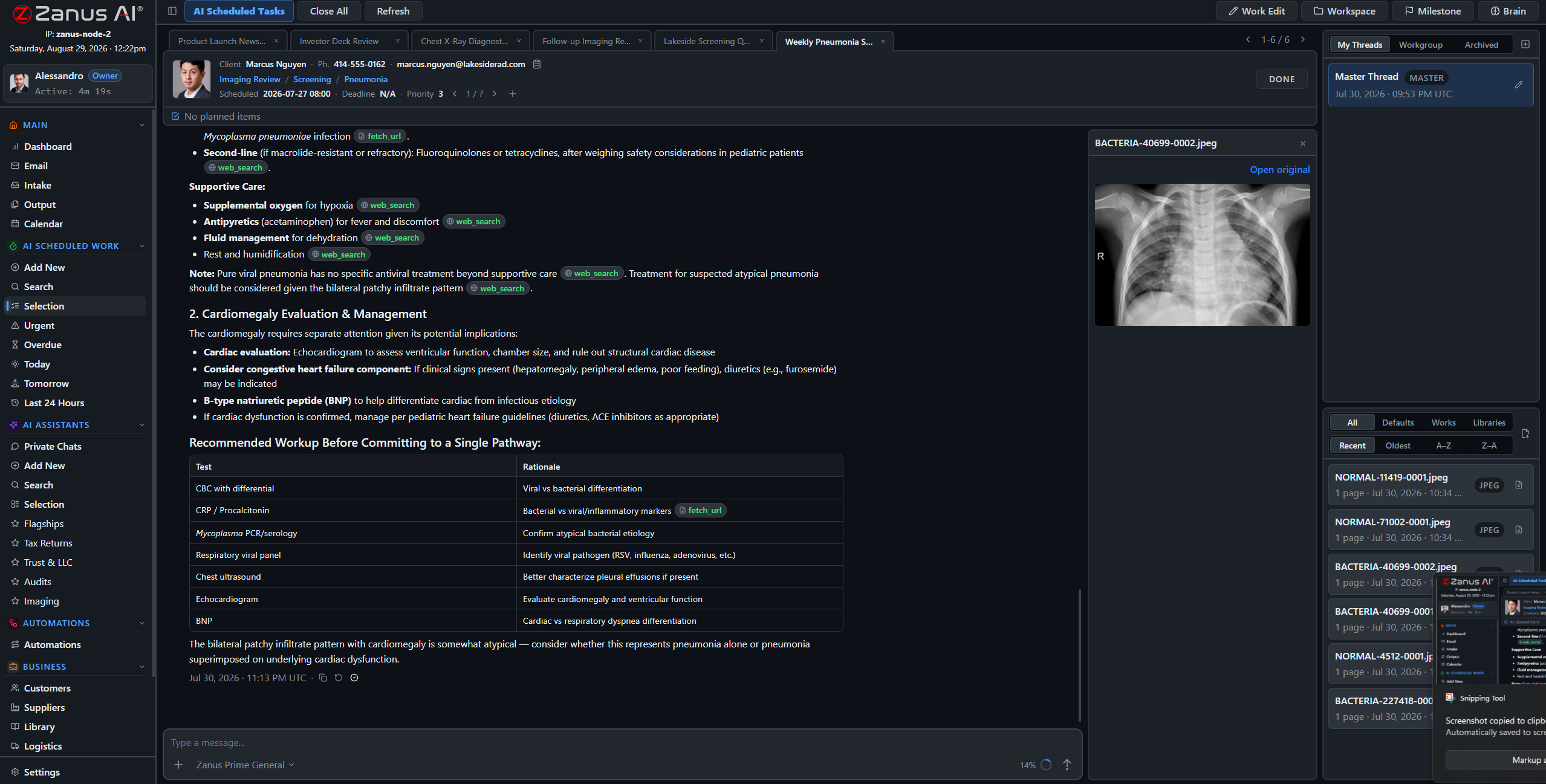
Back office: the district side, working
Curricula, handbooks, board policies and student records become a system that answers back — with the source cited and the permission level of whoever asks enforced. The Friday family newsletter and the monthly board report draft themselves on schedule.
- Scheduled AI work: reports, summaries, newsletters
- Verified answers from YOUR district library
- Finished documents await human approval
- See the Back Office for districts →
When student data cannot leave the district
Districts with strict data-residency requirements run the identical OS on Zanus hardware inside their own building: air-gap capable, USB updates, unlimited staff — student records physically incapable of leaving.
- Private On-Premises AI: owned, no recurring fees
- On-Prem Tokens Server for high-volume processing
- Explore the AI Servers →

Questions, answered
How is student data protected?
By architecture: an isolated private tenant that never trains outside models, role-based access to the field level, server-side redaction and a searchable audit trail — plus a fully on-premises option where records never touch the internet. Bring your student-privacy requirements to onboarding and we walk through the details.
Does the AI talk to students?
Only where you configure it to, and only from your approved curriculum and materials. The public-facing AI handles logistics and information for families; anything involving an individual student is escalated to your staff by your rules.
We are a district with 14 schools — one system?
Yes: one tenant with workgroups per school, or separate tenants on shared infrastructure. Teachers, office staff and district admin each see exactly what their role allows — with no per-student and no per-seat fees.
See it working on YOUR district — the demo IS the product.
ZANUS AI FOR EDUCATION — FRONT OFFICE
The 7 AM parent call, answered.
The school office phone starts before the buses roll and never really stops — and every unanswered ring is a family left worried or an enrollment that drifts to another school. The Zanus front office answers on your menu, in your voices, in up to 40 languages, every hour of every day.
Private tenant or your own server · unlimited staff · student data privacy by architecture

Calls, chats, bookings and follow-ups — one dashboard the office manager can read at a glance.
What it does
At 5:45 AM on a closure morning, three hundred families call at once. The AI answers every one in one ring, in the caller’s language, with the official status from YOUR approved information.
Which documents to bring, which school serves your address, how to register a kindergartner: answered instantly and identically every time — while your registrar works the files instead of the phone.
Parent-teacher conferences and counselor meetings booked into real synced calendars, confirmed and reminded in the family’s language. No more three-call scheduling dances.
From worried call to solved question, hands-free
A parent calls at 7:05 AM: the bus has not arrived. The AI answers immediately, gives the route status from your information, takes the message for transportation, and logs the transcript — while the office staff handles the students standing at the counter.
- Real calendar sync for conferences and meetings
- Messages routed to the right staff member with transcripts
- Attendance and dismissal questions answered from your rules
- Anything about an individual student escalated to staff, never improvised


The website works too
Website chat that answers like your best office secretary, web forms for enrollment and records requests worked in minutes, and every conversation logged with a transcript — in the family’s own language.
- Grounded chat on your site, 40 languages
- Enrollment inquiry forms answered in minutes, not days
- Every conversation logged, transcript included
- See the full Front Office tour →
Questions, answered
What about safety-sensitive calls?
It routes by YOUR rules: safety language triggers immediate transfer to staff or the instruction to call emergency services — the AI never improvises on a sensitive situation.
Do we keep our phone numbers?
Yes. Your school and district numbers stay; calls route to the AI first, staff first, or any mix per line and per hour — office hours one way, evenings another.
Our families speak 12 languages — really 40?
Yes. The AI answers each caller in the caller’s language, using your school’s approved information — the same answer, whatever the language.
See it working on YOUR district — the demo IS the product.
ZANUS AI FOR EDUCATION — BACK OFFICE
The district runs on paperwork.
Now the paperwork works.
Enrollment packets, board reports, curriculum maps, handbooks, grant applications for programs: a district is documentation. The Zanus back office turns that archive into a working AI staff — drafting, summarizing and answering with sources cited, under your administrators’ approval.
Private tenant or your own server · unlimited staff · student data privacy by architecture
A real session: a monthly report compiled from district records — sources cited, human approves.
What it does
The Friday family newsletter, the monthly board report, the enrollment summary: assigned to the AI like to an assistant, executed on schedule, fully auditable.
Board policies, handbooks and curriculum documents become a system every staff member can query — with the source document one click away.
Every AI-drafted document lands in Output awaiting review. Nothing reaches a family, a board member or a state office without a human decision.
The registrar’s August, shortened
Enrollment packets arrive by email, portal and paper scan. The intake pipeline files each document to the right student record, flags what is missing, and drafts the follow-up request to the family — in the family’s language. The registrar reviews and sends instead of typing and chasing.
- Incoming documents filed to the right record
- Missing-document checklists maintained automatically
- Follow-up requests drafted for review
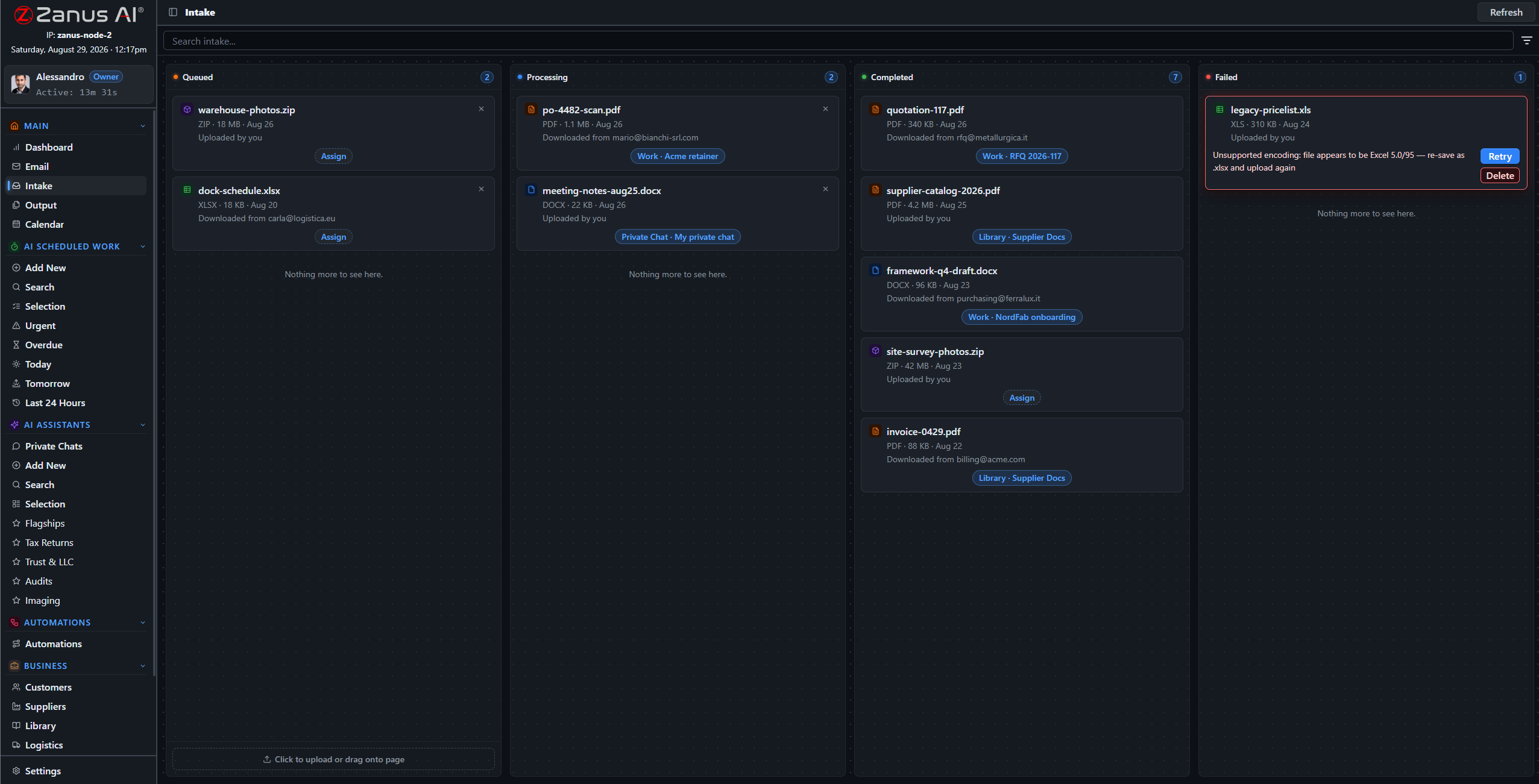

Board reports and newsletters — drafted
The documents that eat administrator evenings: the monthly board packet compiled from department updates, the family newsletter assembled from the week’s events, the program summary for the superintendent. Drafted in minutes, in your templates, waiting for approval.
- Your letterheads and templates
- Source records cited in every draft
- Approval workflow before anything sends
Questions, answered
Does the AI make decisions about students?
No. It drafts, files, summarizes and cites from YOUR records — every decision about a student is made by your educators and administrators.
Does it connect to our student information system?
API connectors integrate with existing systems; documents and data flow through the intake pipeline under your handling rules. Bring your SIS to the demo and we map it.
YOU MIGHT ALSO LIKE
The Back Office executes. Who answers the phone?
Front Office AI picks up every call and chat — books, quotes, follows up, 24/7 in 40 languages. Watch it run a business like yours, live.
See it working on YOUR district — the demo IS the product.
ZANUS AI FOR EDUCATION — RECORDS & CURRICULUM
Ask the filing cabinet. It answers.
Curricula, lesson plans, handbooks, board policies, student records, transportation rosters — loaded into curated libraries the AI reads from. Ask in plain language; get the answer with the source cited, at the permission level of whoever asks.
Private tenant or your own server · unlimited staff · student data privacy by architecture
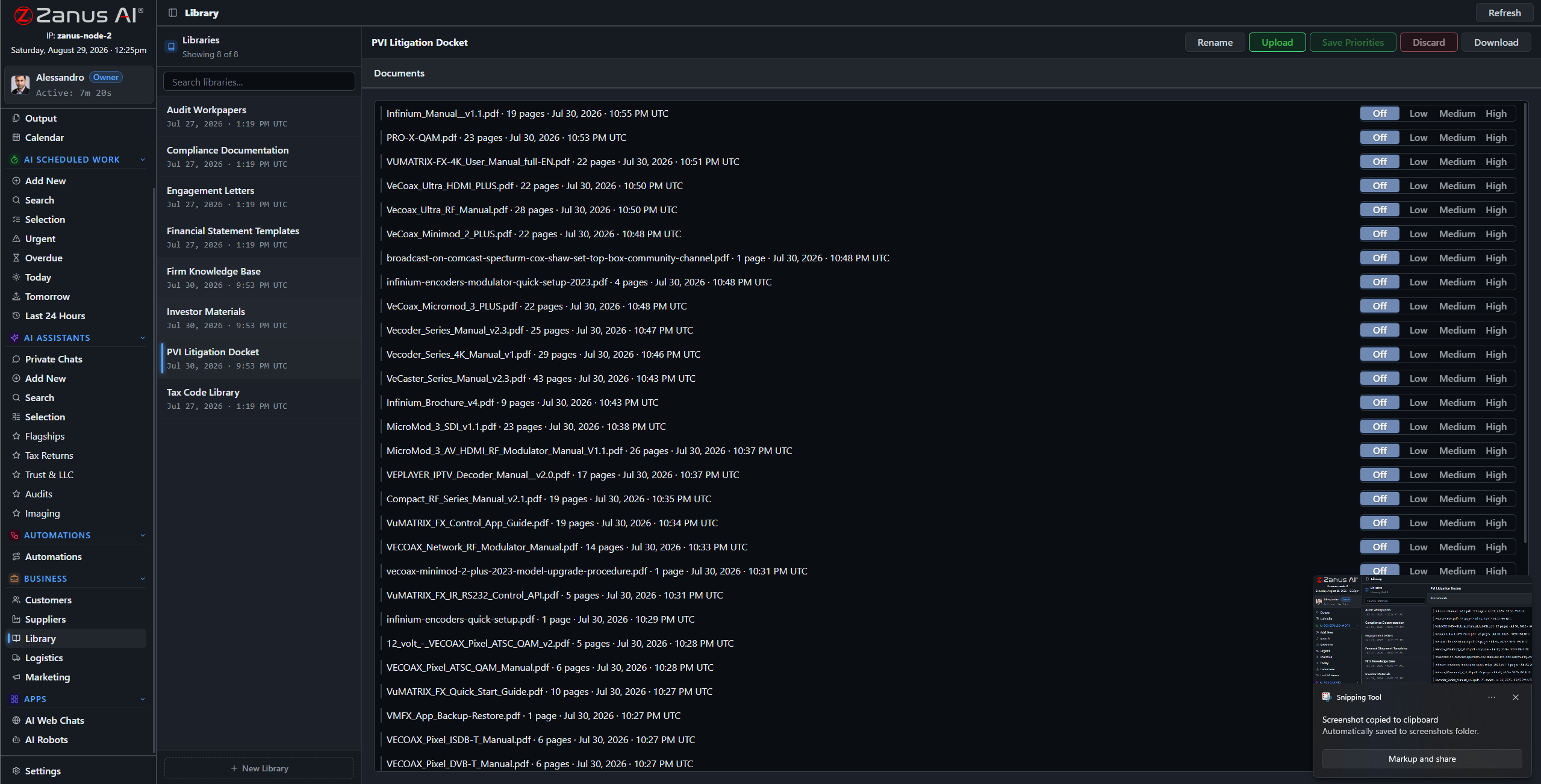
Libraries: current handbook outranks old ones, adopted curriculum outranks drafts — you set the order.
What it does
PDFs, Word, spreadsheets, scanned enrollment forms and decades-old paper records — the ingestion pipeline turns what the district actually has into queryable knowledge.
No source in your library, no claim: the AI cites the policy, the curriculum map, the record — or says it cannot answer. No invented rules, ever.
A teacher asks about the field-trip policy; the registrar asks about a student record: each gets answers scoped to their role, enforced server-side.
Thirty years of board minutes, one question away
“When did the board last revise the attendance policy?” “Which curriculum did we adopt for middle-school science, and when?” “What does the handbook say about early dismissal?” The archive answers in seconds, with documents attached — instead of an afternoon in the records room.
- Plain-language questions across the archive
- Sources attached to every answer
- Priority order: adopted versions rule

Questions, answered
Who can see student records?
Only roles you authorize. Permissions reach the field level and the server redacts what a user cannot see — even inside shared views and calendars.
Do our documents train outside models?
Never. Your tenant is isolated; your district’s knowledge is yours alone — and the on-premises option keeps it physically inside your building.
See it working on YOUR district — the demo IS the product.
ZANUS AI FOR EDUCATION — AI WORKFORCE
The assistant that never falls behind.
Assign work to the AI the way you assign it to staff: type, sources, deadline, priority. The Friday newsletter, the monthly board report, the enrollment summary — executed on schedule, with citations, under review.
Private tenant or your own server · unlimited staff · student data privacy by architecture
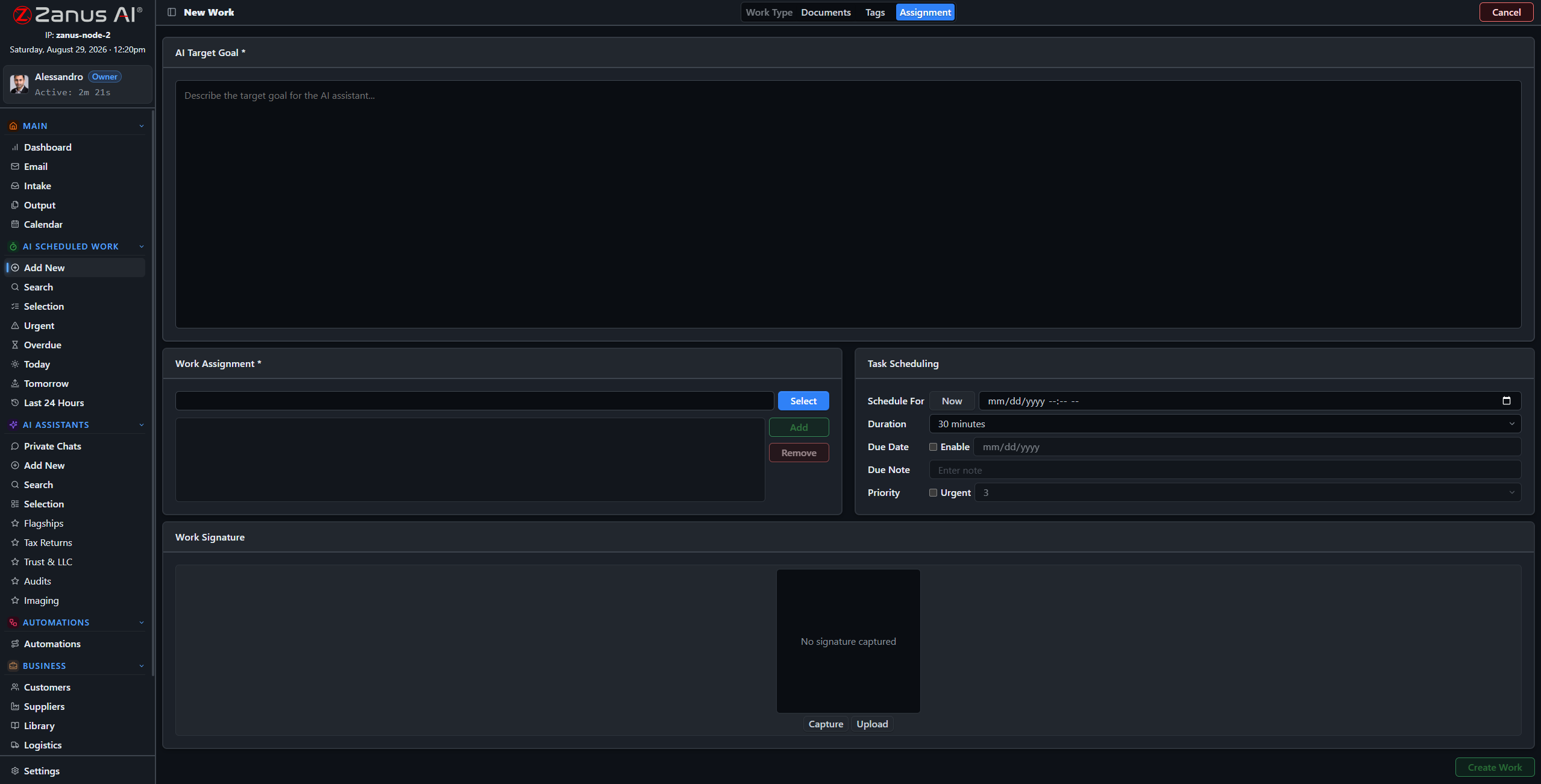
Four steps: work type, records and libraries, tags, schedule — the AI takes it from there.
What it does
Newsletter draft, board report, enrollment summary, policy digest: work types molded to your district, with default libraries and examples per type.
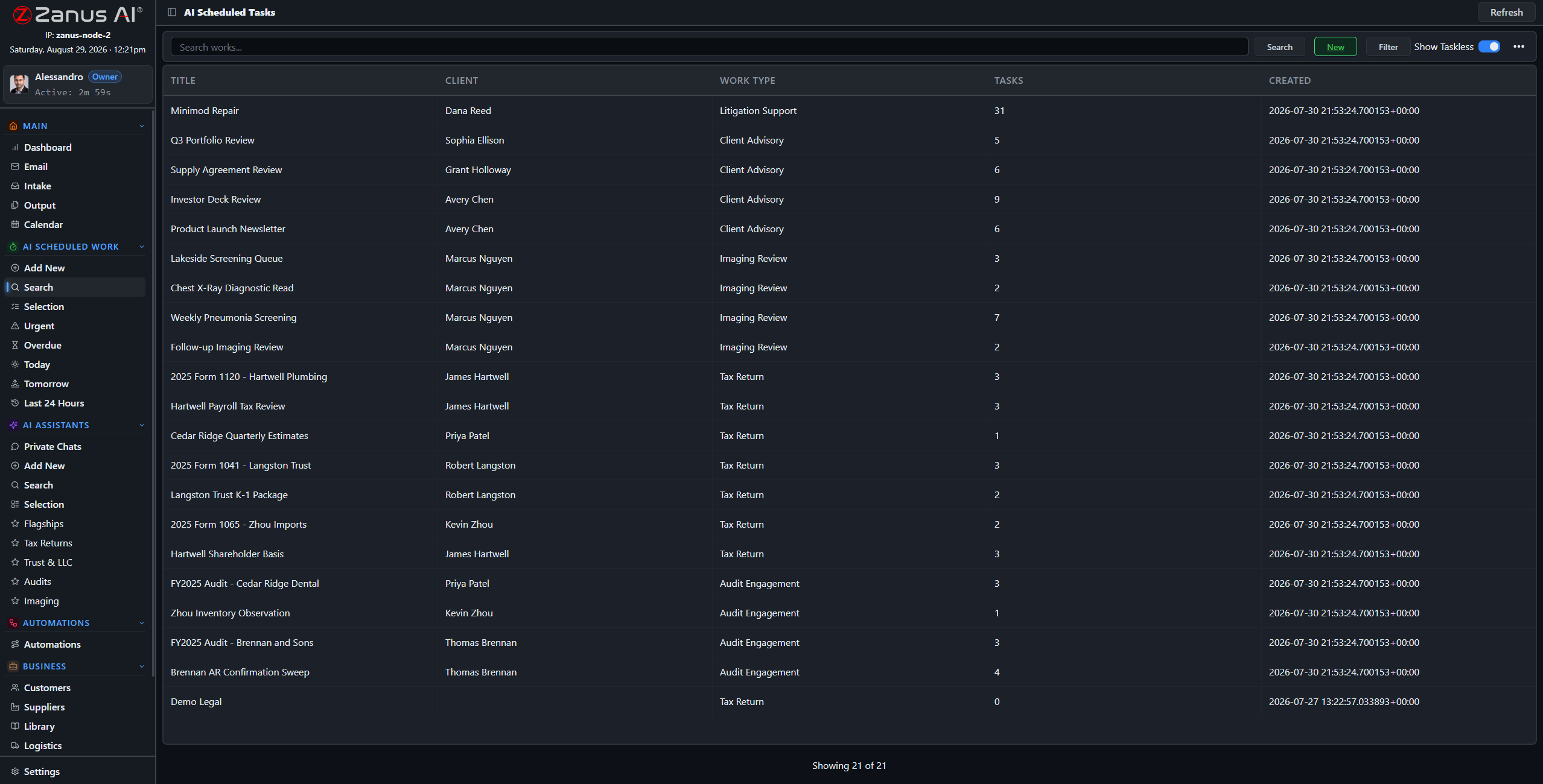
The AI’s workload is managed like the team’s: one-click views show what is urgent, late, today and tomorrow — nothing slips silently during enrollment week.
Every work is a full session: reasoning streamed, sources cited, milestones tracked, linked to the calendar and the responsible administrator.
Friday, 6 AM: the newsletter is drafted
Set “Weekly Family Newsletter” once: every Friday the AI compiles the week’s events, reminders and celebrations from your calendars and records, drafts it in your template, and files it for approval before the office opens.
- Recurring schedules for periodic district work
- Content drawn and cited from your own records
- Draft in Output, awaiting approval
Questions, answered
Can we supervise mid-work?
Yes — open any session, read the reasoning, redirect it, or stop it. The AI works like staff: visible, accountable, interruptible.
What volume can it handle?
It does not get tired: the constraint is your review capacity, not the AI’s. Configurations size from a single school to a multi-school district.
See it working on YOUR district — the demo IS the product.
ZANUS AI FOR EDUCATION — POLICIES & HANDBOOKS
The policy binder, alive.
Policies only work when staff can find them — and the current version at that. In Zanus, board policies, emergency procedures and handbooks are living documents: answerable in chat, attached to work, priority-ordered so the adopted version always wins.
Private tenant or your own server · unlimited staff · student data privacy by architecture
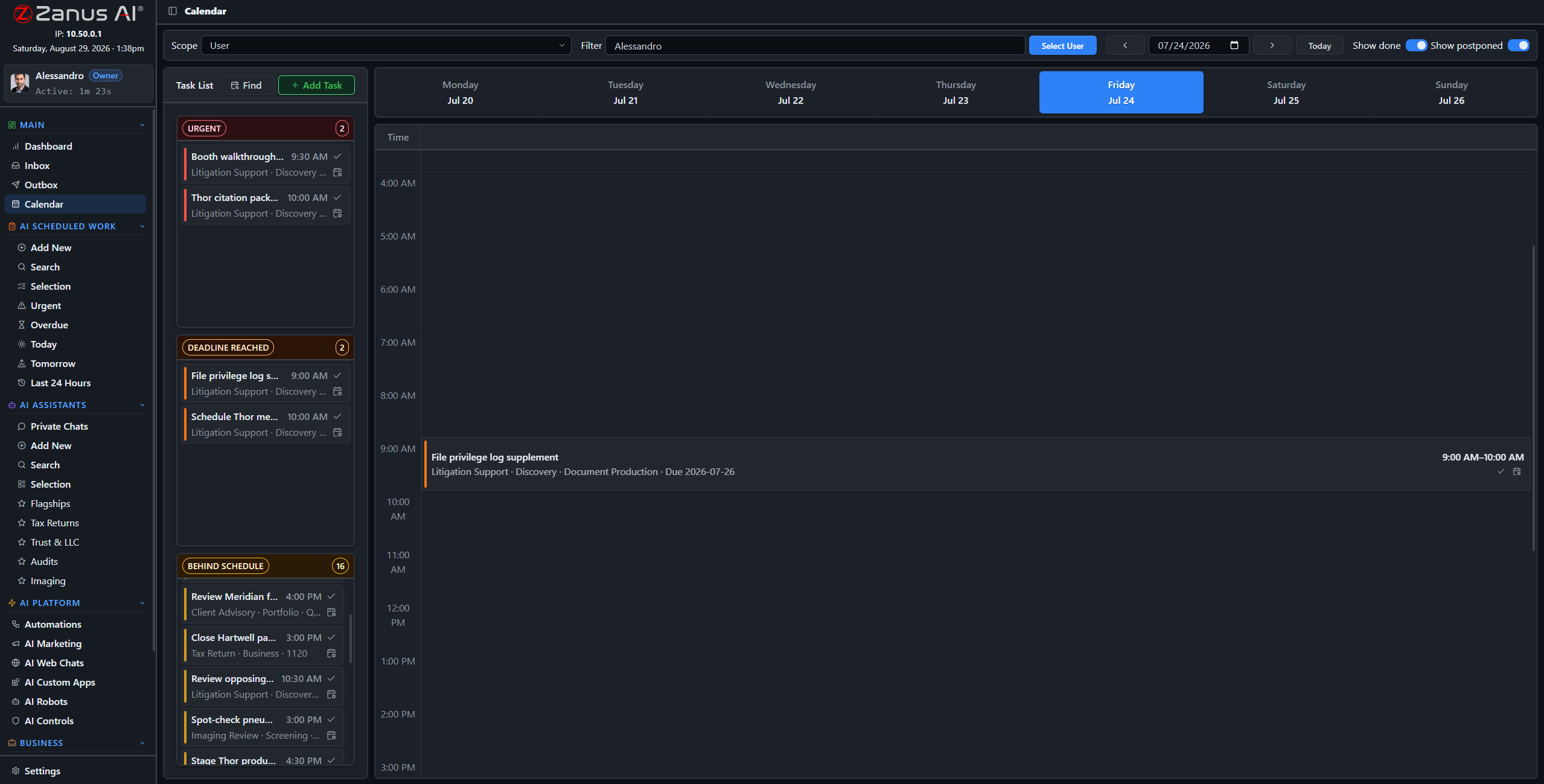
Policy upkeep, scheduled like any district work: annual reviews and handbook updates on the calendar.
What it does
Emergency procedures, dismissal protocols, field-trip rules, front-office scripts: one library, adopted versions on top, superseded drafts outranked.
“What is the procedure for an unlisted adult at pickup?” — answered in seconds with the document attached, to any authorized staff member, including the substitute at the front desk.
Work types carry their default policies: the AI drafting a family communication reads from the communication policy — by construction.
Policy work, scheduled like school work
Annual handbook reviews, expiration checks on agreements and certifications, policy-update summaries for staff meetings: assign them once as recurring AI work and the binder never goes stale again.
- Recurring review works with deadlines
- Update summaries drafted for staff briefings
- Every review on the audit record
Questions, answered
How do updates roll out?
Upload the newly adopted version, set it on top: from that moment every answer and every AI work cites the new policy. Old versions remain archived for audit.
See it working on YOUR district — the demo IS the product.
ZANUS AI FOR EDUCATION — STAFF TRAINING
Staff turnover without knowledge turnover.
Office staff move on, paraprofessionals rotate, substitutes arrive at 7:30 with no briefing — the knowledge walking out the door does not have to. New staff learn your procedures from the AI, and everyone has an assistant that answers “how do we…?” instantly.
Private tenant or your own server · unlimited staff · student data privacy by architecture

Training lives inside the software: the AI walks each new hire through the district’s own procedures.
What it does
New office staff learn your dismissal procedures, phone scripts, systems and policies through guided training — ramp-up in days, not a semester.
The substitute at the front desk asks “how do I log a late arrival?” — answered from the office manual in seconds, without calling the office manager out of a meeting.
Private chats work on any device with a login — the how-to knowledge follows the staff member to the front desk, the bus loop or the gym.

The trainer that never tires of the question
The tenth “how do I process a records request?” gets the same patient, sourced answer as the first. Training material stays current automatically, because the assistant reads from the same living libraries as everything else.
- Answers cite the current procedure
- Personal preset assistants per role
- Training progress visible to administrators
Questions, answered
Does training content go stale?
No — the assistant answers from the live libraries. Update the office manual once and every future answer updates with it.
See it working on YOUR district — the demo IS the product.
ZANUS AI FOR EDUCATION — AUTOMATIONS
The school’s repetitive work, set once.
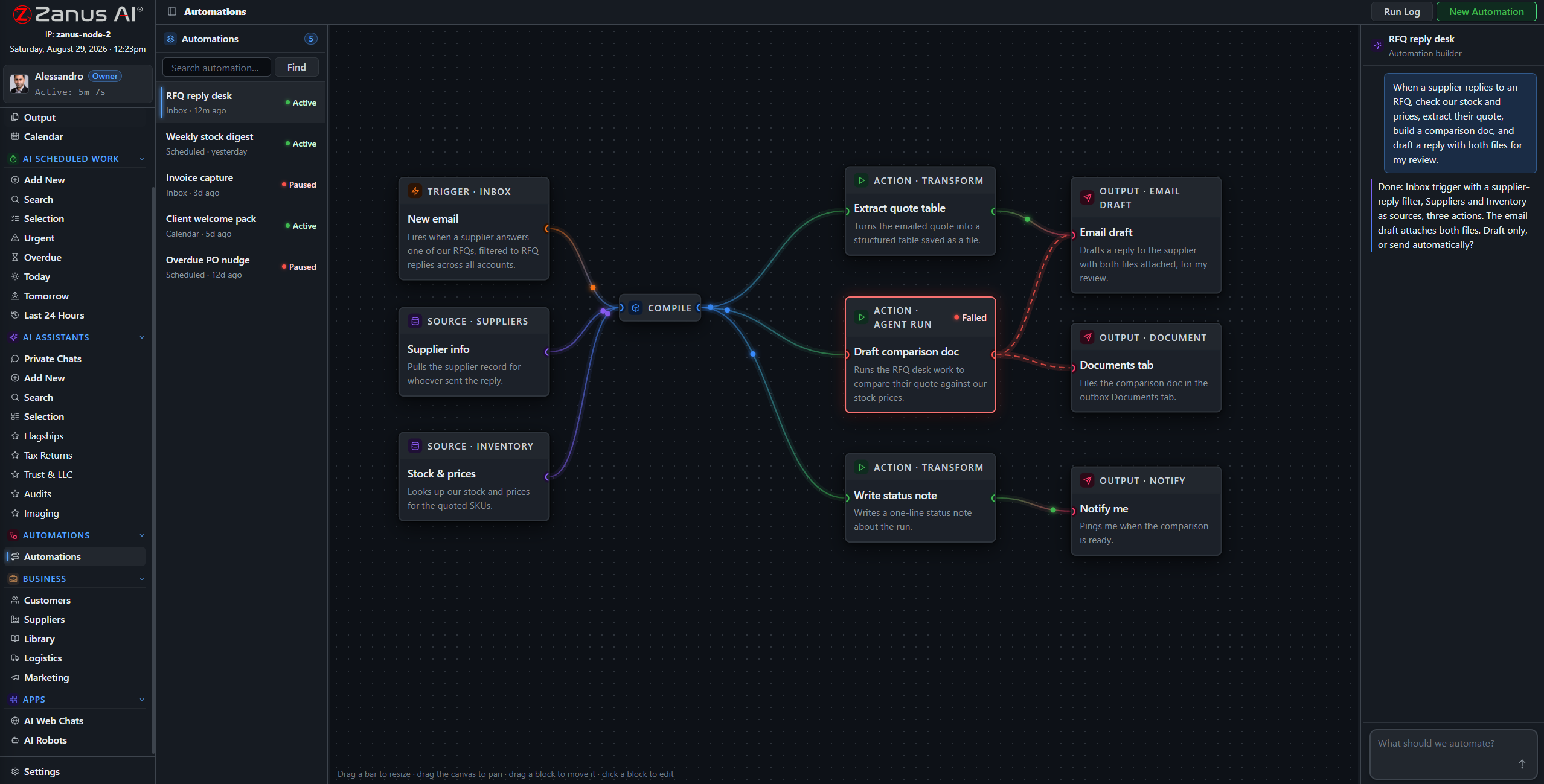
Describe the job in plain words — “when an enrollment form arrives, file it to the student record and draft the missing-documents email” — and it becomes connected blocks on a canvas, running on its own, with every run visible.
Private tenant or your own server · unlimited staff · student data privacy by architecture
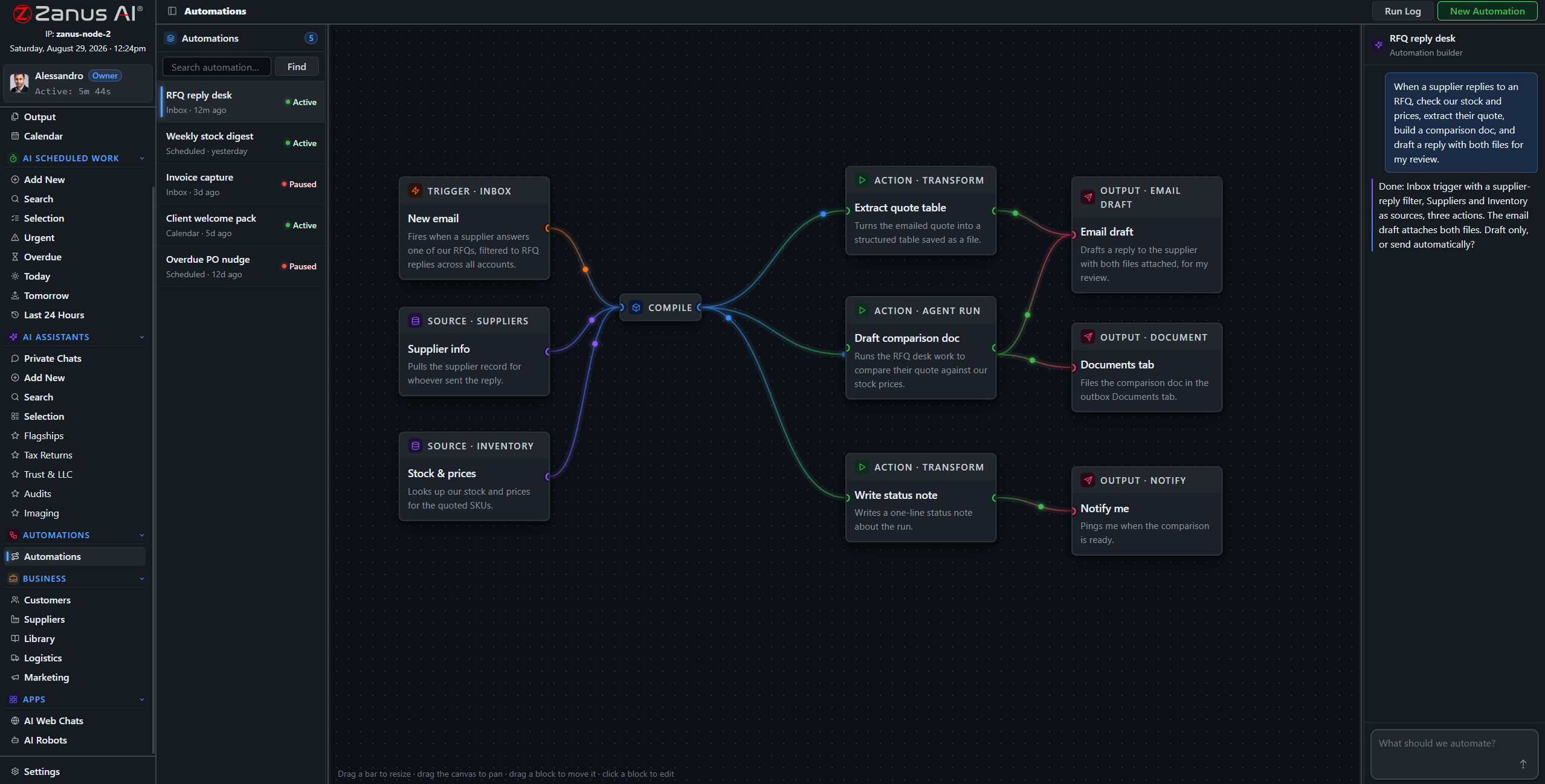
A real flow: inbox trigger, record sources, AI compile, outputs — drawn from a description.
What it does
A registration form arrives incomplete: the AI files what came, lists what is missing, and drafts the request to the family in the family’s language — queued for approval.
Records requests, immunization forms and transfer paperwork routed to the right student record with handling instructions — no lost-paper energy.
The Friday newsletter, the monthly enrollment summary, the board packet: compiled by the AI, filed to Output, on time every time.
When something fails, you SEE it
Run states live on the flow: green success, red failure on the exact block. In a school office, a silently skipped notification is not acceptable — here, nothing fails silently.
- Run log per automation
- One-click retry on failures
- Finished documents in Output, statused
Questions, answered
Who approves messages to families?
Your rules: queue everything for human approval, or auto-send only the categories you designate as safe — closure notices one way, individual communications always reviewed.
See it working on YOUR district — the demo IS the product.
ZANUS AI FOR EDUCATION — PARENT & COMMUNITY
Every family reached, in their language.
Family newsletters, event reminders, re-enrollment campaigns, community updates — drafted by the AI from your own records, in family language, queued for your approval. Communications-office power for a district, without a communications office.
Private tenant or your own server · unlimited staff · student data privacy by architecture
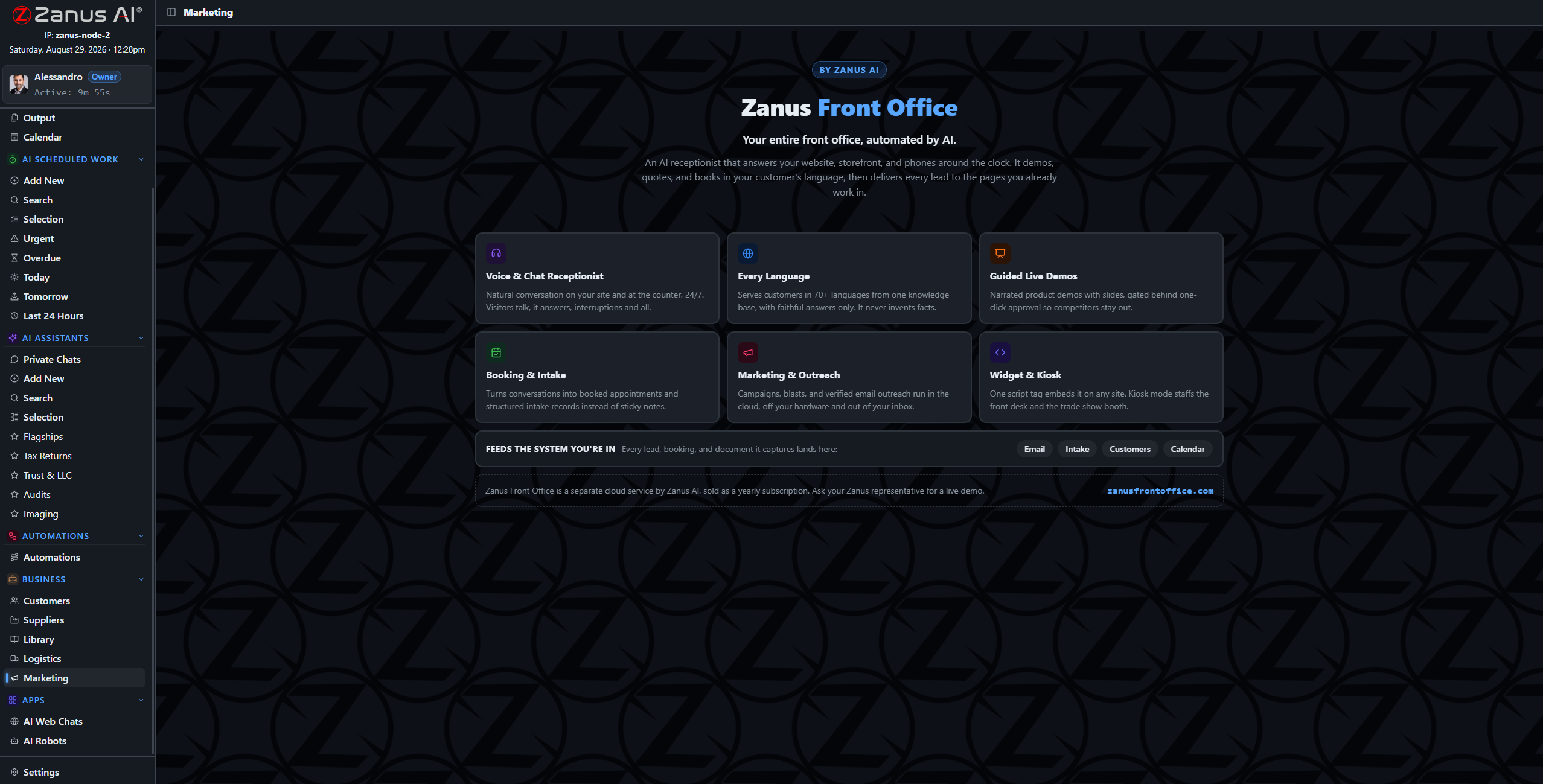
Campaigns and sequences drafted from the records — newsletters, reminders, re-enrollment — awaiting approval.
What it does
Kindergarten families, eighth-grade parents before high-school registration, families on a bus route that changed: audiences built from your own categories — no exporting lists to a third-party tool.
The same newsletter reaches every household in its own language, in your district’s voice — written the way families actually read, plain and warm.
Communication preferences and opt-outs are enforced by the system, not by memory. Every send is on the record.
From the records to the campaign, without export
The audience, the content and the sending all live in the same system as the records — nothing leaves your tenant to reach a mailing platform. “Remind every eighth-grade family about registration night” becomes a drafted, scheduled campaign in minutes.
- Audiences from your own data — private by architecture
- Campaigns and sequences drafted for review
- Re-enrollment season handled from the recall list

Approval first, always
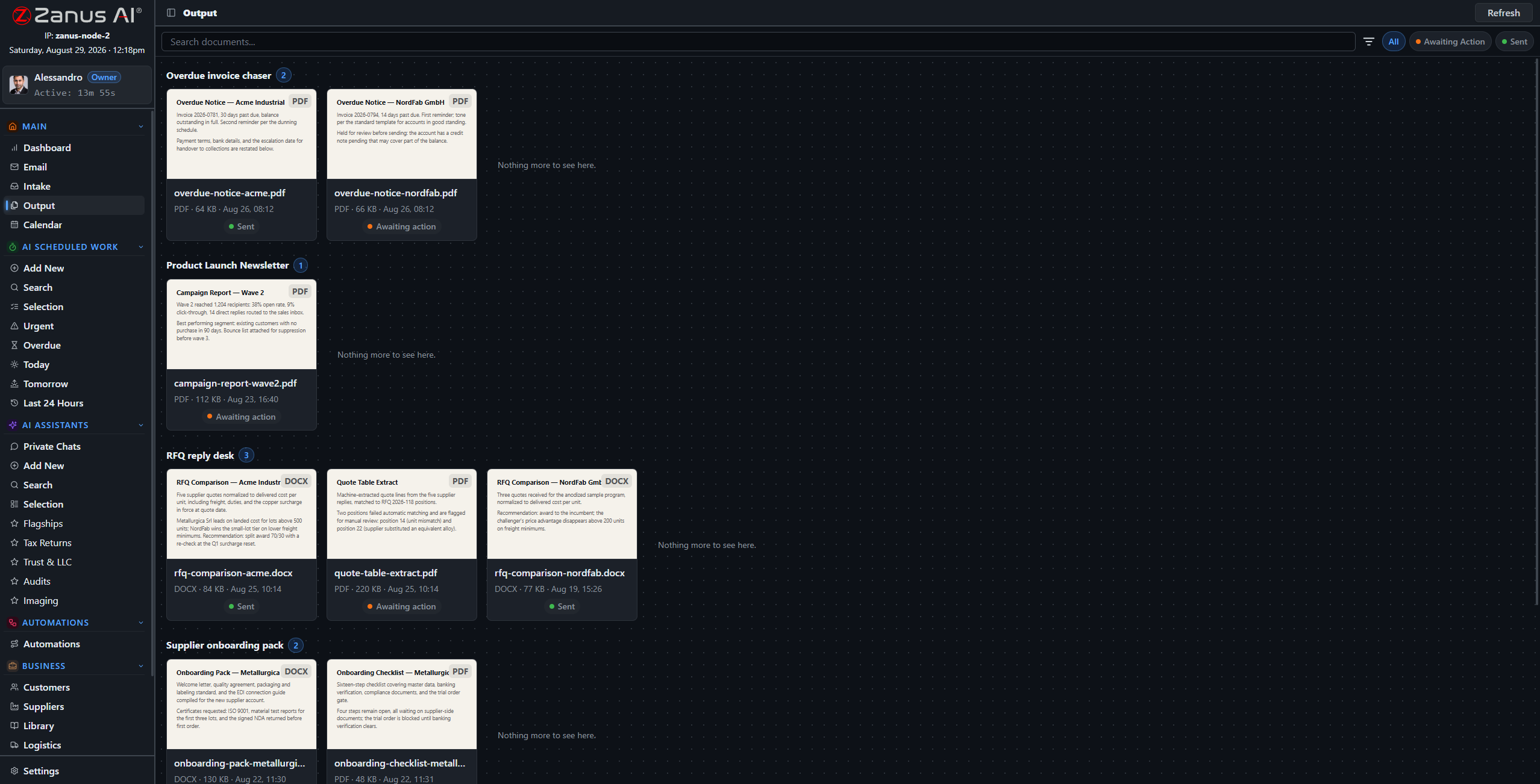
Every outbound family communication lands in the approval queue unless you designate the category as auto-send. The district stays in control of every word that reaches a household.
- Approval workflow per communication type
- Full history of what was sent to whom
- Results tracked: replies, RSVPs, re-enrollments
Questions, answered
Can it handle emergency communications?
It can draft and queue them instantly from your templates — and your rules decide whether closure-type notices auto-send or wait for a human click. Every send is logged.
Does family contact data leave our system?
No. Audiences, content and sending happen inside your tenant — family data never travels to an outside marketing platform.
See it working on YOUR district — the demo IS the product.
ZANUS AI FOR EDUCATION — SIS & INTEGRATIONS
Keep your SIS. Add the intelligence.
Your student information system stays the system of record. Zanus becomes the system of work: API connectors sync records, schedules and documents both ways, the intake pipeline files what arrives, and AI-drafted documents flow back where they belong. No rip and replace.
Private tenant or your own server · unlimited staff · student data privacy by architecture

No rip and replace: the SIS, LMS and calendars stay — the AI layer connects to all of them.
What it does
Students, enrollment status and documents mapped field by field, with a dry-run preview before anything writes — push, pull or two-way, your choice.
Course materials, schedules and events sync with the AI layer — so the assistant answering a family question reads the same calendar the school runs on.
A full API for whatever else the district runs: transportation systems, food service, library tools — data in, results out, under scoped keys.
One question across all your systems
The enrollment record lives in the SIS, the bus assignment in transportation, the handbook in the library — and the AI reads across all of it. “What does this family still need to complete?” becomes one question with one grounded answer.
- Field mapping with dry-run preview
- Each system stays master of its own records
- Every sync event on the audit record
- External systems appear as blocks on the automation canvas
Documents flow back where they belong
The enrollment letter the AI drafted, the records-request response, the translated notice: finished documents return to the student record in your SIS through the same connectors — reviewed and approved by your staff first.
- AI output filed back to the SIS record
- Approval workflow before anything writes back
- Webhooks notify your systems in real time
Questions, answered
Which SIS platforms do you support?
Connectors are mapped per deployment — bring your SIS to the demo and we walk through the exact integration path for your system.
Does student data pass through third parties?
No. The connectors run inside your tenant — or inside your building on the on-premises option. Data moves directly between your systems.
See it working on YOUR district — the demo IS the product.
ZANUS AI FOR EDUCATION — STUDENT PRIVACY
Built like student records depend on it.
Student data privacy is not a feature checkbox — it is the architecture. Admin-created accounts, permissions to the field level, server-side redaction, a searchable audit trail, and a fully on-premises option where records never touch the internet.
Private tenant or your own server · unlimited staff · student data privacy by architecture
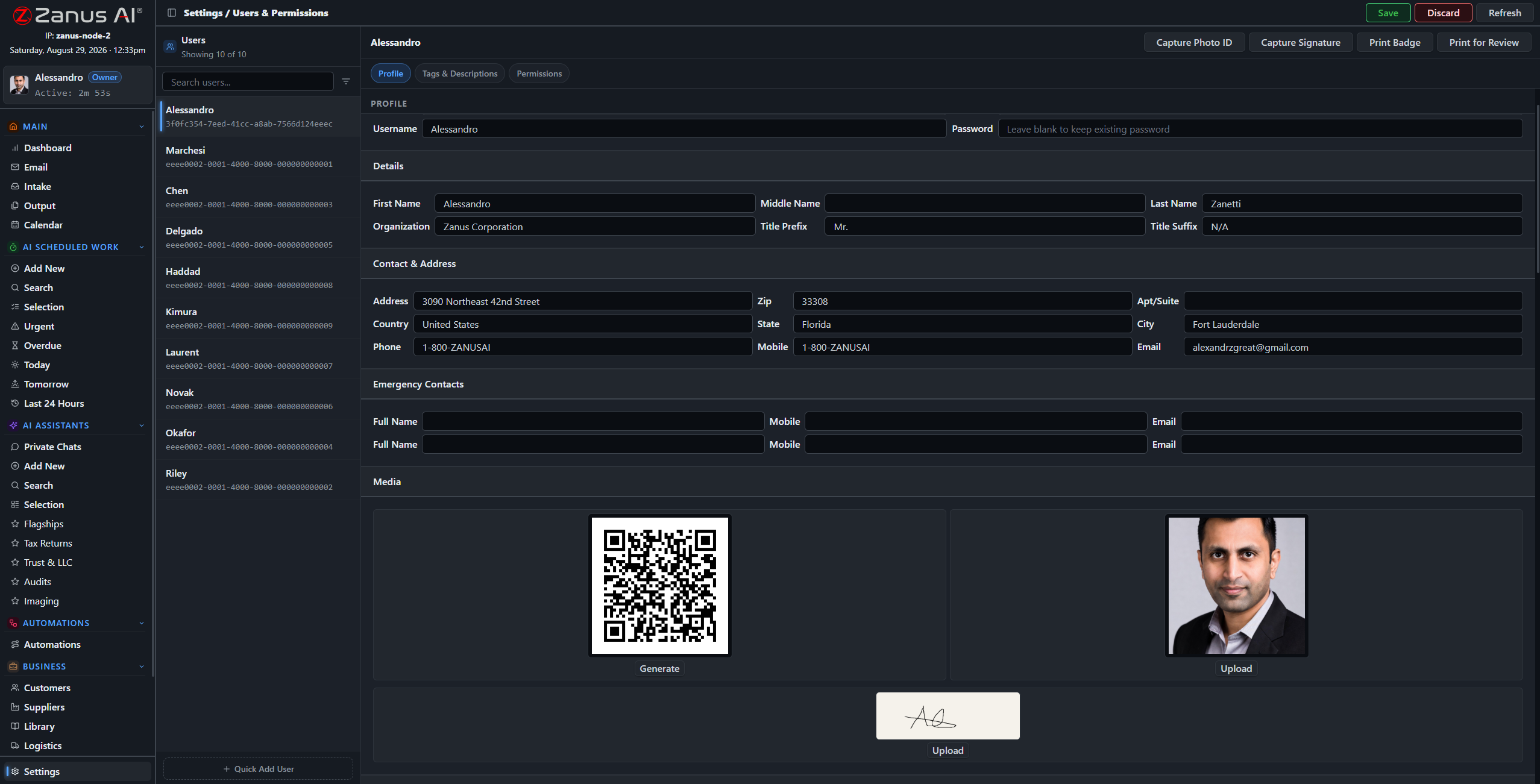
One record per user: role, tags, and granular permissions over every domain of the system.
What it does
The server redacts what a role cannot see — a volunteer checking the event calendar sees the slot, not the student. Access follows the role, not habit.
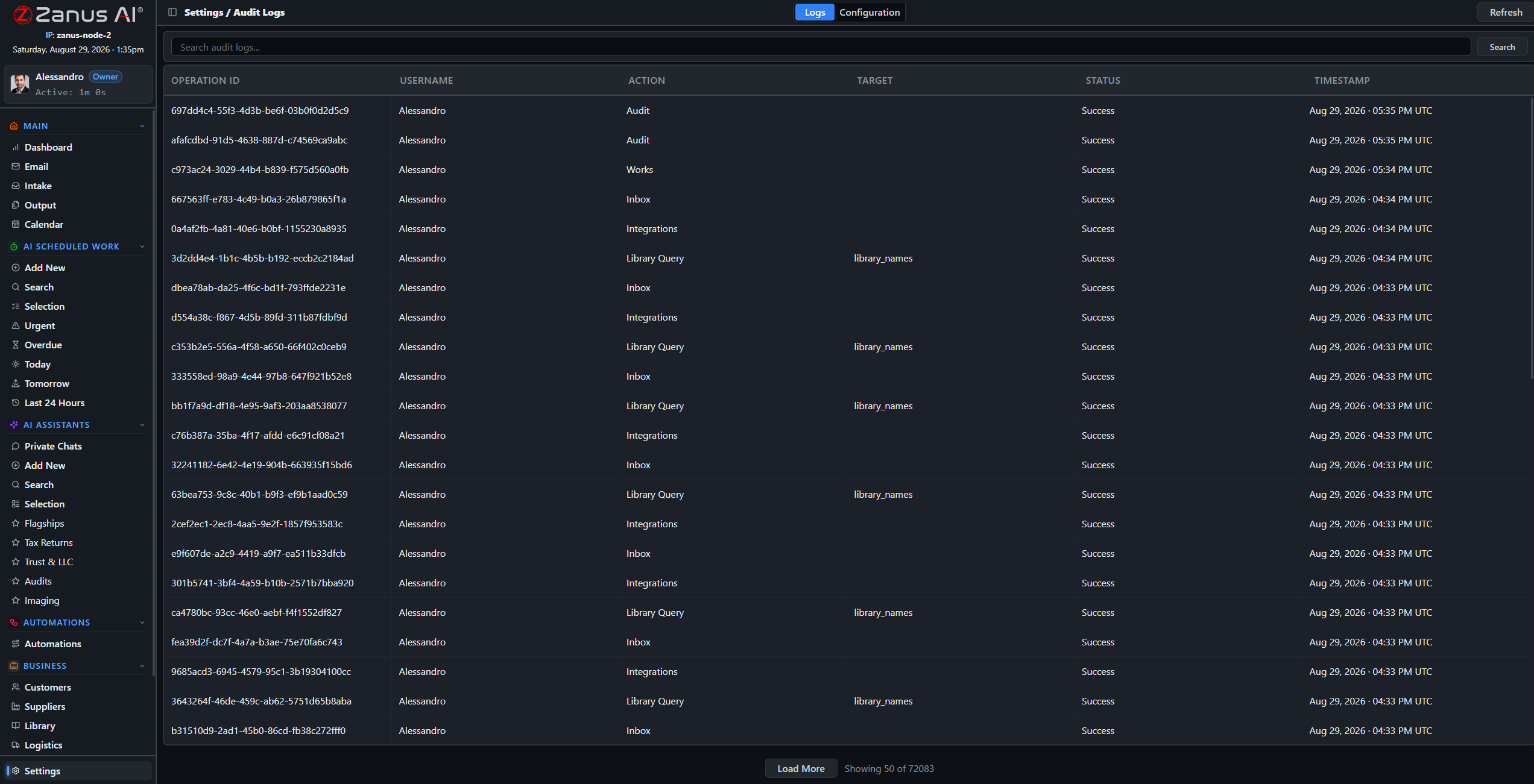
A searchable log of every audited action, with configurable categories: who saw what record, who changed what, when.
Five-level workgroups map schools and departments; the on-premises option puts the whole system inside your building, air-gap capable.
The records question that takes minutes, not weeks
When the question comes — from a parent, the board or the state — the answer is a search away: access records, document trails, update history, all in one place. Automatic pre-update snapshots mean even a mistaken change can be rolled back.
- Searchable audit trail
- Automatic pre-update snapshots with rollback
- USB updates for air-gapped deployments
Questions, answered
Where do student records live?
In your isolated tenant — never training outside models — or fully on-premises on hardware the district owns, physically incapable of internet exposure.
How do you handle student-privacy regulations?
The architecture is built for privacy-first handling: isolation, field-level permissions, redaction and audit. Specific regulatory requirements are reviewed with your team during onboarding — bring your data-privacy officer to the demo.
See it working on YOUR district — the demo IS the product.
ZANUS AI FOR EDUCATION — LIVE DEMO
Do not watch a video.
Talk to your AI.
Big vendors show education demos as videos behind a form. Ours is the product itself, configured for schools: open the chat below-right and try it — ask an enrollment question, book a conference, request a demo of the newsletter workflow.
The conversation you have with us IS the demo
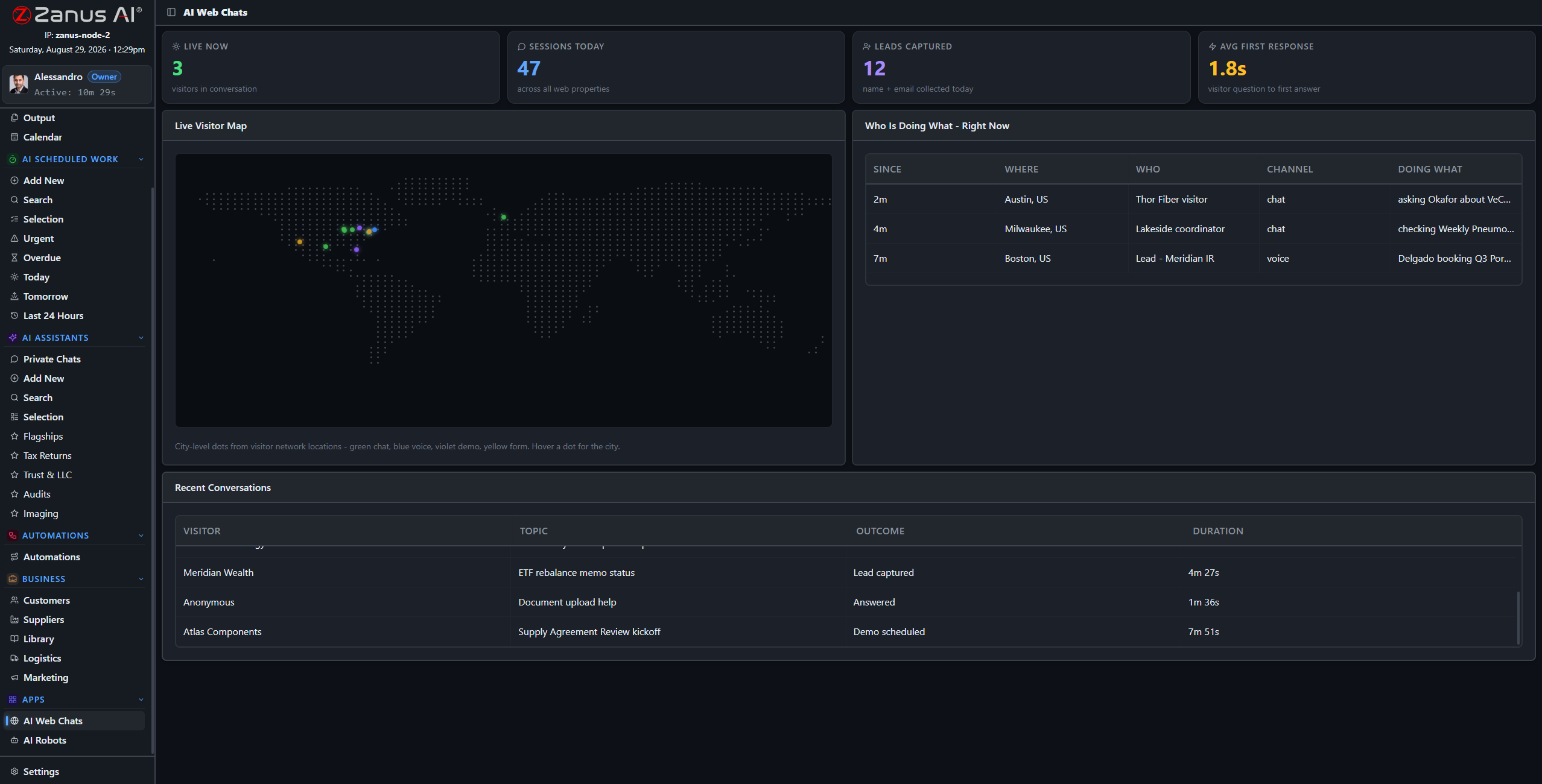
This screen is watching demos like yours happen: live conversations, outcomes, first response in seconds.
What it does
Ask the chat: “how do I enroll my kindergartner?” — watch it answer, list the documents and offer to book the visit, like your office on its best morning.
Ask: “how would you draft our Friday newsletter?” — it walks the workflow it would run in your tenant, grounded, cited, approval included.
The full demo loads an education tenant with sample records: enrollment intake, newsletter drafts, policy answers — your world, working.
Or pick your exact business
Every link below is a full live-demo page for that specific business — its vocabulary, its calls, its booking rules.
Two minutes to your inbox
Request the demo and the interactive education demo arrives in about two minutes — no sales call, no calendar dance. Watch it, interrupt it with questions, and book the human conversation when YOU are ready.
- Interactive demo, education-configured
- Ask questions mid-demo — it answers and resumes
- In your inbox in ~2 minutes, free

Questions, answered
Is the demo really the product?
Yes — the same AI, configured with a sample education tenant. What you see is what your staff gets, with your documents instead of the samples.
See it working on YOUR district — the demo IS the product.
Sharing with a colleague? 📄 Get the PDF · ✉️ Email this page ·