ZANUS AI FOR EDUCATION — RECORDS & CURRICULUM
Ask the filing cabinet. It answers.
Curricula, lesson plans, handbooks, board policies, student records, transportation rosters — loaded into curated libraries the AI reads from. Ask in plain language; get the answer with the source cited, at the permission level of whoever asks.
Private tenant or your own server · unlimited staff · student data privacy by architecture
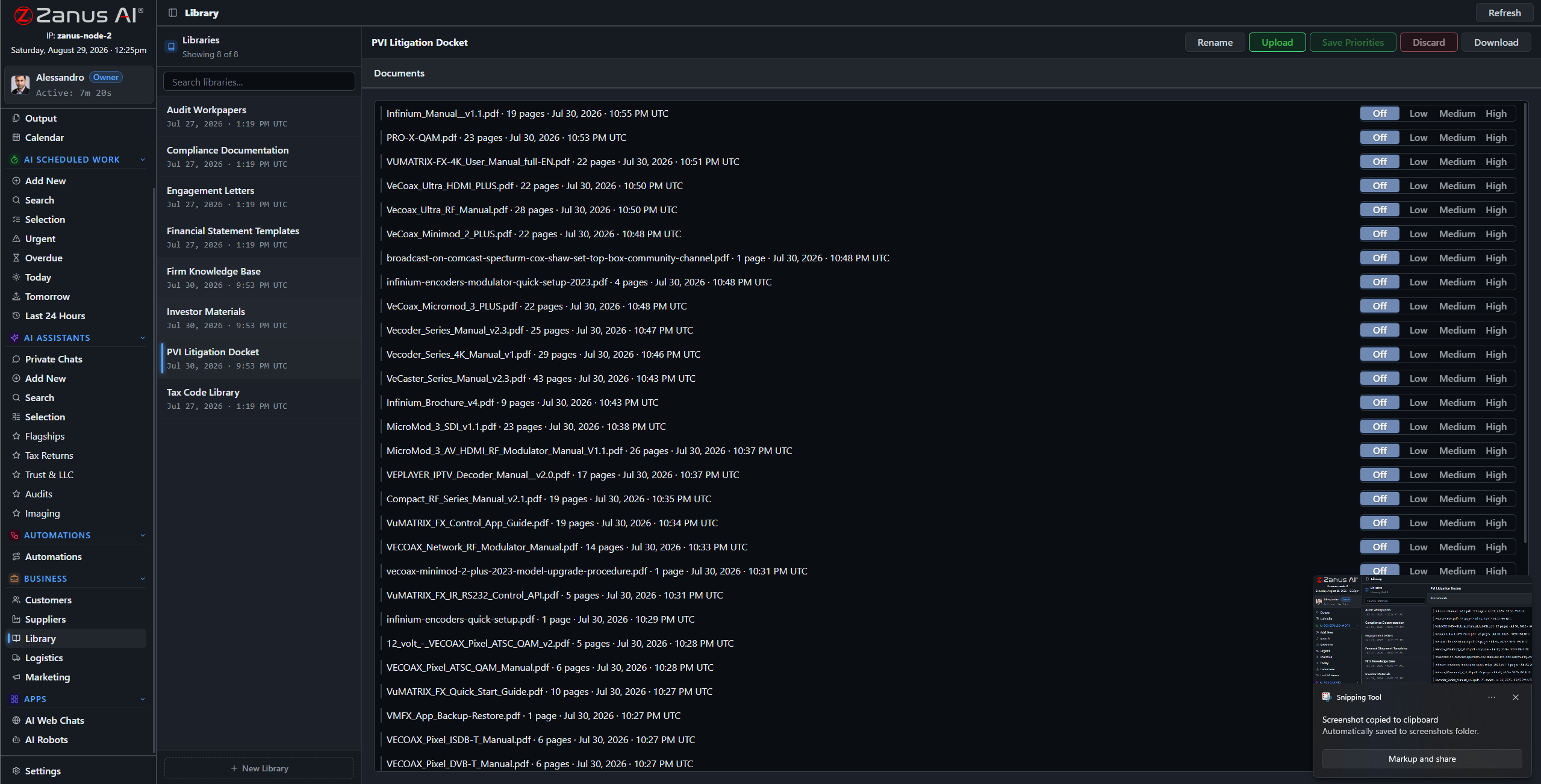
Libraries: current handbook outranks old ones, adopted curriculum outranks drafts — you set the order.
What it does
PDFs, Word, spreadsheets, scanned enrollment forms and decades-old paper records — the ingestion pipeline turns what the district actually has into queryable knowledge.
No source in your library, no claim: the AI cites the policy, the curriculum map, the record — or says it cannot answer. No invented rules, ever.
A teacher asks about the field-trip policy; the registrar asks about a student record: each gets answers scoped to their role, enforced server-side.
Thirty years of board minutes, one question away
“When did the board last revise the attendance policy?” “Which curriculum did we adopt for middle-school science, and when?” “What does the handbook say about early dismissal?” The archive answers in seconds, with documents attached — instead of an afternoon in the records room.
- Plain-language questions across the archive
- Sources attached to every answer
- Priority order: adopted versions rule

Questions, answered
Who can see student records?
Only roles you authorize. Permissions reach the field level and the server redacts what a user cannot see — even inside shared views and calendars.
Do our documents train outside models?
Never. Your tenant is isolated; your district’s knowledge is yours alone — and the on-premises option keeps it physically inside your building.
See it working on YOUR district — the demo IS the product.
← Previous: Back Office · Sharing with a colleague? 📄 Get the PDF · ✉️ Email this page ·