ZANUS AI FOR EDUCATION — AUTOMATIONS
The school’s repetitive work, set once.
Describe the job in plain words — “when an enrollment form arrives, file it to the student record and draft the missing-documents email” — and it becomes connected blocks on a canvas, running on its own, with every run visible.
Private tenant or your own server · unlimited staff · student data privacy by architecture
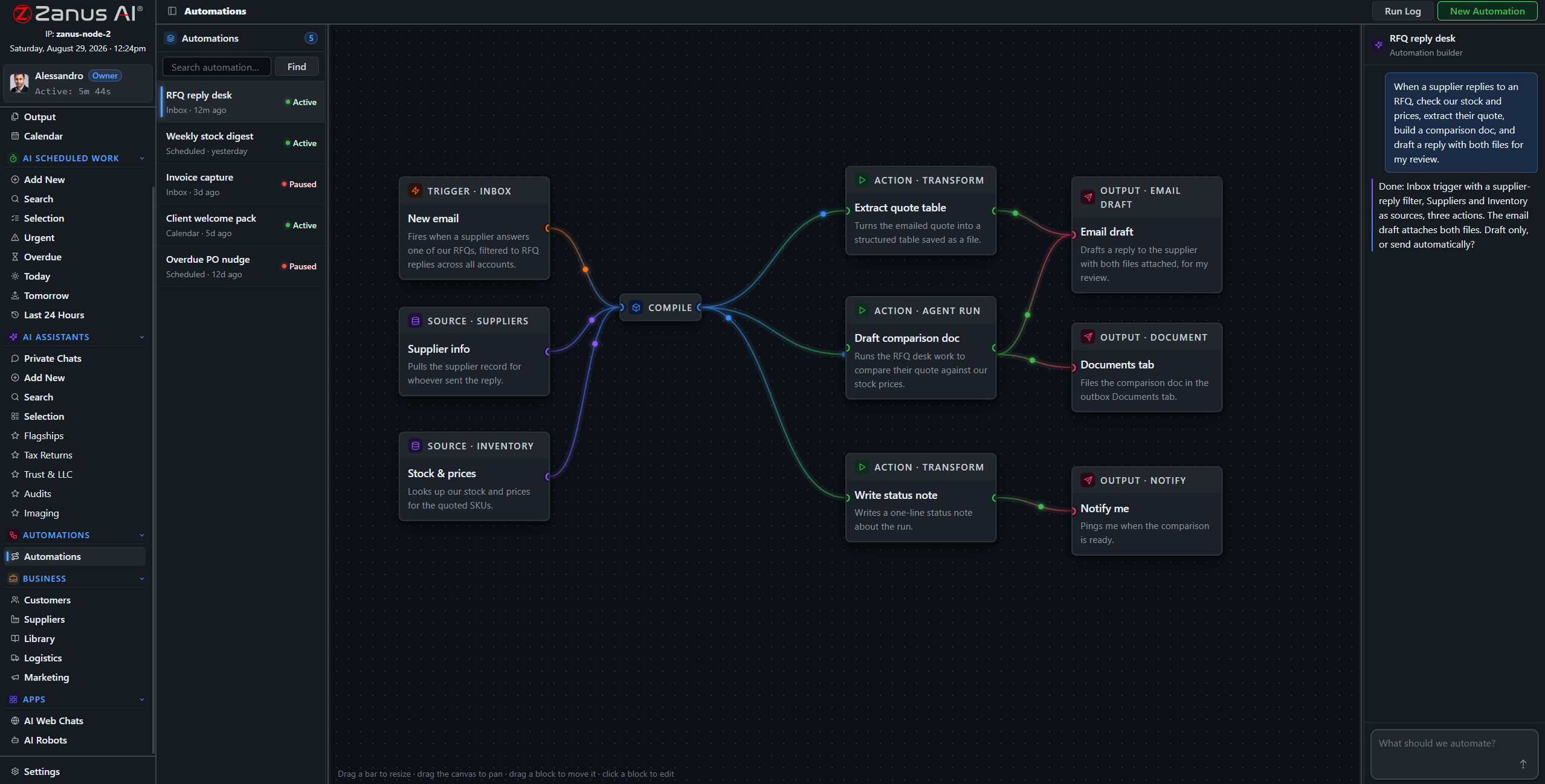
A real flow: inbox trigger, record sources, AI compile, outputs — drawn from a description.
What it does
A registration form arrives incomplete: the AI files what came, lists what is missing, and drafts the request to the family in the family’s language — queued for approval.
Records requests, immunization forms and transfer paperwork routed to the right student record with handling instructions — no lost-paper energy.
The Friday newsletter, the monthly enrollment summary, the board packet: compiled by the AI, filed to Output, on time every time.
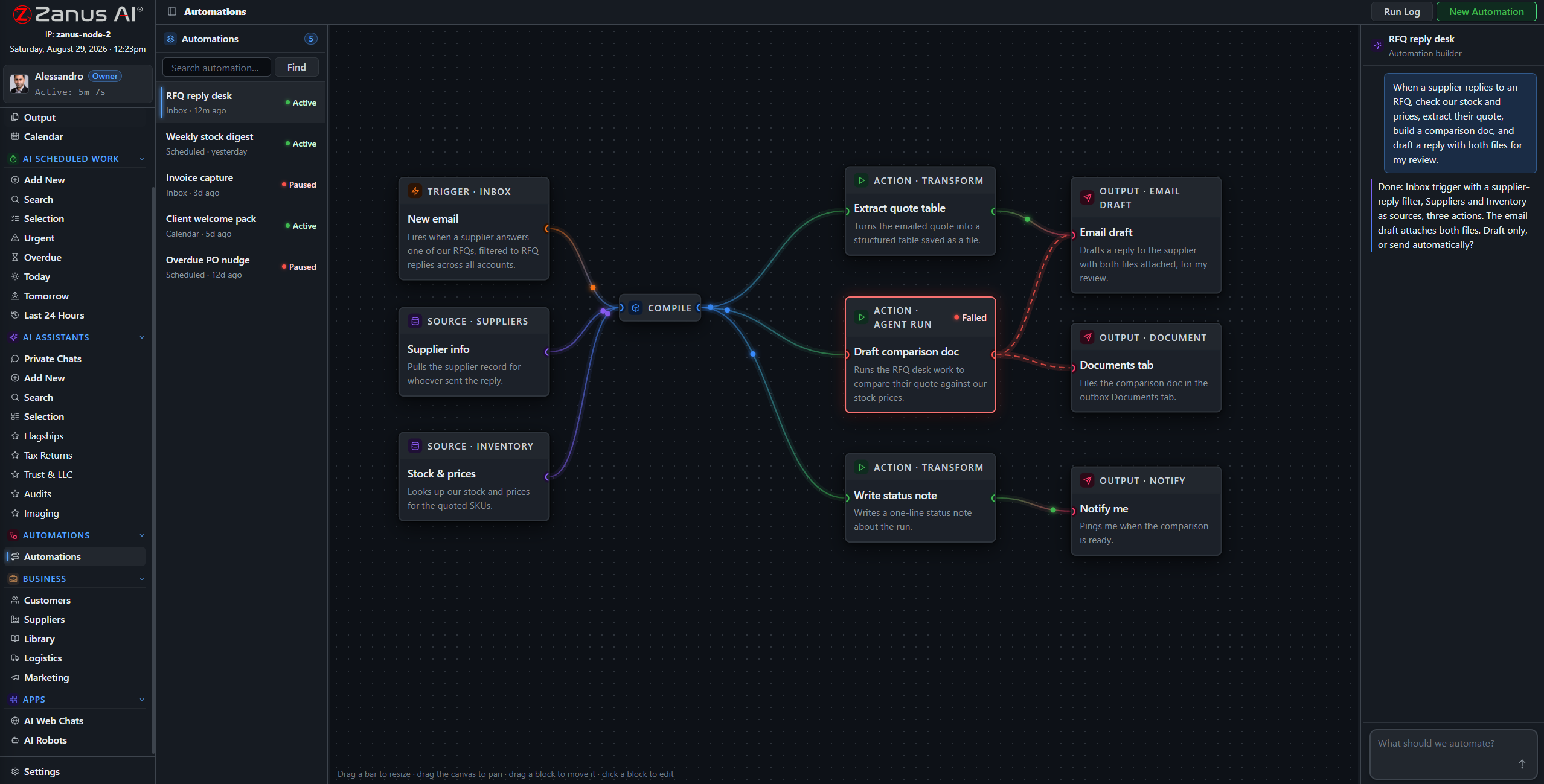
When something fails, you SEE it
Run states live on the flow: green success, red failure on the exact block. In a school office, a silently skipped notification is not acceptable — here, nothing fails silently.
- Run log per automation
- One-click retry on failures
- Finished documents in Output, statused
Questions, answered
Who approves messages to families?
Your rules: queue everything for human approval, or auto-send only the categories you designate as safe — closure notices one way, individual communications always reviewed.
See it working on YOUR district — the demo IS the product.
← Previous: Staff Training · Sharing with a colleague? 📄 Get the PDF · ✉️ Email this page ·