ZANUS FRONT OFFICE FOR AFTER-HOURS — ADD AI TO WHAT YOU HAVE NEW
Keep the systems your day runs on. The night’s work is written back by morning.
Your dispatch board, property-management system, dealer-management system, practice or case-management software stay the record. The Front Office answers, books and files after hours, then writes bookings, contacts and requests back through native calendar sync, webhooks and API — fires an event to your paging or on-call tool the moment an emergency is filed — and exposes a standard MCP server so any AI you authorize can read your front office. Integrations without projects.
Try it free 7 days on your own business · no credit card · per company, never per seat
REAL AI - the whole Front Office is AI, not old software with an AI button. Give it your website: it learns your company, works from your approved knowledge and gets better with every answer you approve.
Live on this site right now — the assistant in the corner is the product · Award-winning AI — CES · ISE · TMCnet
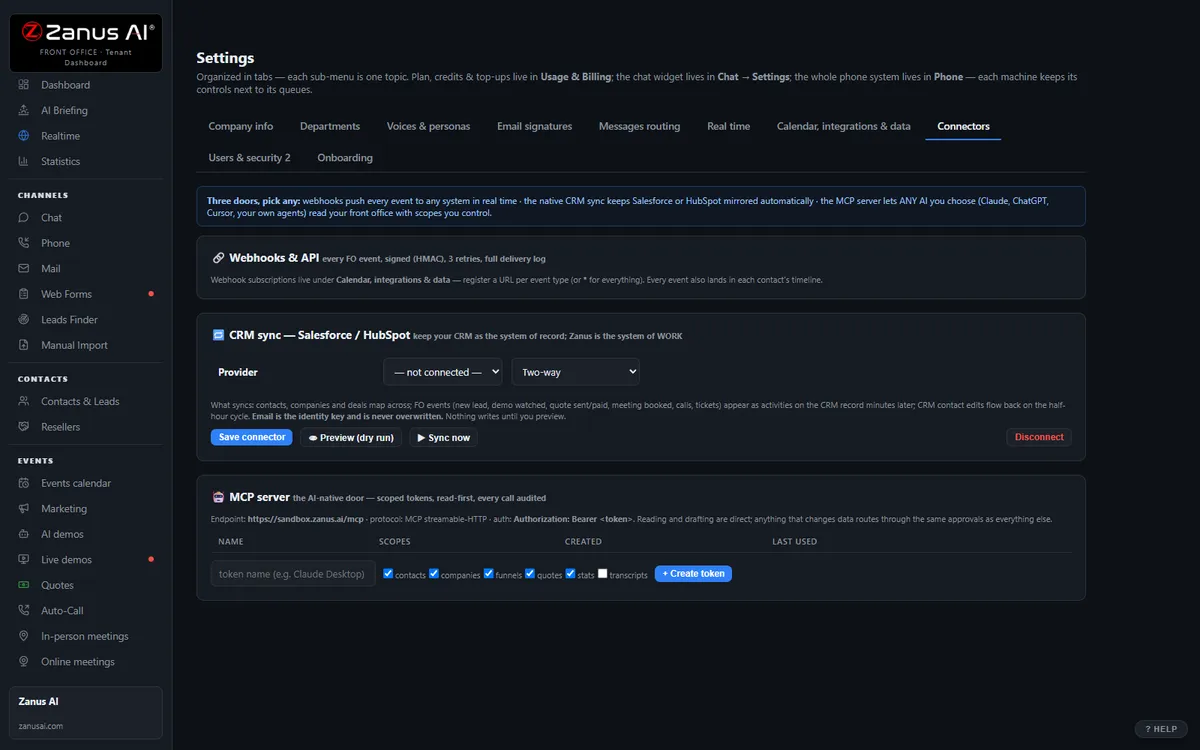
The real Settings › Connectors tab: webhooks + API, CRM sync, MCP server.
What it does
Google and Microsoft calendars sync natively; on-call rotations and per-person schedules respected when the AI books at night.
Every after-hours booking, request and emergency fires an event your dispatch, paging or ticketing system can consume in real time.
Any AI you authorize reads your front-office data through a standard protocol — scoped, revocable tokens, every call audited.
Inside “Add AI to what you have” — the real screens
Click a tab. Every picture is the live Front Office, not a mockup — the left menu is the whole product.
AI-native is a protocol, not a partnership
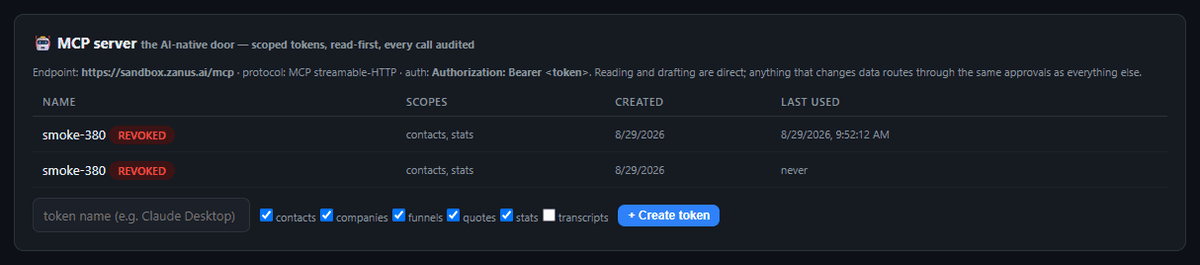
Some platforms let one chosen AI read your data — through their partnership, on their terms. Zanus takes the open road: a standard MCP server, so ANY AI you authorize can read your front office.
- Works with any MCP-capable assistant and with your own agents
- Scope checkboxes per token — least privilege by default
- Read-first: writes go through your approval paths
Available on its own — or inside a solution
Not a replacement. A layer.
The old way: software your team operates, one screen at a time, with an “AI button” bolted on. The AI way: the whole front office is AI — it answers the phone, the chat, the e-mail and the web forms, and files the result in the systems you already trust. You keep the filing cabinet; the work moves here.
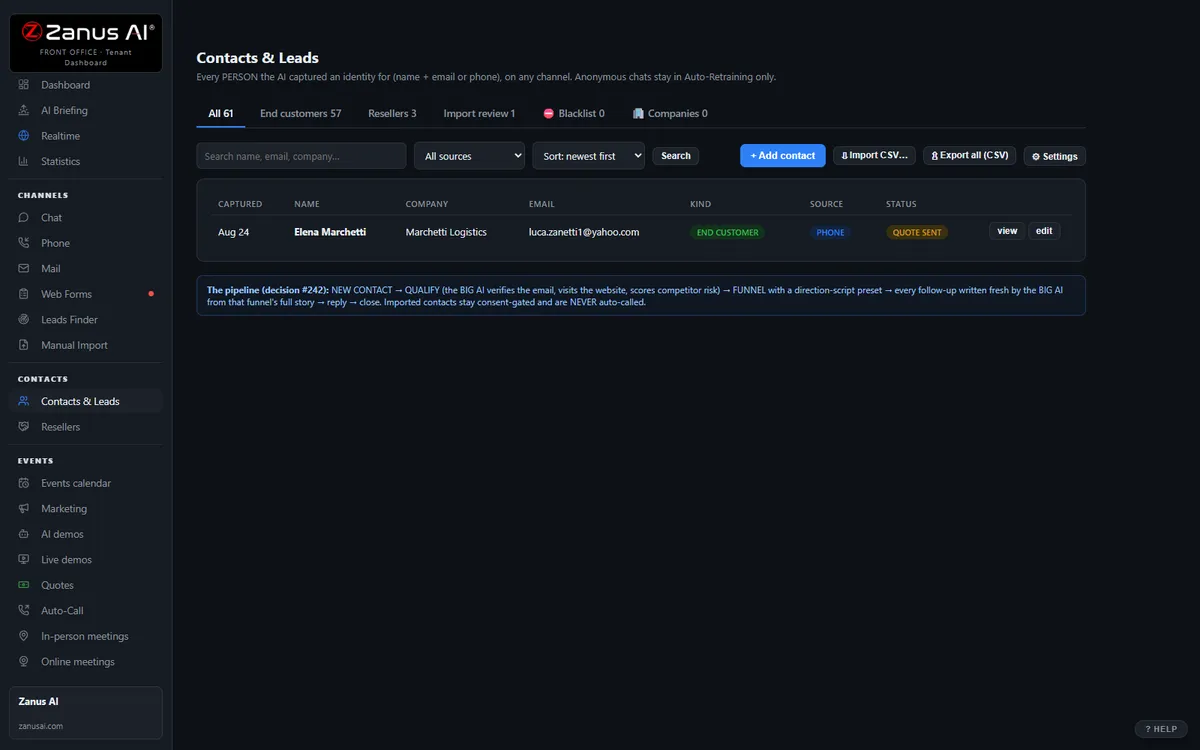
- Your CRM stays the system of record — the AI writes into it
- Your phone numbers stay — the AI answers first, your team first, or any mix
- Your mailboxes stay — forward a copy and reply from Front Office
Not a replacement. A layer.
The old way: software your team operates, one screen at a time, with an “AI button” bolted on. The AI way: the whole front office is AI — it answers the phone, the chat, the e-mail and the web forms, and files the result in the systems you already trust. You keep the filing cabinet; the work moves here.
- Your CRM stays the system of record — the AI writes into it
- Your phone numbers stay — the AI answers first, your team first, or any mix
- Your mailboxes stay — forward a copy and reply from Front Office
Not a replacement. A layer.
The old way: software your team operates, one screen at a time, with an “AI button” bolted on. The AI way: the whole front office is AI — it answers the phone, the chat, the e-mail and the web forms, and files the result in the systems you already trust. You keep the filing cabinet; the work moves here.
- Your CRM stays the system of record — the AI writes into it
- Your phone numbers stay — the AI answers first, your team first, or any mix
- Your mailboxes stay — forward a copy and reply from Front Office
Not a replacement. A layer.
The old way: software your team operates, one screen at a time, with an “AI button” bolted on. The AI way: the whole front office is AI — it answers the phone, the chat, the e-mail and the web forms, and files the result in the systems you already trust. You keep the filing cabinet; the work moves here.
- Your CRM stays the system of record — the AI writes into it
- Your phone numbers stay — the AI answers first, your team first, or any mix
- Your mailboxes stay — forward a copy and reply from Front Office
Questions, answered
Can the emergency reach our existing on-call paging tool?
Yes. The transfer to the on-call number happens in the call itself; in parallel, a webhook carries the case and transcript to any paging, dispatch or ticketing system with an API, through your vendor or integrator. Native CRM sync is available where you use a general CRM.
Which solution includes it?
Available on its own or inside a solution. Which solution includes what: see pricing.
Try it free on your own business. 7 days. No credit card.
Give it your website. It learns your company. Then call it, chat with it, e-mail it — and decide. Nothing to install, nothing to cancel.
← Previous: Tickets & RMA · Sharing with a colleague? 📄 Get the PDF · ✉️ Email this page ·