ZANUS AI FOR TELECOMMUNICATIONS — AUTOMATIONS
The NOC’s repetitive work, drawn once.
Describe the job in plain words — “when a trouble ticket arrives, classify it, pull the matching fault history and draft the first response” — and it becomes connected blocks on a canvas, running on its own, with every run visible.
Private tenant or your own server · your whole team · subscriber data isolated by architecture
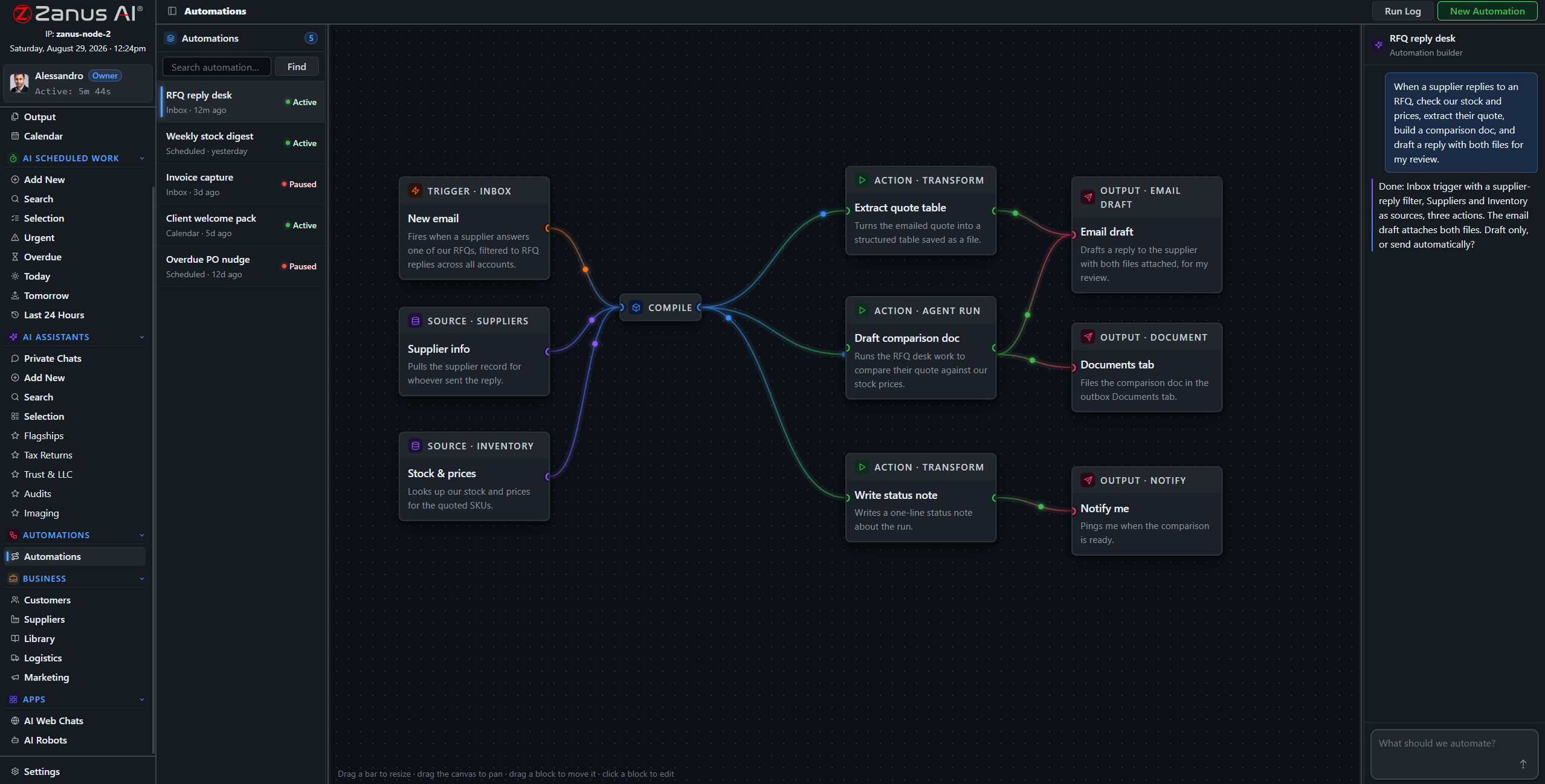
A real flow: inbox trigger, record sources, AI compile, three outputs — drawn from a description.
What it does
A trouble ticket lands; the AI classifies it, attaches the matching fault history and site record, and queues a drafted first response — before a human has opened the queue.
A window is scheduled; the AI drafts the subscriber notice for the affected area from your records, in each subscriber’s language, queued for approval.
The nightly ticket-trend digest, the Friday operations summary: compiled by the AI, filed to Output, on time every time.
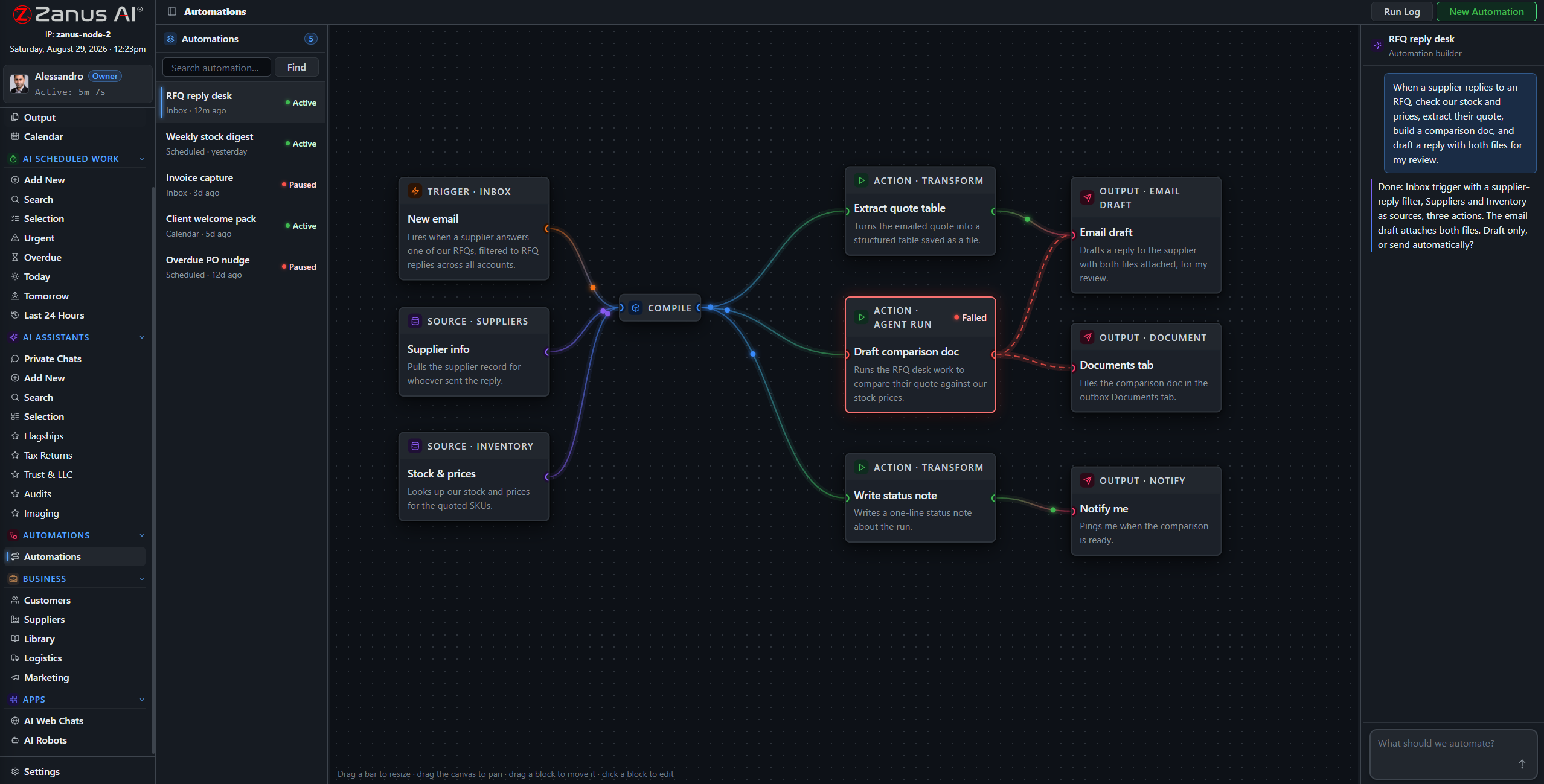
When something fails, you SEE it
Run states live on the flow: green success, red failure on the exact block. On a network, a silent failure in the reporting chain is how surprises reach the morning meeting — here, nothing fails silently.
- Run log per automation
- One-click retry on failures
- Finished documents in Output, statused
Questions, answered
Who approves outgoing subscriber notices?
Your rules: queue everything for human approval, or auto-send only the categories you designate as safe — planned-maintenance notices, say, but never outage explanations.
See it working on YOUR network — the demo IS the product.
← Previous: Team Training · Sharing with a colleague? 📄 Get the PDF · ✉️ Email this page ·