ZANUS AI FOR RISK ASSESSMENT & VISUAL INSPECTION — AUTOMATIONS
Upload to delivery, drawn once.
Describe the job in plain words — “when a flight is uploaded, file it to the site, open the review and queue the draft report” — and it becomes connected blocks on a canvas, running on its own, with every run visible.
Private tenant or your own server · your whole team · footage stays in your custody
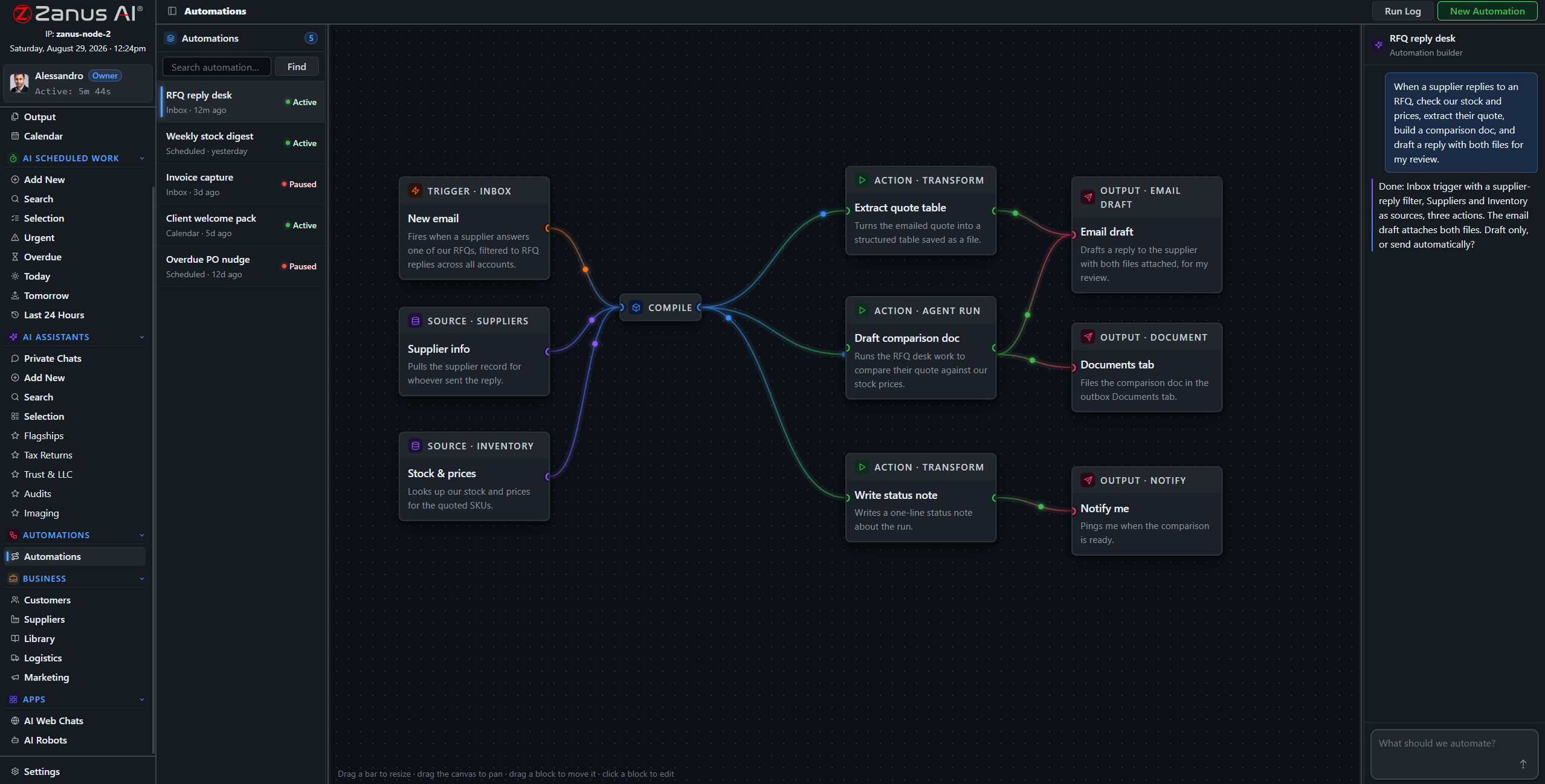
A real flow: upload trigger, site sources, AI analysis, three outputs — drawn from a description.
What it does
A flight lands in the system; the AI files it to the site record, opens the analysis session and queues the draft report — before the crew is back on the highway.
The inspector signs off; the AI drafts the delivery email with the report attached and the invoice queued — sent by your rules, logged on the record.
Sites due for annual review trigger a drafted reminder to the client — the recurring revenue in your archive stops depending on someone remembering.
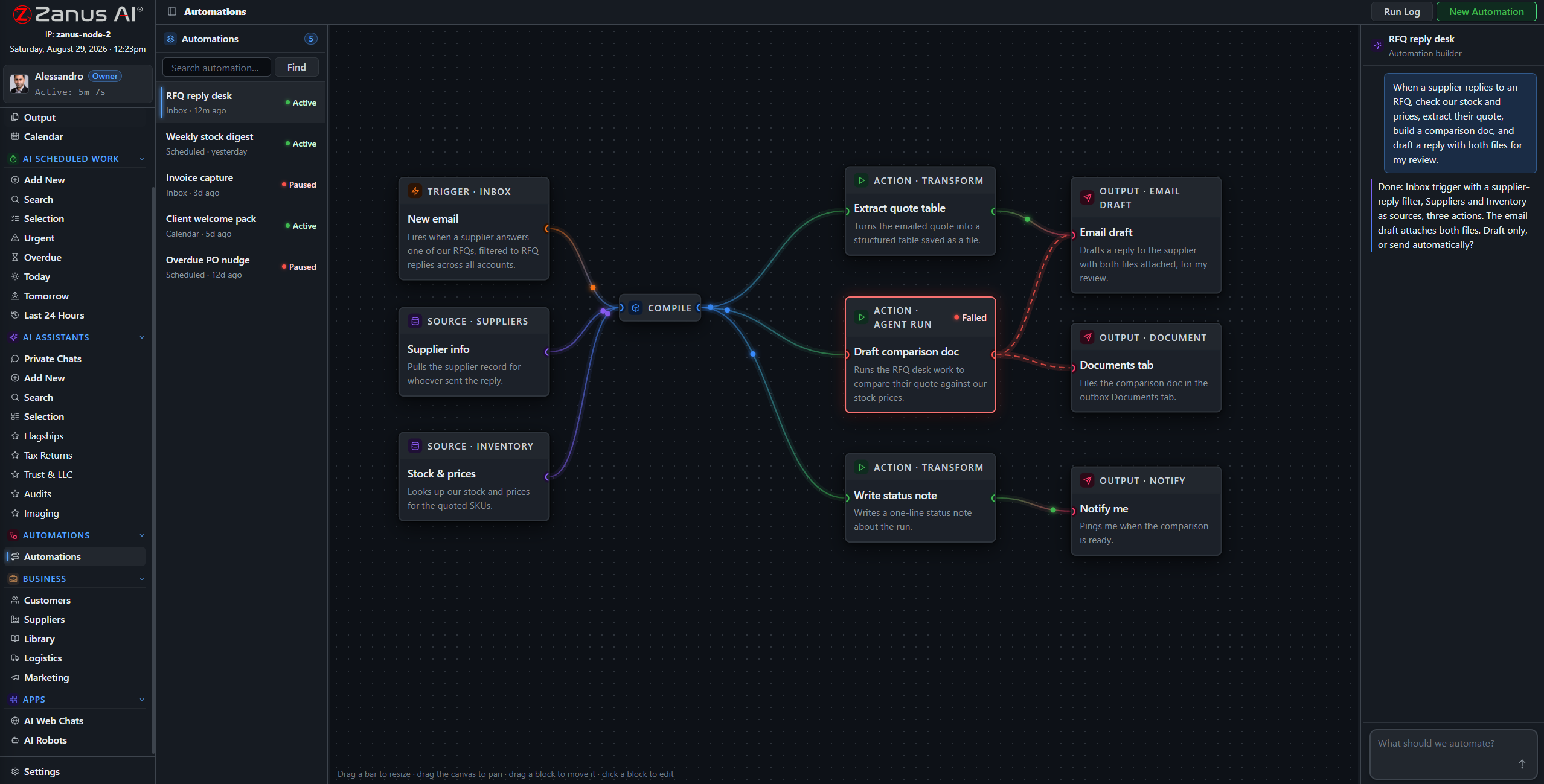
When something fails, you SEE it
Run states live on the flow: green success, red failure on the exact block. A silently failed intake flow means a client waiting on a report nobody is writing — here, nothing fails silently.
- Run log per automation
- One-click retry on failures
- Finished documents in Output, statused
Questions, answered
Who approves outgoing reports?
Your rules — and for reports the sensible rule is absolute: every report is signed by the inspector before the delivery flow may touch it. Reminders and confirmations can auto-send if you designate them safe.
See it working on YOUR operation — the demo IS the product.
← Previous: Team Training · Sharing with a colleague? 📄 Get the PDF · ✉️ Email this page ·