ZANUS AI FOR AUTOMOTIVE — SPECS & TSBS
Ask the policy book. It answers.
Window-sticker specs, technical service bulletins, warranty policy books, service manuals, F&I forms, OEM program guides — loaded into curated libraries the AI reads from. Ask in plain language; get the answer with the source cited, at the permission level of whoever asks.
Private tenant or your own server · your whole team · GLBA-conscious handling
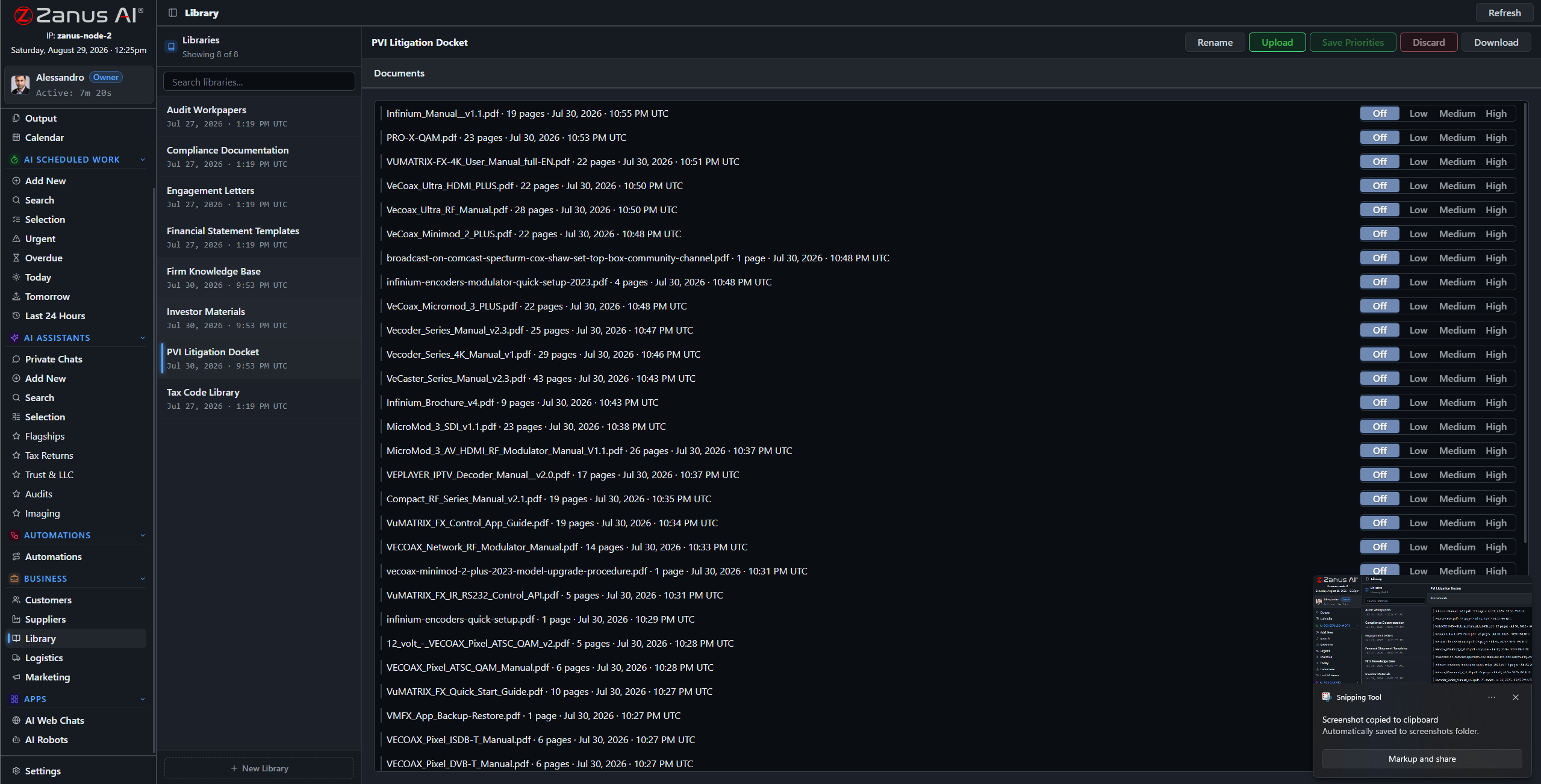
Libraries: current policy books outrank superseded ones, this year’s program guide outranks last year’s — you set the order.
What it does
PDFs, scanned deal jackets, window-sticker images, OEM bulletins, media — the ingestion pipeline turns what lands in the store into queryable knowledge.
No source in your library, no claim: the AI cites the TSB, the policy-book clause, the program guide — or says it cannot answer. No improvised warranty promises.
The salesperson asks about towing capacity; the F&I manager asks about the deal file: each gets answers scoped to their role, enforced server-side.
Ten model years of paper, one question away
“Which TSBs apply to this VIN range?” “What did the 2022 program guide pay on that model?” “What does our we-owe policy say?” The archive answers in seconds with the documents attached — instead of an advisor’s afternoon lost in portals and binders.
- Plain-language questions across the whole archive
- Sources attached to every answer
- Priority order: current bulletins and policy books rule

Questions, answered
Who can see the F&I documents?
Only roles you authorize. Permissions reach the field level and the server redacts what a user cannot see — a salesperson never stumbles into a credit file.
Do our documents train outside models?
Never. Your tenant is isolated; your policy books and deal files are yours alone — and the on-premises option keeps them physically inside your building.
See it working on YOUR dealership — the demo IS the product.
← Previous: Back Office · Sharing with a colleague? 📄 Get the PDF · ✉️ Email this page ·