ZANUS AI FOR REAL ESTATE — DOCUMENTS
Ask the closing package. It answers.
Purchase agreements, addenda, disclosures, inspection reports, title commitments, settlement statements, permits — loaded into curated libraries the AI reads from. Ask in plain language; get the answer with the clause cited, scoped to whoever asks.
Private tenant or your own server · your whole team · transaction records retained, audit-ready
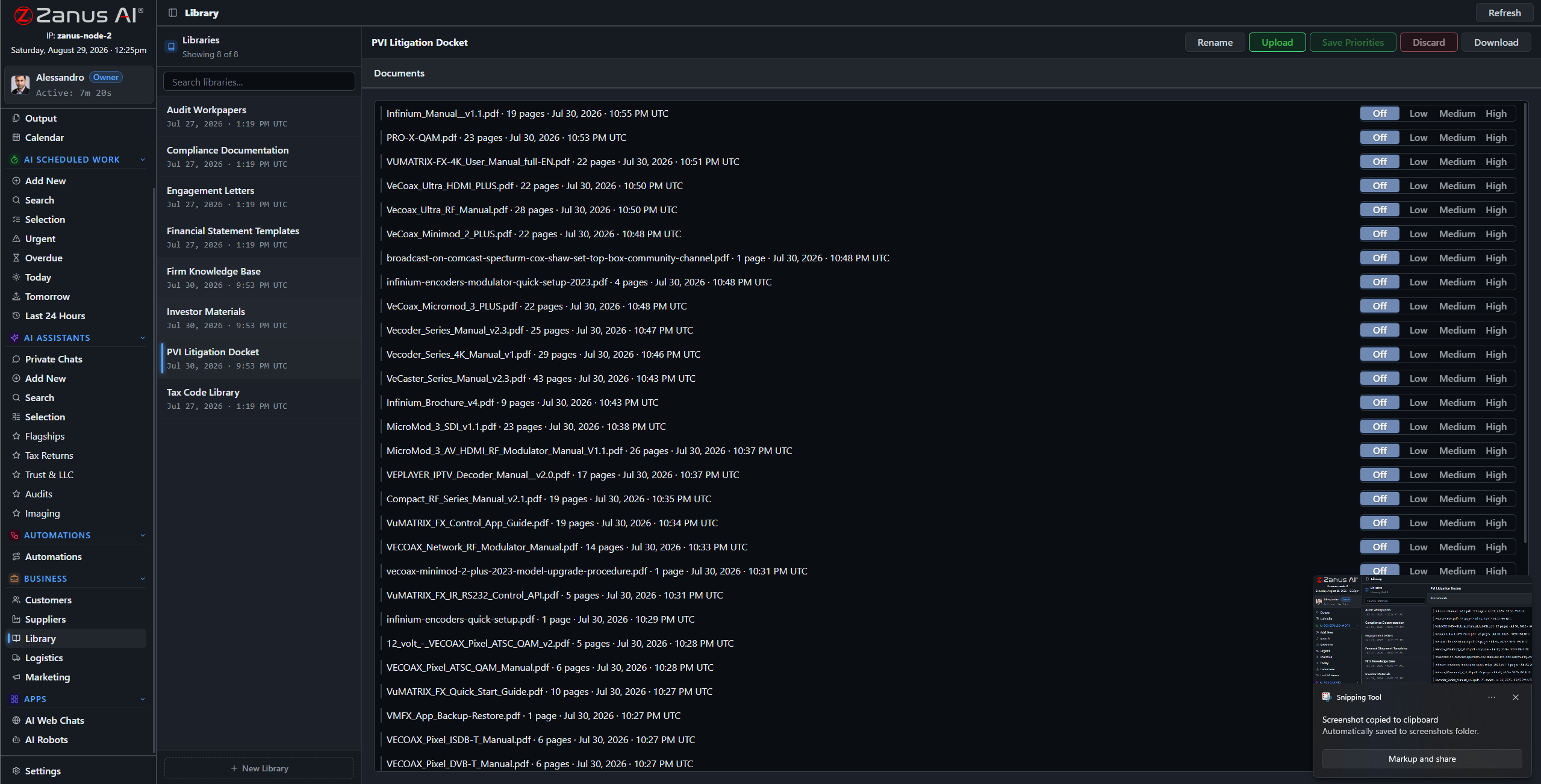
Libraries: executed versions outrank drafts, current addenda outrank the base contract — you set the order.
What it does
Scanned signatures, phone photos of disclosures, PDF title commitments, emailed inspection reports — the ingestion pipeline turns the deal file into queryable knowledge.
No source in the file, no claim: the AI cites the paragraph, the addendum, the report page — or says it cannot answer. When a dispute surfaces two years later, that discipline is the defense.
The new agent asks about the showing procedure; the broker asks about the commission split on a closed deal: each gets answers scoped to their role, enforced server-side.
Every closed deal, one question away
“What did we disclose about the roof on the Oakwood sale?” “Which closings last year had seller concessions over 2%?” “Where is the survey for the Elm Street lot?” The archive answers in seconds, with the documents attached — instead of an afternoon in banker’s boxes.
- Plain-language questions across all transactions
- The exact clause or page attached to every answer
- Priority order: executed versions always win

Questions, answered
Who can open transaction files?
Only roles you authorize. Permissions reach the field level and the server redacts what a user cannot see — an agent sees their own deals, the broker sees the office.
Do our files train outside models?
Never. Your tenant is isolated; your transaction history is yours alone — and the on-premises option keeps it physically inside your building.
See it working on YOUR brokerage — the demo IS the product.
← Previous: Back Office · Sharing with a colleague? 📄 Get the PDF · ✉️ Email this page ·