ZANUS AI FOR CONSTRUCTION — BLUEPRINTS & RFIS
The answer is on sheet A-301. It knows that.
Plans, specs, geotech reports, submittals, contracts, insurance certs, lien waivers — loaded into curated libraries the AI reads from. Ask in plain language; get the answer with the sheet and section cited, scoped to whoever asks.
Private tenant or your own server · your whole team · OSHA-conscious safety documentation
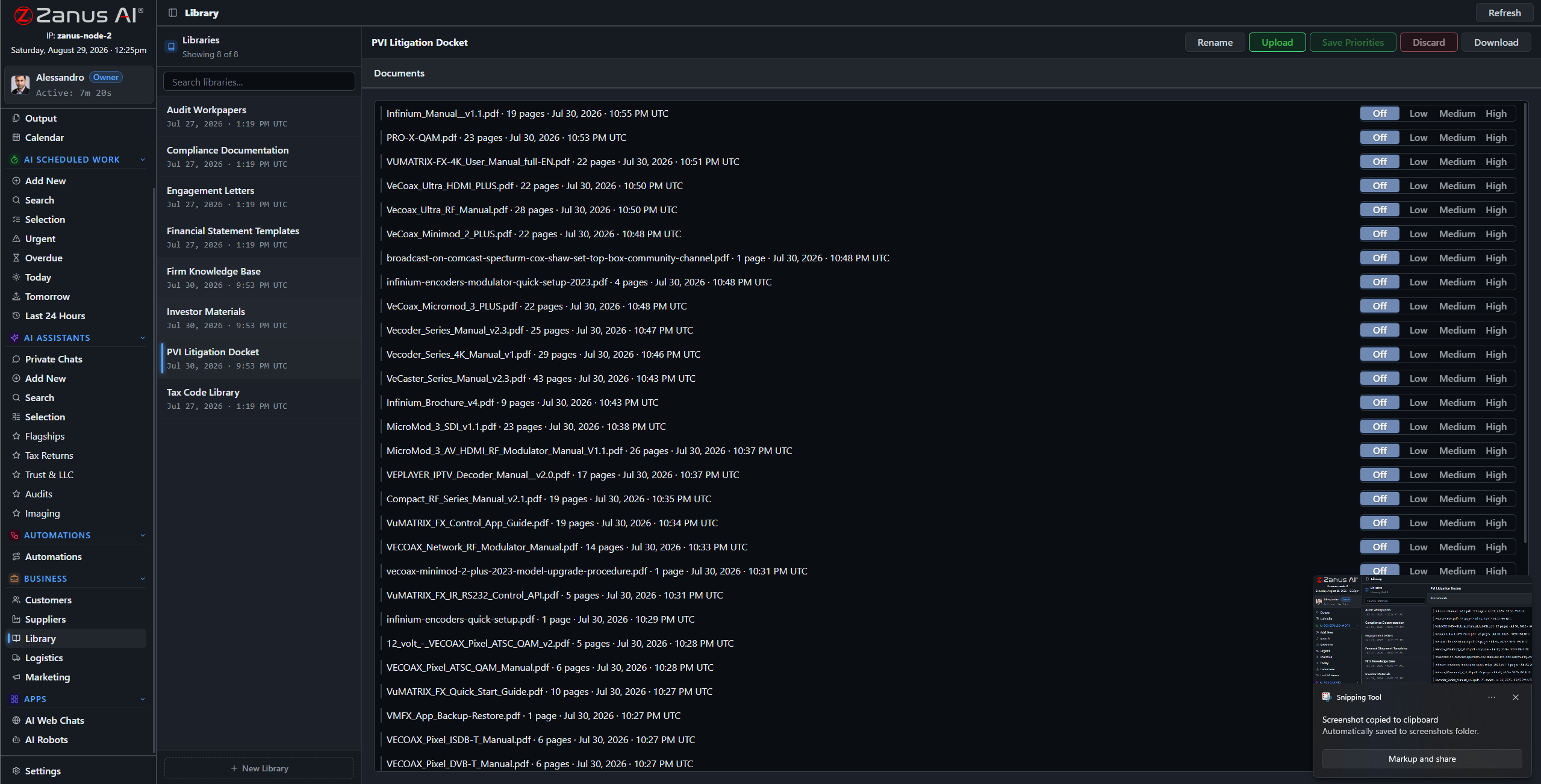
Libraries: the current drawing set outranks superseded issues, executed contracts outrank drafts — you set the order.
What it does
Full plan sets, marked-up PDFs, scanned geotech reports, photos of field conditions — the ingestion pipeline turns the project record into queryable knowledge.
No source in your library, no claim: the AI cites the sheet, the spec section, the contract clause — or says it cannot answer. On a jobsite, a guessed dimension is rework.
The sub’s foreman asks about his scope and gets his sheets; the estimator asks about cost history and gets the numbers. Each answer scoped to the role, enforced server-side.
“Which set is current?” — never a question again
Addendum 3 superseded half the mechanical sheets, and somebody is always building from the old set. Priority-ordered libraries put the current issue on top: every answer cites the governing sheet, and the superseded set is archived, not circulating.
- Plain-language questions across the whole project record
- Sources attached to every answer
- Priority order: current issue rules, superseded sets outranked

Questions, answered
Who can see the contract and the numbers?
Only roles you authorize. Permissions reach the field level and the server redacts what a user cannot see — a sub asking about scope never sees your margin.
Do our plans train outside models?
Never. Your tenant is isolated; your project record and bid history are yours alone — and the on-premises option keeps them physically in your office.
See it working on YOUR jobsite — the demo IS the product.
← Previous: Back Office · Sharing with a colleague? 📄 Get the PDF · ✉️ Email this page ·