ZANUS AI FOR MANUFACTURING — DOCS & DRAWINGS
Every print, every rev, every answer cited.
Tooling drawings, work instructions, equipment manuals, material certs, the quality manual — loaded into curated libraries the AI reads from. Ask in plain language; get the answer with the drawing and revision cited, scoped to whoever asks.
Private tenant or your own server · your whole team · OSHA-conscious documentation
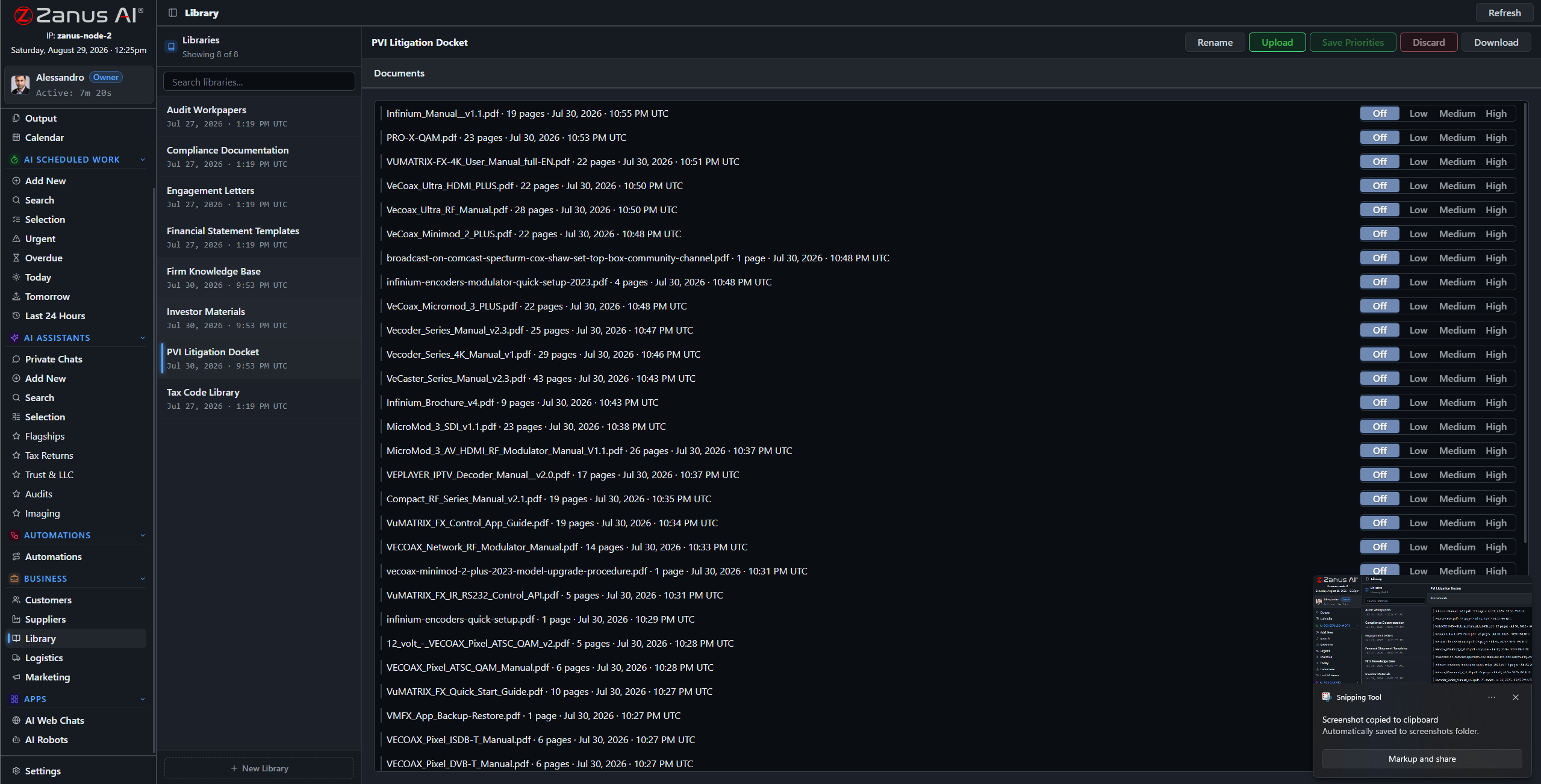
Libraries: released revisions outrank redlines, the current quality manual outranks the 2019 copy — you set the order.
What it does
PDFs, drawings, scanned prints, photos of the nameplate, supplier certs that arrived by fax — the ingestion pipeline turns what the plant receives into queryable knowledge.
No source in your library, no claim: the AI cites the work instruction, the drawing, the cert — or says it cannot answer. On the floor, a guessed spec is scrap.
The temp on line 2 gets the work instruction; the process engineer gets the process sheet with costing. Each answer is scoped to the role, enforced server-side.
“Which rev is on the floor?” — answered in seconds
“What changed between rev C and rev D of the 4471 fixture?” “Which material cert covers this lot?” “Where is the changeover checklist for the Komori line?” The archive answers with documents attached — instead of a walk to engineering and a dig through the flat files.
- Plain-language questions across drawings and manuals
- Sources attached to every answer
- Priority order: released revisions rule, redlines outranked

Questions, answered
Who can see the tooling drawings?
Only roles you authorize. Permissions reach the field level and the server redacts what a user cannot see — a contractor asking about a fixture gets the assembly steps, not the process economics.
Do our drawings train outside models?
Never. Your tenant is isolated; your process knowledge is yours alone — and the on-premises option keeps it physically inside the plant.
See it working on YOUR plant — the demo IS the product.
← Previous: Back Office · Sharing with a colleague? 📄 Get the PDF · ✉️ Email this page ·