ZANUS AI FOR ACCOUNTING & CPA FIRMS — DOCUMENTS
Ask the engagement file. It answers.
K-1s, 1099s, W-2s, trial balances, prior-year returns, organizers, signed engagement letters — loaded into curated libraries the AI reads from. Ask in plain language; get the answer with the source cited, scoped to whoever asks.
Private tenant or your own server · your whole team · client-confidentiality-conscious architecture
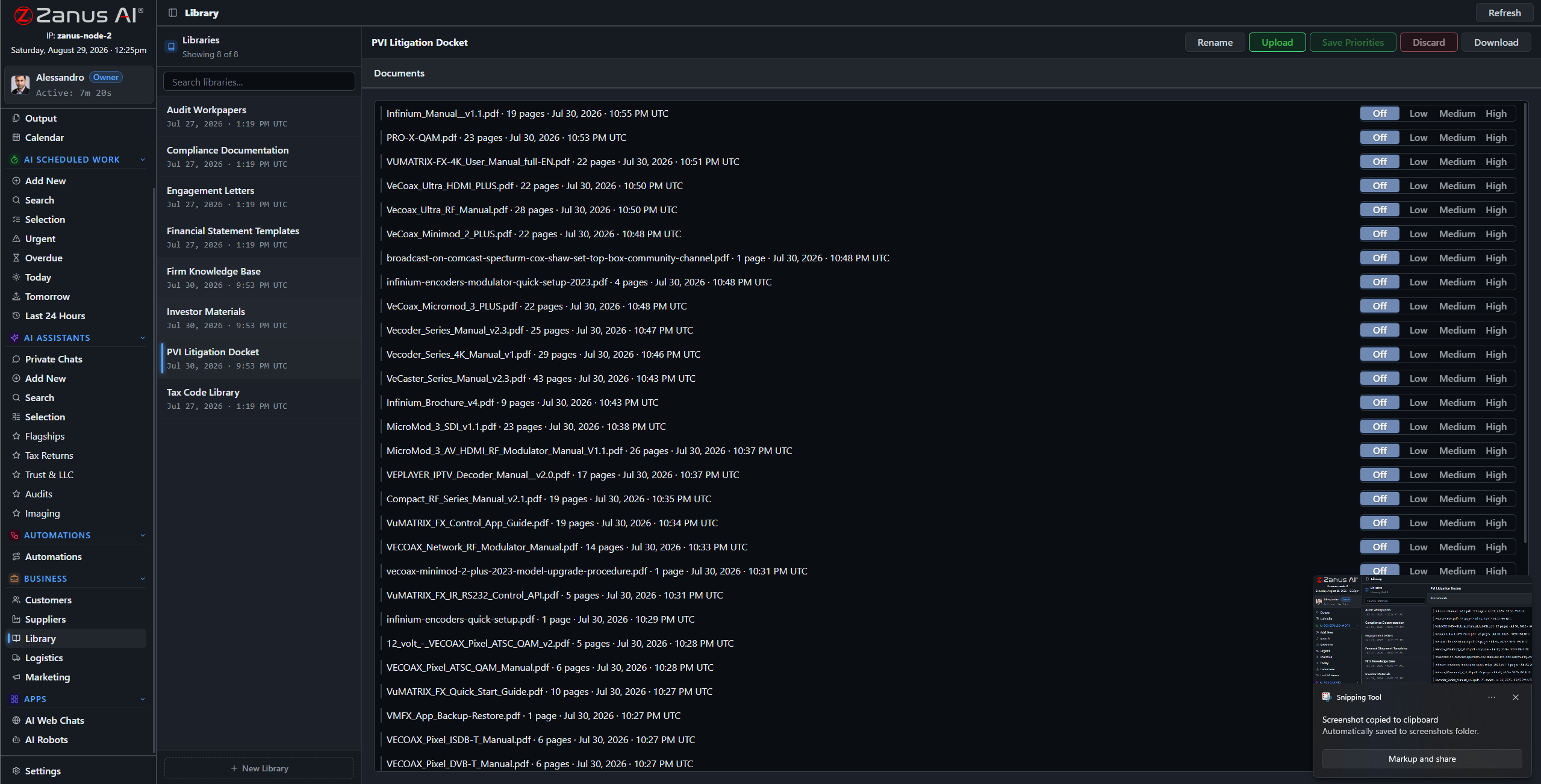
Libraries: current-year files outrank prior years, final versions outrank drafts — you set the order.
What it does
PDFs, spreadsheets, phone photos of W-2s, scanned brokerage statements — the ingestion pipeline turns the shoebox into queryable knowledge.
No source in the file, no claim: the AI cites the K-1, the trial balance, the prior return — or says it cannot answer. For work that gets reviewed, that discipline matters.
The admin asks about appointment policy; the partner asks about the client’s basis history: each gets answers scoped to their role, enforced server-side.
Ten filing seasons, one question away
“Which clients received K-1s from this partnership last year?” “What did we list on the depreciation schedule for the rental?” “Which engagement letters are still unsigned?” The archive answers in seconds, with the documents attached — instead of an hour in the document portal.
- Plain-language questions across all engagements
- Sources attached to every answer
- Priority order: final and current-year files rule

Questions, answered
Who can open client files?
Only roles you authorize. Permissions reach the field level and the server redacts what a user cannot see — a seasonal preparer sees their assigned engagements, nothing else.
Do client documents train outside models?
Never. Your tenant is isolated; client files are yours alone — and the on-premises option keeps them physically inside your office.
See it working on YOUR practice — the demo IS the product.
← Previous: Back Office · Sharing with a colleague? 📄 Get the PDF · ✉️ Email this page ·