ZANUS AI FOR ACCOUNTING & CPA FIRMS — COMPLIANCE
Built like the peer review is tomorrow.
A CPA firm holds the most sensitive files its clients possess. Admin-created accounts, permissions to the field level, server-side redaction, a searchable audit trail over engagement records — and a fully on-premises option where client files never touch the internet.
Private tenant or your own server · your whole team · client-confidentiality-conscious architecture
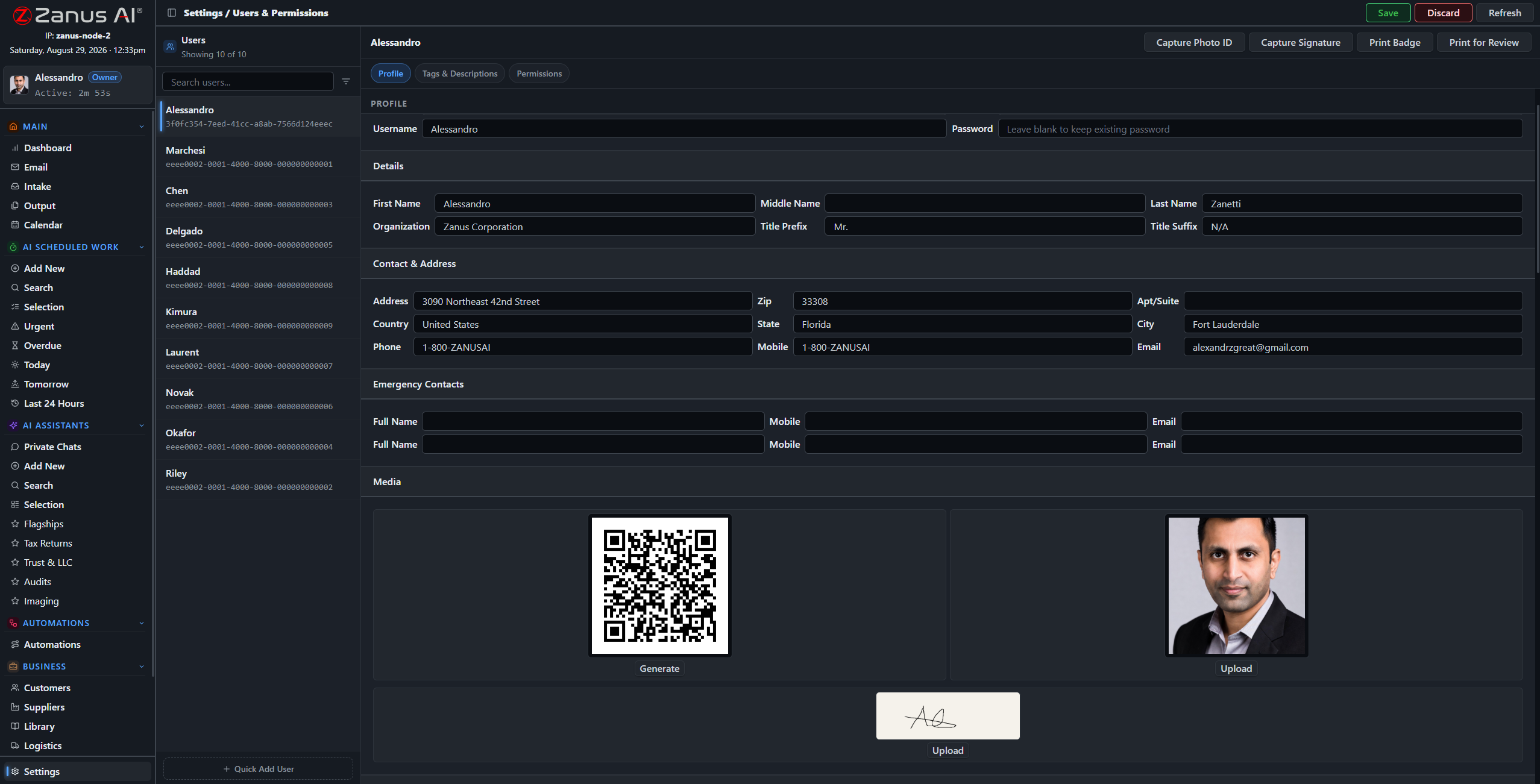
One record per user: role, tags, and granular permissions over every domain of the system.
What it does
The server redacts what a role cannot see — a seasonal preparer sees assigned engagements only; even in shared calendars, an unauthorized user sees the slot, not the client name.
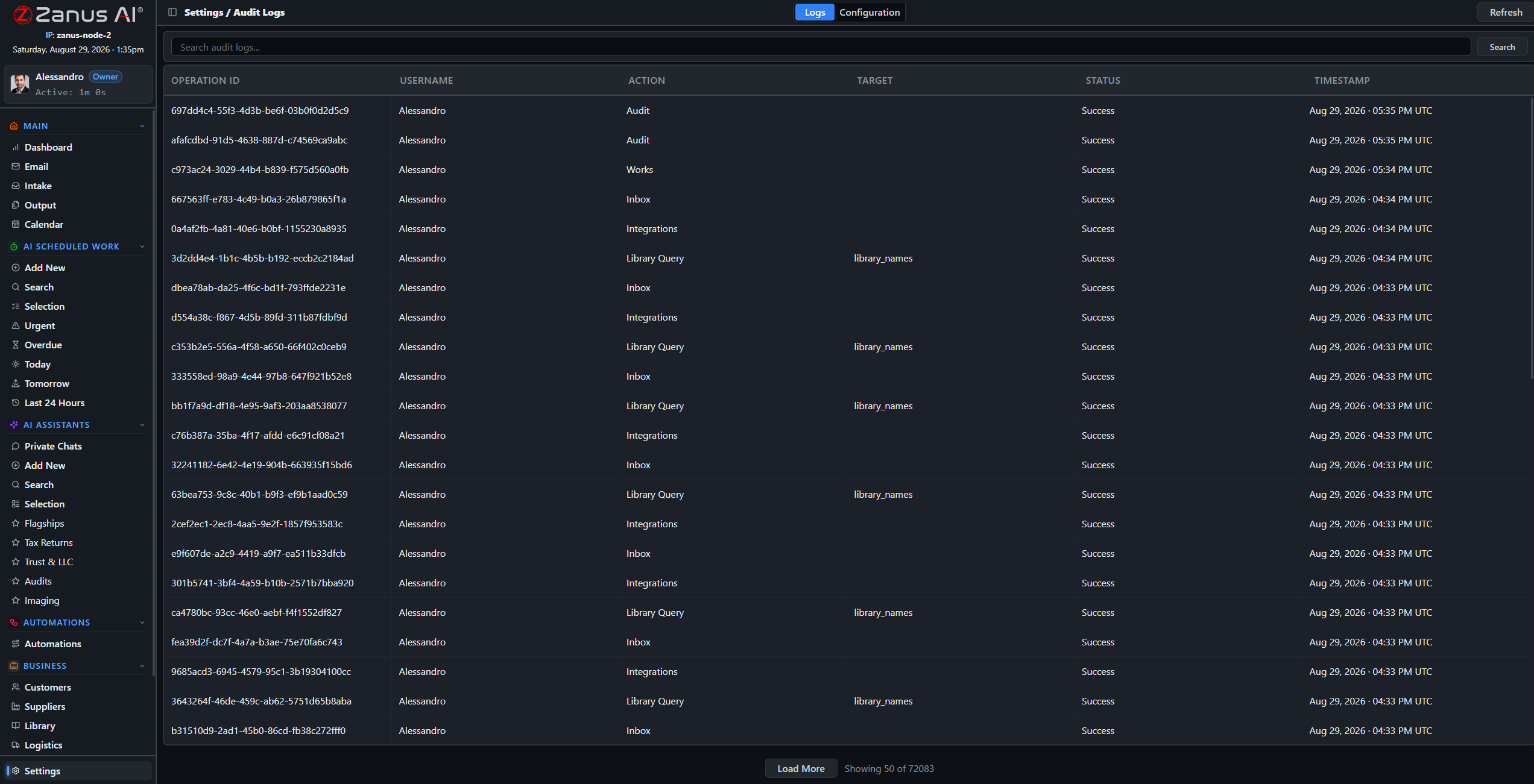
A searchable log of every audited action, with configurable categories: who opened the client file, who edited the letter, who exported what, when.
Five-level workgroups map offices, partners and teams; the on-premises option puts the whole system inside your office, air-gap capable.
The records request that takes minutes, not weeks
When the question comes — from a peer reviewer, an insurer or a departing client’s new accountant — the answer is a search away: engagement records, access history, document trails, update history, all in one place, with pre-update snapshots preserved.
- Searchable audit trail
- Automatic pre-update snapshots with rollback
- USB updates for air-gapped deployments
Questions, answered
Where do client files live?
In your isolated tenant — never training outside models — or fully on-premises on hardware your firm owns, physically incapable of internet exposure.
Can our compliance reviewer vet the setup?
Please bring them: deployment specifics, retention behavior and confidentiality handling are walked through with your firm during onboarding.
See it working on YOUR practice — the demo IS the product.
← Previous: Tax Software & Integrations · Sharing with a colleague? 📄 Get the PDF · ✉️ Email this page ·